
#46 by installs
Loginizer
Loginizer is a WordPress security plugin which helps you fight against bruteforce attacks.
- Installs
- 1+ million
- Rating
- 4.8 (1K)
- Updated
- 2 days ago

Nested Pages provides a drag and drop interface for managing pages & posts in the WordPress admin, while maintaining quick edit functionality.
| Last updated | September 25, 2026Updated in the last 3 months |
|---|---|
| Tested up to | WordPress 7.1.4Covers WordPress 7.1.4, the current release |
| Needs WordPress | 3.8 or newer |
| Needs PHP | 8.0 or newer |
| First published | October 23, 2014 |
| Support, last two months | 1 of 4 threads resolved (25%) |
4.7 / 5 from 126 reviews
| 5 stars | 109 |
|---|---|
| 4 stars | 3 |
| 3 stars | 6 |
| 2 stars | 7 |
| 1 star | 1 |
Why use Nested Pages?
For more information visit hookandfilter.com.
Important: Nested Pages requires WordPress version 3.8 or higher, and PHP version 5.4 or higher.
Languages:
More Information
Generated Menu
The default menu generated automatically is named “Nested Pages”. You may rename the menu under Appearance > Menus, or under the Nested Pages settings.
Toggling the Page Tree
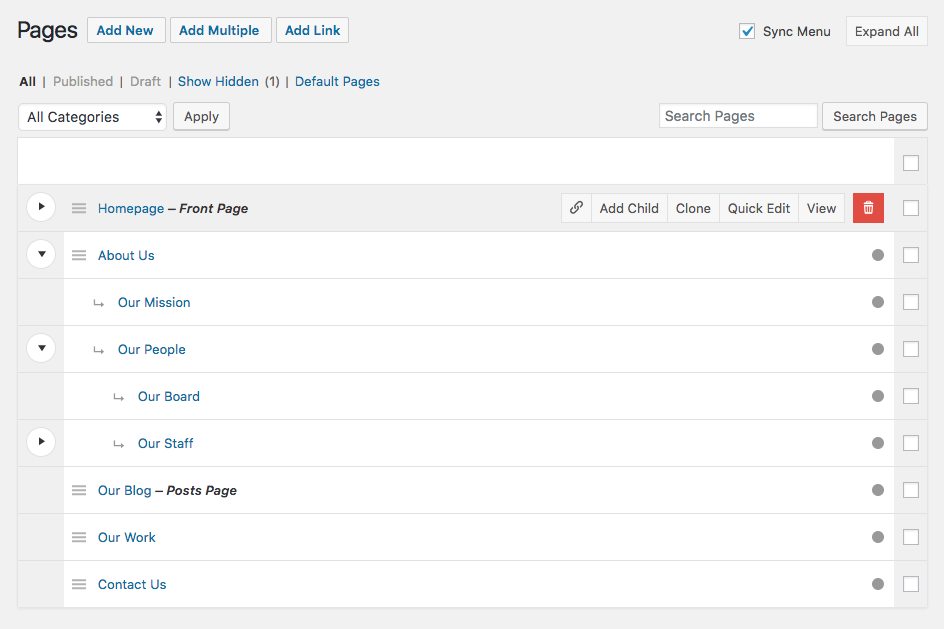
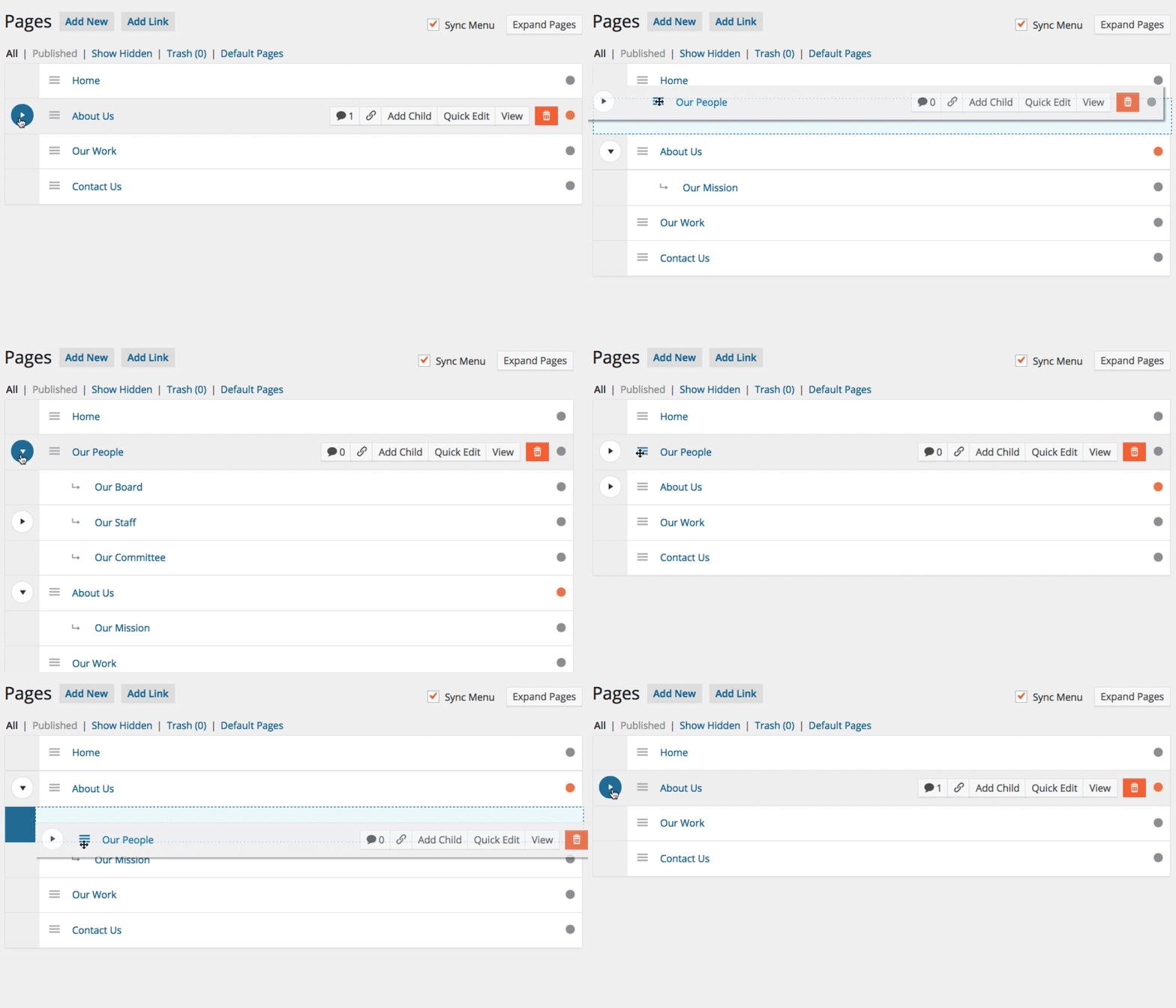
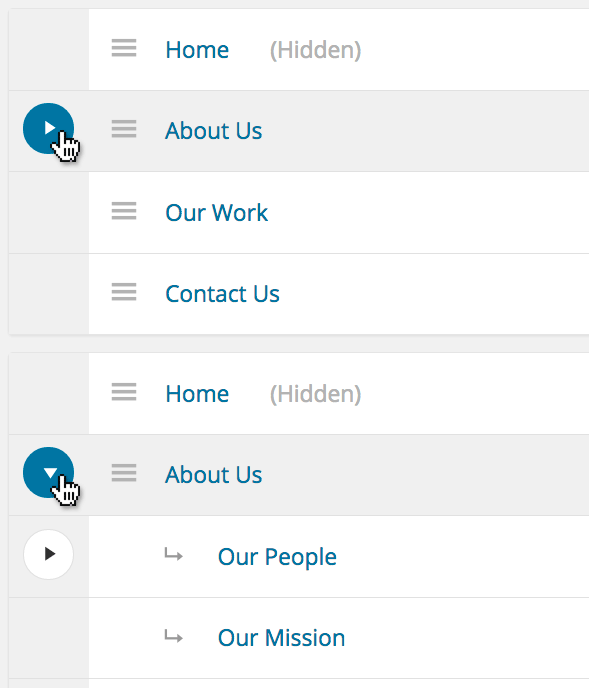
To toggle the child pages in and out of view, click the arrow to the left of a parent page. To quickly expand and collapse all pages, click the button in the upper right corner of the Nested Pages Screen.
Theme Use
The opening of the plugin's own description. The full text, installation notes and changelog are on its WordPress.org page.
Yes! Visit Settings > Nested Pages > Post Types to enable the interface for any public post type. There are settings available for each post type, allowing customization of the admin to fit your needs.
Please see the section titled “WMPL Compatibility” for details on using Nested Pages with WPML. In short, ordering and nesting functionality is available, but automatic menu generation across languages is limited. It is advised to use WPML’s menu synchronization for this purpose.
Click the “Default link in the page subnav, or on the Nested Pages screen. This item may be optionally hidden under the Nested Pages “Post Type” settings.
Post sorting and nesting is saved in the background after changes are made to the structure. If the “manual page order” option is enabled in the plugin options, you’ll need to click the “Sync Order” button at the top of the page to save.
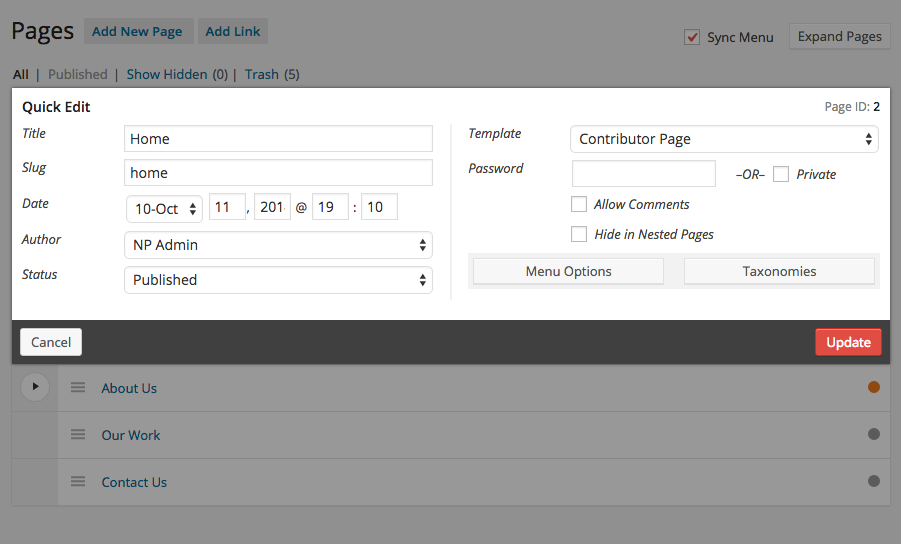
To bulk edit, check the checkbox on the pages/posts you’d like to edit. Once one or more have been selected, a “Bulk Actions” dropdown will appear, allowing you to either move the selected posts to the trash or bulk edit.
Custom columns are not currently supported by Nested Pages. To view custom columns, click on the “Default” link to view the native interface. If you are using WordPress SEO by Yoast, a page analysis indicator is shown.
#46 by installs
Loginizer is a WordPress security plugin which helps you fight against bruteforce attacks.

#70 by installs
Redux is a simple, truly extensible, and fully responsive options framework for WordPress themes and plugins. It ships with an integrated demo.

#131 by installs
Adds a more advanced paging navigation interface.

#157 by installs
Lets you edit the WordPress admin menu. You can re-order, hide or rename menus, add custom menus and more.

#233 by installs
Customise dashboard panels and branding, hide menus plus lots more.

#450 by installs
All-in-one enhancement suite that improves WordPress & Advanced Custom Fields.
Read from the WordPress.org plugin API on , when WordPress 7.1.4 was the current release. WordPress.org rounds active installs into buckets. These are the directory's figures, not my verdict, and I haven't tested this plugin. The author takes donations at their donate page.