
#46 by installs
Loginizer
Loginizer is a WordPress security plugin which helps you fight against bruteforce attacks.
- Installs
- 1+ million
- Rating
- 4.8 (1K)
- Updated
- 2 days ago

Lets you edit the WordPress admin menu. You can re-order, hide or rename menus, add custom menus and more.
| Last updated | August 19, 2026Updated in the last 3 months |
|---|---|
| Tested up to | WordPress 7.1.4Covers WordPress 7.1.4, the current release |
| Needs WordPress | 5.9 or newer |
| Needs PHP | 7.4 or newer |
| First published | December 13, 2009 |
| Support, last two months | 1 of 4 threads resolved (25%) |
4.6 / 5 from 312 reviews
| 5 stars | 266 |
|---|---|
| 4 stars | 16 |
| 3 stars | 9 |
| 2 stars | 6 |
| 1 star | 15 |
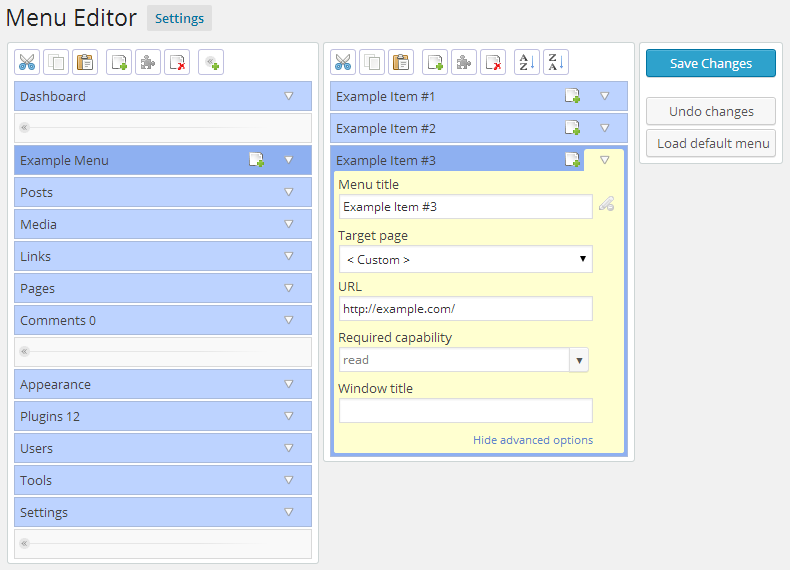
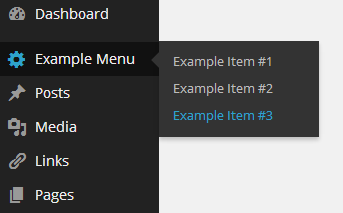
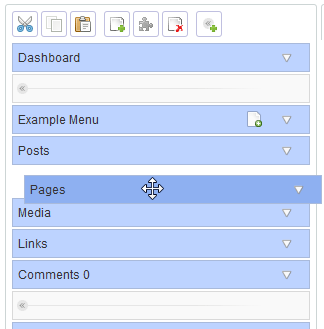
Admin Menu Editor lets you manually edit the Dashboard menu. You can reorder the menus, show/hide specific items, change permissions, and more.
Features
The Pro version lets you set per-role menu permissions, hide a menu from everyone except a specific user, export your admin menu, drag items between menu levels, make menus open in a new window and more. Try online demo.
Additional Features
Despite the name, this plugin is not limited to just editing the admin menu. You can also:
Shortcodes
The plugin provides a few utility shortcodes. These are mainly intended to help with creating login/logout redirects, but you can also use them in posts and pages.
The opening of the plugin's own description. The full text, installation notes and changelog are on its WordPress.org page.
#46 by installs
Loginizer is a WordPress security plugin which helps you fight against bruteforce attacks.

#233 by installs
Customise dashboard panels and branding, hide menus plus lots more.

#662 by installs
This plugin enables you to set conditional menus per posts, pages, categories, archive pages, etc.

#994 by installs
Displays the currently installed PHP/MySQL version in the "At a Glance" admin dashboard widget.
Firewall, Malware Scanner, Two Factor Auth, and Comprehensive Security Features, powered by our 24-hour team. Make security a priority with Wordfence.

#17 by installs
Connect ChatGPT, Claude, or another AI agent to your site. Plus backup, malware scan, firewall, stats, CDN, and SEO tools in one plugin.
Read from the WordPress.org plugin API on , when WordPress 7.1.4 was the current release. WordPress.org rounds active installs into buckets. These are the directory's figures, not my verdict, and I haven't tested this plugin. The author takes donations at their donate page.
