
#512 by installs
WP Force SSL & HTTPS SSL Redirect
Enable SSL & HTTPS redirect with 1 click! Add SSL certificate & WP Force SSL to redirect site from HTTP to HTTPS & fix SSL errors.
- Installs
- 80,000+
- Rating
- 4.7 (179)
- Updated
- 3 months ago

Lifetime SSL solution - Free SSL certificate & HTTPS redirect, force HTTPS, fix insecure site / SSL errors, security headers.
| Last updated | October 30, 2026Updated in the last 3 months |
|---|---|
| Tested up to | WordPress 7.1.4Covers WordPress 7.1.4, the current release |
| Needs WordPress | 5.4 or newer |
| Needs PHP | 7.0 or newer |
| First published | November 4, 2019 |
| Support, last two months | 2 of 2 threads resolved (100%) |
4.9 / 5 from 1,146 reviews
| 5 stars | 1,094 |
|---|---|
| 4 stars | 10 |
| 3 stars | 7 |
| 2 stars | 5 |
| 1 star | 30 |
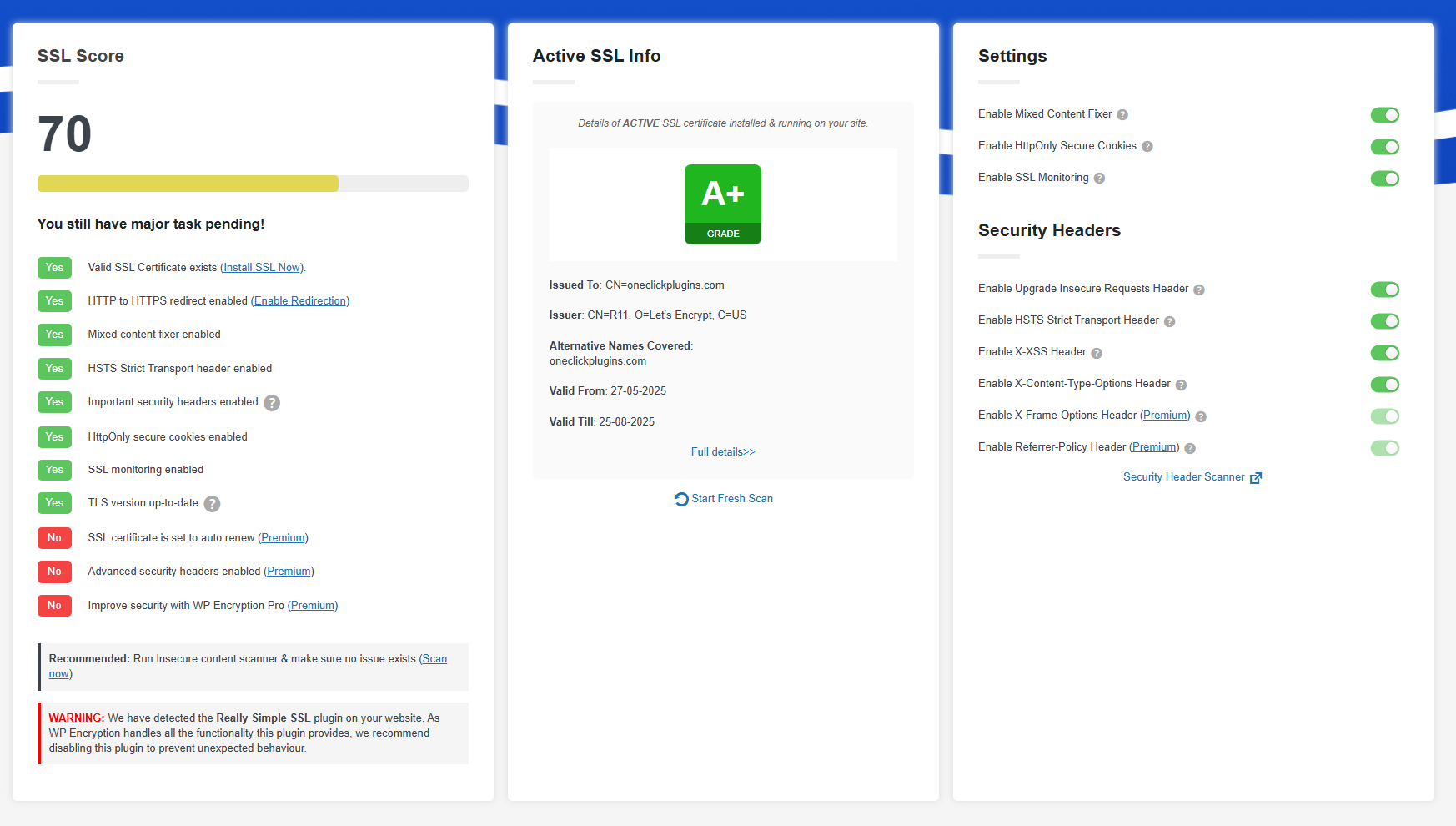
HTTPS Secure your WordPress site with SSL certificate provided by Let’s Encrypt® and force HTTPS / SSL sitewide, check your SSL score, fix insecure content & mixed content issues easily. Enable HTTPS secure padlock on your site within minutes.
5M+ SSL certificates generated – Switch to HTTPS easily
WP Encryption plugin registers your site, verifies your domain, generates SSL certificate for your site in simple mouse clicks without the need of any technical knowledge. A typical SSL installation without WP Encryption would require you to generate CSR, prove domain ownership, provide your bussiness data and deal with many more technical tasks!.
PRO FEATURES WORTH UPGRADING
The opening of the plugin's own description. The full text, installation notes and changelog are on its WordPress.org page.
Installing SSL certificate is a server side process and not as straight forward as installing a ready widget and using it instantly. You will have to follow some simple steps to install SSL for your WordPress site. Our plugin acts like a tool to generate and install SSL for your WordPress site.
By adding below line of code to your wp-config.php file, All SSL enforcements like HSTS, Upgrade insecure requests, redirect to HTTPS, mixed content fixer will be disabled. Please check your .htaccess file for any other HTTPS enforcement related codes and remove it.
define(“WPLE_DISABLE_HTTPS”);
If you already have SSL certificate installed, You can use WP Encryption plugin purely for HTTPS redirection & SSL enforcing purpose. All you need to do is enable “Force HTTPS” feature in this plugin.
Starting from WP Encryption v5.4.8, you can now secure your webmail & incoming/outgoing email server following this guide
First of all, Please make sure you can access your site with and without www. Otherwise you will be not able to complete domain verification for both www & non-www together. If both are accessible, You will see “Generate SSL for both www & non-www” option on SSL install form. Otherwise, this option will be hidden.
Please make sure you can access your site with and without www. Otherwise you will be not able to complete domain verification for both www & non-www together. You can also force enable this checkbox by appending includewww=1 to page url i.e., /wp-admin/admin.php?page=wp_encryption&includewww=1


#512 by installs
Enable SSL & HTTPS redirect with 1 click! Add SSL certificate & WP Force SSL to redirect site from HTTP to HTTPS & fix SSL errors.

#322 by installs
Clean up WordPress website HTTPS insecure content

#368 by installs
The plugin allows an automatic redirection to the "HTTPS" version/URL of the site. Make your site SSL compatible easily.
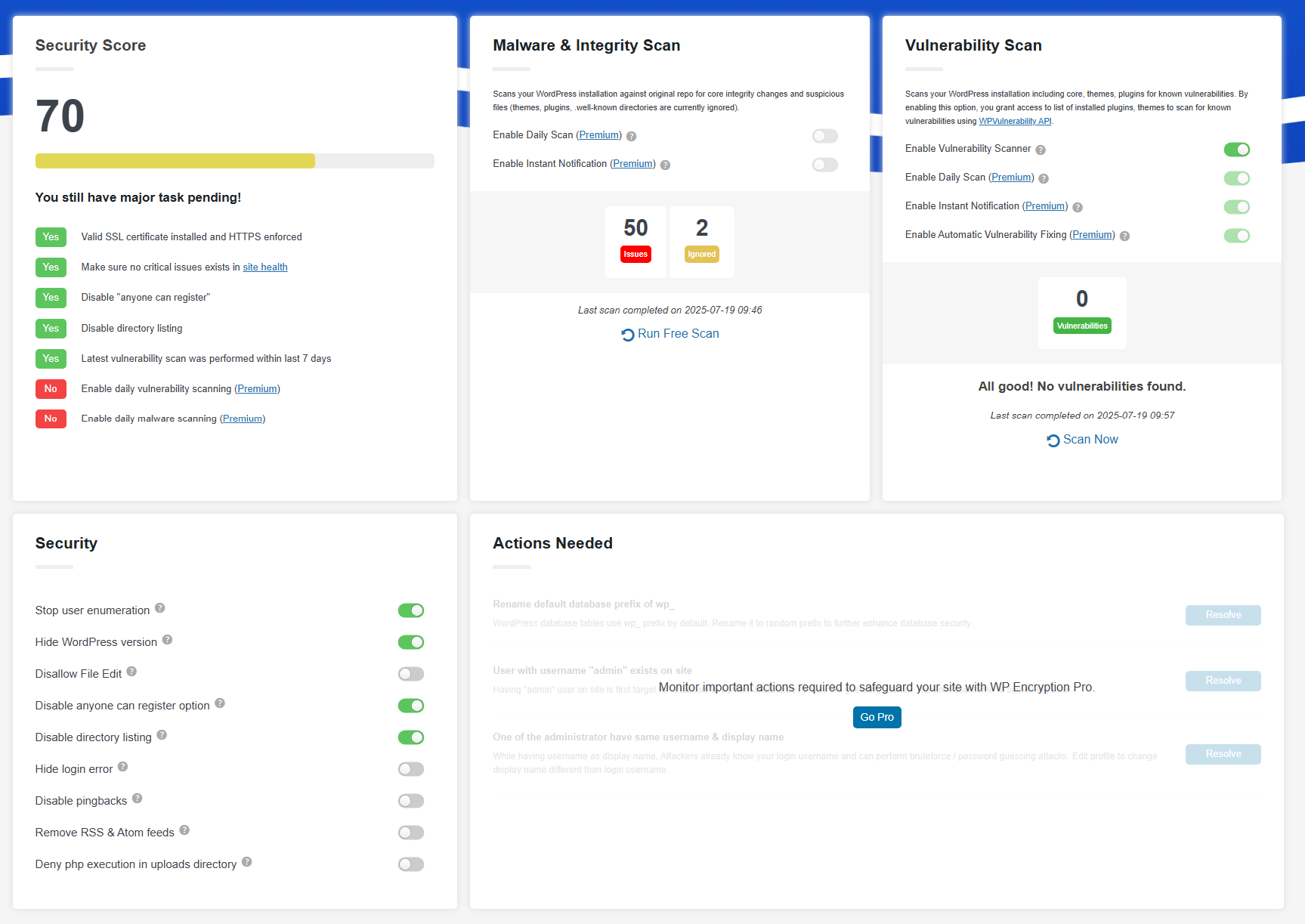
Easily improve site security with WordPress Hardening, Two-Factor Authentication (2FA), Login Protection, Vulnerability Detection and SSL certificate.

#20 by installs
Simplified WordPress management. Manage site info, maintenance, security, & redirects.

#227 by installs
All of Cloudflare’s performance and security benefits in a simple one-click install.
Read from the WordPress.org plugin API on , when WordPress 7.1.4 was the current release. WordPress.org rounds active installs into buckets. These are the directory's figures, not my verdict, and I haven't tested this plugin.
