
#555 by installs
WP Post Page Clone
Clone Post or Page with it's contents and settings in just one click.
- Installs
- 70,000+
- Rating
- 4.5 (8)
- Updated
- 5 months ago

Duplicate pages, posts, and custom post types with one click. Create templates, preserve content states, and speed up workflows.
| Last updated | September 8, 2026Updated in the last 3 months |
|---|---|
| Tested up to | WordPress 7.1.4Covers WordPress 7.1.4, the current release |
| Needs WordPress | 4.7 or newer |
| Needs PHP | 5.4 or newer |
| First published | December 5, 2020 |
| Support, last two months | 1 of 1 threads resolved (100%) |
4.2 / 5 from 16 reviews
| 5 stars | 12 |
|---|---|
| 4 stars | 0 |
| 3 stars | 0 |
| 2 stars | 3 |
| 1 star | 1 |
Clone WordPress page, post, custom post types
This plugin adds an option to duplicate a page, a post, or any custom post type items.
It’s a plug and play & super easy to use.
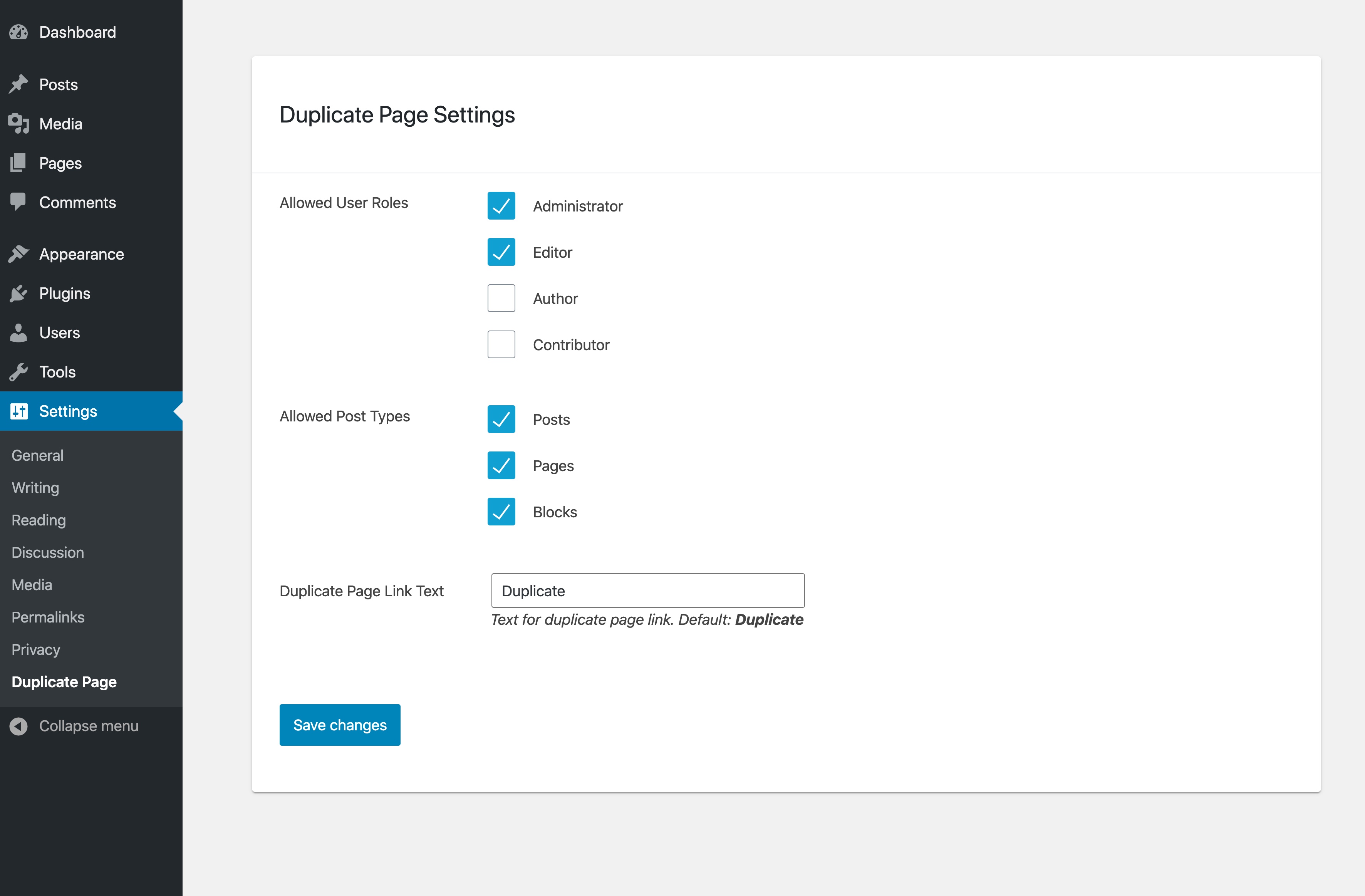
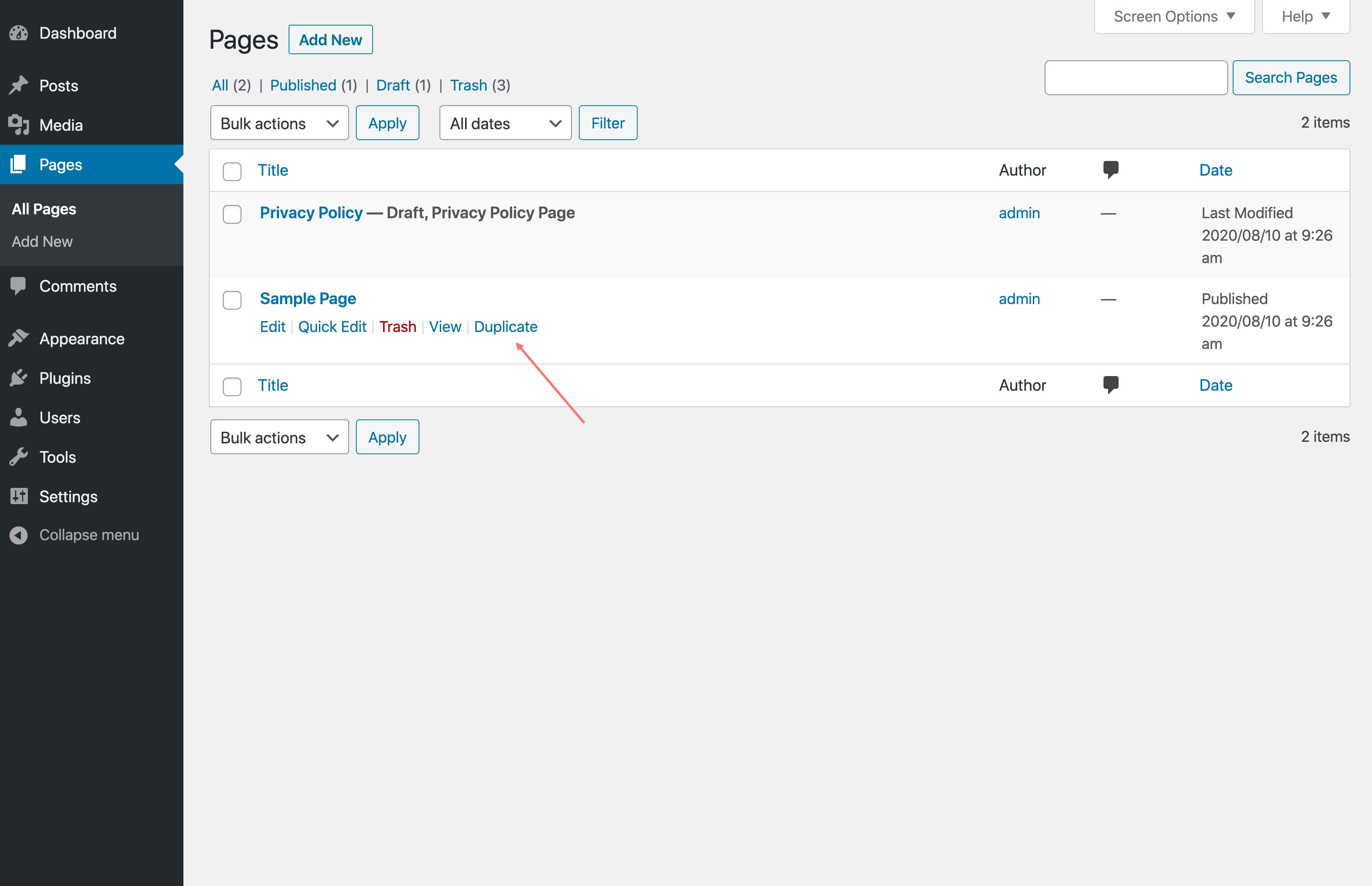
We hate distraction, so we created a page/post copy plugin with a simple interface. When you hover over a post or a page in the Pages or Posts list, you’ll be able to select Duplicate to create a duplicate version.
Like this plugin? Check out FileBird – a great media manager plugin to make your WordPress life much easier. Good news: it creates a folder system for pages, posts, and custom post types, too!
⚡️ FEATURES
WP Duplicate Page is built to optimize dashboard appearance and drive positive impact for your WordPress admin workflow productivity:
🚀 TYPICAL USE CASES
These are good ideas on how to exploit the WP Duplicate Page plugin:
🎉 Supported Themes and Plugins
We have done extra work to ensure compatibility with all themes, page builders, and major plugins.
The opening of the plugin's own description. The full text, installation notes and changelog are on its WordPress.org page.
Absolutely! WP Duplicate Page doesn’t collect or store any personal information. So rest assured.
Yes, you can. In addition to pages, you can clone document galleries, popups, orders, WooCommerce coupons, templates, and so on.
WP Duplicate Page clones the content of any page or post. So if you’ve built a page using an HTML block or a custom HTML template via your page builder, duplicating it will copy all of that markup as-is. It’s a quick way to reuse a carefully structured layout without rebuilding it from scratch.
Yes, it’s completely free of charge. WP Duplicate Page comes with all the features listed in the description above.
#555 by installs
Clone Post or Page with it's contents and settings in just one click.

#573 by installs
Duplicate pages, posts and custom post types with a single click.

#715 by installs
Make a copy of posts and pages with just one click.

#16 by installs
Duplicate Posts, Pages and Custom Posts easily using single click

#10 by installs
Trusted by 60M+ sites: The gold standard for WordPress migration and backup. Migrate, backup, and restore your WordPress site with one click.

#14 by installs
Backup, restore or migrate your WordPress website to another host or domain. Schedule backups or run manually. Migrate in minutes.
Read from the WordPress.org plugin API on , when WordPress 7.1.4 was the current release. WordPress.org rounds active installs into buckets. These are the directory's figures, not my verdict, and I haven't tested this plugin. The author takes donations at their donate page.