
#555 by installs
WP Post Page Clone
Clone Post or Page with it's contents and settings in just one click.
- Installs
- 70,000+
- Rating
- 4.5 (8)
- Updated
- 5 months ago

Duplicate pages, posts and custom post types with a single click.
| Last updated | September 25, 2026Updated in the last 3 months |
|---|---|
| Tested up to | WordPress 7.1.4Covers WordPress 7.1.4, the current release |
| Needs WordPress | 4.1 or newer |
| Needs PHP | 5.6 or newer |
| First published | January 4, 2017 |
| Support, last two months | 0 of 1 threads resolved (0%) |
4.6 / 5 from 29 reviews
| 5 stars | 25 |
|---|---|
| 4 stars | 0 |
| 3 stars | 2 |
| 2 stars | 1 |
| 1 star | 1 |
Duplicate Page and Post provides a simple way to create a clone of pages, posts and custom post types. The duplicate can be created with the post status selected in the plugin settings.
The plugin is lightweight and focused on fast, straightforward content duplication. Existing plugin settings are preserved when updating to newer versions.
Major features of this plugin include
♥️ Enjoying the Plugin?
Please consider giving a review. Your feedback helps us improve the plugin and helps other WordPress users discover it.
The opening of the plugin's own description. The full text, installation notes and changelog are on its WordPress.org page.
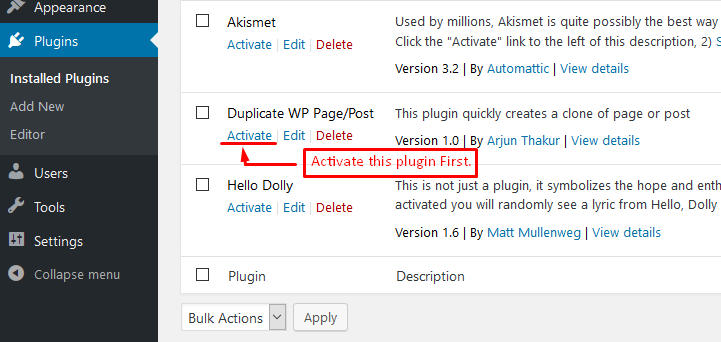
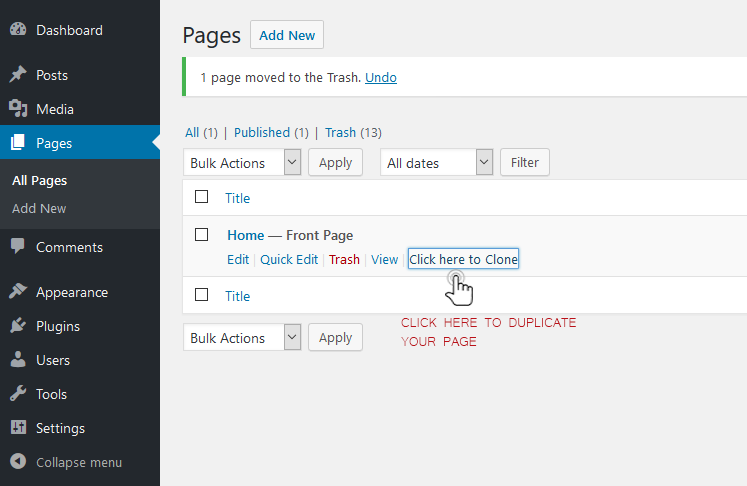
After activating the plugin, go to the Pages or Posts list. Use the Duplicate action for the content you want to copy. The duplicated content will be created using the status and redirect options selected in the plugin settings.
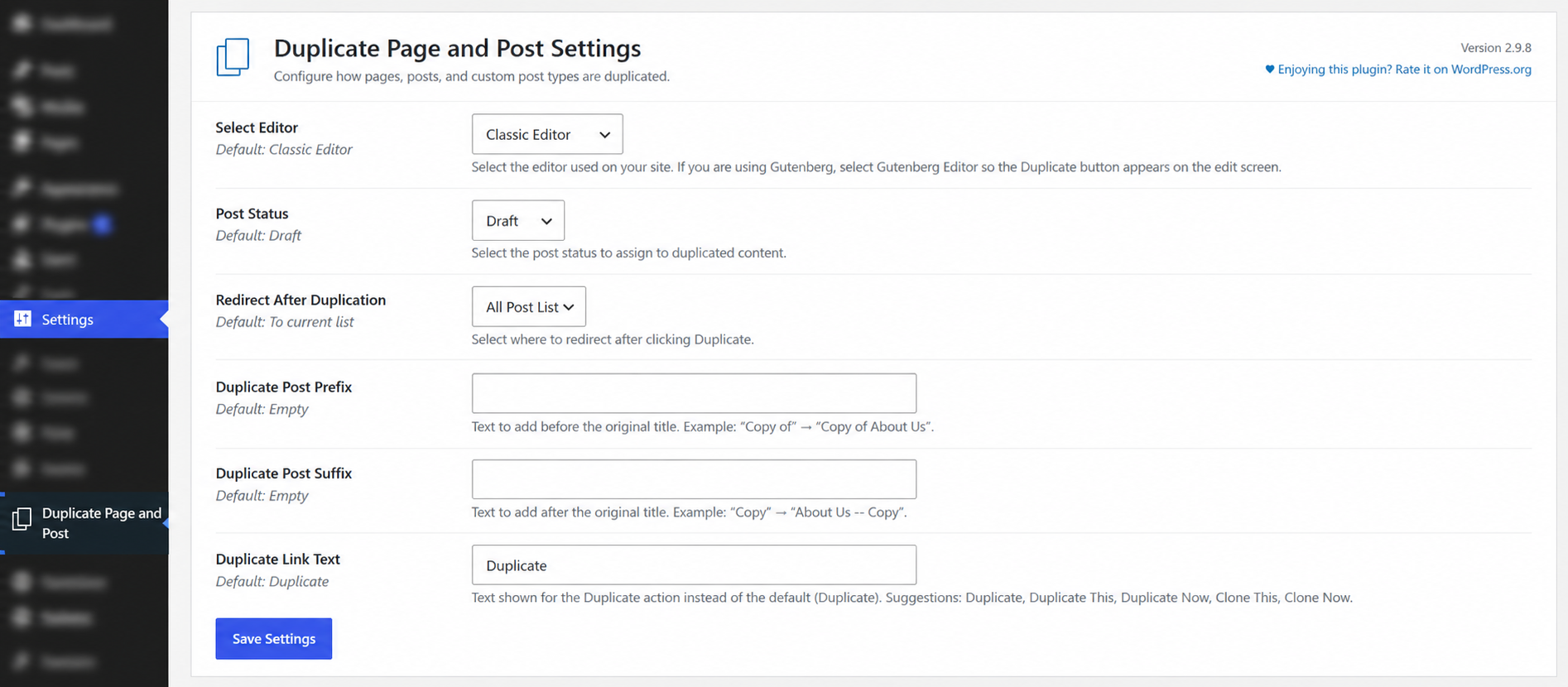
Yes. You can use Duplicate Post Prefix and Duplicate Post Suffix to customize the title of duplicated content.
For example:
You can also customize the text displayed for the Duplicate action.
Yes. Duplicate Page and Post supports duplicating posts, pages, and supported custom post types. The available content types depend on the post types registered by your WordPress site and the plugin configuration.
If you are using the WordPress block editor (Gutenberg), go to Settings → Duplicate Page and Post and select Gutenberg Editor under Select Editor. This allows the Duplicate action to appear correctly on the edit screen.

#555 by installs
Clone Post or Page with it's contents and settings in just one click.

#652 by installs
Duplicate pages, posts, and custom post types with one click. Create templates, preserve content states, and speed up workflows.

#16 by installs
Duplicate Posts, Pages and Custom Posts easily using single click

#715 by installs
Make a copy of posts and pages with just one click.

#15 by installs
The go-to tool for cloning posts and pages, including the powerful Rewrite & Republish feature.

#172 by installs
Duplicate post
Read from the WordPress.org plugin API on , when WordPress 7.1.4 was the current release. WordPress.org rounds active installs into buckets. These are the directory's figures, not my verdict, and I haven't tested this plugin.