
#15 by installs
Yoast Duplicate Post
The go-to tool for cloning posts and pages, including the powerful Rewrite & Republish feature.
- Installs
- 3+ million
- Rating
- 4.7 (538)
- Updated
- 25 days ago

| Last updated | September 23, 2026Updated in the last 3 months |
|---|---|
| Tested up to | WordPress 7.1.4Covers WordPress 7.1.4, the current release |
| Needs WordPress | 4.6 or newer |
| Needs PHP | 5.6 or newer |
| First published | March 25, 2020 |
| Support, last two months | 1 of 1 threads resolved (100%) |
4.9 / 5 from 1,623 reviews
| 5 stars | 1,537 |
|---|---|
| 4 stars | 41 |
| 3 stars | 15 |
| 2 stars | 7 |
| 1 star | 23 |
Try it out on your free dummy site: Click here => https://tastewp.com/plugins/copy-delete-posts.
(this trick works for all plugins in the WP repo – just replace “wordpress” with “tastewp” in the URL)
Massively increase your WordPress productivity!
Copy Page plugin makes it super-easy to duplicate pages or copy posts – and delete them again!
And why is it handy to duplicate pages? Here are just some of the use cases:
You can as well run a load-test on your server by duplicating as much as 1,000 pages, and track how the server behaves. Copy Page plugin also makes it super-easy for you to bulk-delete pages and posts whenever you feel it’s time for a clean-up!
How to use it
The opening of the plugin's own description. The full text, installation notes and changelog are on its WordPress.org page.
If you are trying to delete posts and it doesn’t work try to append your wp-config.php with this line of code:
define(‘ALTERNATE_WP_CRON’, true);
Does it work if you try to delete posts then? If not, please reach out to us in the support forum.
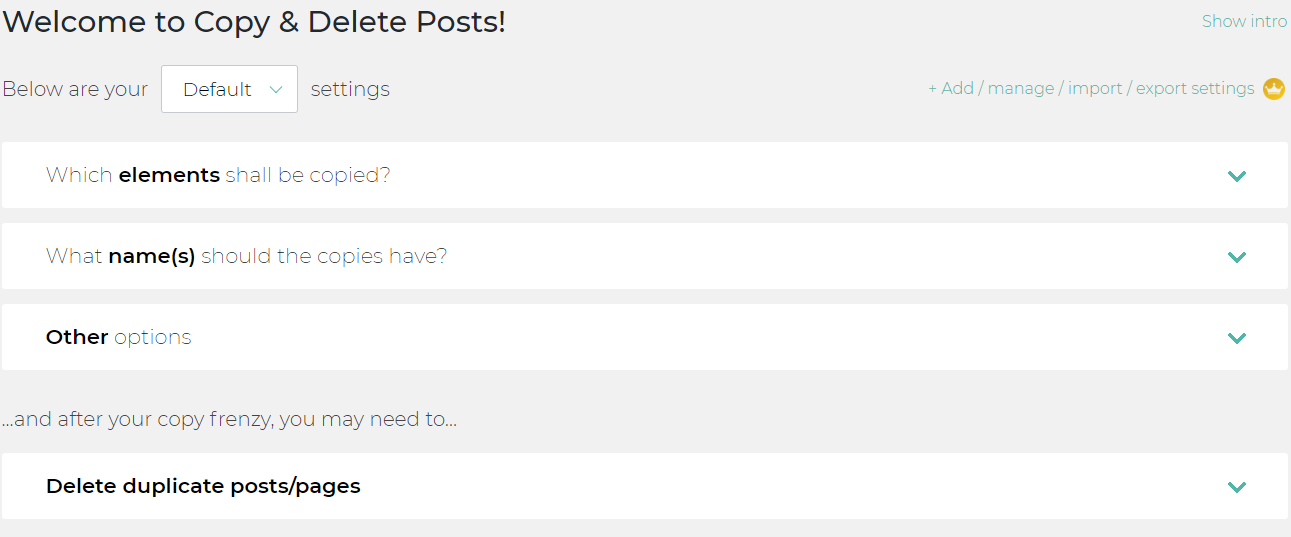
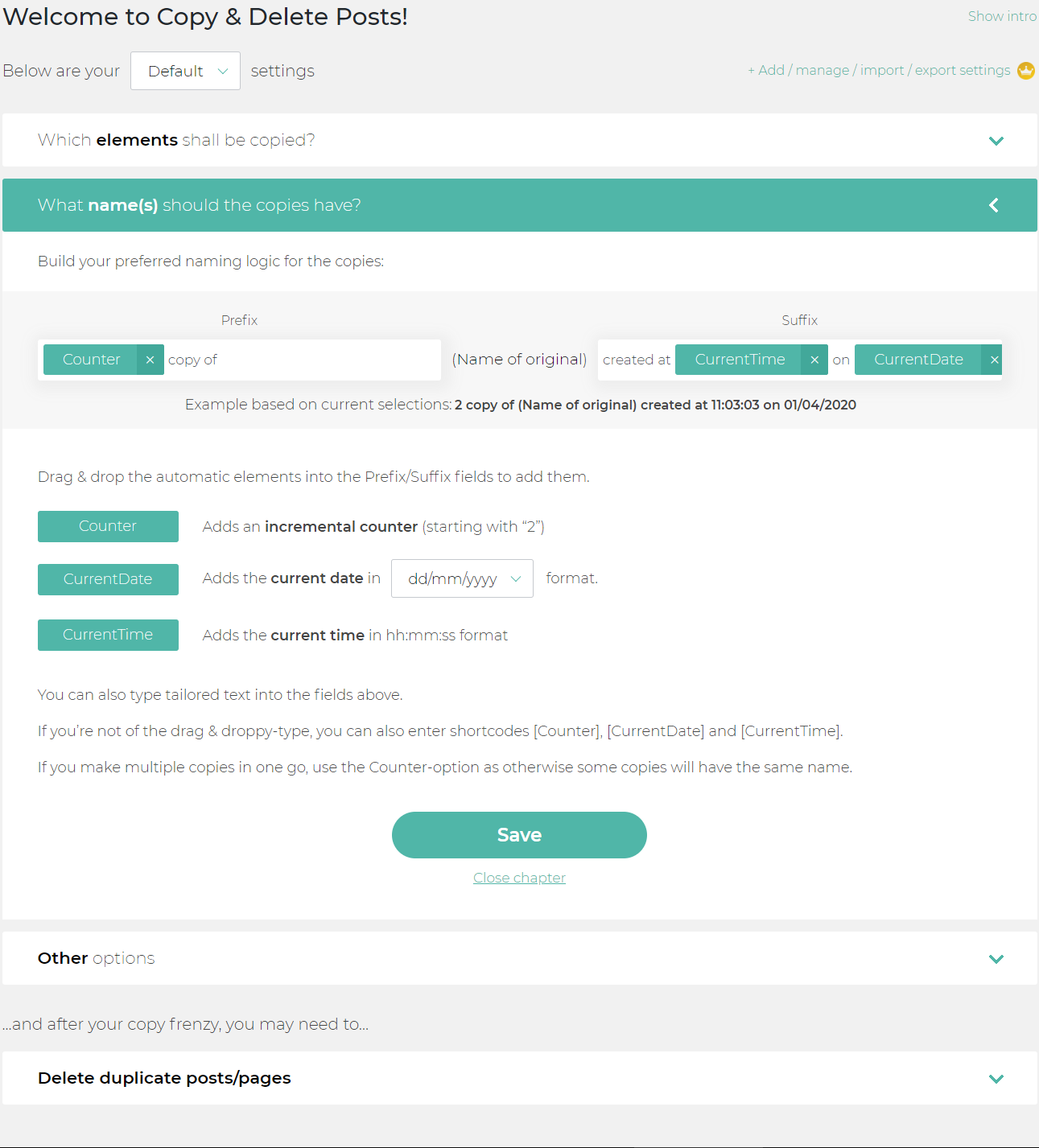
If you copy posts or copy pages and want the new versions to have exactly the same title as the original post, make sure that prefix and suffix fields are blank in the “What name(s) should the copies have?” section of the Copy Delete Posts plugin area in the WordPress Dashboard.
It can be a challenge to keep track of the original content if you duplicate posts. To prevent this we suggest to not leave the prefix and suffix fields empty (which define the name of the new posts) if you duplicate posts.
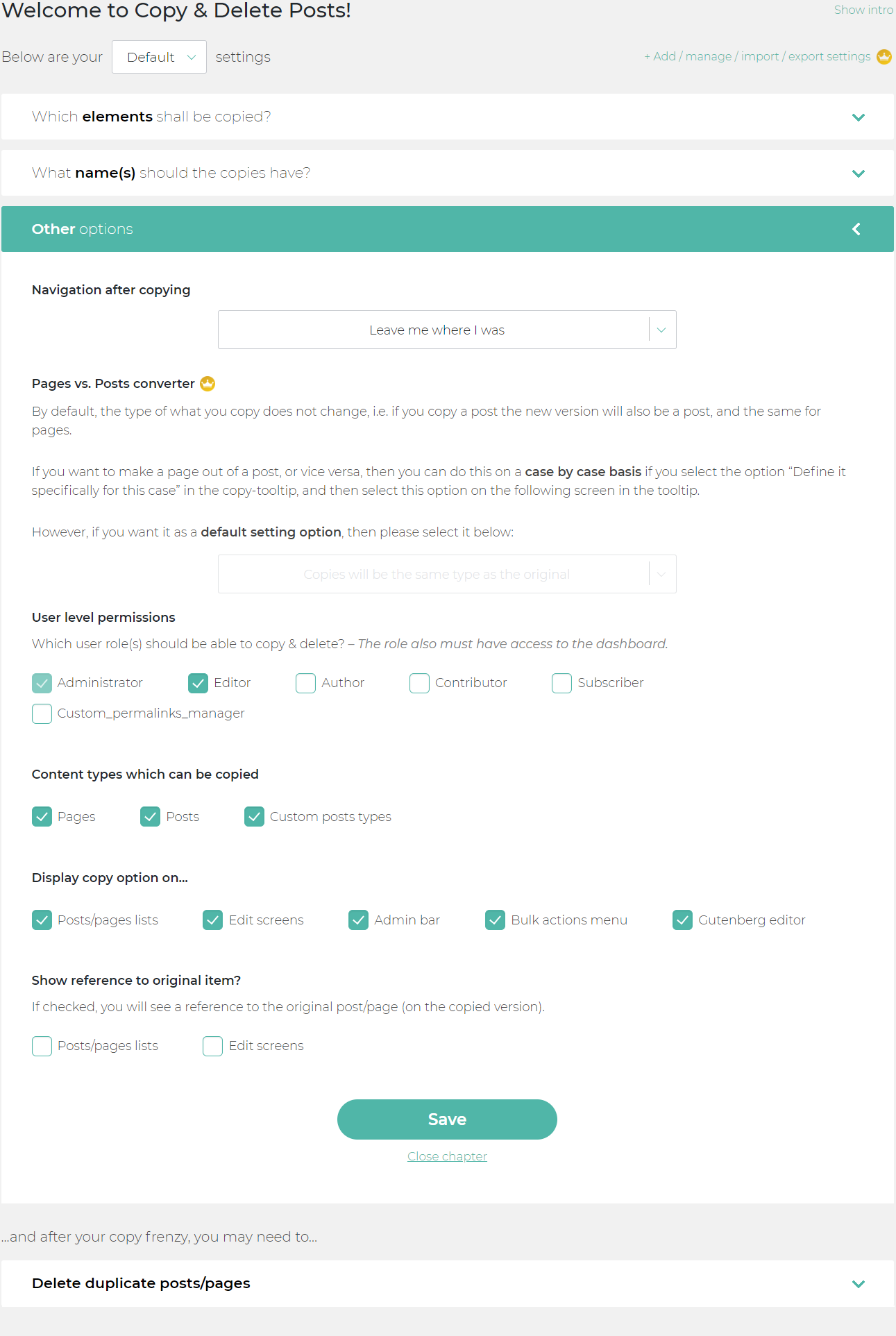
By default only Administrators can access the plugin and copy posts or copy pages. You can extend these permissions to other user roles by going to the section “Other options”, and then tick boxes next to WP user roles that you want to give permission to. Then also those roles can duplicate posts (or delete posts).
You can limit the features to duplicate posts only by going to the “Other options” – section and select where it says “Content types which can be copied” to only copy posts, copy pages, copy custom posts or all of these.
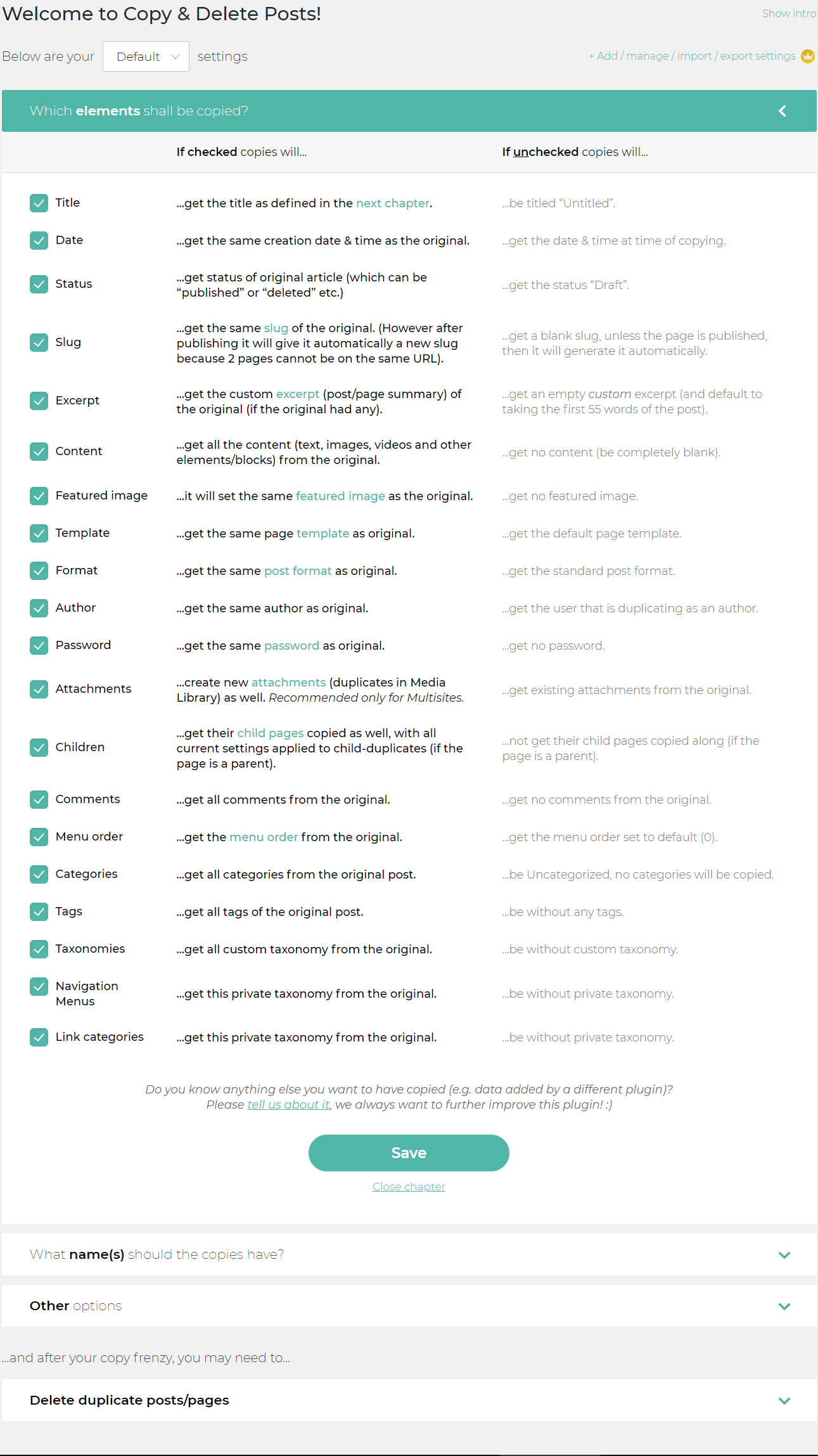
If you want to duplicate posts en masse, select the copy posts option in the “Bulk actions” menu. You’ll see the lightbox asking you to specify your duplicate post options (i.e. which elements to copy).
#15 by installs
The go-to tool for cloning posts and pages, including the powerful Rewrite & Republish feature.

#16 by installs
Duplicate Posts, Pages and Custom Posts easily using single click

#555 by installs
Clone Post or Page with it's contents and settings in just one click.

#573 by installs
Duplicate pages, posts and custom post types with a single click.

#652 by installs
Duplicate pages, posts, and custom post types with one click. Create templates, preserve content states, and speed up workflows.

#715 by installs
Make a copy of posts and pages with just one click.
Read from the WordPress.org plugin API on , when WordPress 7.1.4 was the current release. WordPress.org rounds active installs into buckets. These are the directory's figures, not my verdict, and I haven't tested this plugin.