
#861 by installs
WP Import Export Lite
Complete Import & Export solution for Posts, Pages, Custom Posts, Users, Taxonomies, Comments, and more.
- Installs
- 40,000+
- Rating
- 4.0 (113)
- Updated
- 49 days ago

Easily export data from any post type, custom field, or taxonomy to a CSV, XML, or Excel file of any custom format. Supports WooCommerce products, ord …
| Last updated | October 1, 2026Updated in the last 3 months |
|---|---|
| Tested up to | WordPress 7.1.4Covers WordPress 7.1.4, the current release |
| Needs WordPress | 5.0 or newer |
| Needs PHP | 7.4 or newer |
| First published | January 10, 2014 |
| Support, last two months | 1 of 1 threads resolved (100%) |
4.5 / 5 from 415 reviews
| 5 stars | 359 |
|---|---|
| 4 stars | 4 |
| 3 stars | 2 |
| 2 stars | 3 |
| 1 star | 47 |
WP All Export – Simple & Powerful XML / CSV Export Plugin
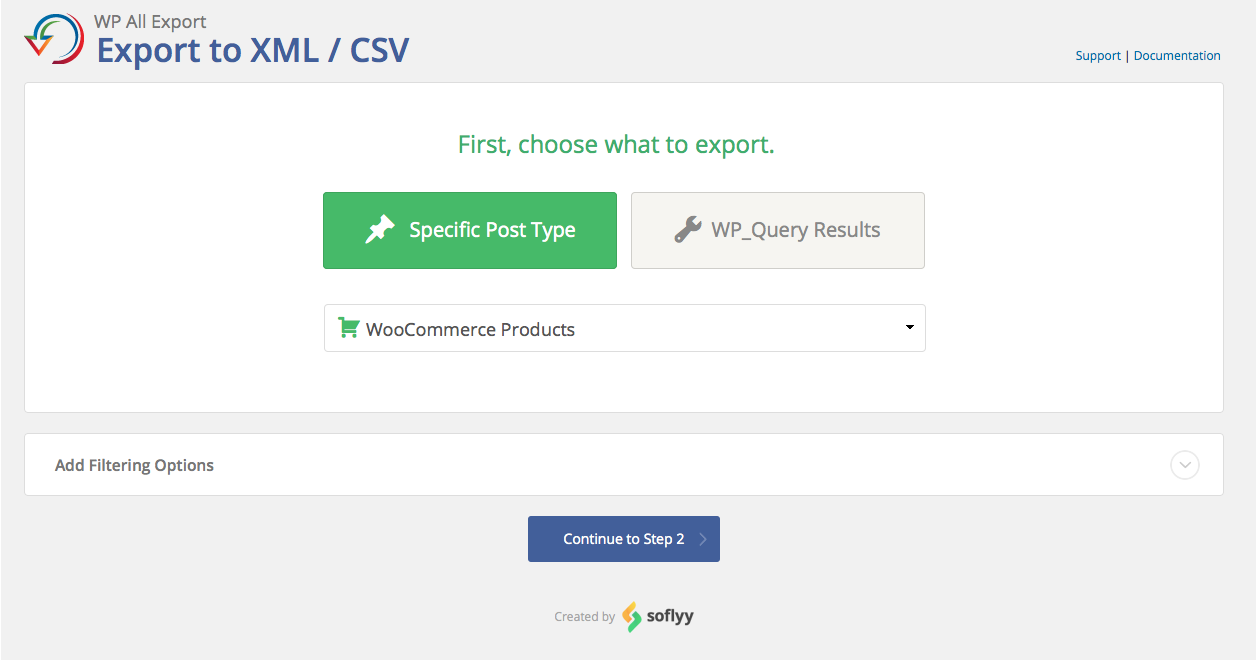
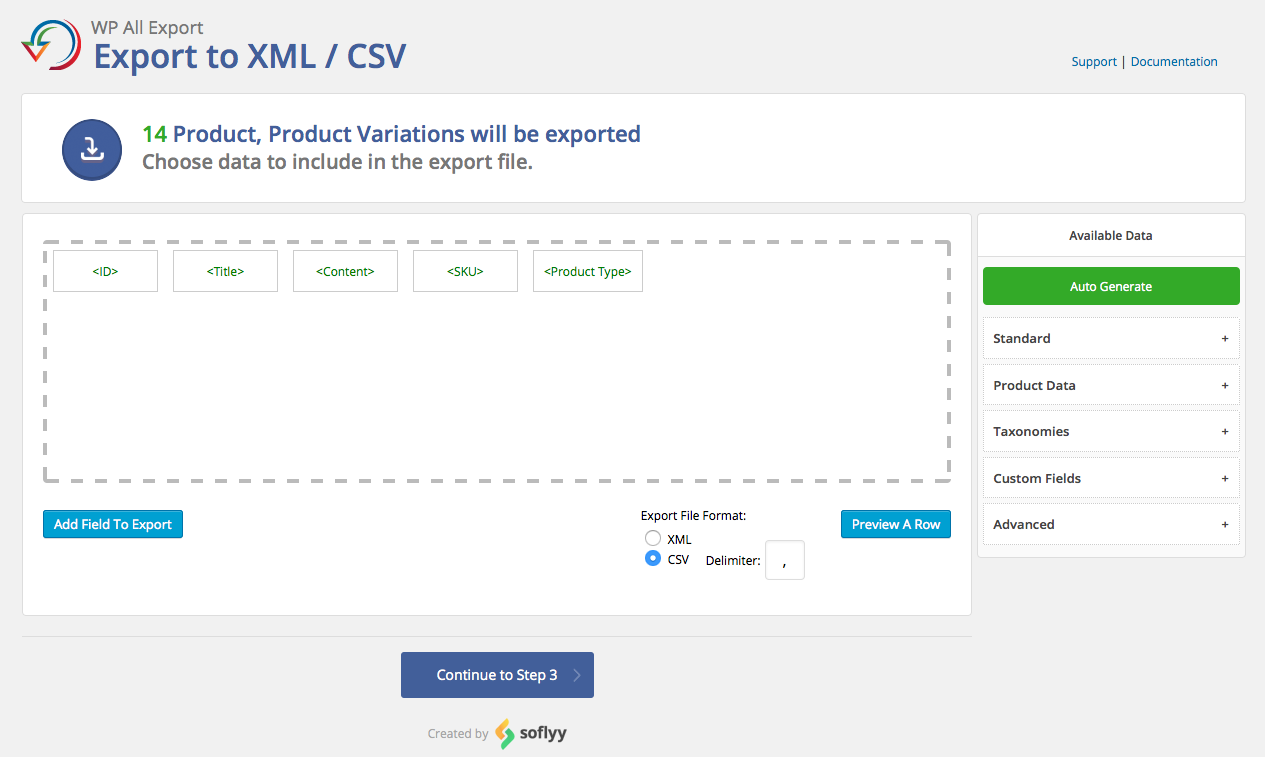
WP All Export features a three-step export process and an intuitive drag-and-drop interface that makes complicated export tasks simple and fast.
With WP All Export you can: export data for easy editing, migrate content from WordPress to another site, create a WooCommerce affiliate feed, generate filtered lists of WooCommerce orders, export the email addresses of new customers, create and publish customized WordPress RSS feeds – and much more.
Click here to try WP All Export right now.
• Turn your WordPress data into a customized CSV or XML Perfect for using your WordPress data in Google Sheets or Excel.
• Choose which data to export: WP All Export’s drag-and-drop interface makes it easy to select exactly which data you’d like to export.
• Structure your export file however you like: Rename CSV columns and XML elements, rearrange them, or do whatever you want to do.
• Export any custom post type, any custom field: Lots of plugins and themes store custom data in WordPress. You can export all of it with WP All Export.
• Easy integration with WP All Import: WP All Export will generate your WP All Import settings for you so importing your data back into WordPress is easy, simple, and fast.
The opening of the plugin's own description. The full text, installation notes and changelog are on its WordPress.org page.
By default, WordPress offers a native tool to export all WordPress data. To export a WordPress site entirely and manually, you can also export the WordPress database and then download the WordPress files from your server via SFTP or FTP.
To export media from your WordPress site, you must export the post type or custom post type associated with the media that you wish to export. For example, if you have multiple images attached to posts, you need to export the WordPress posts to obtain those images.
#861 by installs
Complete Import & Export solution for Posts, Pages, Custom Posts, Users, Taxonomies, Comments, and more.

#10 by installs
Trusted by 60M+ sites: The gold standard for WordPress migration and backup. Migrate, backup, and restore your WordPress site with one click.

#55 by installs
A better way to manage dozens of WordPress websites.

#69 by installs
All-in-one WordPress backup, migration and staging plugin — schedule automatic backups, restore in one click, and migrate or clone sites safely.

#235 by installs
Migrate your database. Export full sites including media, themes, and plugins. Find and replace content with support for serialized data.

#264 by installs
Import and export your widgets.
Read from the WordPress.org plugin API on , when WordPress 7.1.4 was the current release. WordPress.org rounds active installs into buckets. These are the directory's figures, not my verdict, and I haven't tested this plugin.