
Web Accessibility (formally known as Ally) is a free, powerful, and user-friendly plugin that helps WordPress creators build more accessible websites …
- Installs
- 500,000+
- Rating
- 2.9 (162)
- Updated
- 2 months ago

WP Accessibility fixes common accessibility issues in your WordPress site.
| Last updated | October 25, 2026Updated in the last 3 months |
|---|---|
| Tested up to | WordPress 7.1.4Covers WordPress 7.1.4, the current release |
| Needs WordPress | 6.4 or newer |
| Needs PHP | 7.4 or newer |
| First published | October 22, 2012 |
| Support, last two months | 4 of 4 threads resolved (100%) |
4.8 / 5 from 68 reviews
| 5 stars | 59 |
|---|---|
| 4 stars | 6 |
| 3 stars | 0 |
| 2 stars | 2 |
| 1 star | 1 |
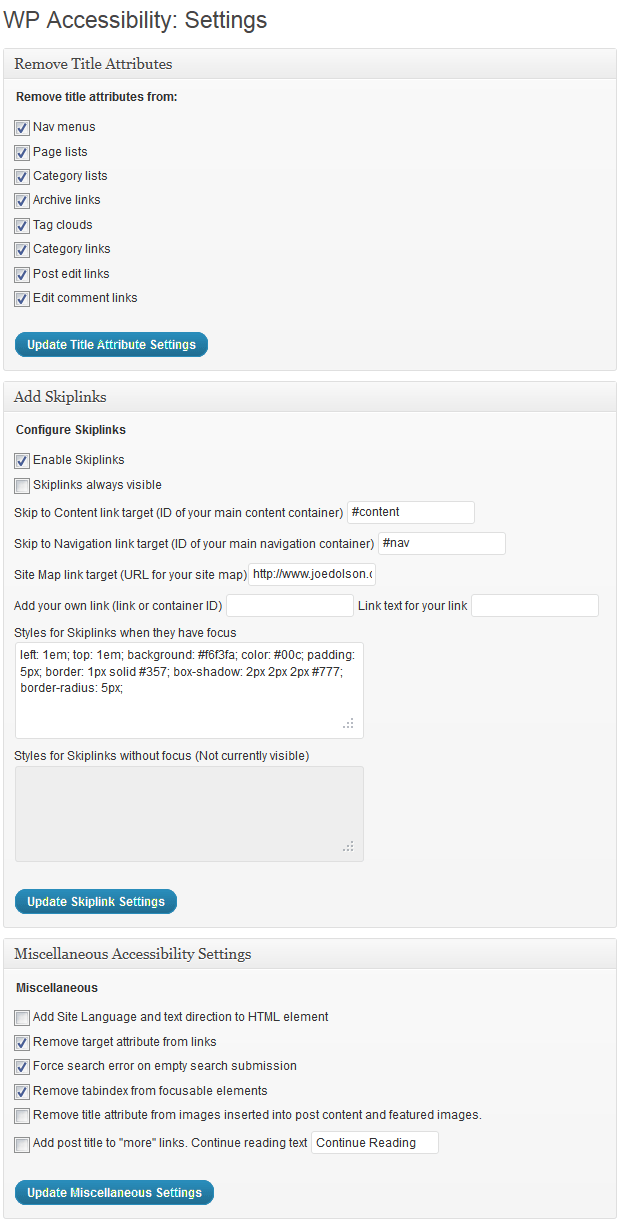
This plug-in helps with a variety of common accessibility problems in WordPress themes. While most accessibility issues can’t be addressed without directly changing your theme, WP Accessibility adds a number of helpful accessibility features with a minimum amount of setup or expert knowledge.
WP Accessibility is not intended to make your site compatible with any accessibility guidelines.
All features can be disabled according to your theme’s needs. For advanced users, all of the functions based on modifying stylesheets can be customized using your own custom styles by placing the appropriate stylesheet in your theme directory.
Theme Accessibility Features added by WP Accessibility
These are features that address issues caused by inaccessible themes.
WordPress Core Accessibility Issues fixed by WP Accessibility
The opening of the plugin's own description. The full text, installation notes and changelog are on its WordPress.org page.
Yes. It does require that the user is operating a device that has javascript support, but that encompasses the vast majority of devices and browsers today, including screen readers.
Even if WP Accessibility is running correctly, not all accessibility testing tools will be aware of the fixes. Here’s a resource for more information: Mother Effing Tool Confuser.
Suggest a change!
Web Accessibility (formally known as Ally) is a free, powerful, and user-friendly plugin that helps WordPress creators build more accessible websites …

Automatically add Image Alt Text, Title, Caption and Description from Filename. Bulk update existing images. Great for Image SEO and Accessibility.

#509 by installs
UserWay’s Accessibility Widget creates a simpler and more accessible browsing experience for your users.

#570 by installs
Mobile menu & hamburger menu builder for WordPress. Accessible, keyboard-friendly and works with any theme or page builder. 150+ options, no code.
OneTap is a multilingual WordPress plugin designed for seamless website accessibility.
Read from the WordPress.org plugin API on , when WordPress 7.1.4 was the current release. WordPress.org rounds active installs into buckets. These are the directory's figures, not my verdict, and I haven't tested this plugin. The author takes donations at their donate page.
