
#166 by installs
Max Mega Menu
An easy to use mega menu plugin. Written the WordPress way.
- Installs
- 300,000+
- Rating
- 4.8 (882)
- Updated
- 47 days ago

Mobile menu & hamburger menu builder for WordPress. Accessible, keyboard-friendly and works with any theme or page builder. 150+ options, no code.
| Last updated | October 12, 2026Updated in the last 3 months |
|---|---|
| Tested up to | WordPress 7.1.4Covers WordPress 7.1.4, the current release |
| Needs WordPress | 3.6 or newer |
| Needs PHP | 7.1 or newer |
| First published | February 22, 2014 |
| Support, last two months | 0 of 1 threads resolved (0%) |
4.5 / 5 from 574 reviews
| 5 stars | 480 |
|---|---|
| 4 stars | 27 |
| 3 stars | 12 |
| 2 stars | 7 |
| 1 star | 48 |
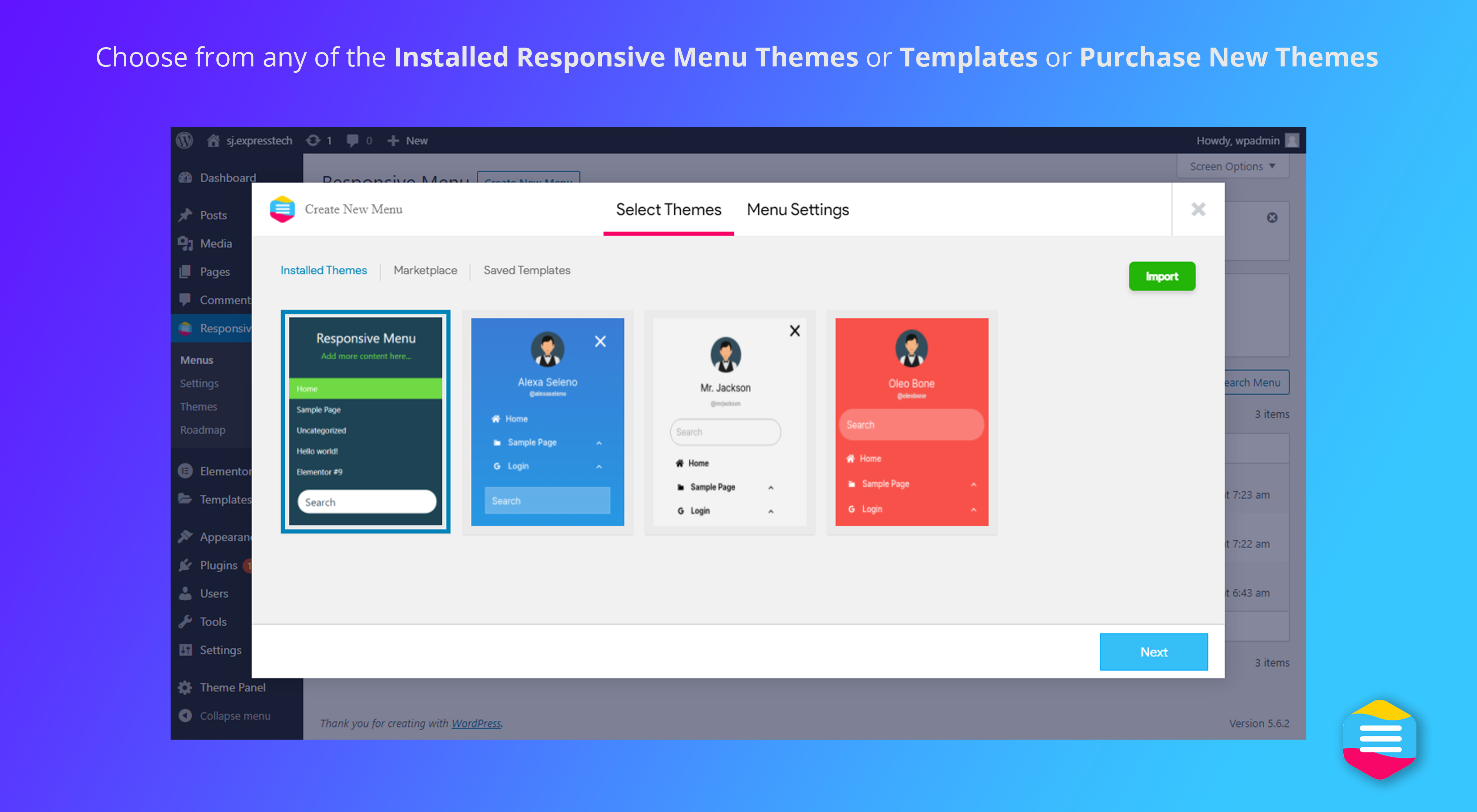
Responsive Menu is a free mobile menu and hamburger menu plugin for WordPress. More than 70,000 sites use it, and it’s rated 4.5★ from 570+ reviews. Pick any WordPress menu and Responsive Menu turns it into a hamburger button and a slide-in mobile menu. It works with any theme, keyboard and screen-reader users can use it, and you set it up from one screen without writing CSS.
See it in action: responsive.menu · Live demo
Why choose Responsive Menu
The opening of the plugin's own description. The full text, installation notes and changelog are on its WordPress.org page.
Yes. The free plugin builds a complete mobile and hamburger menu. Responsive Menu Pro adds a desktop and mega menu, a header bar, page-by-page rules and more.
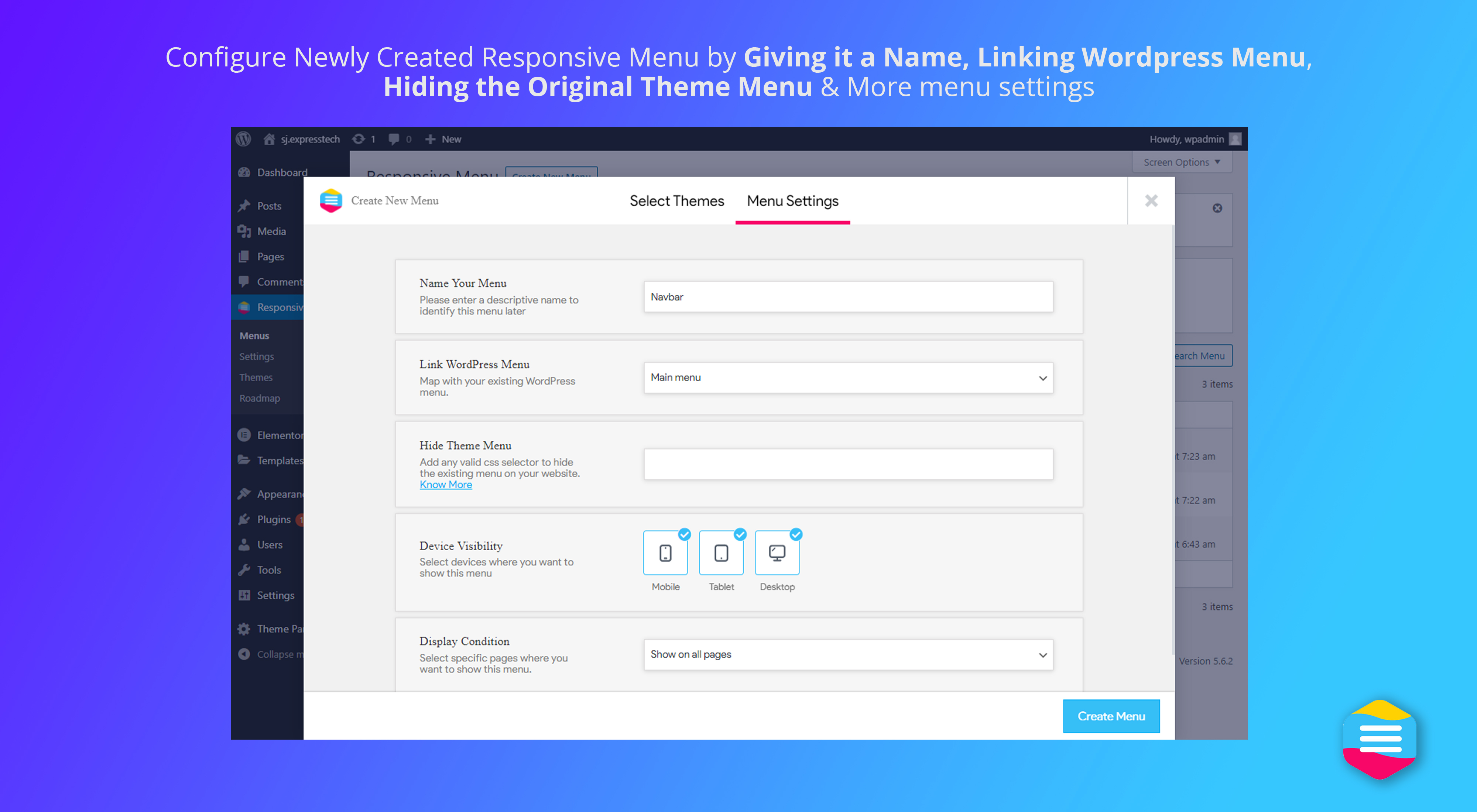
Yes. Responsive Menu doesn’t depend on your theme or page builder. It adds its own mobile menu to the page, and you hide the original menu with a CSS selector. That’s why many people use it when a theme’s or builder’s mobile menu won’t behave.
Yes. Responsive Menu is tested with WordPress 7.1.3, and it works on block themes as well as classic themes.
The Navigation block only works on block themes and in the Site Editor. Responsive Menu works on any theme or page builder, gives you 150+ design options in a live editor, lets you hide items by login state or user role, and lets you export and reuse your settings on other sites. Pro adds page-by-page rules, a mega menu and a WooCommerce cart.
Yes. The menu works with a keyboard: Tab and Shift+Tab move through it, Escape closes it, and focus stays inside the open menu. Buttons and submenus are labelled for screen readers, and the menu respects “reduce motion”. It passes axe-core checks against WCAG 2.0–2.2 A/AA rules. Contrast and tap-target size depend on the colours and sizes you choose. Our accessibility page has the full test results and a checklist.
Find the CSS selector of your theme’s menu (for example .main-navigation) and add it under the “Hide theme menu” option. Our guide to hiding the original menu shows how to find it.


#166 by installs
An easy to use mega menu plugin. Written the WordPress way.

#80 by installs
Adds breadcrumb navigation showing the visitor's path to their current location.

Web Accessibility (formally known as Ally) is a free, powerful, and user-friendly plugin that helps WordPress creators build more accessible websites …

#131 by installs
Adds a more advanced paging navigation interface.

#358 by installs
Create links that scroll the page smoothly to any id within the document.

#407 by installs
Adds an image or icon in the menu items. You can choose the position of the image (after, before, above, below) or even hide the menu item title.
Read from the WordPress.org plugin API on , when WordPress 7.1.4 was the current release. WordPress.org rounds active installs into buckets. These are the directory's figures, not my verdict, and I haven't tested this plugin.