
Web Accessibility (formally known as Ally) is a free, powerful, and user-friendly plugin that helps WordPress creators build more accessible websites …
- Installs
- 500,000+
- Rating
- 2.9 (162)
- Updated
- 2 months ago

OneTap is a multilingual WordPress plugin designed for seamless website accessibility.
| Last updated | August 31, 2026Updated in the last 3 months |
|---|---|
| Tested up to | WordPress 7.1.4Covers WordPress 7.1.4, the current release |
| Needs WordPress | 6.6 or newer |
| Needs PHP | 7.4 or newer |
| First published | November 12, 2024 |
| Support, last two months | 1 of 1 threads resolved (100%) |
4.9 / 5 from 80 reviews
| 5 stars | 78 |
|---|---|
| 4 stars | 1 |
| 3 stars | 0 |
| 2 stars | 0 |
| 1 star | 1 |
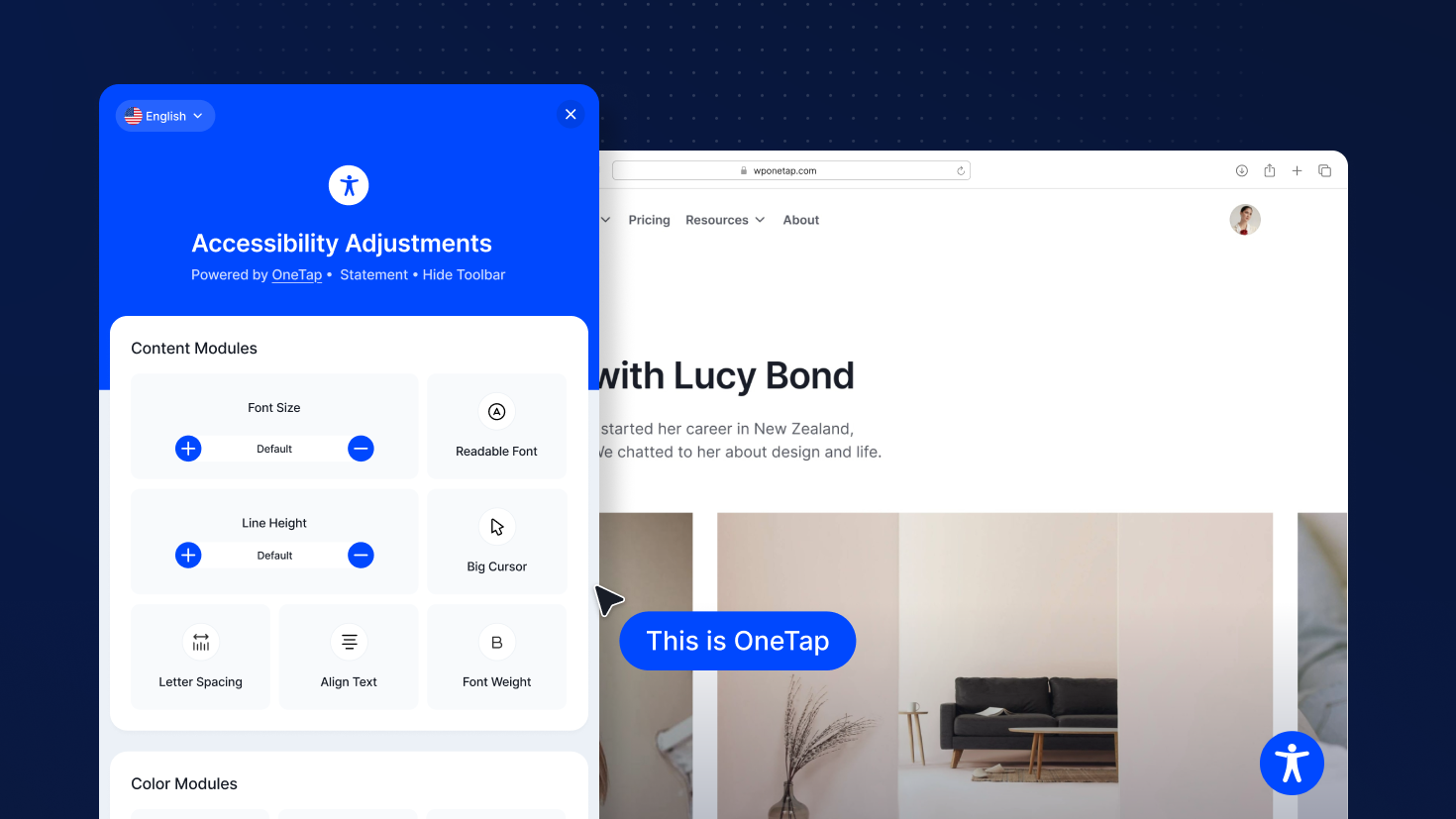
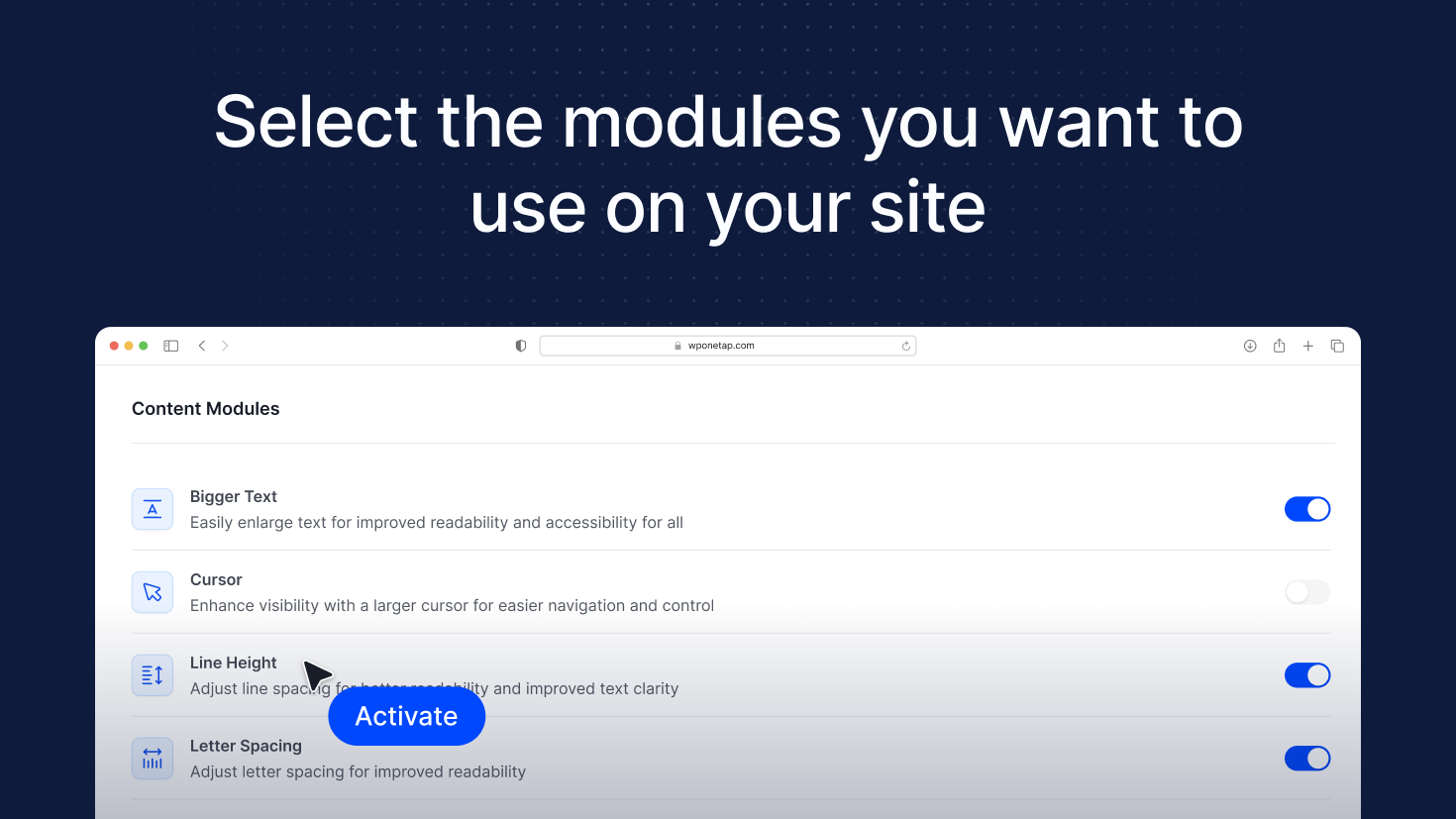
OneTap is an accessibility plugin made in Europe that helps you make your WordPress website inclusive and easy to use for all visitors. With a simple one-click setup, it adds essential accessibility tools instantly — no account required. OneTap is multilingual, lightweight, and fully customizable, ensuring accessibility without slowing down your site.
#1 WordPress Accessibility Plugin. One Click Install
No coding, setup or account necessary → install and start.
OneTap is the best WordPress plugin for accessibility and offers a stable and clean solution for your website. Our accessibility solutions empower businesses to create inclusive online experiences for all users, regardless of ability. Enhance your website’s usability and reach a wider audience by making it more accessible for everyone!
♿ Accessibility for your WordPress Website
The opening of the plugin's own description. The full text, installation notes and changelog are on its WordPress.org page.
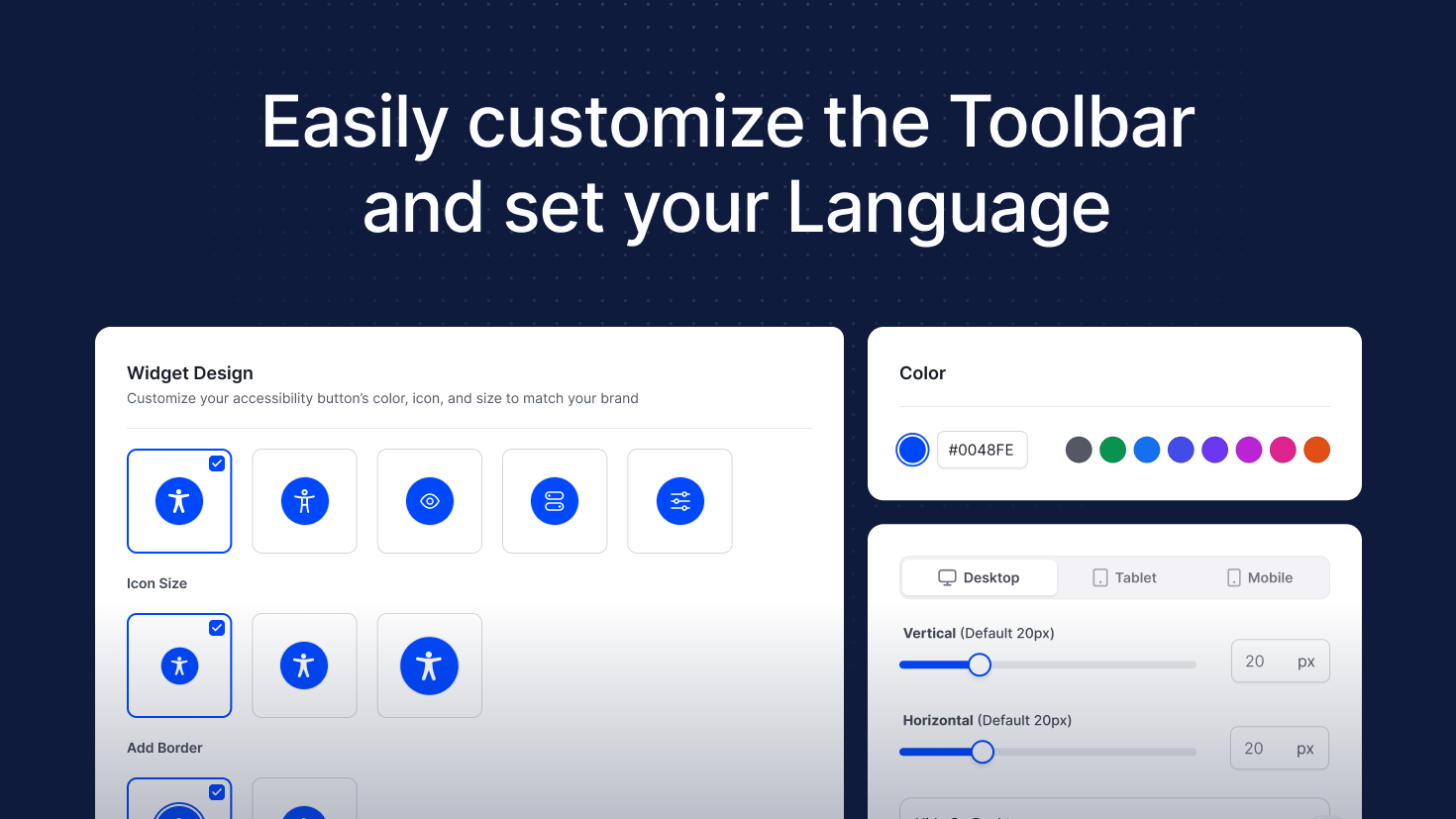
No coding skills are necessary! The plugin is designed to operate with just a click, enabling you to easily customize colors and language as you wish.
Yes, definitely! We continuously monitor and develop the plugin to ensure compatibility with the most popular website builders. Our team regularly conducts thorough compatibility tests to guarantee that the plugin works seamlessly across various platforms. With over 500 tests completed, we can confidently say that it runs smoothly without affecting your site’s performance.
Yes, OneTap can help align your website with the guidelines of WCAG and the requirements of the EAA.
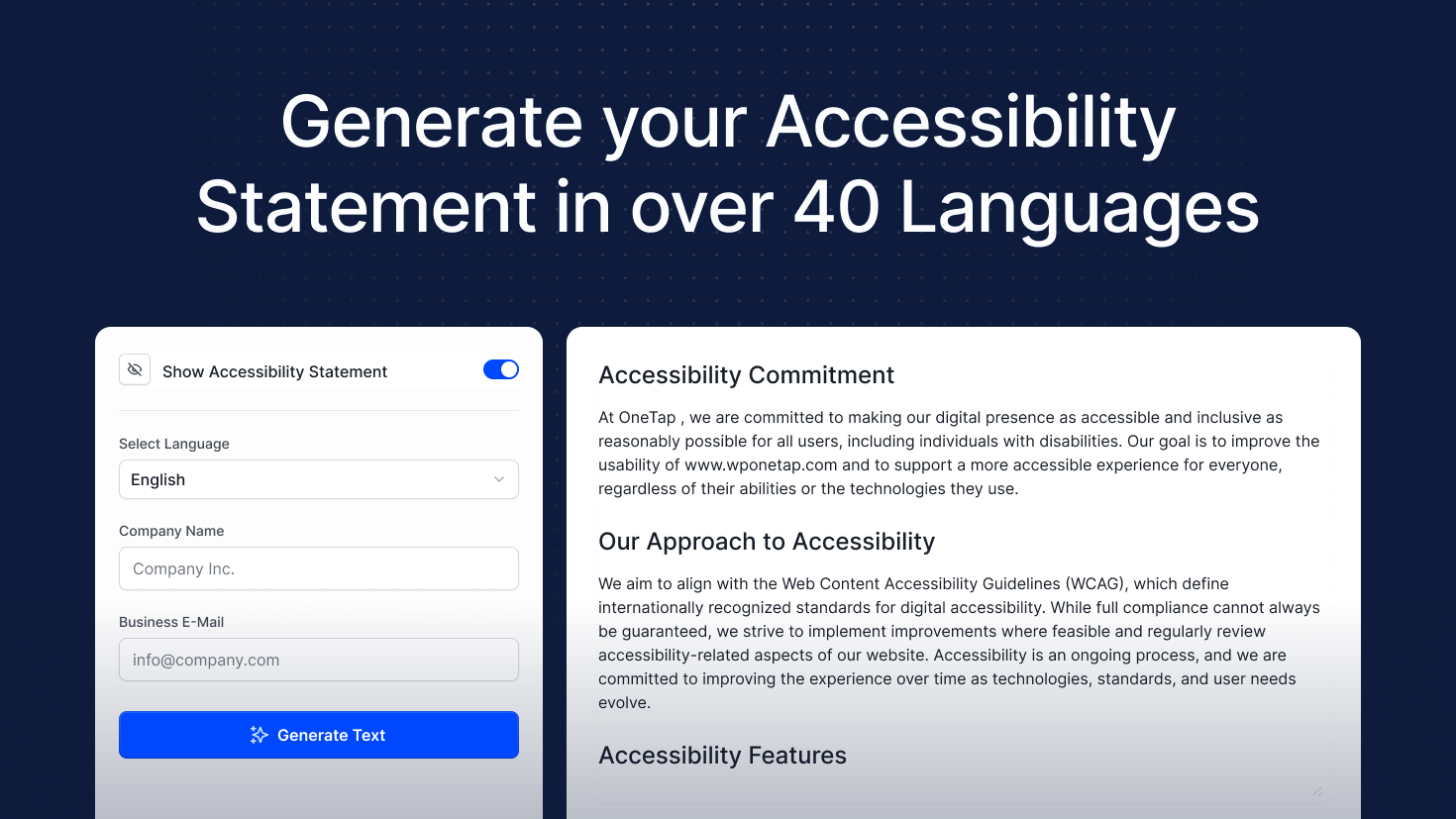
OneTap is available in the following languages: English (USA) | Deutsch | Español | Français | Italiano | Polski | Svenska | Suomi | Português | Română | Slovenščina | Slovenčina | Nederlands | Dansk | Ελληνικά | Čeština | Magyar | Lietuvių | Latviešu | Eesti | Hrvatski | Gaeilge | Български | Norsk | Türkçe | Bahasa Indonesia | Português (Brasil) | 日本語 | 한국어 | 简体中文 | العربية | Русский | हिन्दी | Українська | Српски…
Absolutely! Excellent customer support is vital for a quality product, and we’ll work hard to resolve any issues you encounter through our support page. Our dedicated team is available 24/7 to assist you in multiple languages, ensuring you receive timely and efficient help no matter where you are in the world.
Feature: Install AltPilot for free straight from the Alt Text screen — the button installs the plugin through WordPress and turns into “Activate” without leaving the page
Feature: Stop Animations now also freezes animated GIFs and pauses video that plays by itself, including YouTube and Vimeo embeds
Feature: Added Bengali, Filipino and Urdu to the toolbar languages
Performance: The toolbar now only loads the dictionaries for the languages you enabled instead of all of them on every page
Web Accessibility (formally known as Ally) is a free, powerful, and user-friendly plugin that helps WordPress creators build more accessible websites …

#509 by installs
UserWay’s Accessibility Widget creates a simpler and more accessible browsing experience for your users.

#679 by installs
WP Accessibility fixes common accessibility issues in your WordPress site.
Read from the WordPress.org plugin API on , when WordPress 7.1.4 was the current release. WordPress.org rounds active installs into buckets. These are the directory's figures, not my verdict, and I haven't tested this plugin.