Type to search.

#693 by installs

Spotlight Social Photo Feed

by RebelCodeVersion 1.8.1

Embed Instagram feeds and photo galleries anywhere on your site. Responsive, accessible and SEO-friendly, with a block, shortcode, and widget.

Active installs
60,000+
#693 of 1,000
Downloads, all time
1.6M
1,641,889
Downloads, 30 days
59.8K
9K in the last 7
Rating
4.7 / 5
171 reviews
Last updated
10 days ago
Oct 21, 2026
Version
1.8.1
76 releases

Upkeep and compatibility

Last updatedOctober 21, 2026Updated in the last 3 months
Tested up toWordPress 7.1.4Covers WordPress 7.1.4, the current release
Needs WordPress6.3 or newer
Needs PHP7.1 or newer
First publishedJune 23, 2020
Support, last two months3 of 4 threads resolved (75%)

Reviews

4.7 / 5 from 171 reviews

Reviews by star rating
5 stars157
4 stars1
3 stars0
2 stars3
1 star10

Downloads, last 30 days

Low 131 a dayHigh 10.7K a day

What the author says it does

Instagram Feed Plugin for WordPress

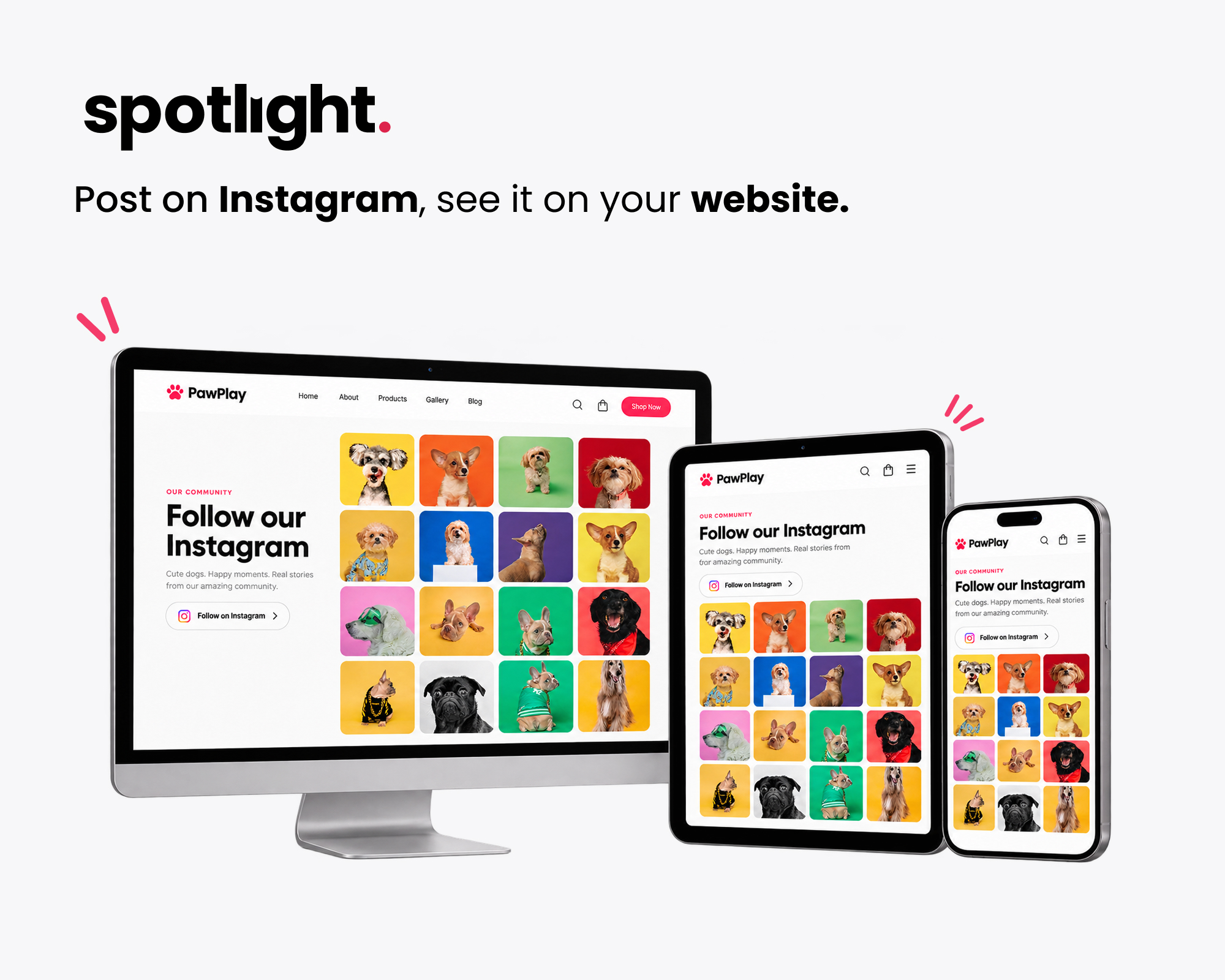
Spotlight embeds your Instagram feed anywhere on your WordPress site. Pick a layout, connect your Instagram account, and customize the design in a live preview, and your site will update itself every time you post to Instagram.

It’s used on 60,000+ websites and holds a 4.7-star rating from more than 170 reviews.

See All Template Designs | Get Spotlight Instagram Feeds PRO | Take the Interactive Tour

New: The unique Polaroid Sticker and Thumbnail Gallery templates are now available in Spotlight Essentials. See them on the demo page.

Free Features

The free version gives you everything you need to run a good-looking Instagram feed, and every feed picks up your theme’s fonts so it fits in with the rest of your site.

  • Connect unlimited Instagram accounts and create unlimited Instagram feeds
  • Combine posts from several Instagram accounts in a single feed
  • Show photos, videos, reels, and carousel (gallery) posts in your feed
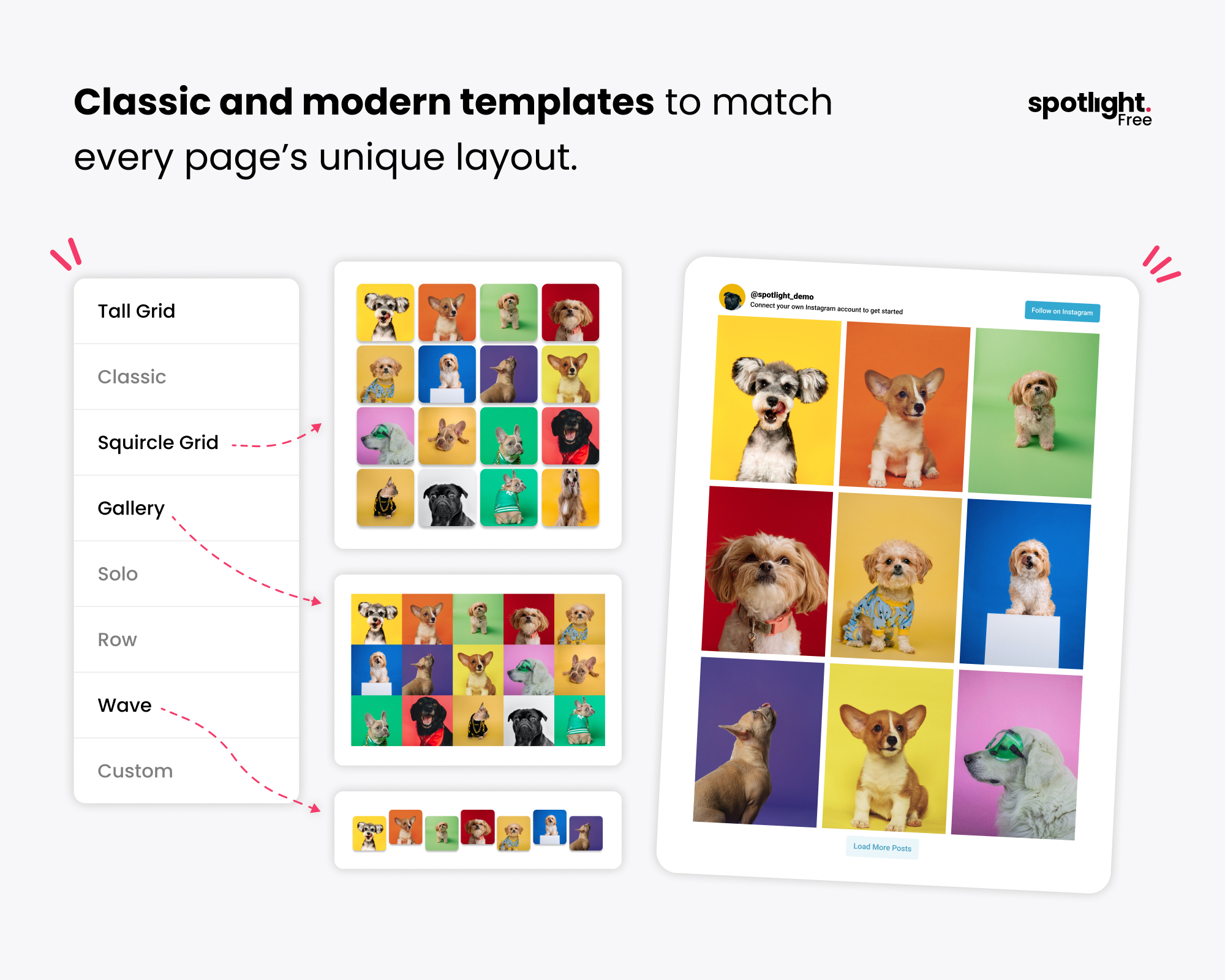
  • Start from a pre-designed template or build your own design
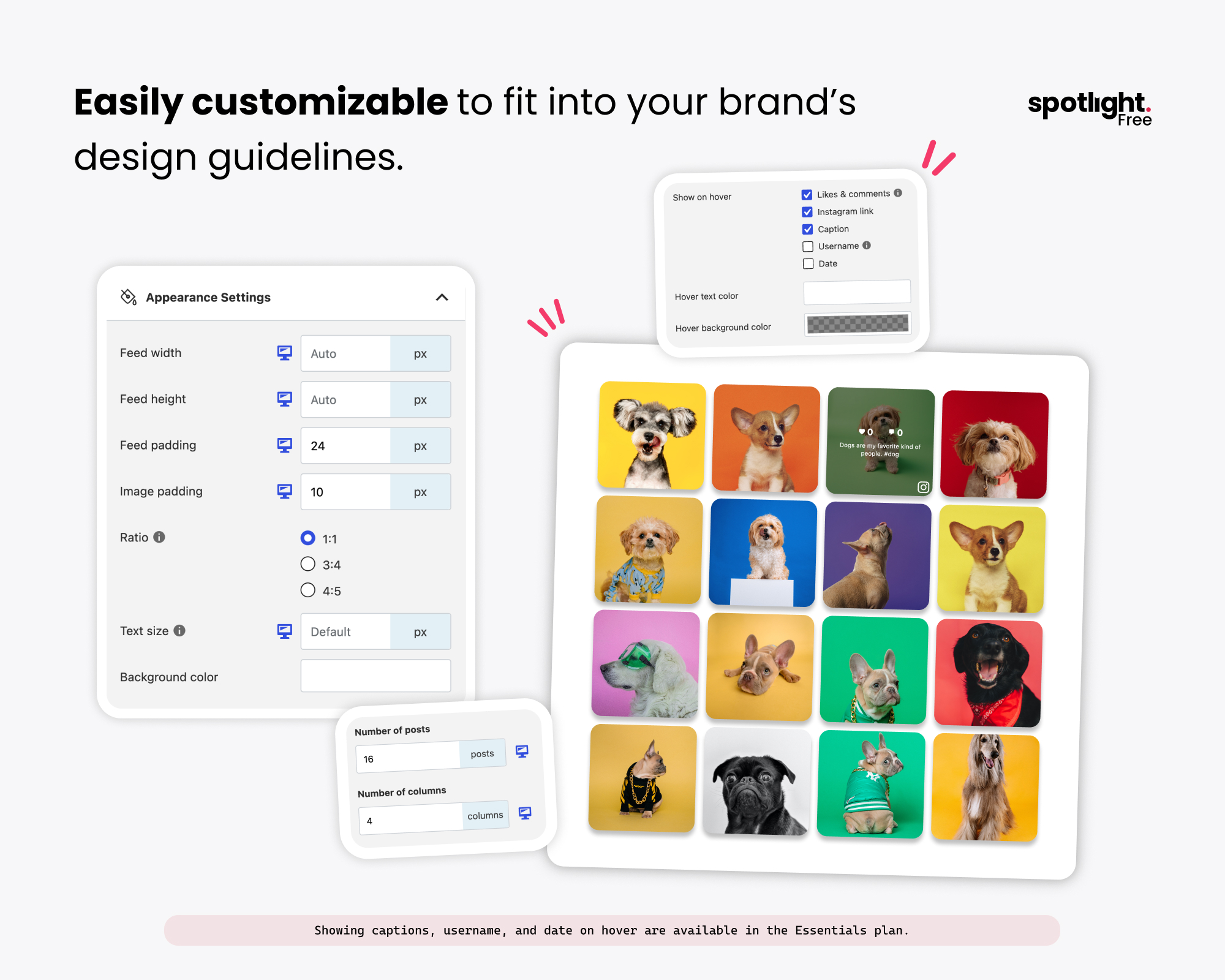
  • 20+ design options, including columns, number of posts and image ratio
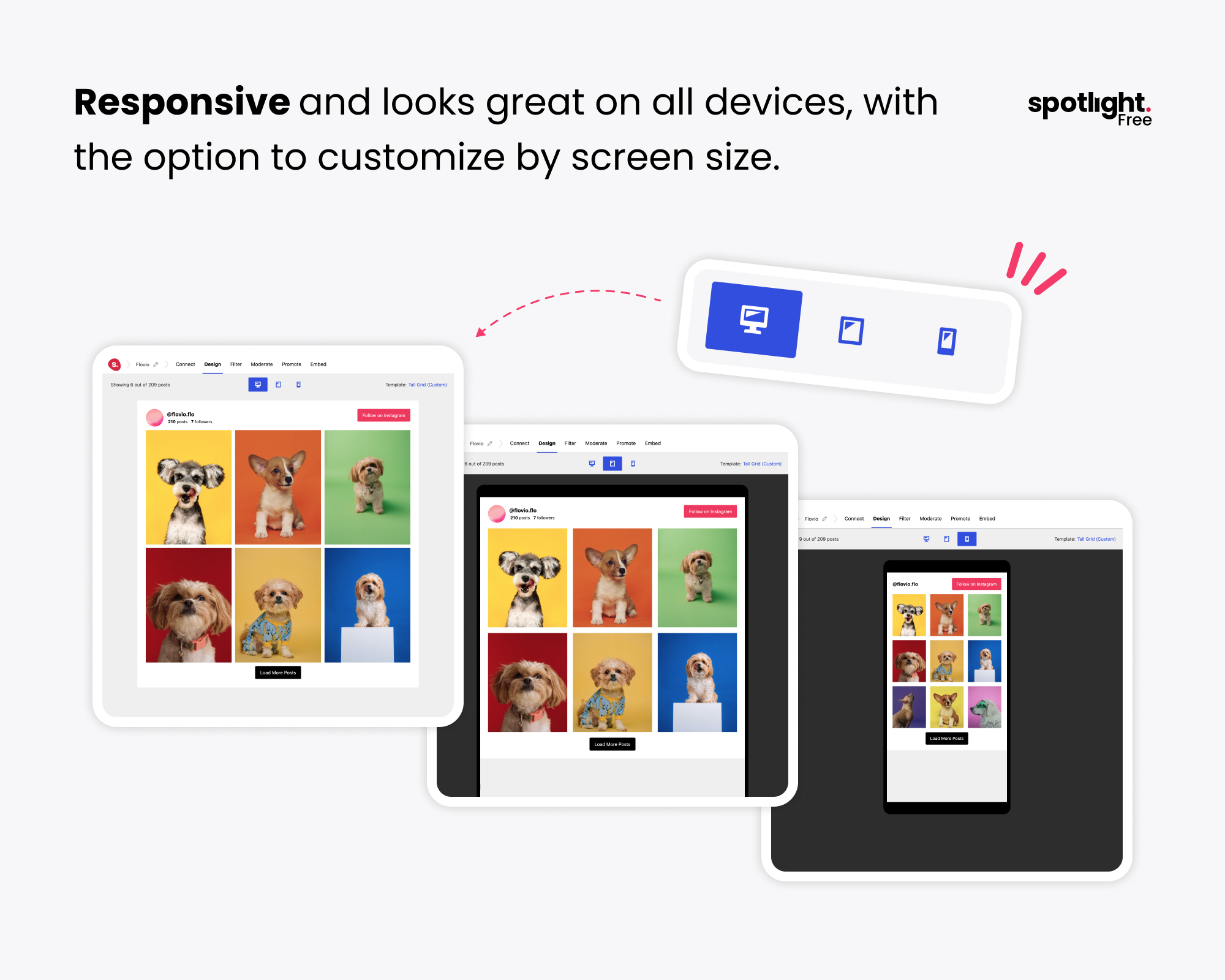
  • Customize each feed per device for desktop, tablet and phone
  • Order posts by date, popularity or at random
  • A popup lightbox that shows photos at full size without sending visitors to Instagram
  • A feed header with your profile photo and bio

The opening of the plugin's own description. The full text, installation notes and changelog are on its WordPress.org page.

Questions the author answers

What kind of Instagram account do I need?

You need an Instagram Business or Creator account. Instagram no longer lets third-party apps display posts from personal accounts, so if yours is a personal account you’ll need to switch it first. Switching is free and only takes a minute in the Instagram app’s settings, and it doesn’t affect your followers or your existing posts.

How do I add an Instagram feed to WordPress?

Install and activate Spotlight, go to “Instagram Feeds”, choose a layout and connect your account. Once you’re happy with the design, add the feed to any page using the Spotlight block, the widget, or the shortcode. The steps under Installation cover this in more detail.

Can I show posts from multiple Instagram accounts in one feed?

Yes. Connect each account you want to use, then select them all in the feed editor. Spotlight combines their posts into one feed.

How many accounts and feeds can I create?

There’s no limit. You can connect as many accounts as you have legitimate access to and create as many feeds as you need, and you can show several different feeds on the same page.

Can visitors watch Instagram videos and reels on my site?

Yes, with Spotlight Essentials or above. Free feeds include your video and reel posts, and the free lightbox shows photos at full size. Upgrading to Essentials lets visitors play videos and reels in the lightbox without leaving your site. Spotlight PRO also adds a sidebar to the lightbox with the caption, likes, comments, and date.

Can I display an Instagram hashtag feed?

Yes, with Spotlight PRO. You can show public posts from across Instagram that use a hashtag, or filter your own feed to show or hide posts with certain hashtags. Our step-by-step guide shows how to embed an Instagram hashtag feed in WordPress.

Latest changelog entry

1.8.1 (2026-10-21)

Added

– Added a “Recommended plugins” page to the Instagram Feeds menu, listing other plugins from the Spotlight team.

– Added a dismissible banner on the Feeds screen that recommends Vireo Analytics, a free analytics plugin with a report for Spotlight feeds.

Changed

– The Help page now opens inside the WordPress admin on the free version too, instead of in a new tab.

– On the free version, the account menu item is now called “Account” instead of “License”.

– Updated Freemius SDK to the latest version.

Fixed

Screenshots

First 4 of 9, from WordPress.org.

Tagged

Plugins that share its tags

#535 by installs

Social Feed Gallery

by quadlayers

Formerly known as "Instagram Feed", this is the best plugin for displaying Instagram feeds on WordPress. It also supports Instagram reels.

Installs
80,000+
Rating
4.5 (303)
Updated
10 days ago

#704 by installs

WPZOOM Social Feed Widget & Block

by WPZOOM

Instagram feed plugin for WordPress: Display your Instagram photos, videos & reels. Easy setup with Gutenberg block, widget, shortcode & Elementor

Installs
50,000+
Rating
4.3 (51)
Updated
37 days ago

#494 by installs

Metricool – Social media and site statistics

by Really Simple Plugins

Site metrics and social media analytics for Instagram, Facebook, YouTube, LinkedIn, X Twitter. The single best tool for Social Media Managers!

Installs
90,000+
Rating
4.4 (22)
Updated
18 days ago

#902 by installs

SocialFeeds

by Softaculous

YouTube feeds for WordPress with simple Setup and Settings options.

Installs
40,000+
Rating
5.0 (1)
Updated
38 days ago

Where this page's numbers come from

Read from the WordPress.org plugin API on , when WordPress 7.1.4 was the current release. WordPress.org rounds active installs into buckets. These are the directory's figures, not my verdict, and I haven't tested this plugin.