Type to search.

#704 by installs

WPZOOM Social Feed Widget & Block

by WPZOOMVersion 2.4.0

Instagram feed plugin for WordPress: Display your Instagram photos, videos & reels. Easy setup with Gutenberg block, widget, shortcode & Elementor

Active installs
50,000+
#704 of 1,000
Downloads, all time
2.7M
2,738,383
Downloads, 30 days
13.9K
2.3K in the last 7
Rating
4.3 / 5
51 reviews
Last updated
37 days ago
Sep 24, 2026
Version
2.4.0
73 releases

Upkeep and compatibility

Last updatedSeptember 24, 2026Updated in the last 3 months
Tested up toWordPress 7.1.4Covers WordPress 7.1.4, the current release
Needs WordPress6.5 or newer
Needs PHP7.4 or newer
First publishedMarch 4, 2015
Support, last two months2 of 2 threads resolved (100%)

Reviews

4.3 / 5 from 51 reviews

Reviews by star rating
5 stars40
4 stars1
3 stars2
2 stars3
1 star5

Downloads, last 30 days

Low 231 a dayHigh 1.9K a day

What the author says it does

Instagram Feed Plugin for WordPress – Easy & Powerful

The best Instagram widget plugin for WordPress. Display your Instagram feed, photos, videos, and reels in beautiful galleries. Works with Gutenberg blocks, widgets, shortcodes, and Elementor.

Create stunning Instagram galleries and Instagram sliders anywhere on your WordPress site. Perfect for showcasing your Instagram content, growing followers, and adding social proof to your website.

⭐️ Get Instagram Widget PRO — Unlock the Stories Row, Analytics, Carousel & More! ⭐️

View Live Demo | Documentation

Why Choose WPZOOM Social Feed Widget?

Quick & Easy Setup – Connect your Instagram account and display feeds in just 3 steps

Fully Responsive – Looks perfect on desktop, tablet, and mobile devices

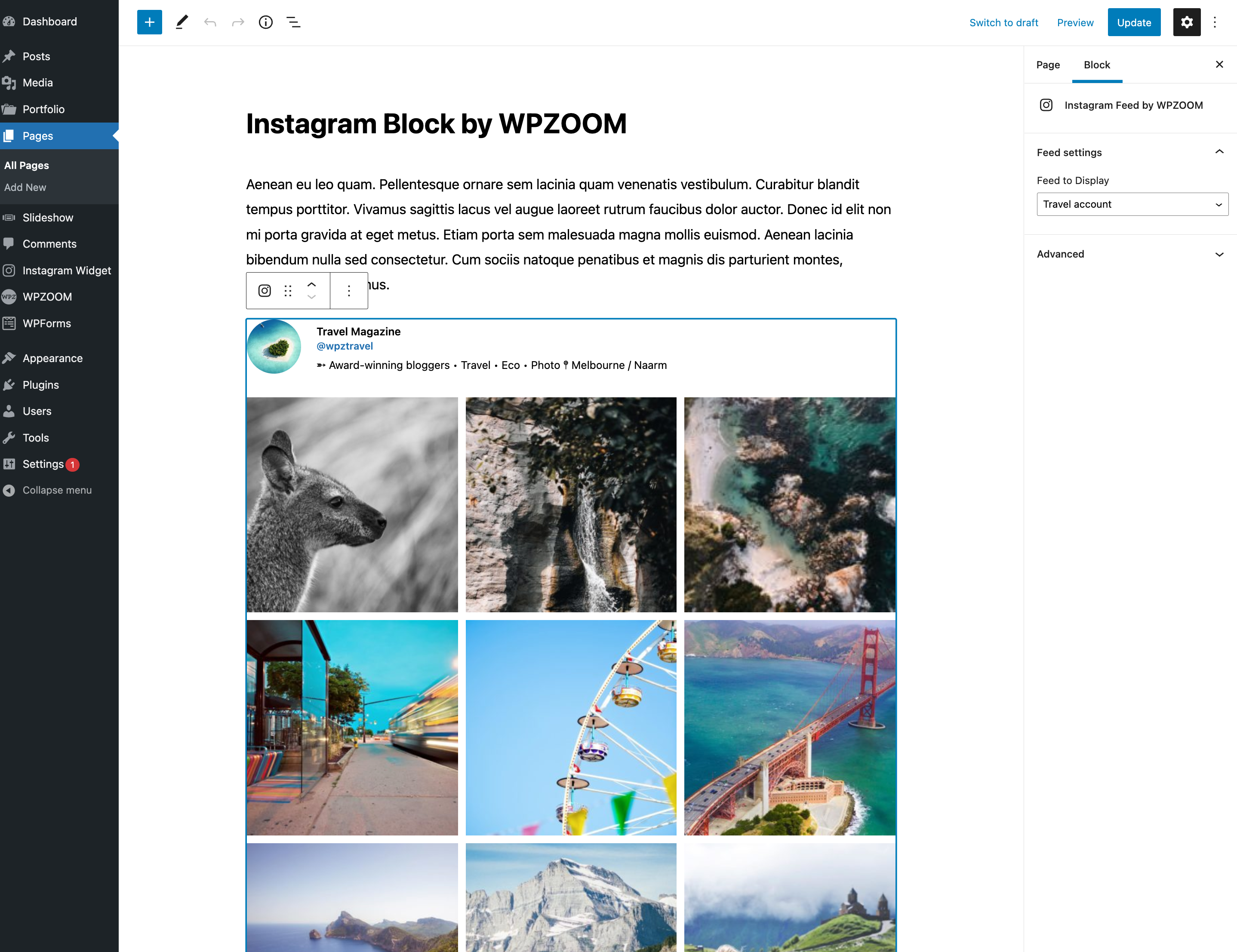
Multiple Embed Options – Gutenberg Block, Shortcode, Widget, and Elementor support

Lightweight & Fast – Optimized for performance with lazy loading

Regular Updates – Fully compatible with the latest Instagram API

“Finally, an Instagram plugin that just works!” – Join thousands of satisfied users

📸 FREE FEATURES

  • Create Unlimited Instagram Feeds – Display as many feeds as you need
  • Gutenberg Block – Native WordPress block editor support
  • Shortcode Support – Embed feeds in Elementor, Beaver Builder, Divi, and any page builder
  • Multiple Layouts – Grid and other layout options to match your design

The opening of the plugin's own description. The full text, installation notes and changelog are on its WordPress.org page.

Questions the author answers

How do I create a new Instagram feed?

Creating an Instagram feed is easy:

1. Go to Instagram Widget → Connect in your WordPress dashboard

2. Connect your Instagram Business or Creator account

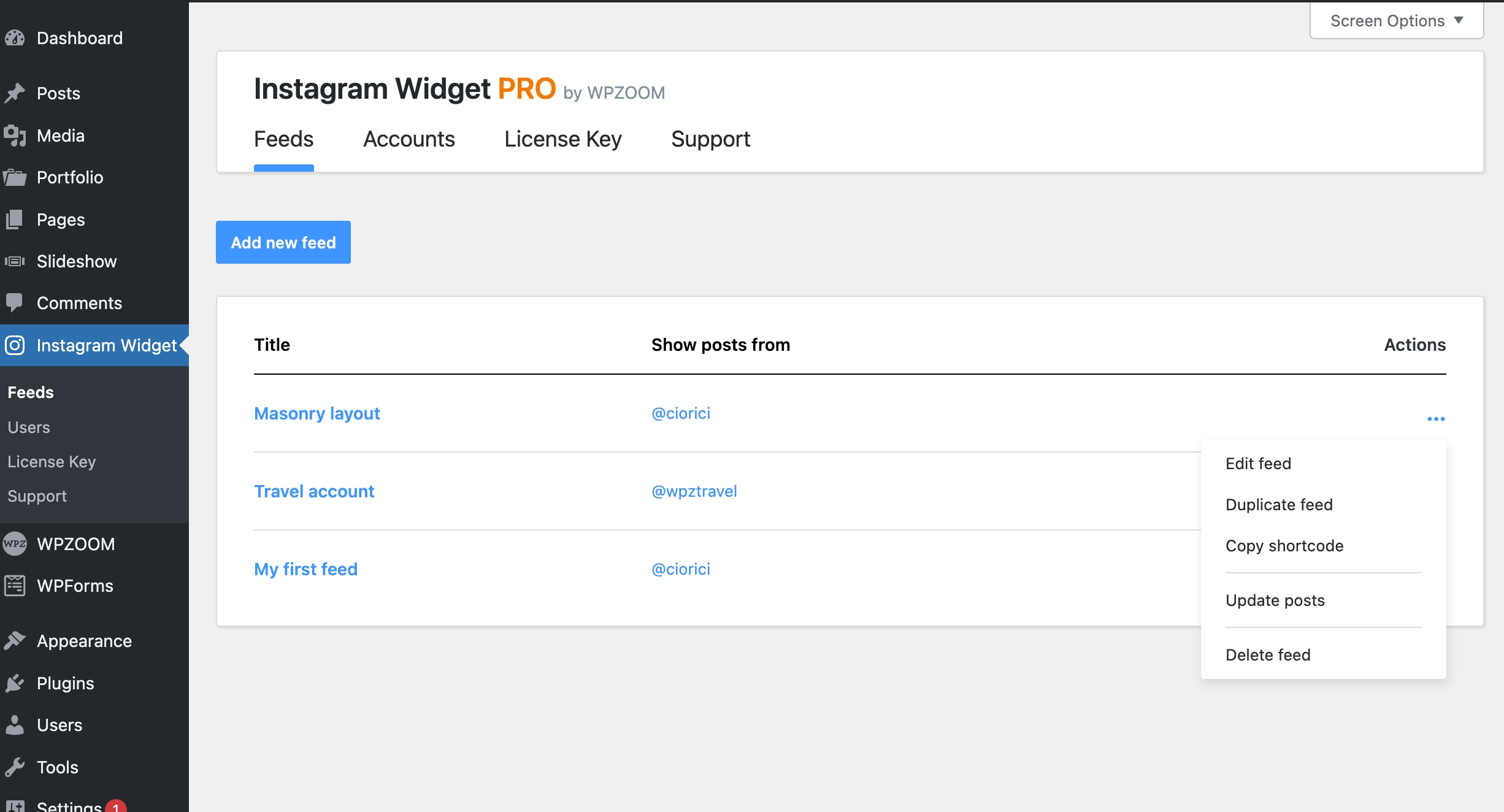
3. Go to Instagram Widget → Feeds and click “Add New”

4. Customize your feed settings and save

5. Copy the shortcode or use the Gutenberg block to embed your feed

What type of Instagram account do I need?

Due to Instagram API requirements, you need an Instagram Business or Creator account to connect. Personal Instagram accounts are no longer supported by Instagram’s API. Converting to a Business or Creator account is free and takes just a few minutes in the Instagram app.

How do I display my Instagram feed in Elementor?

You can display your Instagram feed in Elementor in two ways:

1. Use the dedicated WPZOOM Instagram Elementor widget

2. Use a Shortcode widget and paste your feed’s shortcode

Can I display multiple Instagram accounts?

Yes! With the PRO version, you can connect multiple Instagram accounts and display feeds from different accounts anywhere on your site. You can also combine posts from multiple accounts into a single unified feed – perfect for brands with multiple Instagram profiles.

How can I improve my page load speed with Instagram feeds?

Enable the AJAX Initial Load option in your feed settings. This loads the Instagram feed content asynchronously after your page renders, dramatically improving initial page load time. Visitors will see an elegant skeleton placeholder with a shimmer animation while the feed loads in the background.

What are Instagram Insights and how do I access them?

Instagram Insights is a PRO feature that lets you track your Instagram performance directly from WordPress. You can monitor follower growth, reach, impressions, engagement, and individual post performance with interactive charts. To use Insights, you need a Business or Creator account connected via Facebook.

Latest changelog entry

2.4.0

  • New: Instagram Stories are now available in the free version. Turn on “Display Instagram Stories” in the feed’s profile settings to show a stories ring on the profile image (off by default)
  • New: “Store cached images as WebP” option (Settings → Global) – feed image sizes downloaded from Instagram are saved as WebP, typically 30-45% smaller. Off by default; only affects images cached by the plugin
  • New: “Regenerate Cached Images” button to convert already-cached images after changing the option

Screenshots

First 4 of 5, from WordPress.org.

Tagged

Plugins that share its tags

#535 by installs

Social Feed Gallery

by quadlayers

Formerly known as "Instagram Feed", this is the best plugin for displaying Instagram feeds on WordPress. It also supports Instagram reels.

Installs
80,000+
Rating
4.5 (303)
Updated
10 days ago

#693 by installs

Spotlight Social Photo Feed

by RebelCode

Embed Instagram feeds and photo galleries anywhere on your site. Responsive, accessible and SEO-friendly, with a block, shortcode, and widget.

Installs
60,000+
Rating
4.7 (171)
Updated
10 days ago

#494 by installs

Metricool – Social media and site statistics

by Really Simple Plugins

Site metrics and social media analytics for Instagram, Facebook, YouTube, LinkedIn, X Twitter. The single best tool for Social Media Managers!

Installs
90,000+
Rating
4.4 (22)
Updated
18 days ago

#902 by installs

SocialFeeds

by Softaculous

YouTube feeds for WordPress with simple Setup and Settings options.

Installs
40,000+
Rating
5.0 (1)
Updated
38 days ago

Where this page's numbers come from

Read from the WordPress.org plugin API on , when WordPress 7.1.4 was the current release. WordPress.org rounds active installs into buckets. These are the directory's figures, not my verdict, and I haven't tested this plugin. The author takes donations at their donate page.