Type to search.

#967 by installs

Royal WordPress Backup, Restore & Migration Plugin – Backup WordPress Sites Safely

by WP RoyalVersion 1.0.27

WordPress backup plugin to create full website backups and restore them easily. Built in migration to easily migrate your website, smart pre-update ba …

Active installs
30,000+
#967 of 1,000
Downloads, all time
164.6K
164,550
Downloads, 30 days
7.7K
1.7K in the last 7
Rating
5.0 / 5
7 reviews
Last updated
5 months ago
Jun 8, 2026
Version
1.0.27
26 releases

Upkeep and compatibility

Last updatedJune 8, 2026Updated in the last year
Tested up toWordPress 7.0.8Older than WordPress 7.1.4, the current release
Needs WordPress5.0 or newer
Needs PHP7.4 or newer
First publishedNovember 10, 2025
Support, last two months1 of 1 threads resolved (100%)

Reviews

5.0 / 5 from 7 reviews

Reviews by star rating
5 stars7
4 stars0
3 stars0
2 stars0
1 star0

Downloads, last 30 days

Low 161 a dayHigh 329 a day

What the author says it does

Royal Backup, Restore & Migration is a powerful and easy-to-use WordPress backup plugin that helps you protect your website by creating full site backups, database backups, and automatic scheduled backups in just a few clicks. The Powerfull and Easy to use Migration feature lets you migrate, clone or copy any website from staging website to Live Website easily, Whether you want to secure your website from crashes, plugin conflicts, hacking attempts, or update failures, this plugin ensures your WordPress site can always be restored quickly and safely.

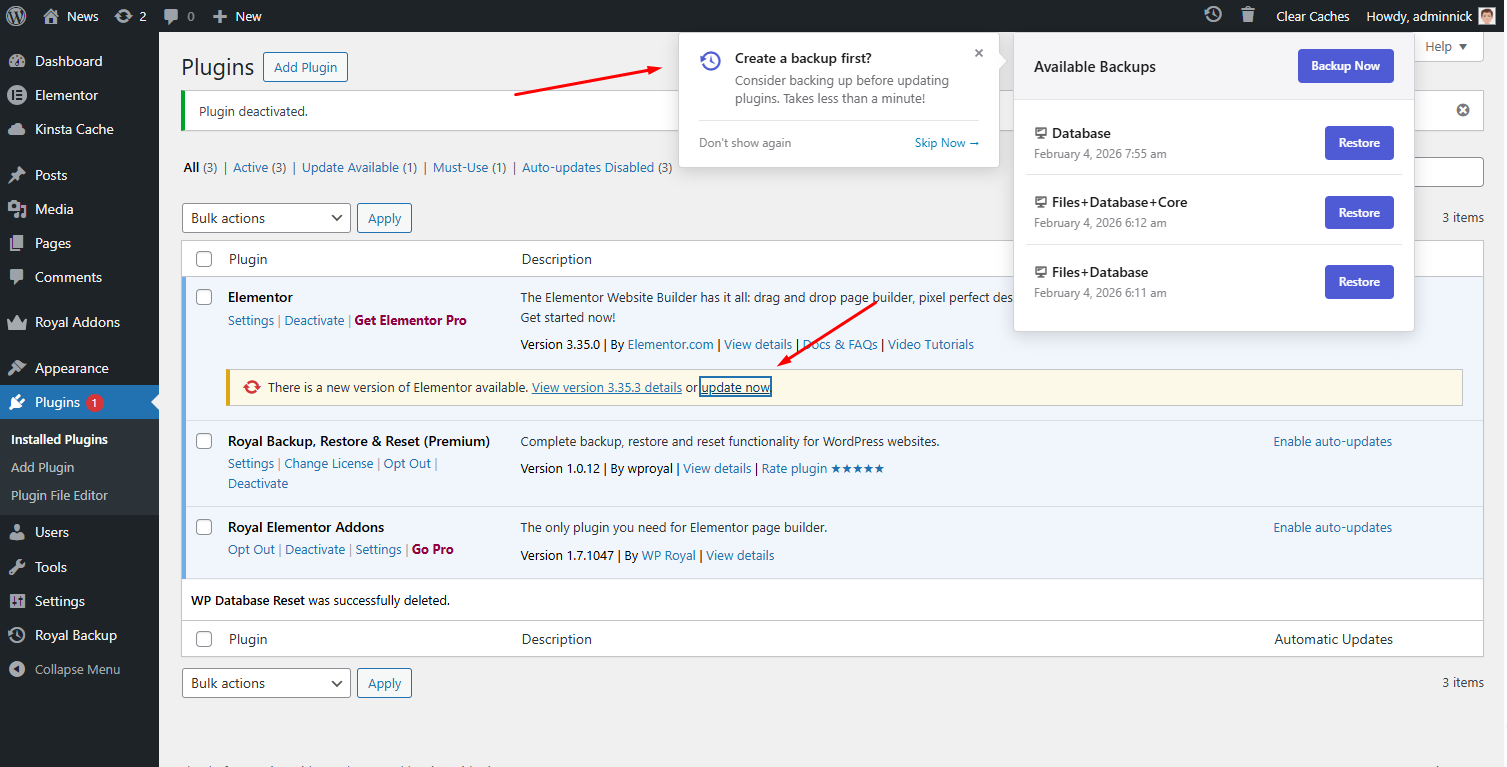
Unlike other WordPress backup plugins, Royal Backup includes a unique smart backup reminder system that automatically prompts you to create a backup before updating plugins, themes, or installing new ones — preventing accidental data loss.

With Royal Backup, you can create complete WordPress backups including database, plugins, themes, uploads, and wordpress core files (PRO version), then restore your website instantly with one-click restore. The plugin also supports automatic backup scheduling (PRO version), allowing you to run hourly, daily, weekly, or monthly backups without manual effort.

The opening of the plugin's own description. The full text, installation notes and changelog are on its WordPress.org page.

Questions the author answers

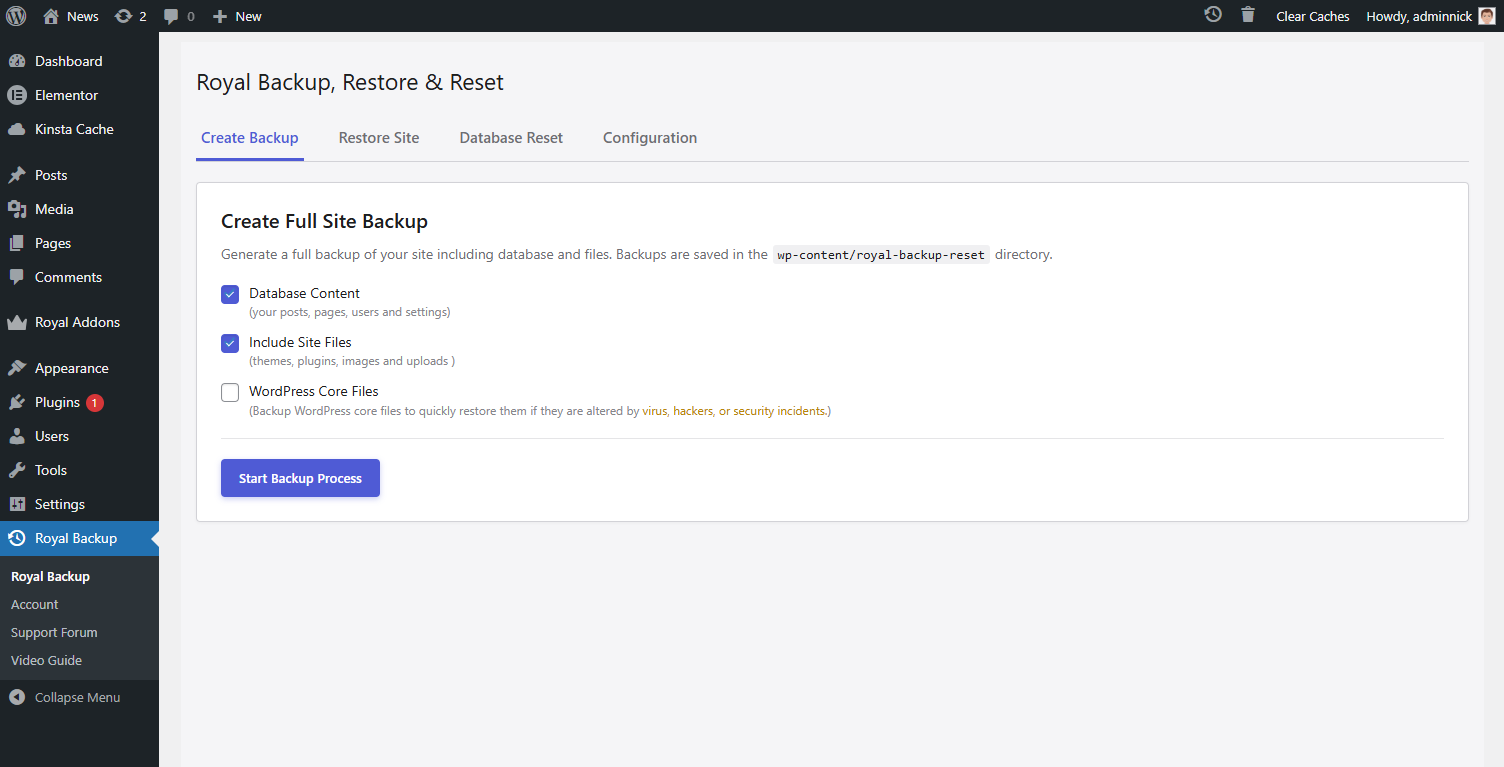
How to create My First Website Backup?

Navigate in Plugin main Menu – Look for “Royal Backup” Name in your WordPress admin dashboard, Navigate to “Create Backup” tab > Select what to include in the backup > Press “Start Backup Process” Button. Congratulations your first website backup is created.

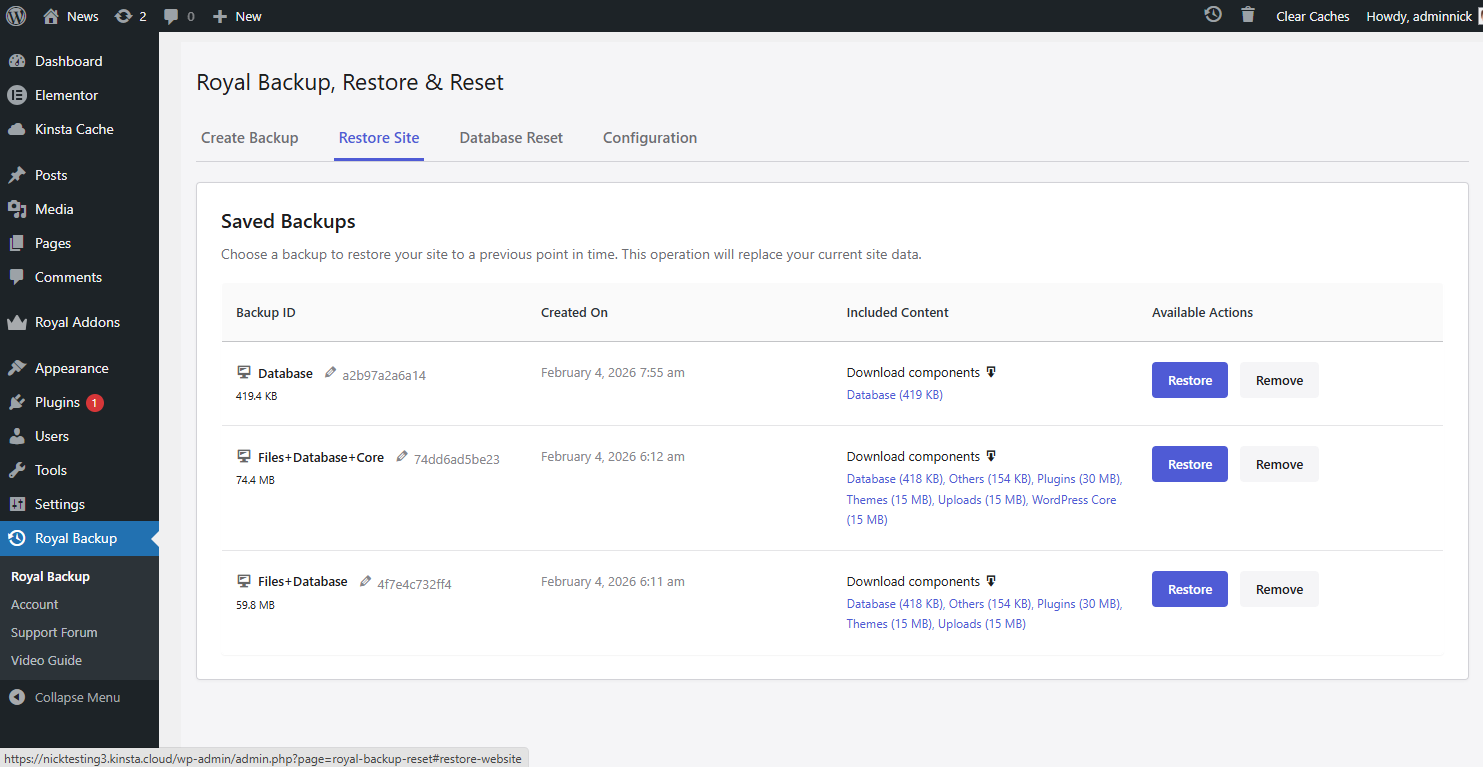
How to restore my Website Backup?

To Restore your website backup navigate to “Restore Site” tab,choose the website backup to restore and press Restore button.

Where are backups stored?

Backups are stored in the wp-content/royal-backup-reset/ directory by default. This directory is protected with .htaccess rules to prevent direct web access.

Can I schedule automatic backups?

This is only supported in Premium Version.

What gets included in a backup?

A backup includes:

* Database (all WordPress tables)

* Plugins folder

* Themes folder

* Uploads folder (Where images, videos and similar files are stored)

* WordPress Core files (Only In PRO Version)

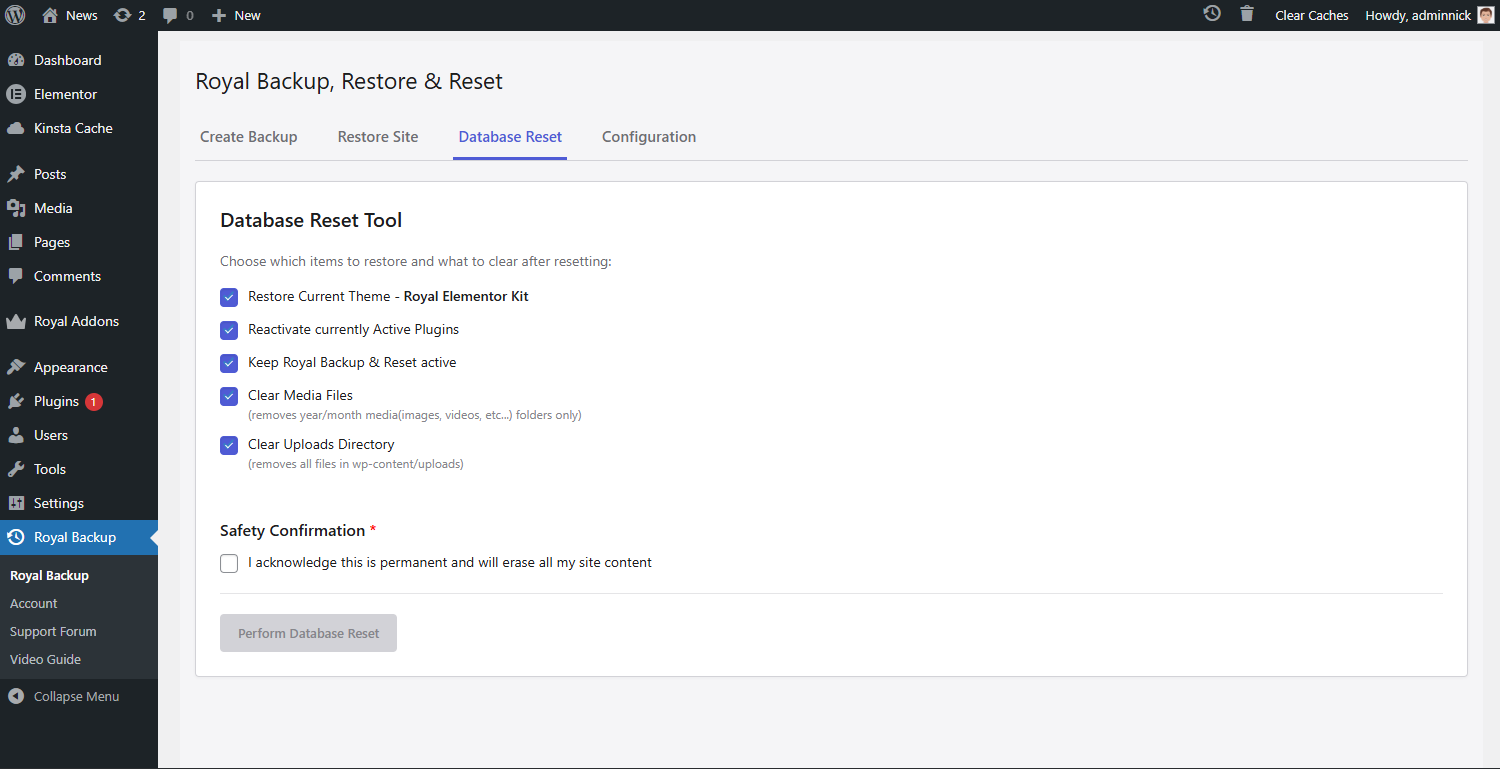
Is it safe to reset my database?

This feature is mainly for testers or for those who want to reset WordPress to fresh install and Start from Scratch. The database reset feature will delete all your Content and Settings. Your current user account will be preserved. Always create a backup before resetting!

Latest changelog entry

1.0.27

  • Fixed Small visual issues.

Screenshots

First 4 of 6, from WordPress.org.

Tagged

Plugins that share its tags

Backup, restores, and migration with Backuply are fairly simple with a wide range of storage options from Local Backups, FTP to cloud options like AWS …

Installs
600,000+
Rating
4.5 (135)
Updated
9 days ago

Back up, restore, and protect your WordPress website with automated backups, cloud storage, one-click recovery, and AI-assisted backup management.

Installs
400,000+
Rating
4.0 (1.3K)
Updated
17 days ago

#14 by installs

UpdraftPlus: WP Backup & Migration Plugin

by David Anderson / Team Updraft

Backup, restore or migrate your WordPress website to another host or domain. Schedule backups or run manually. Migrate in minutes.

Installs
4+ million
Rating
4.8 (8.7K)
Updated
5 days ago

Where this page's numbers come from

Read from the WordPress.org plugin API on , when WordPress 7.1.4 was the current release. WordPress.org rounds active installs into buckets. These are the directory's figures, not my verdict, and I haven't tested this plugin.