
#905 by installs
SMTP2GO for WordPress – Email Made Easy
Resolve email delivery issues, increase inbox placement, track sent email, get 24/7 support, and real-time reporting.
- Installs
- 40,000+
- Rating
- 5.0 (67)
- Updated
- 2 months ago

The officially-supported ActiveCampaign Postmark plugin for Wordpress.
| Last updated | November 18, 2024Not updated for over a year |
|---|---|
| Tested up to | WordPress 6.7.11Older than WordPress 7.1.4, the current release |
| Needs WordPress | 5.3 or newer |
| Needs PHP | 7.0 or newer |
| First published | August 10, 2011 |
| Support, last two months | 0 of 1 threads resolved (0%) |
4.7 / 5 from 30 reviews
| 5 stars | 28 |
|---|---|
| 4 stars | 0 |
| 3 stars | 0 |
| 2 stars | 0 |
| 1 star | 2 |
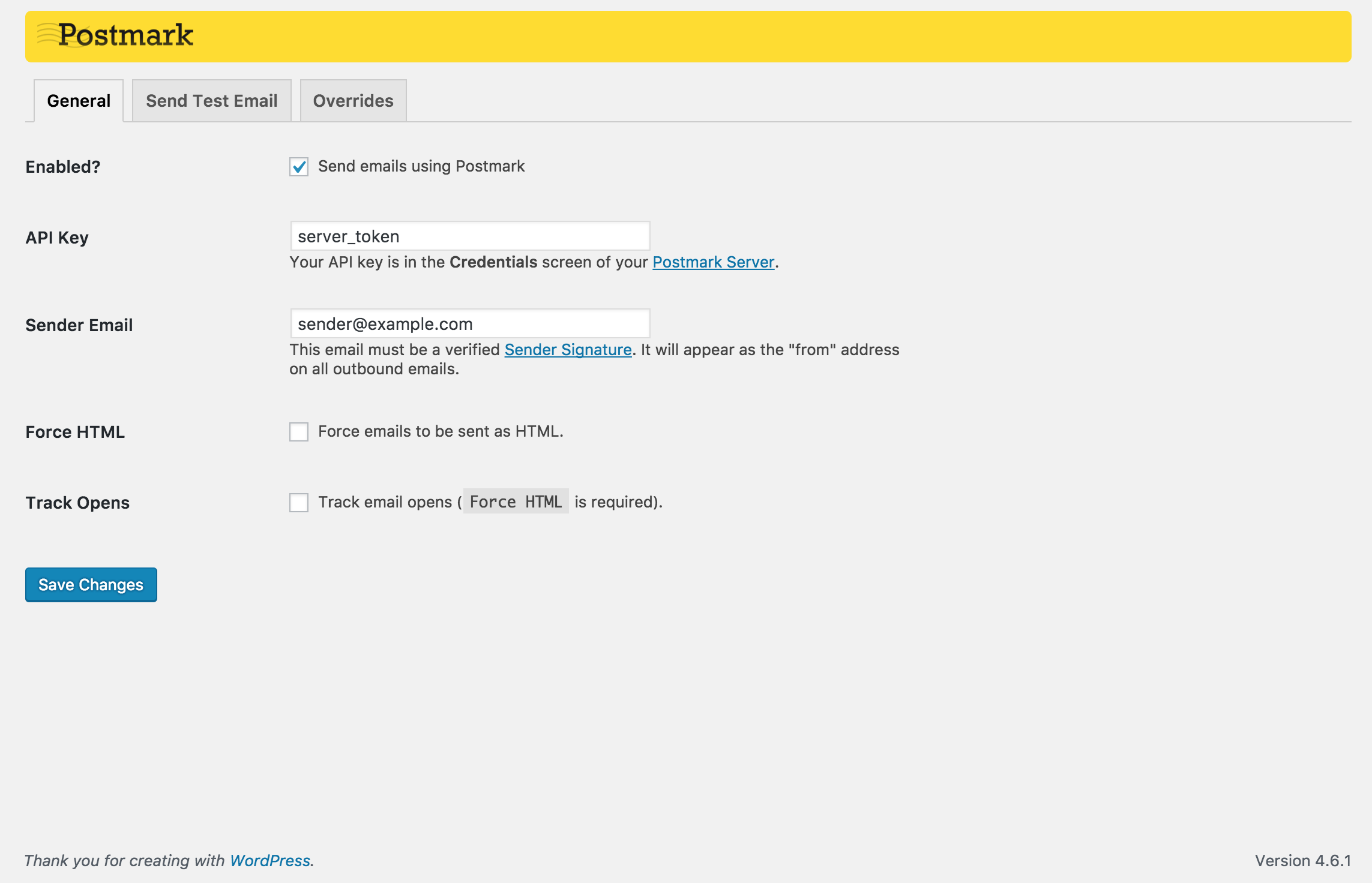
If you’re still sending email with default SMTP, you’re blind to delivery problems! ActiveCampaign Postmark for WordPress enables sites of any size to deliver and track WordPress notification emails reliably, with minimal setup time and zero maintenance.
If you don’t already have a Postmark account, you can get one in minutes, sign up at https://postmarkapp.com
Check out our video on how to set up the Postmark for WordPress plugin here.
Additional Resources
Postmark for WordPress FAQ
Can I use the Postmark for WordPress plugin with Gravity Forms?
How do I send with Ninja Forms and Postmark for WordPress?
How do I send with Contact Form 7 and Postmark for WordPress?
Can I use the Postmark for WordPress plugin with Divi contact forms?
The opening of the plugin's own description. The full text, installation notes and changelog are on its WordPress.org page.
Postmark is a hosted service that expertly handles all delivery of transactional webapp and web site email. This includes welcome emails, password resets, comment notifications, and more. If you’ve ever installed WordPress and had issues with PHP’s mail() function not working right, or your WordPress install sends comment notifications or password resets to spam, Postmark makes all of these problems vanish in…
The Postmark for WordPress plugin overrides any usage of the wp_mail() function. Because of this, if any 3rd party code or plugins send mail directly using the PHP mail function, or any other method, we cannot override it. Please contact the makers of any offending plugins and let them know that they should use wp_mail() instead of unsupported mailing functions.
The Postmark API requires TLS v1.1 or v1.2 support. We recommend using TLS v1.2.
You can check your TLS v1.2 compatibility using this plugin. After installing the plugin, change the dropdown for ‘Select API Endpoint’ to How’s My SSL? and run the test. If compatibility with TLS v1.2 is not detected, contact your server host or make the necessary upgrades to support TLS v1.1 or v1.2.
TLS 1.2 requires:
The Postmark service (and this plugin) are free to get started. You can sign up at https://postmarkapp.com/. When you need to process more email, Postmark offers monthly plans to fit your needs.
No worries, our expert team can help. Just send an email to [email protected] or tweet @postmarkapp for help. Be sure to include as much detail as possible.
Because we’ve been in this business for many years. Through trial and error we already know what it takes to manage a large volume of email. We handle things like whitelisting, ISP throttling, reverse DNS, feedback loops, content scanning, and delivery monitoring to ensure your emails get to the inbox.
See the previous changelogs here
#905 by installs
Resolve email delivery issues, increase inbox placement, track sent email, get 24/7 support, and real-time reporting.

Make email delivery easy for WordPress. Connect with SMTP, Gmail, Brevo, SendGrid, Amazon SES + more, with powerful WordPress SMTP Email plugin.

Make SMTP email sending and delivery easy. Configure Gmail SMTP, Outlook, Brevo, SendGrid, Mailgun, SendLayer or connect to any SMTP server.

#164 by installs
Log, view, and resend all emails sent from your WordPress site. Great for resolving email sending issues or keeping a copy for auditing.
Effortlessly manage transactional emails with Email Deliverability. High deliverability, logs and statistics, and no SMTP plugins needed.

SureMail – SMTP and Email Logs Plugin with Amazon SES, Postmark, and Other Providers
Read from the WordPress.org plugin API on , when WordPress 7.1.4 was the current release. WordPress.org rounds active installs into buckets. These are the directory's figures, not my verdict, and I haven't tested this plugin.
