
Site Kit is a one-stop solution for WordPress users to use everything Google has to offer to make them successful on the web.
- Installs
- 5+ million
- Rating
- 4.2 (1K)
- Updated
- 12 days ago

One click registration & login plugin for Facebook, Google, X (formerly Twitter) and more. Quick setup and easy configuration.
| Last updated | July 28, 2026Updated in the last year |
|---|---|
| Tested up to | WordPress 7.0.8Older than WordPress 7.1.4, the current release |
| Needs WordPress | 4.9 or newer |
| Needs PHP | 7.4 or newer |
| First published | September 25, 2012 |
| Support, last two months | 1 of 1 threads resolved (100%) |
4.9 / 5 from 446 reviews
| 5 stars | 426 |
|---|---|
| 4 stars | 8 |
| 3 stars | 2 |
| 2 stars | 2 |
| 1 star | 8 |
Nextend Social Login is a professional, easy to use and free WordPress plugin. It lets your visitors register and login to your site using their social profiles (Facebook, Google, X (formerly Twitter), etc.) instead of forcing them to spend valuable time to fill out the default registration form. Besides that, they don’t need to wait for validation emails or keep track of their username and password anymore.
Demo | Tutorial videos | Docs | Support | Pro Addon
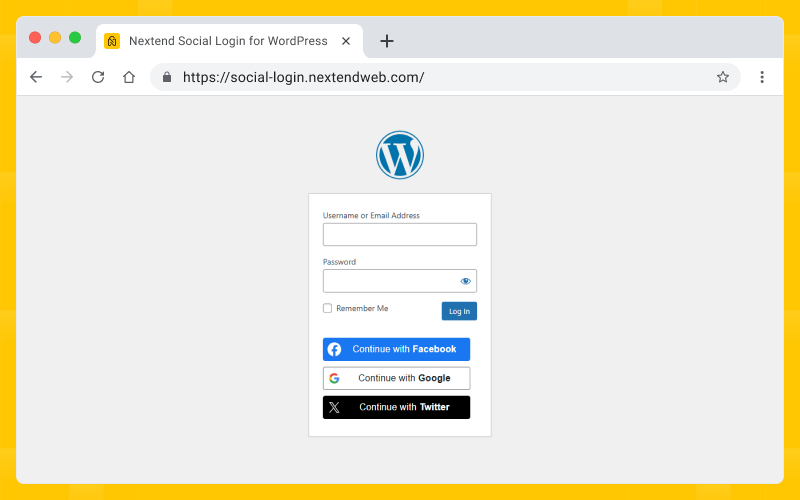
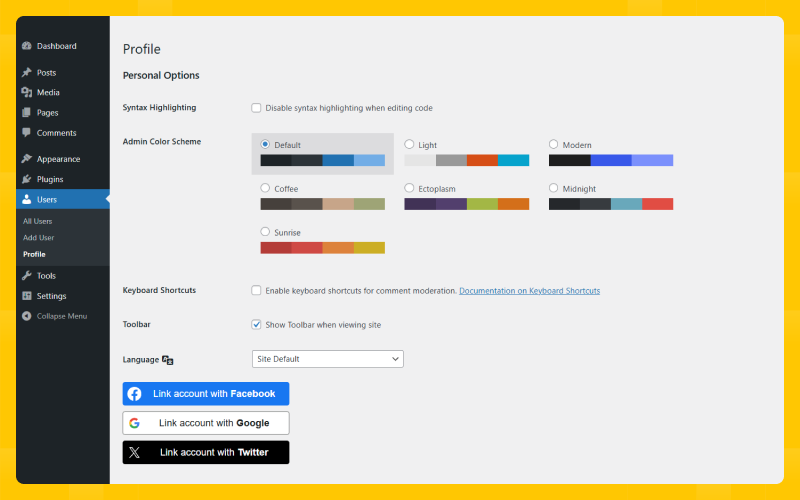
Nextend Social Login seamlessly integrates with your existing WordPress login and registration form. Existing users can add or remove their social accounts at their WordPress profile page. A single user can attach as many social account as they want allowing them to log in with Facebook, Google or X (formerly Twitter).
Three popular providers: Facebook, Google and X (formerly Twitter)
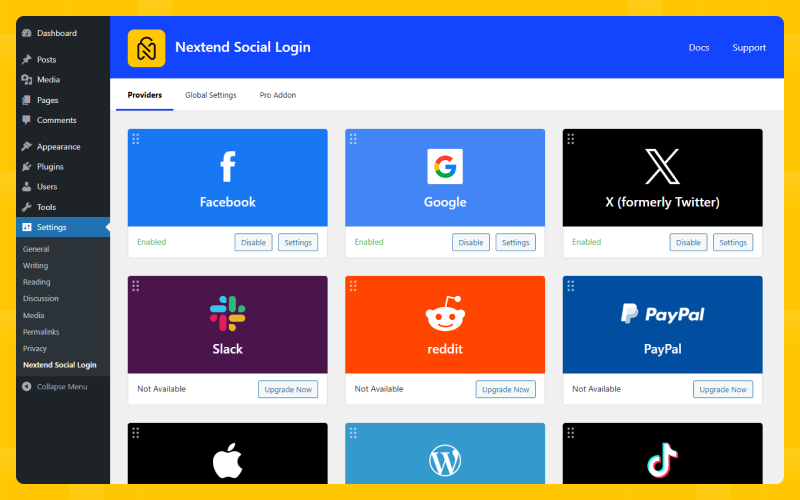
Providers are the services which the visitors can use to register and log in to your site. Nextend Social Login allows your visitors to log in with their account from the most popular social networks: Facebook, Google and X (formerly Twitter).
Free version features
The opening of the plugin's own description. The full text, installation notes and changelog are on its WordPress.org page.
Sure, Nextend Social Login provides you the tools to make your site GDPR compliant. Check out the Nextend Social Login GDPR documentation to learn more about the topic.
The free version of Nextend Social Login displays the social login buttons automatically on the /wp-login.php’s login form and all forms made using the wp_login_form action.
You can use Nextend Social Login’s widget and shortcodes if you need to display the buttons anywhere. If you need to publish the login buttons in your theme, you can use the PHP code.
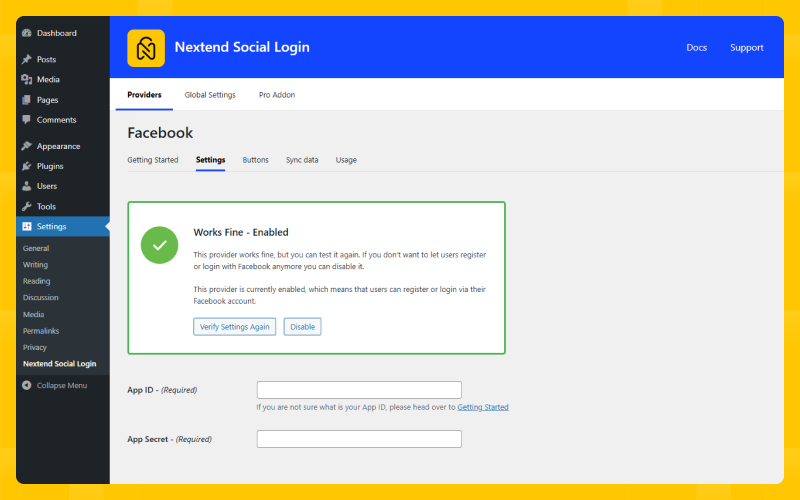
After you set up your APP go to the Settings tab and enter the URL of your Terms of Service and Privacy Policy page. Then hit the Update your settings button. Then go to the Permissions tab and check the “Request email addresses from users” under “Additional Permissions”. There’s a documentation that explains the process.
When a user tries to register with a social account, Nextend Social Login will try to generate a username from the name that comes from the provider. If this name contains special characters, then we won’t be able to generate a username that is valid for WordPress, as WordPress doesn’t allow special characters in usernames either.
Contact us via email and explain the issue you have.
Find the .pot file at the /languages folder. From that you can start the translation process. Drop us the final .po and .mo files and we’ll put them to the next releases.
Site Kit is a one-stop solution for WordPress users to use everything Google has to offer to make them successful on the web.

#74 by installs
Native integration with Google that allows merchants to easily display their products across Google’s network.

#138 by installs
Reach more customers and drive sales on Facebook, Instagram and WhatsApp with the official Meta for WooCommerce plugin.

#140 by installs
Grow your business with Meta for WordPress!

#149 by installs
Adds Google Analytics tracking code to your WordPress site. Supports many tracking features.

#196 by installs
The original Google Fonts self-hosting plugin. Automagically caches your fonts locally — no configuration (or brains) required!
Read from the WordPress.org plugin API on , when WordPress 7.1.4 was the current release. WordPress.org rounds active installs into buckets. These are the directory's figures, not my verdict, and I haven't tested this plugin. The author takes donations at their donate page.