
#685 by installs
Add From Server
Add From Server is designed to help ease the pain of bad web hosts, allowing you to upload files via FTP or SSH and later import them into WordPress.
- Installs
- 60,000+
- Rating
- 4.6 (239)
- Updated
- 6 years ago

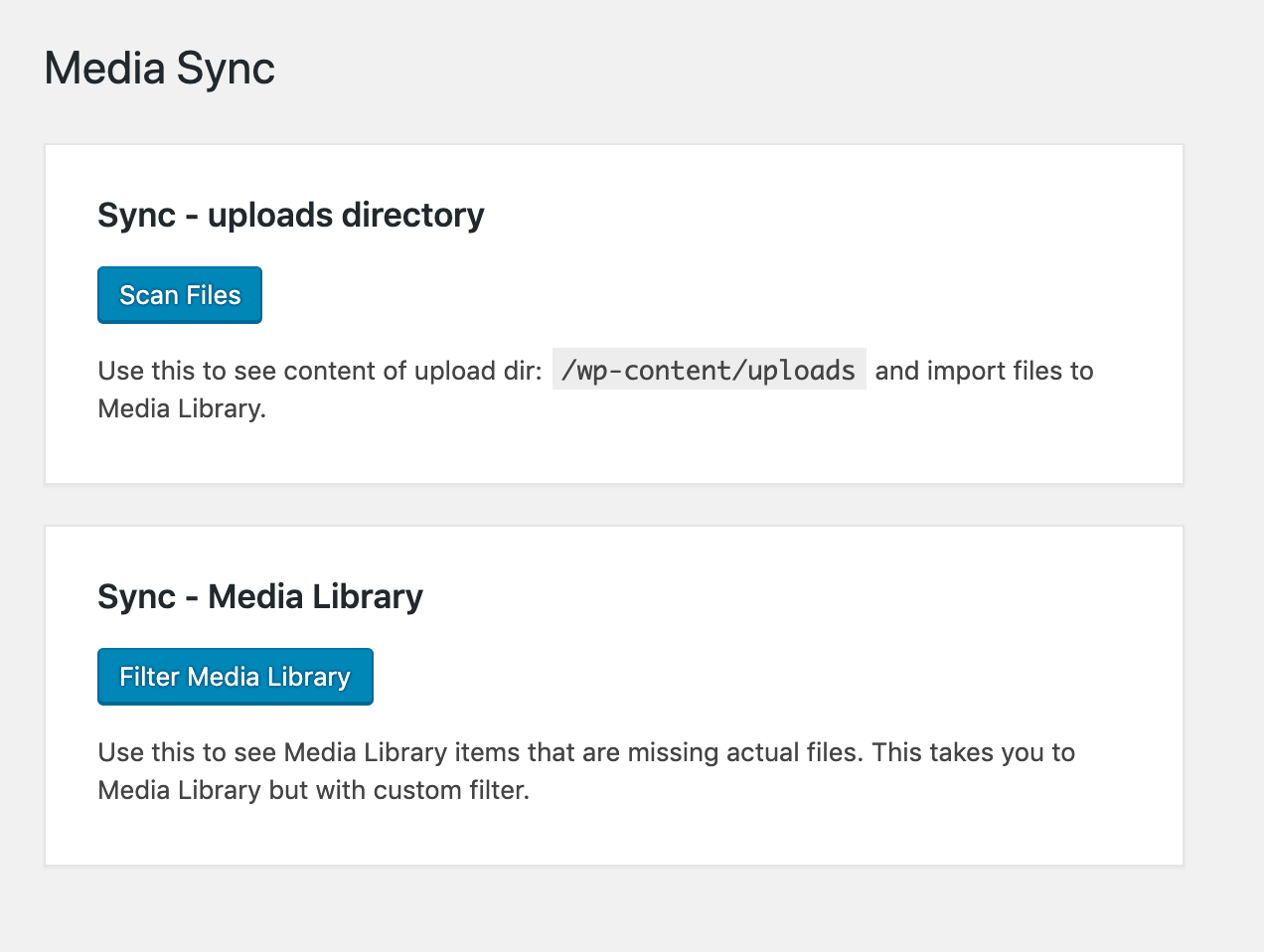
Simple plugin to scan "uploads" directory and bring those files into Media Library.
| Last updated | August 15, 2026Updated in the last 3 months |
|---|---|
| Tested up to | WordPress 7.1.4Covers WordPress 7.1.4, the current release |
| Needs WordPress | 5.3 or newer |
| Needs PHP | 7.4 or newer |
| First published | April 27, 2018 |
| Support, last two months | 0 of 1 threads resolved (0%) |
4.7 / 5 from 86 reviews
| 5 stars | 79 |
|---|---|
| 4 stars | 0 |
| 3 stars | 0 |
| 2 stars | 3 |
| 1 star | 4 |
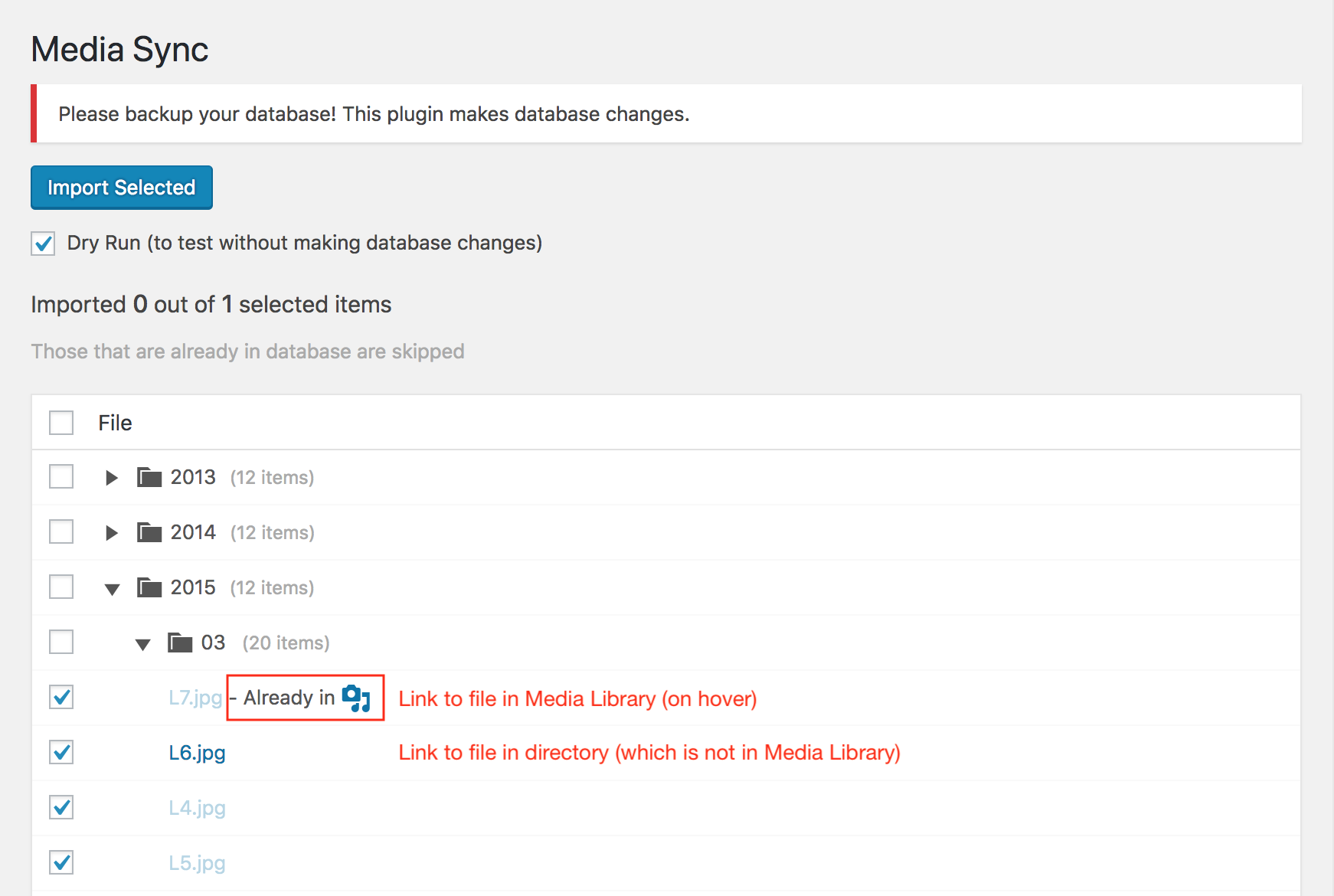
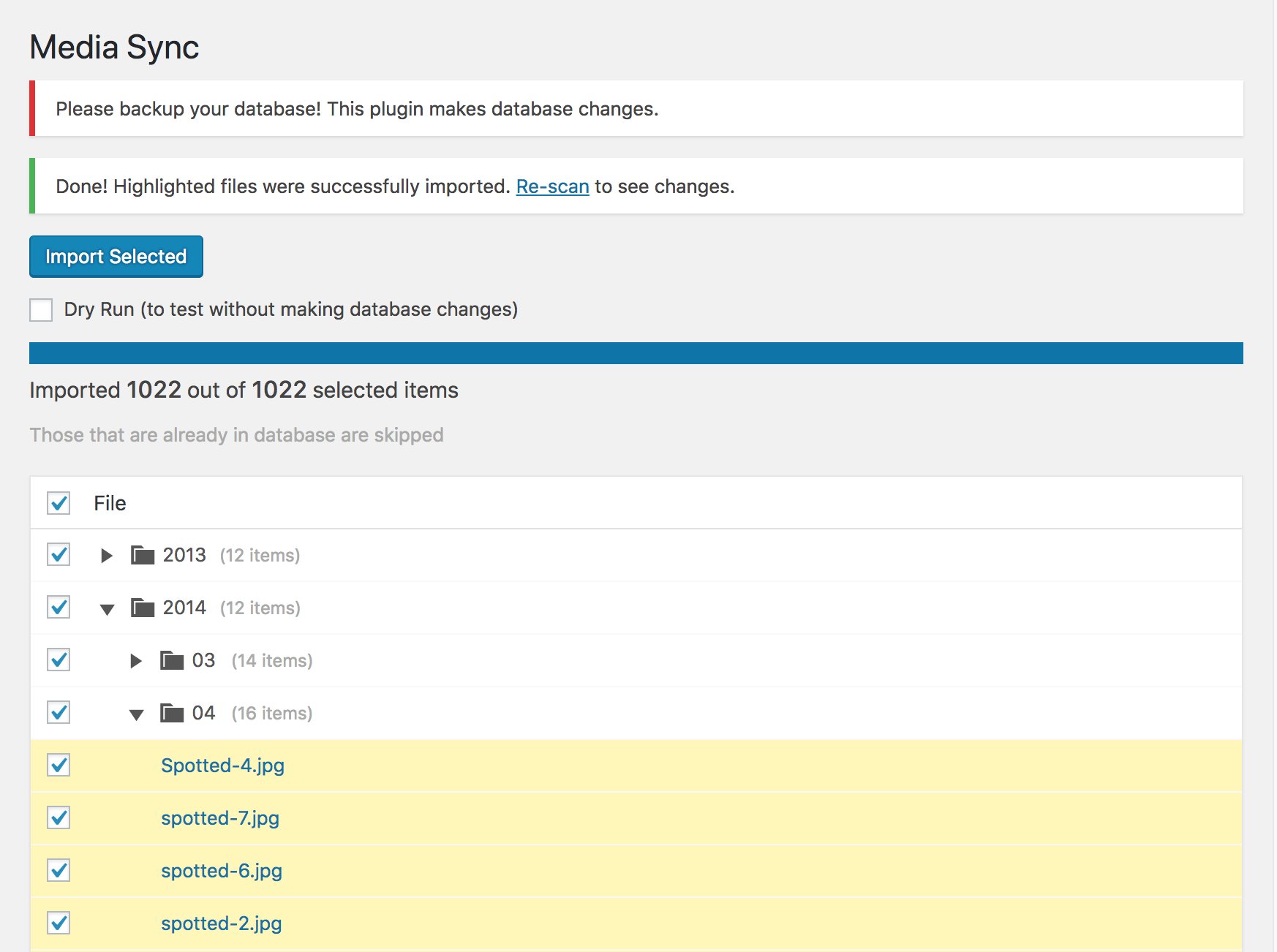
This plugin allows you to examine all files within the uploads directory to determine which ones are present in the Media Library and which ones are just sitting there unused. You can then choose the files you want to import into the database, thereby including them in the Media Library.
Moreover, you can utilize FTP to upload files directly to the uploads directory and subsequently add these files to the Media Library avoiding any file size limitations.
Disclaimers
• “1 file first”
Please try to import only one file first – to see if it works as you expected.
• “All at once”
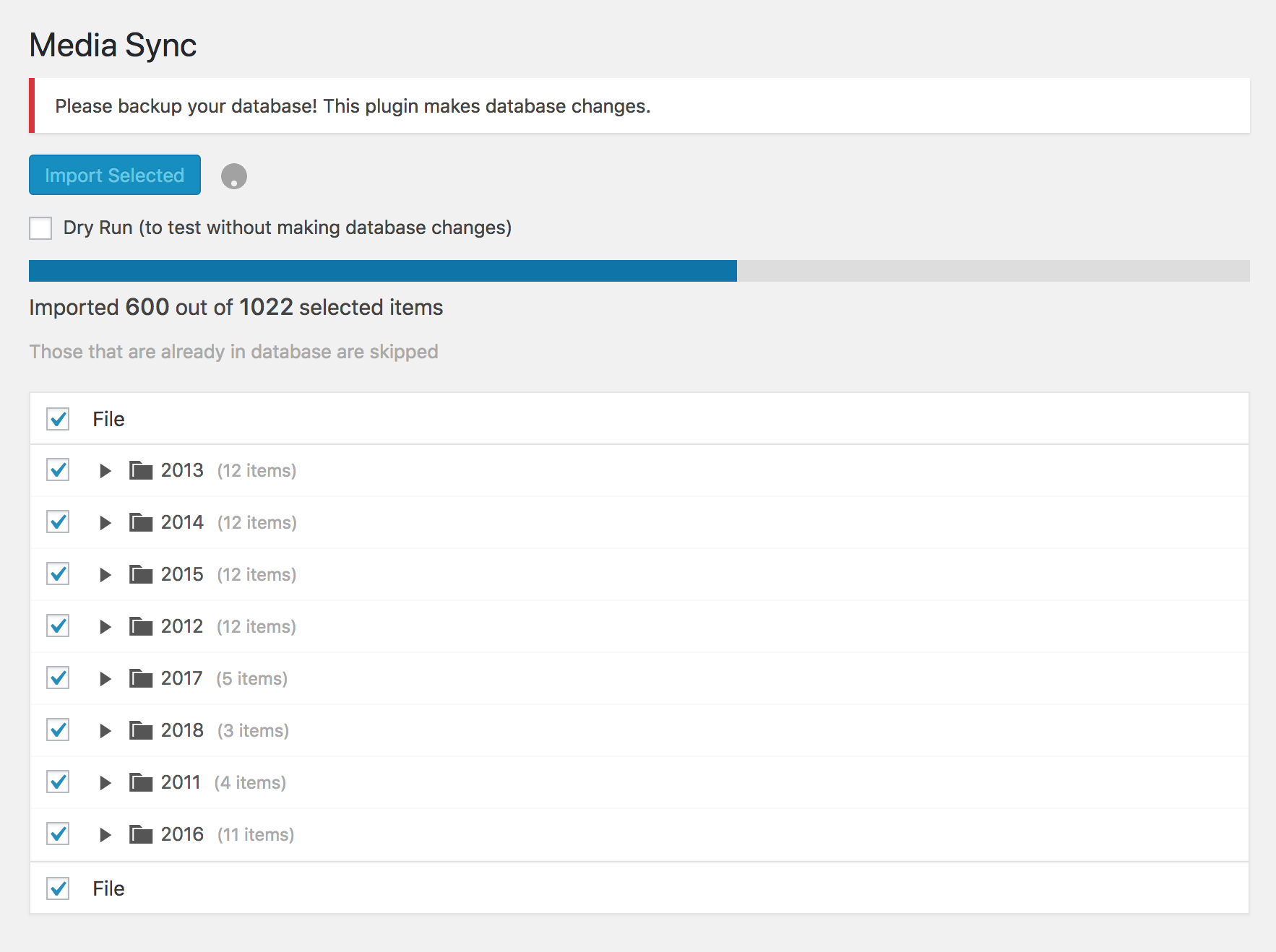
This plugin is designed for scanning, selecting, and importing all files at once. However, based on your server’s configuration, memory, and timeout challenges may arise with extensive file quantities. To mitigate this, a newly revamped pro version employs incremental directory scans to effectively tackle these issues.
• “Your setup is unique”
The opening of the plugin's own description. The full text, installation notes and changelog are on its WordPress.org page.
Please try to increase max_execution_time (and/or memory_limit) in php.ini on server (as described here).
Please make sure “Dry Run” option is NOT checked. This is a safety mechanism to make sure you know what you’re doing, so be careful, try it first with just one file.
Please first try to turn on debugging in Settings -> Media Sync and check Network tab in Chrome DevTools to see what is going on in the background. Then report actual errors since it’s hard to help without knowing the error which is causing the problem.
#685 by installs
Add From Server is designed to help ease the pain of bad web hosts, allowing you to upload files via FTP or SSH and later import them into WordPress.

#45 by installs
file manager provides you ability to edit, delete, upload, download, copy and paste files and folders.

#54 by installs
Enable SVG uploads and sanitize them to stop XML/SVG vulnerabilities in your WordPress website.

#62 by installs
Import your demo content, widgets and theme settings with one click. Theme authors! Enable simple theme demo import for your users.

#214 by installs
Organize thousands of WordPress media files in folders / categories with ease.

#264 by installs
Import and export your widgets.
Read from the WordPress.org plugin API on , when WordPress 7.1.4 was the current release. WordPress.org rounds active installs into buckets. These are the directory's figures, not my verdict, and I haven't tested this plugin. The author takes donations at their donate page.