Type to search.

#562 by installs

3D FlipBook – PDF Embedder, PDF Flipbook Viewer, Flipbook Image Gallery

by iberezanskyVersion 1.16.22

3D FlipBook is PDF Viewer, allowing to browse images, PDFs or HTMLs as flipbook. Flipbook attracts user attention and makes more impression on him.

Active installs
70,000+
#562 of 1,000
Downloads, all time
2.5M
2,485,989
Downloads, 30 days
11.2K
2.6K in the last 7
Rating
4.8 / 5
182 reviews
Last updated
2 months ago
Aug 25, 2026
Version
1.16.22
2 releases

Upkeep and compatibility

Last updatedAugust 25, 2026Updated in the last 3 months
Tested up toWordPress 7.1.4Covers WordPress 7.1.4, the current release
Needs WordPress4.3 or newer
Needs PHP5.3 or newer
First publishedMarch 5, 2017
Support, last two months0 of 4 threads resolved (0%)

Reviews

4.8 / 5 from 182 reviews

Reviews by star rating
5 stars170
4 stars5
3 stars1
2 stars2
1 star4

Downloads, last 30 days

Low 196 a dayHigh 821 a day

What the author says it does

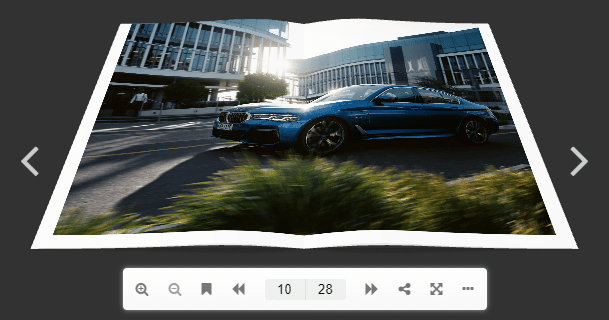
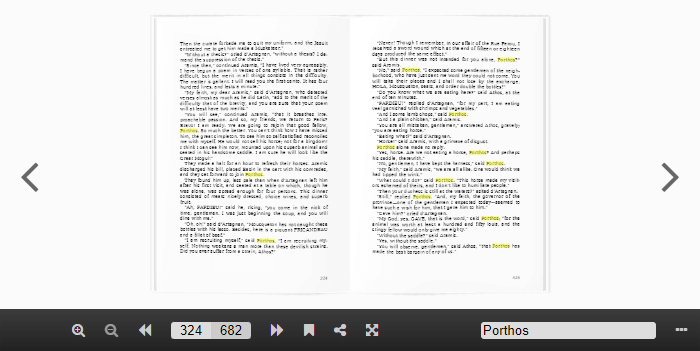
3D FlipBook allows to build image flipbook, PDF flipbook, HTML flipbook and portfolio flipbook without any limits in pages or file size. You just need to add a PDF link and your PDF will turn into alive realistic 3D flipbook.

You can use 3D FlipBook for demonstration magazines, books, cards, brochures, booklets and much more in natural way. 3D FlipBook helps to attract user attention and make more impression on him.

3D FlipBook WordPress Plugin – Demo Video

  • Start from the live preview
  • Watch our YouTube channel, there a lot of useful lessons
  • Check the user manual

3D FlipBook variations

3D FlipBook provide you with the best look of your PDFs and images on the market. Flipbook converts your flat images and PDFs to interactive and real life flipbooks with the help of WegGL technology. There is nothing to worry about for you and your customers, all complex work happens behind the scenes and the beautiful result stays in front of you.

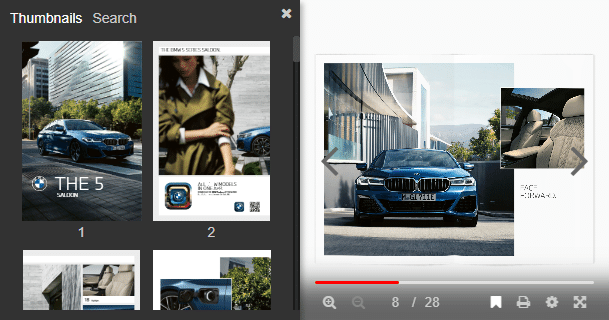
Supporting skins makes 3D FlipBook customization very easy. It is necessary just to choose appropriate skin and that is all. There are available skins for light and dark themes – the most universal ones.

The opening of the plugin's own description. The full text, installation notes and changelog are on its WordPress.org page.


Questions the author answers

How does the plugin works?

Read the user manual.

How to install 3D FlipBook in my WordPress site?

Please check the installation tab for details.

How many pages can 3D Flipbook support and how big the PDF file can be?

At any given time 3D FlipBook requires only 6 pages of data at max. So the amount of pages in a PDF file doesn’t really affect to the 3D FlipBook. Also, it only loads 6 Pages of data to start the flipbook and this makes it resource friendly and traffic friendly.

How to create a PDF flipbook in a WordPress Page?
  • Upload a pdf file to your WordPress site.
  • Inside the Edit page/post, add the following shortcode:

[3d-flip-book pdf=”path\to\pdf-file.pdf”][/3d-flip-book].

For more details use 3D FlipBook-> Shortcode Generator.

Creating a WordPress PDF Flipbook
  • Go to 3D FlipBook-> Add New.
  • Enter the title of the PDF flipbook in Title box.
  • Click Select PDF and select a PDF that you want to use to build your PDF Flipbook.
  • Upload and select the PDF file.
  • CLick Publish.
Creating a WordPress Image Flipbook
  • Go to 3D FlipBook-> Add New.
  • Enter the title of the Image Flipbook in Title box.
  • In Source select Images, HTMLs files to create a WordPress Flipbook from images.
  • Go to Pages tab, click Add image pages and select the images you want to use for creating your flipbook.
  • Click Publish.

Latest changelog entry

1.16.22

• Preventing sending unpublished images metadata in AJAX

Screenshots

First 4 of 17, from WordPress.org.

Tagged

Plugins that share its tags

Where this page's numbers come from

Read from the WordPress.org plugin API on , when WordPress 7.1.4 was the current release. WordPress.org rounds active installs into buckets. These are the directory's figures, not my verdict, and I haven't tested this plugin. The author takes donations at their donate page.