
#63 by installs
Spectra Legacy – Gutenberg Blocks
Gutenberg blocks for existing Spectra websites. Maintained, stable, and fully supported — no action needed on your part.
- Installs
- 1+ million
- Rating
- 4.7 (1.9K)
- Updated
- 22 days ago

Embed PDF files in WordPress posts and pages with a responsive PDF viewer block, live Block Editor preview, and no third-party services.
| Last updated | August 14, 2026Updated in the last 3 months |
|---|---|
| Tested up to | WordPress 7.1.4Covers WordPress 7.1.4, the current release |
| Needs WordPress | 6.6 or newer |
| Needs PHP | 7.4 or newer |
| First published | January 21, 2015 |
| Support, last two months | 0 of 3 threads resolved (0%) |
4.7 / 5 from 529 reviews
| 5 stars | 470 |
|---|---|
| 4 stars | 20 |
| 3 stars | 10 |
| 2 stars | 5 |
| 1 star | 24 |
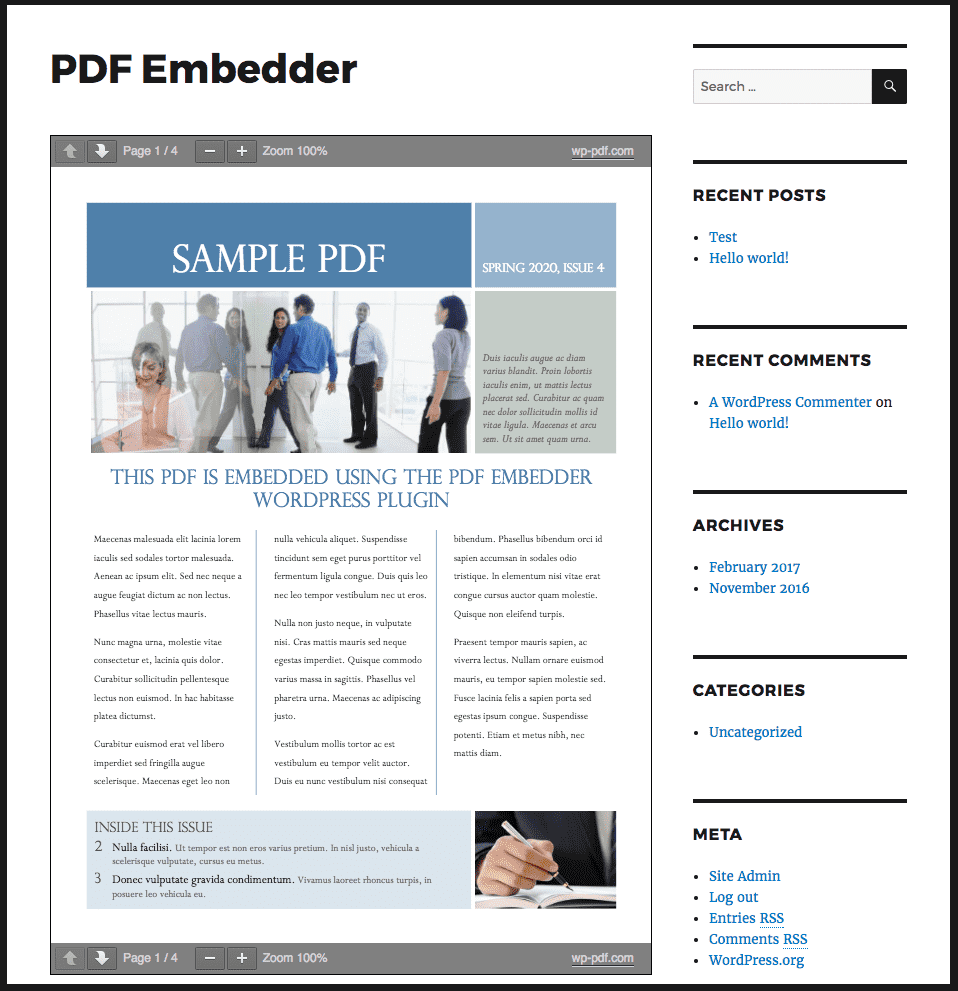
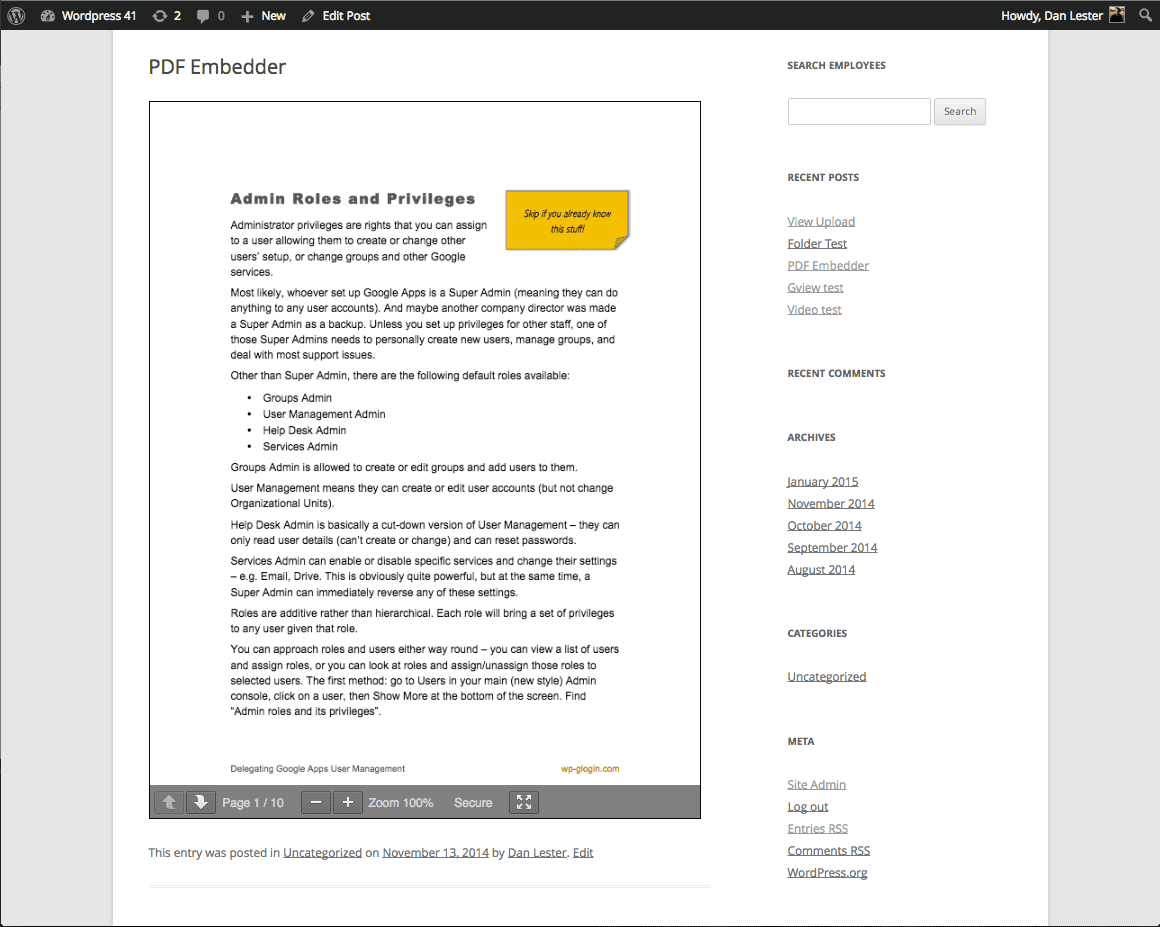
Upload PDF files and embed them directly into your site’s posts and pages, as simply as adding images. Each document displays right where you place it, at its natural size or a width you choose, and the responsive viewer adapts automatically whenever the browser dimensions change.
Out of the box, WordPress turns an uploaded PDF into a bare download link: visitors click it and leave your page, or the file opens in a viewer you don’t control. PDF Embedder keeps them reading on the page and keeps you in control of how your document looks.
PDF Embedder displays PDF documents on more than 300,000 websites. It differs from other PDF plugins in how the document becomes part of the page: rendered inline, sized to your layout, served entirely from your own site, and previewed live while you edit. There is no Google Docs Viewer or other third-party service involved, and the viewer loads its files only on pages that contain a PDF, so the rest of your site stays fast.
In the Block Editor, the PDF Embedder block shows a live preview of your document while you edit. Pick a PDF file from the block sidebar, change a setting, and the preview updates to match what visitors will see on the front end.
What can you embed?
The opening of the plugin's own description. The full text, installation notes and changelog are on its WordPress.org page.
PDF Embedder is a WordPress PDF viewer plugin: upload your PDF file to the Media Library, add the PDF Embedder block where you want the document, and pick the file from the block sidebar. In the Classic Editor or any page builder, use the [pdf-embedder url=""] shortcode instead. The document then displays right on the page for your visitors.
Yes. Pass any direct PDF URL to the shortcode’s url attribute or pick it in the block – the file does not have to be in your Media Library. It needs to be a direct link to the .pdf file itself (for example, a direct Dropbox link), not a sharing or preview page, and the remote host must allow other sites to fetch the file.
We have instructions and a Knowledge Base on our website explaining common setup queries and issues.
We review the ‘Support’ forum here on the wordpress.org plugin page daily and respond to questions there.
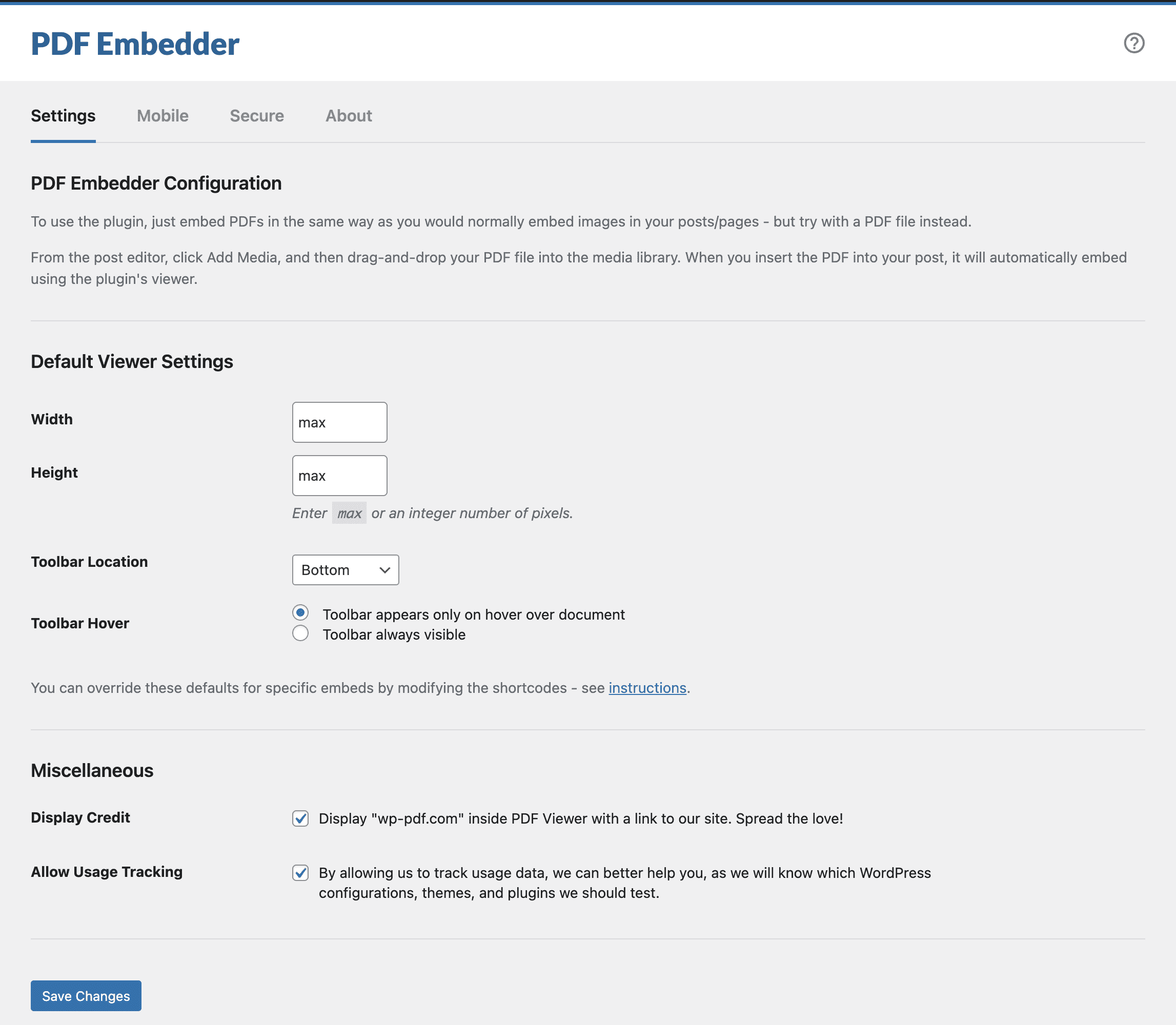
See Settings -> PDF Embedder in your WordPress admin to change site-wide defaults. You can also override individual embeds by modifying the shortcode attributes or using block options (if you use the Block Editor).
Resizing works as follows:
No. The viewer is fully self-hosted: everything is served from your own server, with no calls to the Google Docs Viewer or any other third-party service, and the viewer’s files are loaded only on pages that actually contain an embedded PDF. Pages without a PDF are not affected at all.
Yes. The plugin includes a PDF viewer block, the easiest way to embed PDF files in the Block Editor. Add the PDF Embedder block to a post or page, choose a PDF file from the block sidebar, and the block shows a live preview of the document while you edit. The preview matches the front-end Viewer, so the published page looks the same as what you see in the editor.
#63 by installs
Gutenberg blocks for existing Spectra websites. Maintained, stable, and fully supported — no action needed on your part.

#80 by installs
Adds breadcrumb navigation showing the visitor's path to their current location.

#165 by installs
Create, print & automatically email PDF or XML Invoices & PDF Packing Slips for WooCommerce orders.

#240 by installs
A Gutenberg container block to let you align items consistently across a global grid.

#267 by installs
The Crowdsignal Forms plugin allows you to create and manage polls right from within the block editor.

#278 by installs
DearFlip creates a PDF Flipbook, 3D Flipbook, PDF viewer, PDF embed for WordPress sites. Create impressive and realistic 3D flipbooks with PDFs.
Read from the WordPress.org plugin API on , when WordPress 7.1.4 was the current release. WordPress.org rounds active installs into buckets. These are the directory's figures, not my verdict, and I haven't tested this plugin.