
Fast, file-based code snippets plugin. Insert header & footer scripts and add PHP, CSS, JS & HTML snippets with conditional logic. Zero DB queries.
- Installs
- 50,000+
- Rating
- 4.7 (78)
- Updated
- 8 days ago

Insert PHP, JavaScript, CSS, HTML, ads & tracking code into WordPress headers, footers, pages & content with conditional logic — no theme editing.
| Last updated | October 23, 2026Updated in the last 3 months |
|---|---|
| Tested up to | WordPress 7.1.4Covers WordPress 7.1.4, the current release |
| Needs WordPress | 5.6 or newer |
| Needs PHP | 7.4 or newer |
| First published | November 12, 2012 |
| Support, last two months | 3 of 3 threads resolved (100%) |
4.5 / 5 from 221 reviews
| 5 stars | 183 |
|---|---|
| 4 stars | 10 |
| 3 stars | 5 |
| 2 stars | 3 |
| 1 star | 20 |
Woody Code Snippets is a WordPress plugin that helps you insert code into your site without editing theme files.
Many WordPress users still add PHP, JavaScript, CSS, tracking pixels, or ad scripts directly into functions.php, header.php, or footer.php. This approach breaks easily when themes update and becomes hard to manage as your site grows.
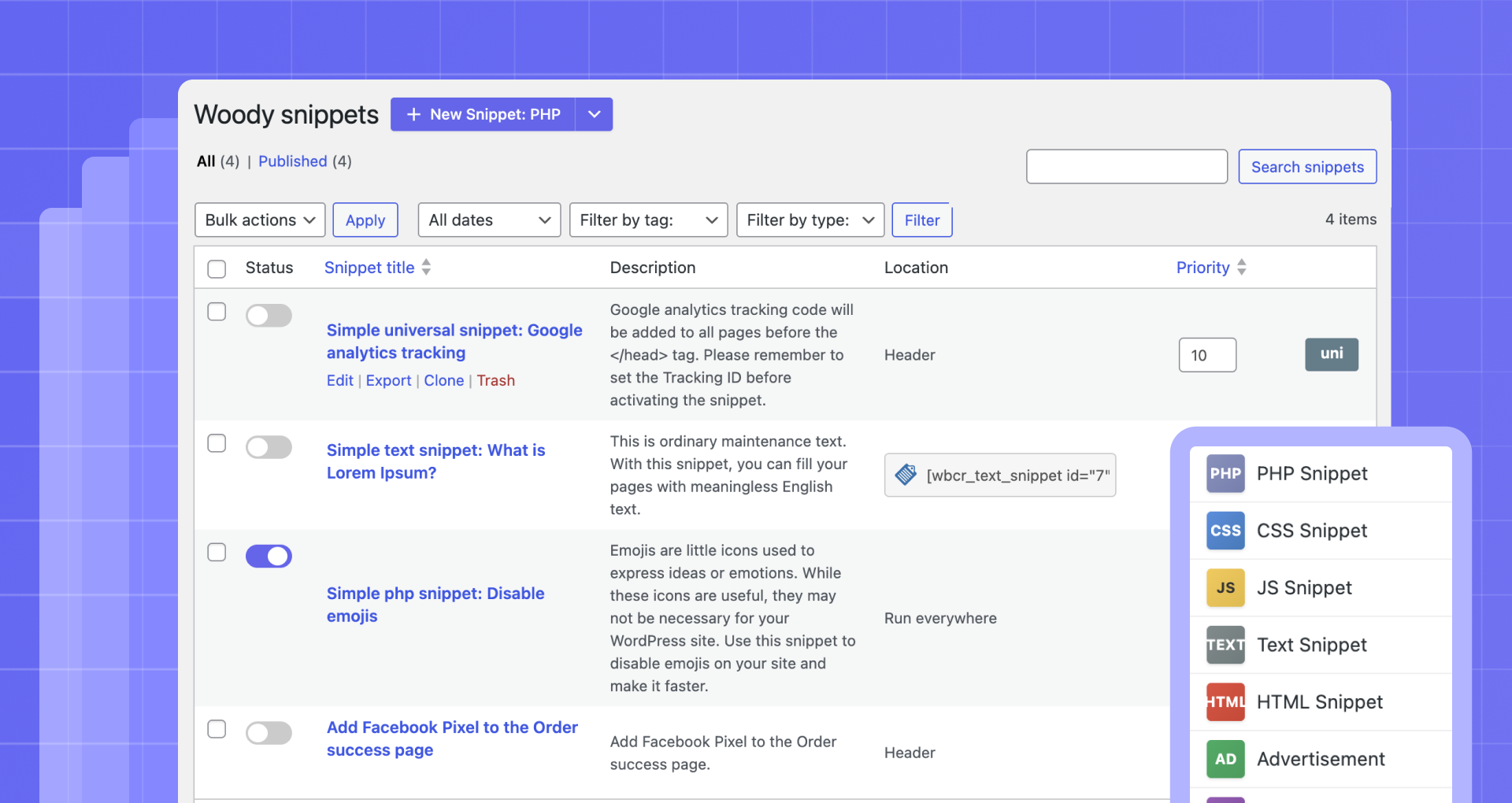
Woody solves this by giving you a centralized code snippet manager where you can safely add header scripts, footer scripts, PHP snippets, custom CSS, JavaScript, and HTML from the WordPress admin.
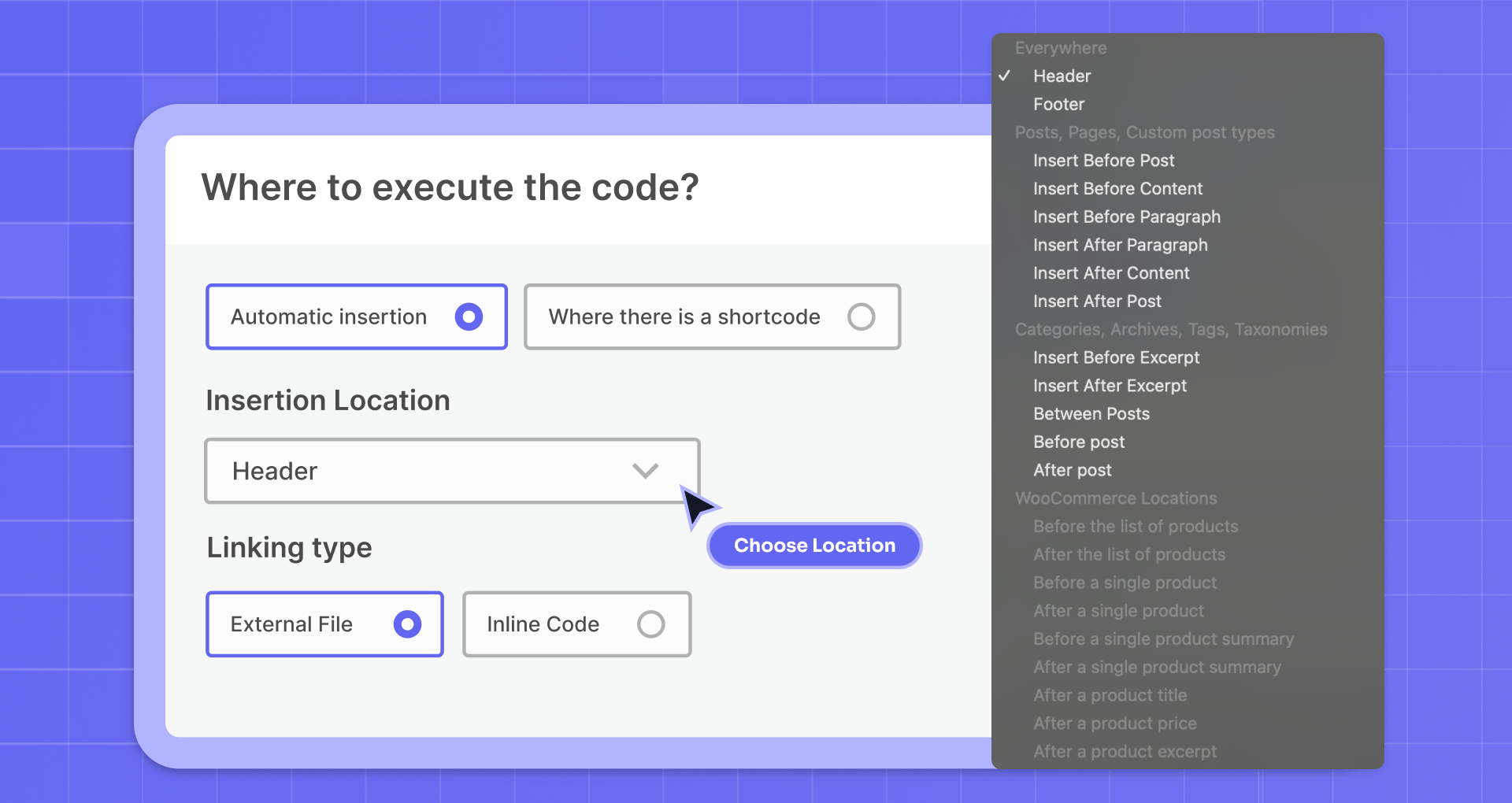
You can use Woody as a header and footer code manager, a PHP snippet plugin, or a way to reuse content and scripts across your site using shortcodes or automatic insertion.
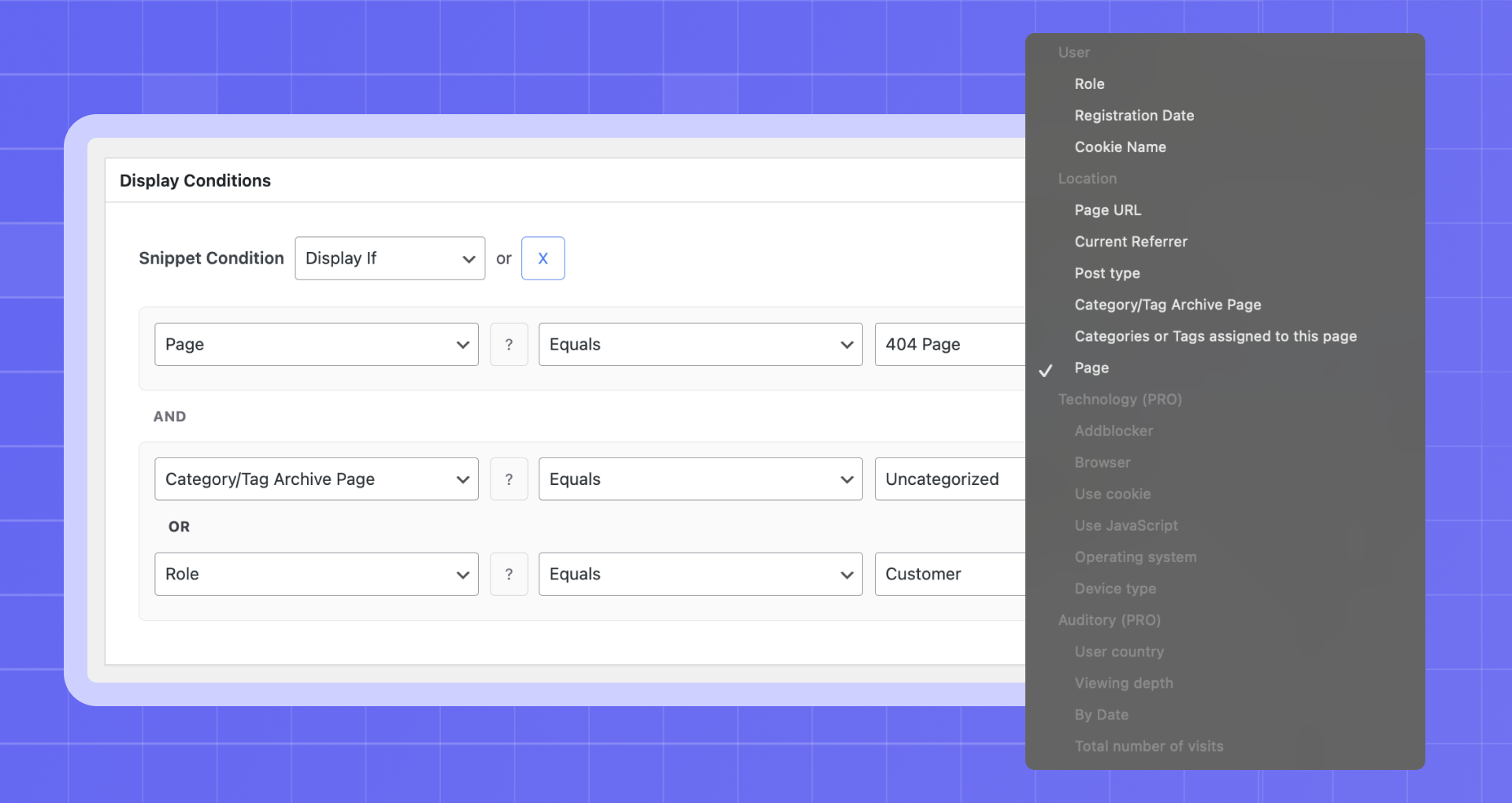
Each snippet can be enabled or disabled instantly, placed in specific locations like before content or after paragraphs, and shown only when certain conditions are met.
Quick Links
📘 Documentation – Complete setup and configuration guide
💬 Support Forum – Community help and expert support
⭐ Go Pro – Unlock advanced features and priority support
What Problems Does Woody Solve?
Woody is built for real WordPress workflows. It helps you:
The opening of the plugin's own description. The full text, installation notes and changelog are on its WordPress.org page.
Add a new attribute “simple” to the shortcode [wbcr_php_snippet id=”xx” simple=”example”].
The attribute “simple” is available in the snippet as the $simple variable. The attribute name can contain Latin letters and lowercase digits. You can also use underscore.
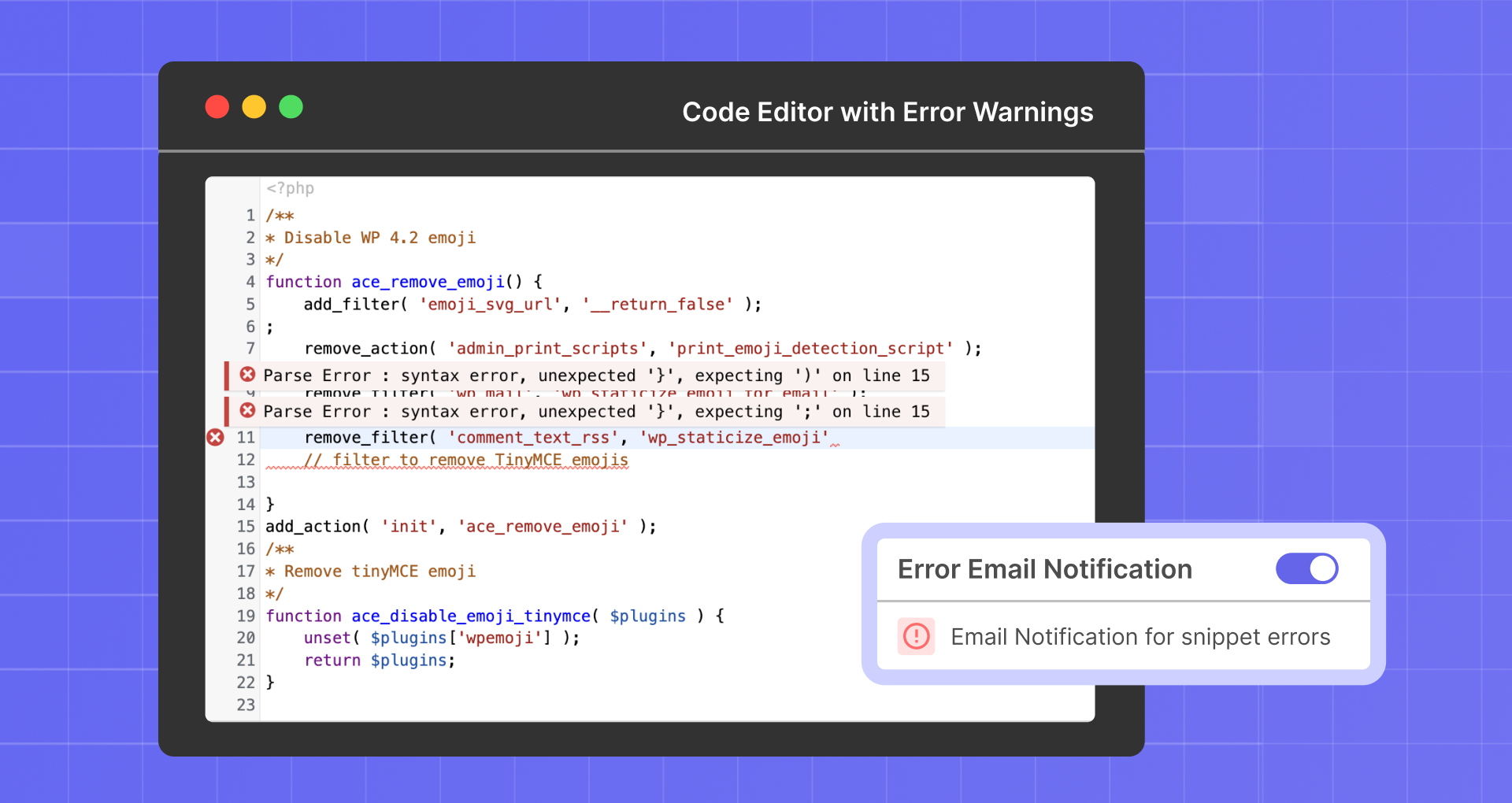
Don’t worry. Mistakes can happen, even with experienced users. Woody includes a Safe Mode that temporarily disables snippet execution so you can fix the issue.
Pretty often we’d like to hide a part of a text or a form on particular pages and set up display conditions. You need to wrap the content you’d like to pass to a snippet with shortcodes [wbcr_php_snippet id=”xx” simple=”example”]page content[/wbcr_php_snippet]. Page content in a snippet is located in the $content variable.
Yes, it does. You can add there special blocks from our plugin.
The old version of Insert php 1.3.0 worked this way: you wrapped PHP code with shortcodes [insert_php]php code[/insert_php]. Starting from version 2.x.x and higher, you need to create special snippets to place PHP code. Use a snippet shortcode [wbcr_php_snippetid=”xx”] instead of shortcodes [insert_php][/insert_php] to execute PHP code on pages.
You can find the detailed documentation in here.
Fast, file-based code snippets plugin. Insert header & footer scripts and add PHP, CSS, JS & HTML snippets with conditional logic. Zero DB queries.
Easily add code snippets in WordPress. Insert header & footer scripts, add PHP code snippets with conditional logic, insert ads pixel code, and more.

#32 by installs
Manage custom WordPress code in one dashboard. Create PHP and HTML snippets, preview code, track snippet totals and reuse code across sites.

#101 by installs
Easily add Custom CSS or JS to your website with an awesome editor.

#204 by installs
Include inline javascript, stylesheets, CSS code or anything you want in Header and Footer areas of your WordPress with ease.

#268 by installs
Make sure your plugins and themes are compatible with newer PHP versions.
Read from the WordPress.org plugin API on , when WordPress 7.1.4 was the current release. WordPress.org rounds active installs into buckets. These are the directory's figures, not my verdict, and I haven't tested this plugin.
