
#45 by installs
File Manager
file manager provides you ability to edit, delete, upload, download, copy and paste files and folders.
- Installs
- 1+ million
- Rating
- 4.6 (1.5K)
- Updated
- 1 day ago

Best WordPress file manager without FTP access. Edit code with built-in editor, upload files, download plugins, download themes, manage wp directory, …
| Last updated | October 26, 2026Updated in the last 3 months |
|---|---|
| Tested up to | WordPress 7.1.4Covers WordPress 7.1.4, the current release |
| Needs WordPress | 3.0 or newer |
| Needs PHP | Not stated |
| First published | May 15, 2020 |
| Support, last two months | 3 of 3 threads resolved (100%) |
4.9 / 5 from 155 reviews
| 5 stars | 148 |
|---|---|
| 4 stars | 1 |
| 3 stars | 3 |
| 2 stars | 0 |
| 1 star | 3 |
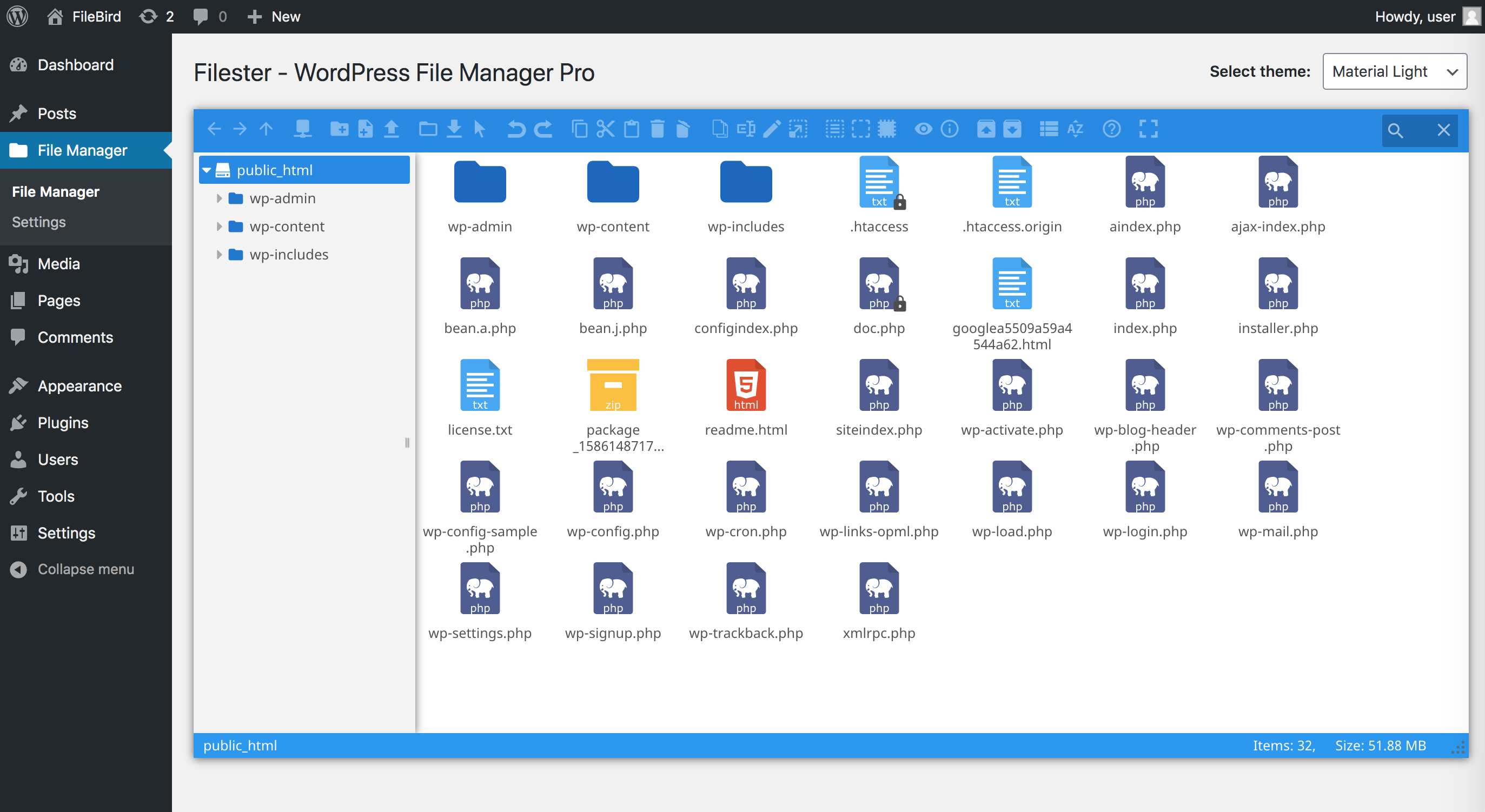
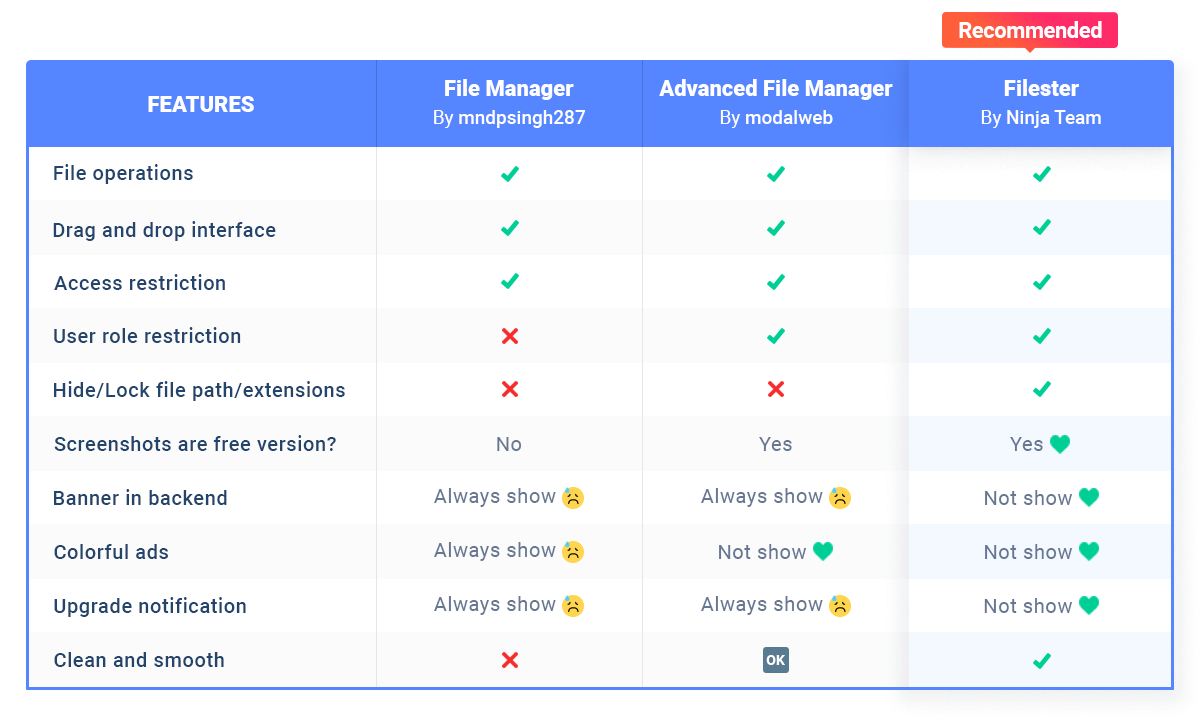
Filester is a WP File Manager Pro plugin, but you can download and use it completely for free. It comes with all the premium features of other WordPress advanced file manager plugins out there.
Filester helps you manage WordPress file directory and edit your website’s base configuration details, while FileBird allows you to manage/upload/download media library folders.
With this File Manager Pro, you can copy, paste, create an archive, download, upload, edit, delete, preview, duplicate, and get info of the WordPress configuration and directory files without FTP access.
This file manager plugin is dedicated to boosting your productivity in managing WordPress. All necessary file operations are fully provided and tested on a variety of servers and browsers.
Another thing you will appreciate about it is the clean and compact UI/UX, which makes editing and transferring directory files and folders extra fast.
Did you know?
More than 700,000 WordPress websites were attacked during September 2020.
Malicious bots are looking to exploit vulnerable versions of WP file manager plugins.
Fortunately, Filester comes with this vulnerability fixed!
Filester poses no risk to you, so rest assured! 🤗
⚡️ FEATURES
The opening of the plugin's own description. The full text, installation notes and changelog are on its WordPress.org page.
Yes, Filester is completely free and comes with all the premium features built in. There is no paid tier, no upgrade prompts, and no feature locked behind a paywall.
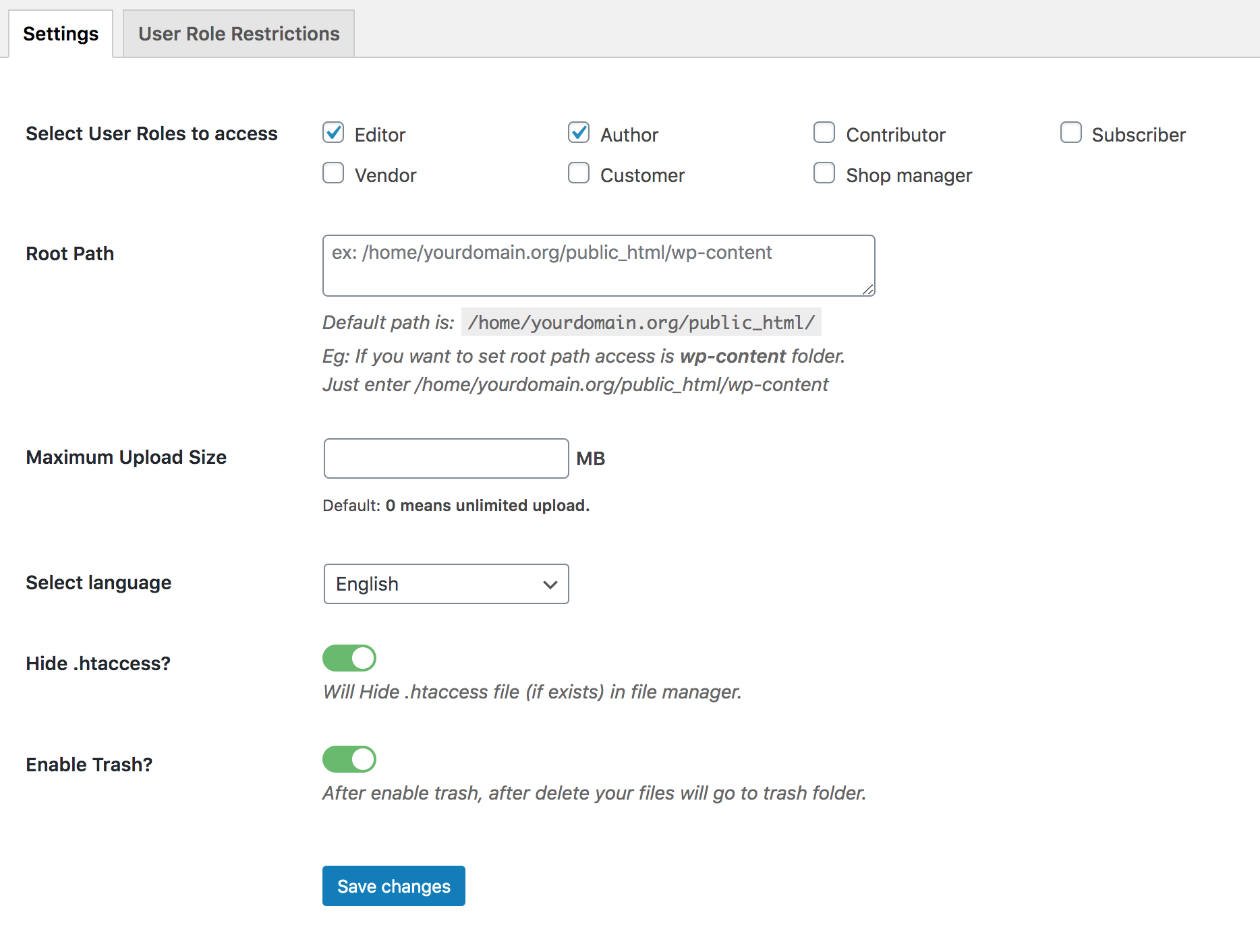
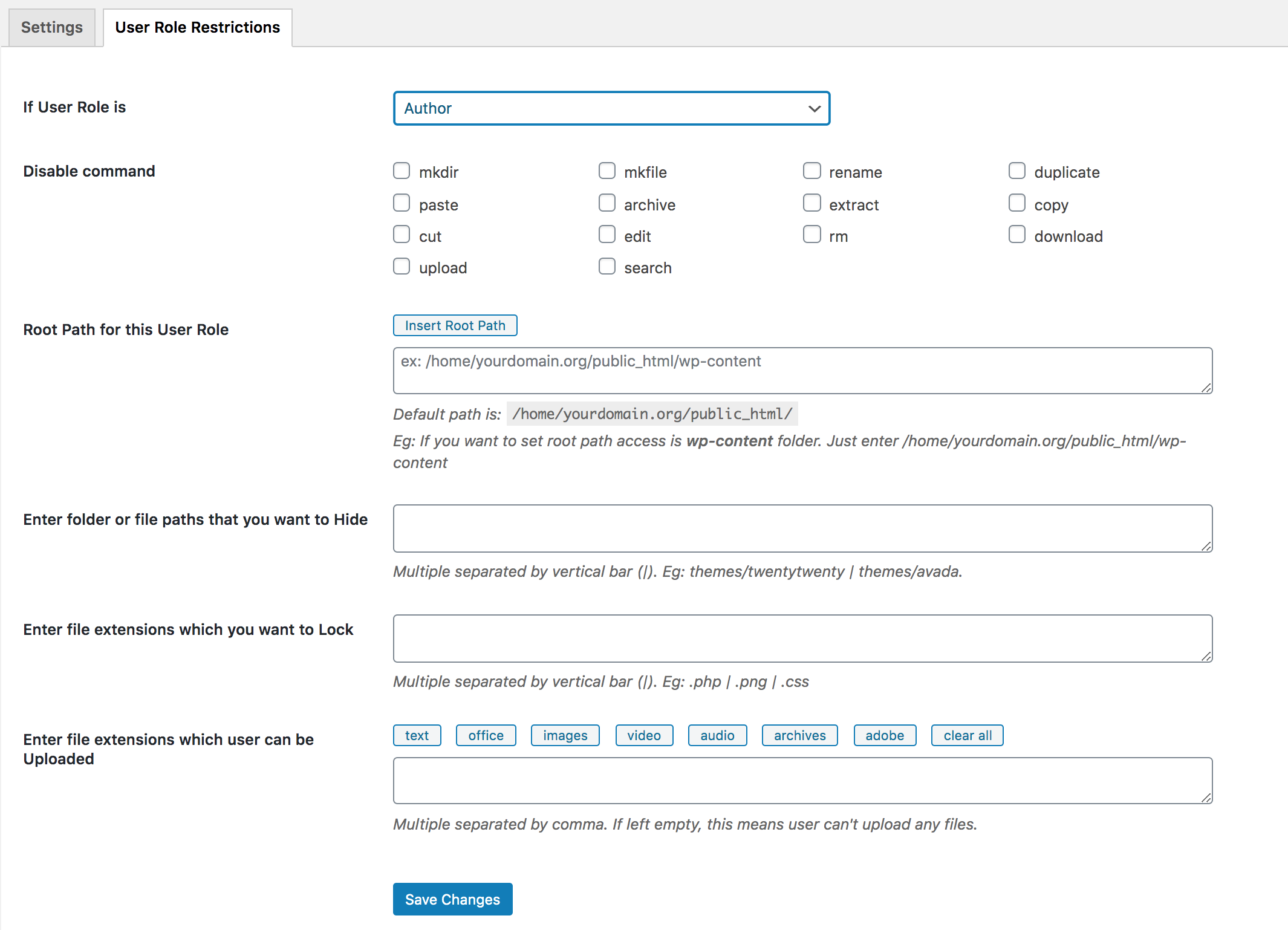
Yes. Filester includes user authority settings that let you define access rights per user role. You can restrict which file extensions are visible or locked, set root path access, control file visibility, and limit uploadable file types and maximum file sizes. This keeps sensitive files protected from unauthorized users.
No, Filester lets you browse, upload/download/edit and manage your WordPress file directory.
To manage WordPress media library or download entire media folders with your organized structure, you’ll need the FileBird plugin.
You can create a new public topic, and we’ll come back shortly for a quick fix.
Otherwise, feel free to chat or email us.
– Fixed: A Multisite privilege escalation where a subsite Administrator could allow unsafe file types and run PHP files on the site. Reported by Michael Kim (seslo82).
– Fixed: Hardened file path checks in the bundled elFinder file browser.
– Fixed: Centered the loading spinner on the “Save Changes” buttons.
#45 by installs
file manager provides you ability to edit, delete, upload, download, copy and paste files and folders.

Use Advanced File Manager to manage WordPress files, create archives, monitor storage limits, and build document libraries all directly from your Word …

#222 by installs
FileOrganizer is an intuitive file manager to easily edit, delete, upload, download, and manage all your WordPress files and folders right from the da …

#214 by installs
Organize thousands of WordPress media files in folders / categories with ease.

#458 by installs
Organize uploaded media in folders, collections and galleries: A file manager for WordPress. Media management made easy with Real Media Library! (Alte …

#463 by installs
This File Management & Digital Store plugin will help you to control file downloads & sell digital products from your WP site.
Read from the WordPress.org plugin API on , when WordPress 7.1.4 was the current release. WordPress.org rounds active installs into buckets. These are the directory's figures, not my verdict, and I haven't tested this plugin. The author takes donations at their donate page.