
#45 by installs
File Manager
file manager provides you ability to edit, delete, upload, download, copy and paste files and folders.
- Installs
- 1+ million
- Rating
- 4.6 (1.5K)
- Updated
- 1 day ago

Use Advanced File Manager to manage WordPress files, create archives, monitor storage limits, and build document libraries all directly from your Word …
| Last updated | October 14, 2026Updated in the last 3 months |
|---|---|
| Tested up to | WordPress 7.1.4Covers WordPress 7.1.4, the current release |
| Needs WordPress | 4.0 or newer |
| Needs PHP | 7.0 or newer |
| First published | November 19, 2017 |
| Support, last two months | 4 of 6 threads resolved (67%) |
4.8 / 5 from 441 reviews
| 5 stars | 415 |
|---|---|
| 4 stars | 7 |
| 3 stars | 4 |
| 2 stars | 4 |
| 1 star | 11 |
Buy Pro | Live Demo | Documentation | Support
Manage WordPress files and folders with ease all from your dashboard!
Are you tired of managing your WordPress site files via FTP clients or hosting control panels like cPanel, hPanel, Plesk, DirectAdmin, or other hosting panels? 😖
If that is the case, then ✨ Download Advanced File Manager Now! ✨
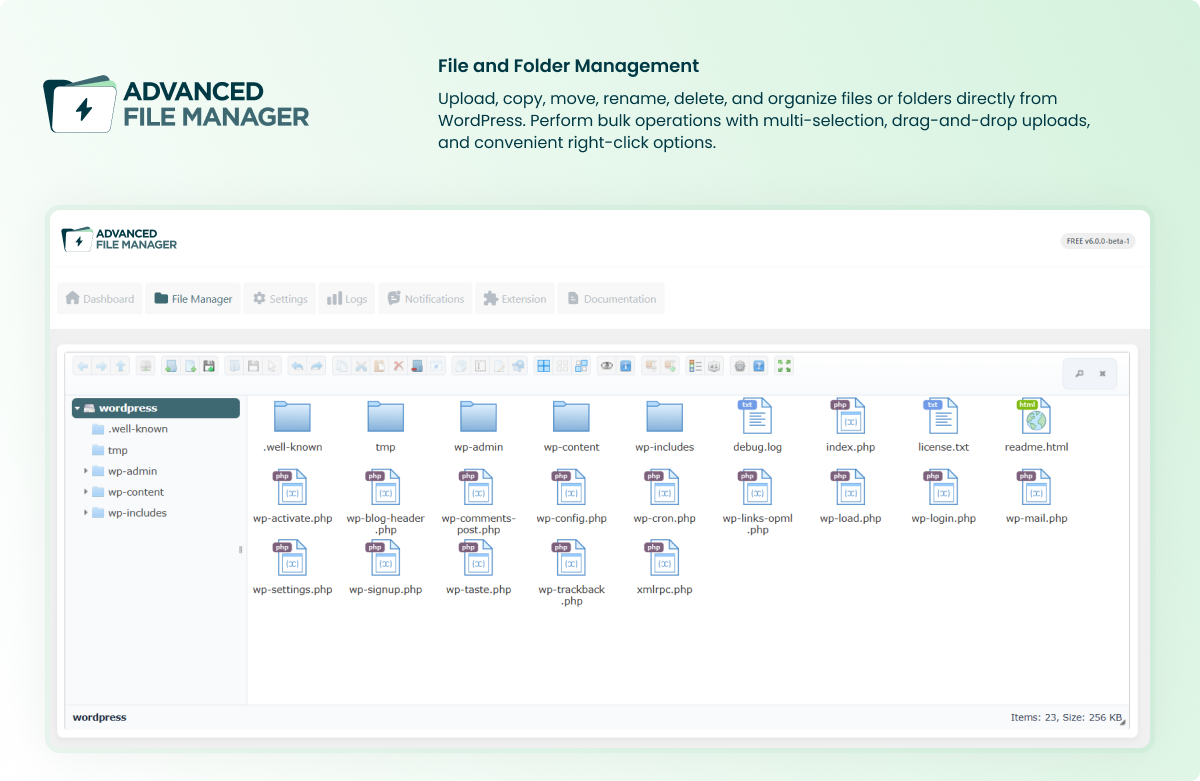
With this WordPress file manager plugin, you can perform multiple file operations, such as Copy, Paste, Rename, Edit, Delete, Upload, Download, Create an archive (Zip archive), etc., directly from the WordPress dashboard—no need for any cPanel, FTP or other hosting panels.
The best part is that this WordPress file manager plugin also allows you to access files outside of the WordPress root directory, which means you can create a fully functional document library with download controls as well. 😃
Whether you are a developer or a beginner, this file management plugin has something for everyone.
⚡ Key Features That Make This WordPress File Manager a Complete File Management Solution!
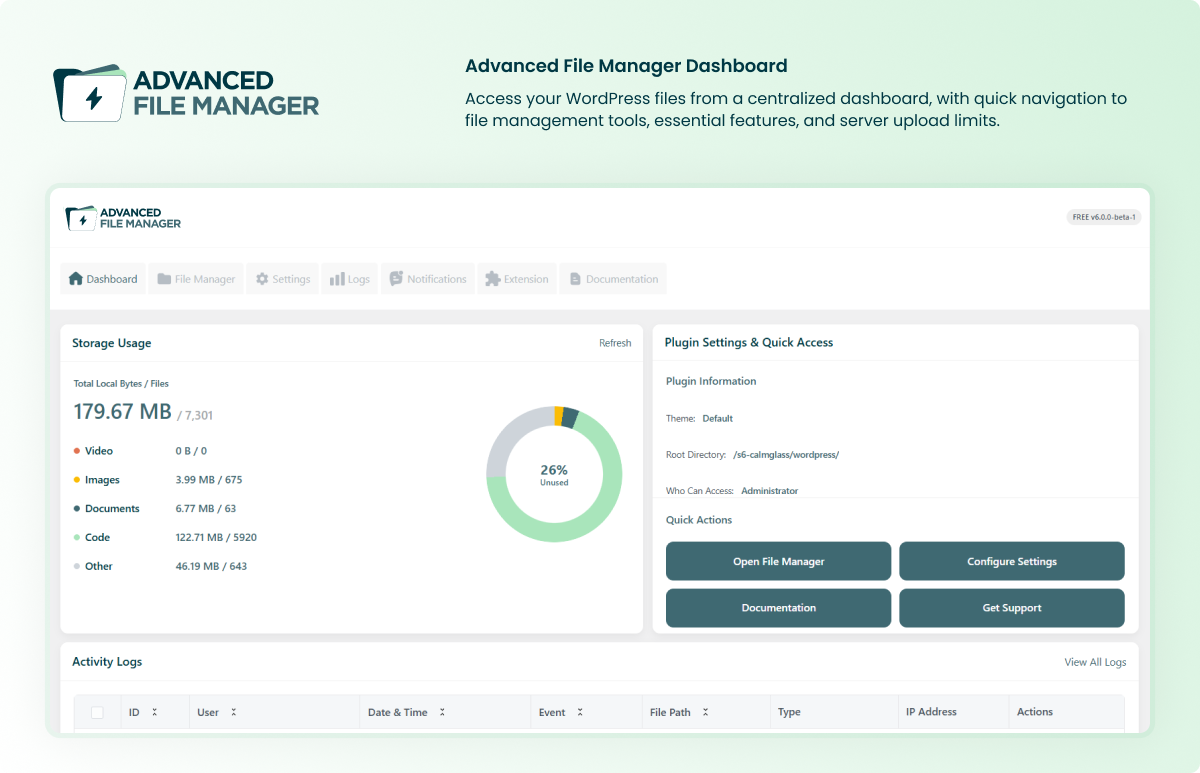
✅ Storage Limit Dashboard: Monitor storage usage and access file manager settings directly from the dashboard for convenient file management.
✅ Flexible Root Directory Access: You can easily set and modify the root directory path, which allows you to access specific files according to your development requirements.
The opening of the plugin's own description. The full text, installation notes and changelog are on its WordPress.org page.
Yes, you can access folders outside the WordPress root directory. Just go to the plugin settings and modify the root path as needed.
Yes, the plugin allows you to connect supported cloud storage apps like Dropbox, Google Drive, OneDrive, Amazon S3, pCloud, Cloudflare R2, and Google Cloud. Once connected, you can browse, upload, download, and organize your cloud files directly from the WordPress dashboard without switching tabs or using external tools.
The Advanced File Manager Dashboard provides a convenient overview of your file management tools and settings in one place, helping you manage files and configure the plugin more efficiently.
Yes, you can zip and extract archives of any folder or file instantly.
You can configure the maximum upload file size through the Max Upload Size Limit setting in Advanced File Manager settings. Set the limit according to your requirements, keeping in mind that your WordPress and hosting server upload limits may also apply.
Yes, the plugin offers a similar experience to FTP clients. You can preview, edit, and manage files or folders directly from your WordPress dashboard without using any external software.
5.4.13 – August 12, 2026
* Security Fix – Fixed a missing authorization vulnerability in file manager AJAX actions.
#45 by installs
file manager provides you ability to edit, delete, upload, download, copy and paste files and folders.

#445 by installs
Best WordPress file manager without FTP access. Edit code with built-in editor, upload files, download plugins, download themes, manage wp directory, …

#463 by installs
This File Management & Digital Store plugin will help you to control file downloads & sell digital products from your WP site.

#214 by installs
Organize thousands of WordPress media files in folders / categories with ease.

#222 by installs
FileOrganizer is an intuitive file manager to easily edit, delete, upload, download, and manage all your WordPress files and folders right from the da …

#458 by installs
Organize uploaded media in folders, collections and galleries: A file manager for WordPress. Media management made easy with Real Media Library! (Alte …
Read from the WordPress.org plugin API on , when WordPress 7.1.4 was the current release. WordPress.org rounds active installs into buckets. These are the directory's figures, not my verdict, and I haven't tested this plugin.