Type to search.

#525 by installs

Email Log

by WebFactoryVersion 2.64

Log and view all outgoing emails from WordPress. Very useful if you have to debug email related problems or have to store sent emails for auditing.

Active installs
80,000+
#525 of 1,000
Downloads, all time
1.2M
1,193,161
Downloads, 30 days
25K
4.9K in the last 7
Rating
4.2 / 5
43 reviews
Last updated
40 days ago
Sep 21, 2026
Version
2.64
62 releases

Upkeep and compatibility

Last updatedSeptember 21, 2026Updated in the last 3 months
Tested up toWordPress 7.1.4Covers WordPress 7.1.4, the current release
Needs WordPress4.0 or newer
Needs PHP5.6 or newer
First publishedOctober 10, 2009
Support, last two monthsNo threads opened

Reviews

4.2 / 5 from 43 reviews

Reviews by star rating
5 stars33
4 stars1
3 stars0
2 stars3
1 star6

Downloads, last 30 days

Low 273 a dayHigh 1.5K a day

What the author says it does

Email Log is a WordPress plugin that allows you to easily log and view all emails that were sent from WordPress.

This would be very useful for debugging email related problems in your WordPress site or for storing sent emails for auditing purposes, especially on ecommerce sites that are setup with either WooCommerce or Easy Digital Downloads.

You can perform advanced actions like re-sending email, automatically forwarding emails, export logs and automatically monitor email deliverability with the PRO version.

Works with WordPress Multisite as well.

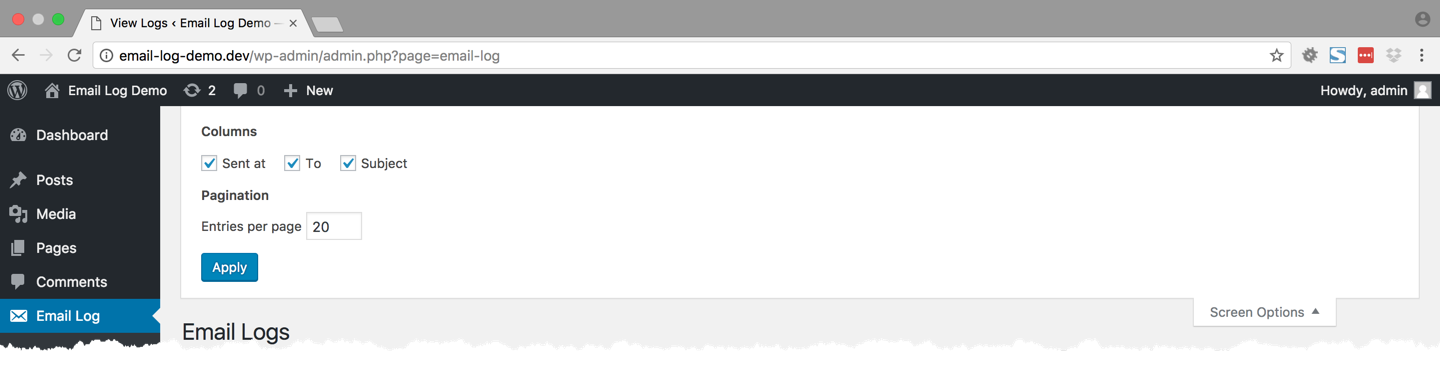
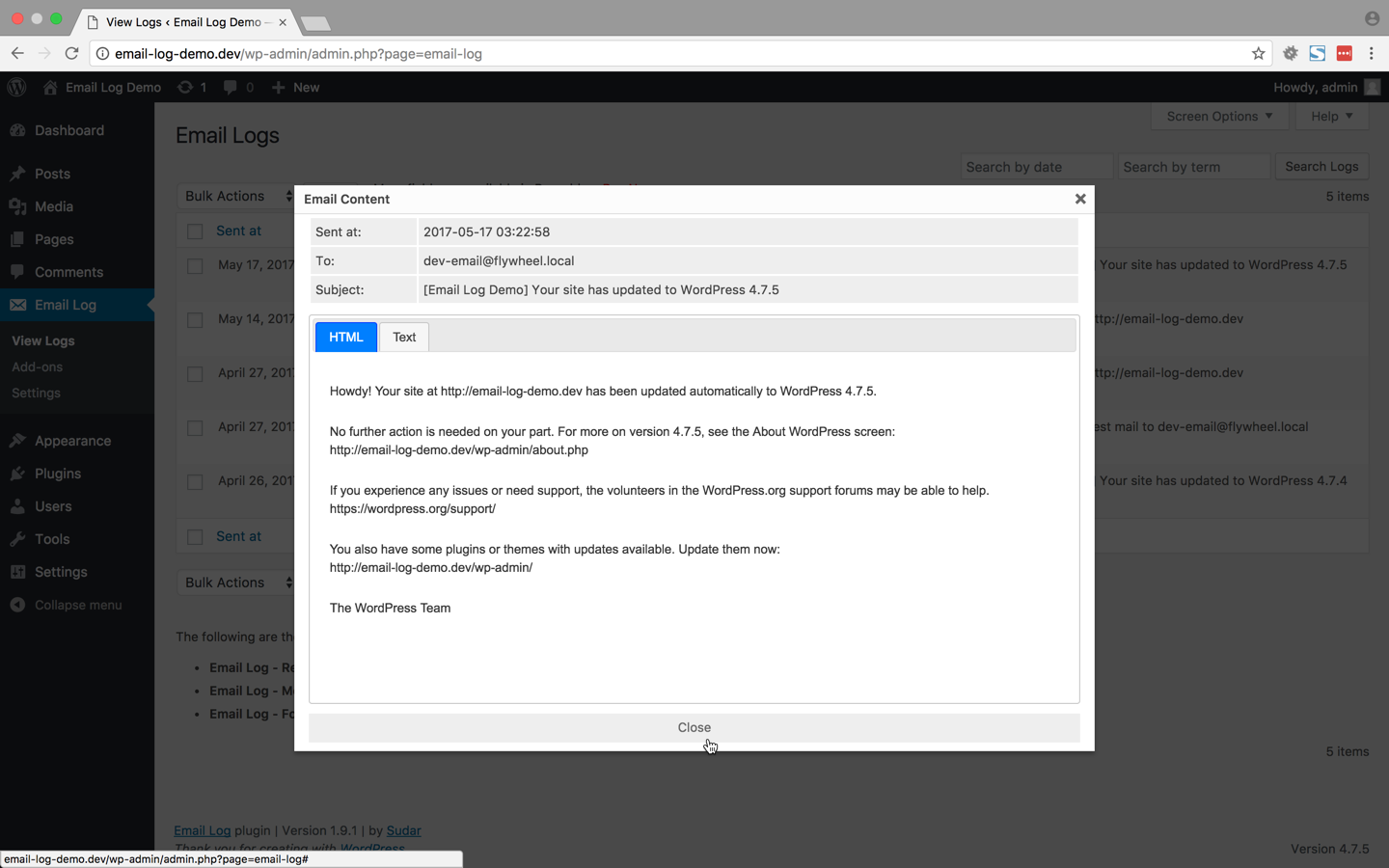
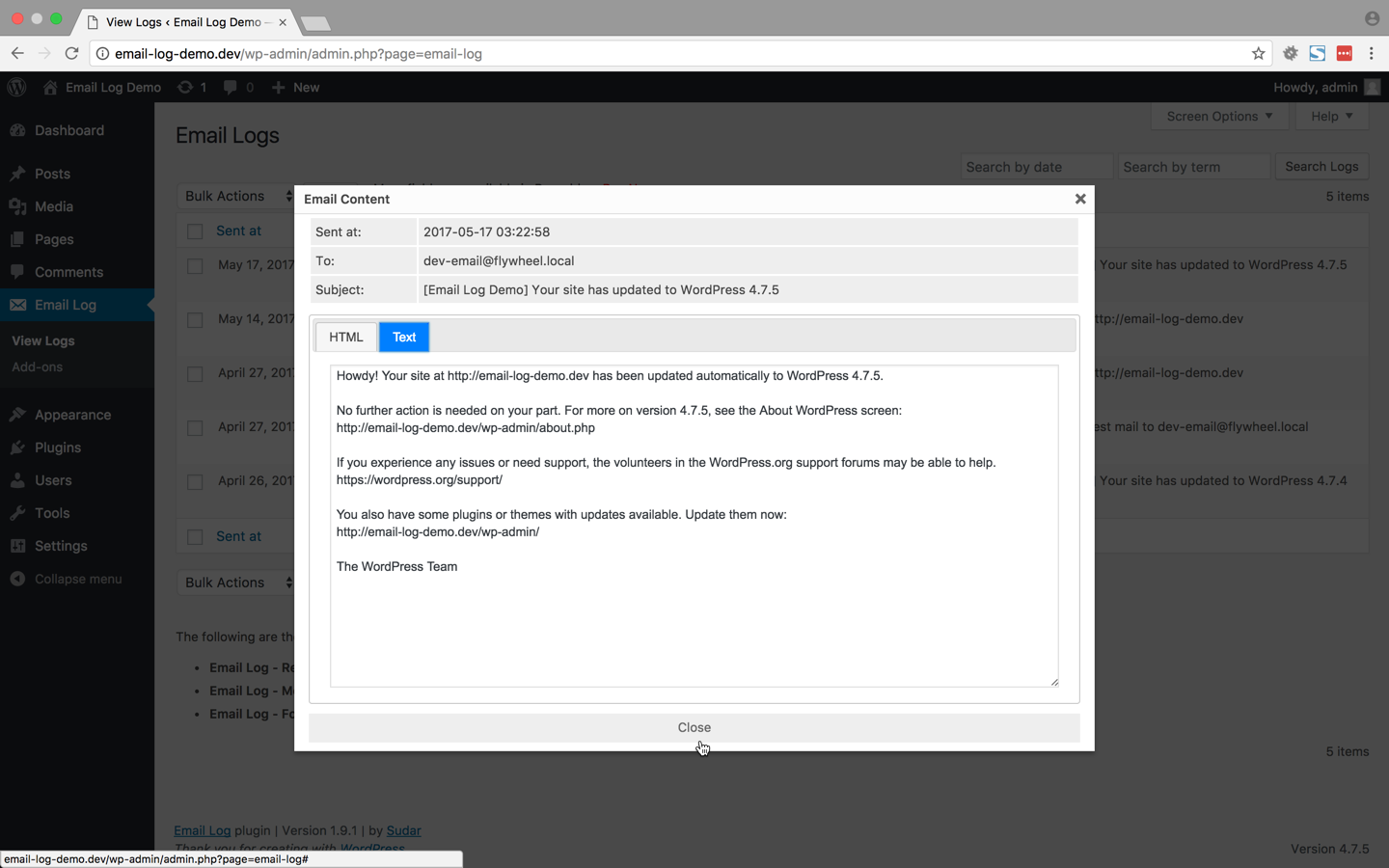
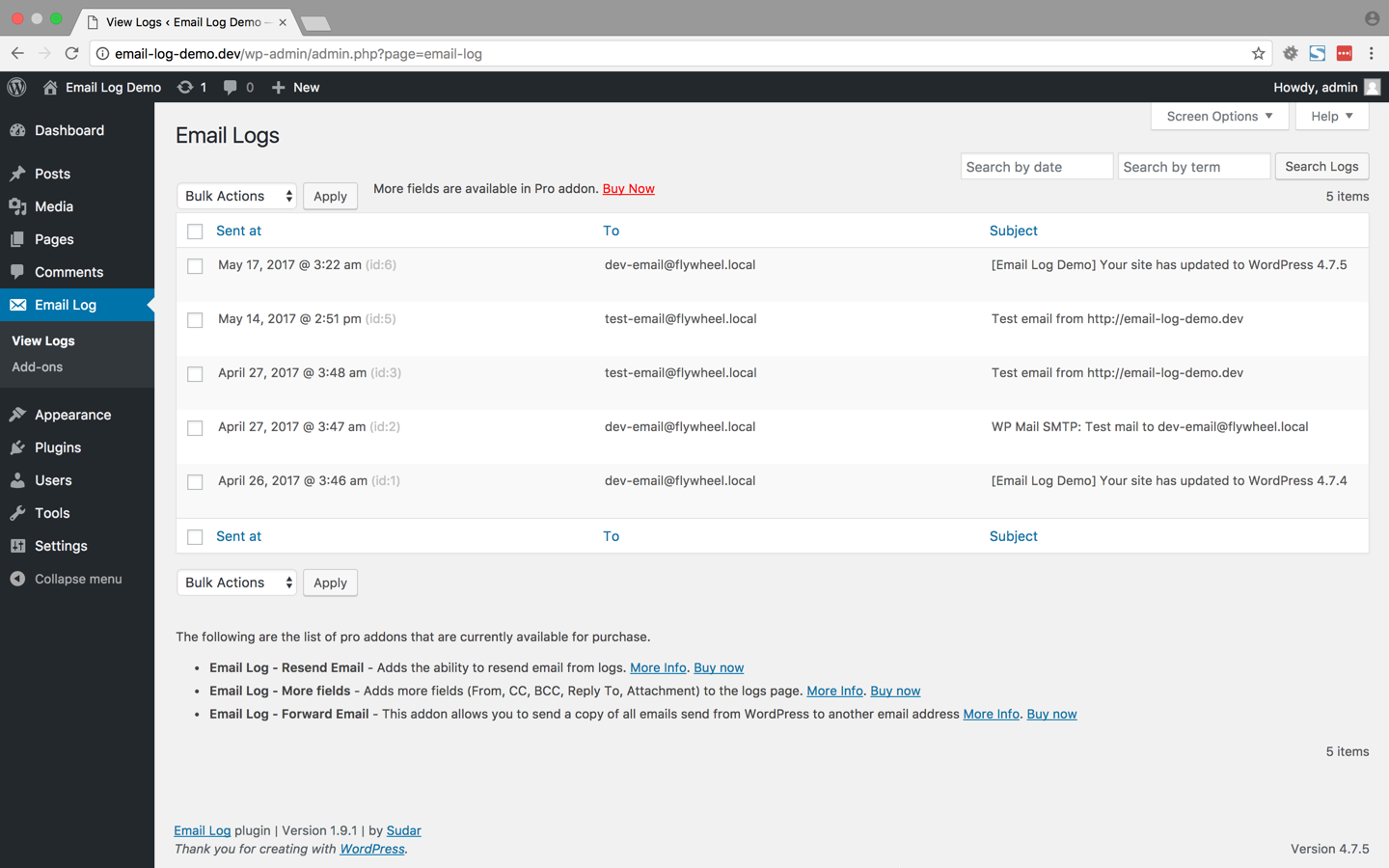
Viewing logged emails

The logged emails will be stored in a separate table and can be viewed from the admin interface.

While viewing the logs, the emails can be filtered or sorted based on the date, email, subject etc.

Deleting logged emails

In the admin interface, all the logged emails can be delete in bulk or can also be selectively deleted based on date, email and subject.

If you want to automatically delete the email logs after some days upgrade to the PRO version.

Resend email (PRO version)

Resend the email directly from the email log. You can modify the different fields of the email before resending it.

More Fields (PRO version)

Get access to additional fields in the email log page. The following are the additional fields that are added in the pro version.

  • From
  • CC
  • BCC
  • Reply To
  • Attachment

The opening of the plugin's own description. The full text, installation notes and changelog are on its WordPress.org page.

Questions the author answers

The content of the email is not getting logged when I am using wpmandrill plugin

wpmandrill plugin has a bug that prevents this plugin from logging the content of the email.

More details about the bug is available at https://wordpress.org/support/topic/mandrill-is-changing-the-names-of-args-in-the-filter?replies=1.

I have asked the author of the plugin to fix it and it might get fixed it the next release.

Latest changelog entry

v2.64 – 2026-09-21

  • security fix

Screenshots

First 4 of 5, from WordPress.org.

Tagged

Plugins that share its tags

Check & Log email allows you to test if your website is correctly sending emails . Overriding of email headers and carbon copying to another address.

Installs
90,000+
Rating
4.8 (292)
Updated
9 days ago

#164 by installs

WP Mail Logging

by Syed Balkhi

Log, view, and resend all emails sent from your WordPress site. Great for resolving email sending issues or keeping a copy for auditing.

Installs
300,000+
Rating
4.7 (375)
Updated
17 days ago

#35 by installs

MC4WP: Mailchimp for WordPress

by Danny van Kooten

The #1 Mailchimp plugin for WordPress. Allows you to add a multitude of newsletter sign-up methods to your site.

Installs
1+ million
Rating
4.8 (1.5K)
Updated
45 days ago

Where this page's numbers come from

Read from the WordPress.org plugin API on , when WordPress 7.1.4 was the current release. WordPress.org rounds active installs into buckets. These are the directory's figures, not my verdict, and I haven't tested this plugin.