
WordPress login security with brute force protection, Two-factor authentication (2FA/MFA), firewall, IP/country blocking, and login monitoring
- Installs
- 1+ million
- Rating
- 4.8 (1.5K)
- Updated
- 38 days ago

Secure and customize your WordPress login page with a custom login URL, 2FA, CAPTCHA, and more.
| Last updated | October 30, 2026Updated in the last 3 months |
|---|---|
| Tested up to | WordPress 7.1.4Covers WordPress 7.1.4, the current release |
| Needs WordPress | 6.2 or newer |
| Needs PHP | 7.4 or newer |
| First published | February 27, 2019 |
| Support, last two months | 4 of 5 threads resolved (80%) |
3.6 / 5 from 35 reviews
| 5 stars | 22 |
|---|---|
| 4 stars | 1 |
| 3 stars | 0 |
| 2 stars | 1 |
| 1 star | 11 |
WordPress Login Page Plugin
All In One Login helps you protect and customize your WordPress login experience. Change the login URL, add Email 2FA or Email OTP, block or allow IPs, review activity logs, and style the login page with templates.
Documentation | Pro features
Looking for a one-stop solution to secure and customize your WordPress login page (wp-login.php)? If that’s what you need, you’re in the right place.
Over 60,000 website owners use All In One Login to secure and customize their WordPress login pages. 🎉
The reason is obvious! 👇
All In One Login is a complete WordPress login security plugin that helps you secure and customize your WordPress login page with security features and customization options. 🤯
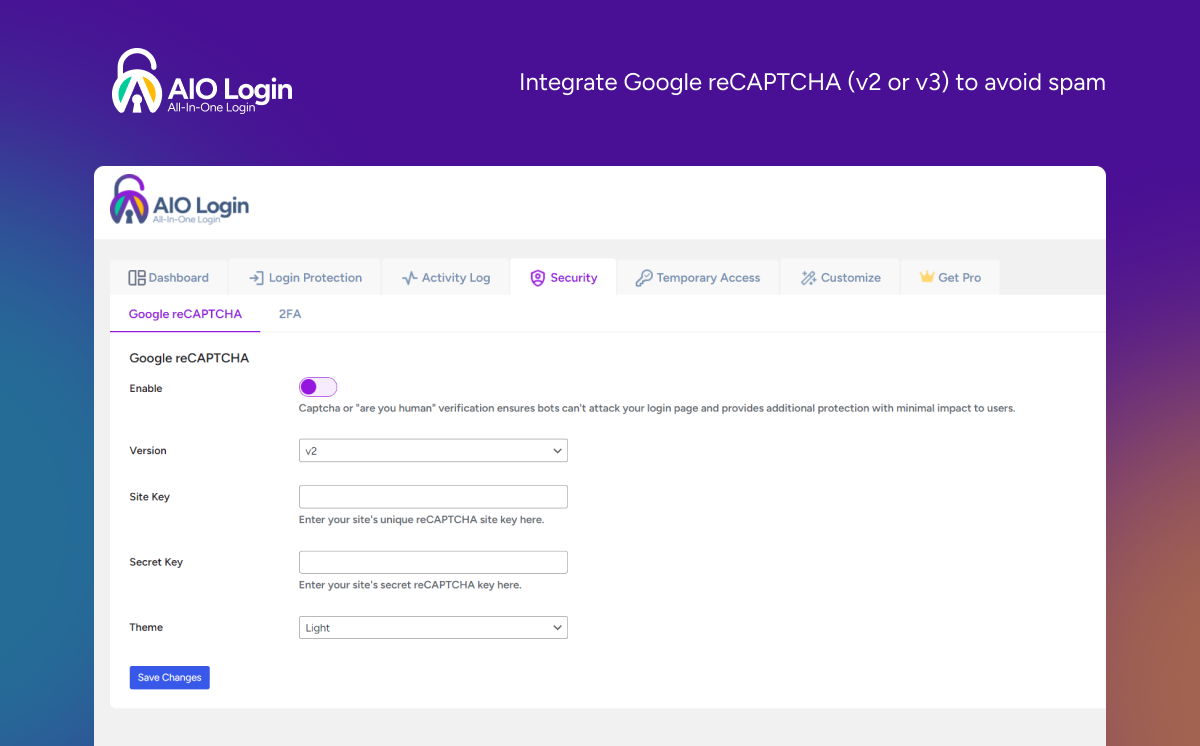
From changing the WordPress login URL to integrating Google reCAPTCHA, All In One Login offers features to help protect and customize your WP login page.
Isn’t that amazing? Wait until you see its amazing features! 😃 👇
Key Features Our Users Love About All In One Login (Free + Pro)
The All in One Login plugin includes all the essential features that ensure the best WordPress login protection and customization.
Free Version Includes the Following Features: 👇
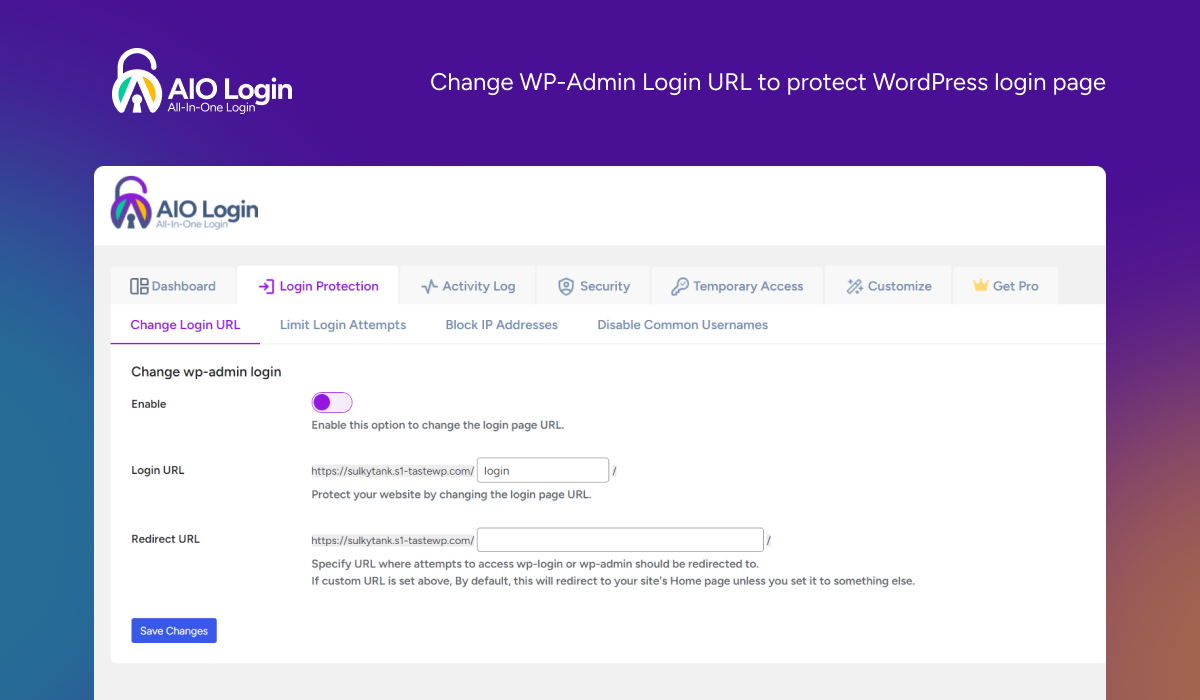
• Wp-login.php URL Customization
The opening of the plugin's own description. The full text, installation notes and changelog are on its WordPress.org page.
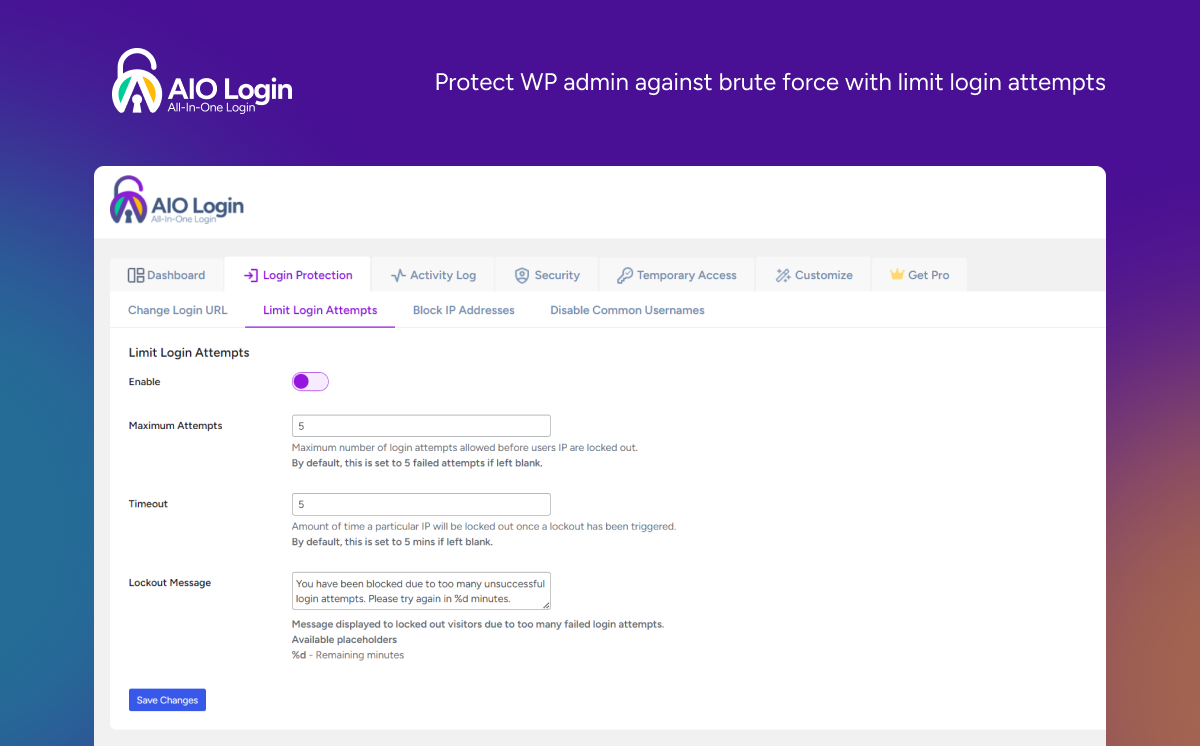
All In One Login is a WordPress login security and customization plugin that helps protect your website from unauthorized access. It includes features such as custom login URLs, brute-force protection, two-factor authentication, passwordless login, social login, and login page customization.
Yes. All In One Login Pro sends security alerts to your Slack workspace for events such as failed login attempts, IP lockouts, and suspicious activity.
Yes. All In One Login Pro lets you send security events to HTTPS endpoints and connect with automation tools such as Zapier, Make, n8n, and custom APIs.
All In One Login Pro supports one-time backup codes that you can use to regain access when your primary two-factor authentication method is unavailable.
Yes. All In One Login lets you customize the default WordPress login URL to make your login page less predictable and help reduce unwanted login attempts.
All In One Login Pro supports Google, Facebook, Microsoft, GitHub, Apple, Discord, and LINE, allowing users to sign in with their existing accounts.

WordPress login security with brute force protection, Two-factor authentication (2FA/MFA), firewall, IP/country blocking, and login monitoring
Firewall, Malware Scanner, Two Factor Auth, and Comprehensive Security Features, powered by our 24-hour team. Make security a priority with Wordfence.
Easily improve site security with WordPress Hardening, Two-Factor Authentication (2FA), Login Protection, Vulnerability Detection and SSL certificate.

#57 by installs
Protect your WordPress site with All-In-One Security (AIOS): easy-to-use login security, a powerful firewall, and much more.

#212 by installs
Captcha protection against spam comments & brute force login attacks using Google reCAPTCHA.

#218 by installs
LoginPress is a Custom Login Page Customizer plugin allows you to easily customize the layout of login, admin login, client login, register pages.
Read from the WordPress.org plugin API on , when WordPress 7.1.4 was the current release. WordPress.org rounds active installs into buckets. These are the directory's figures, not my verdict, and I haven't tested this plugin.

