
#212 by installs
Advanced Google reCAPTCHA
Captcha protection against spam comments & brute force login attacks using Google reCAPTCHA.
- Installs
- 200,000+
- Rating
- 4.8 (430)
- Updated
- 25 days ago

GDPR compatible captcha anti-spam protection for login form, comments form, registration form & lost password form. Eliminate spam with captcha.
| Last updated | September 21, 2026Updated in the last 3 months |
|---|---|
| Tested up to | WordPress 7.1.4Covers WordPress 7.1.4, the current release |
| Needs WordPress | 3.0 or newer |
| Needs PHP | 5.2 or newer |
| First published | July 17, 2012 |
| Support, last two months | 1 of 1 threads resolved (100%) |
3.9 / 5 from 35 reviews
| 5 stars | 24 |
|---|---|
| 4 stars | 1 |
| 3 stars | 0 |
| 2 stars | 1 |
| 1 star | 9 |
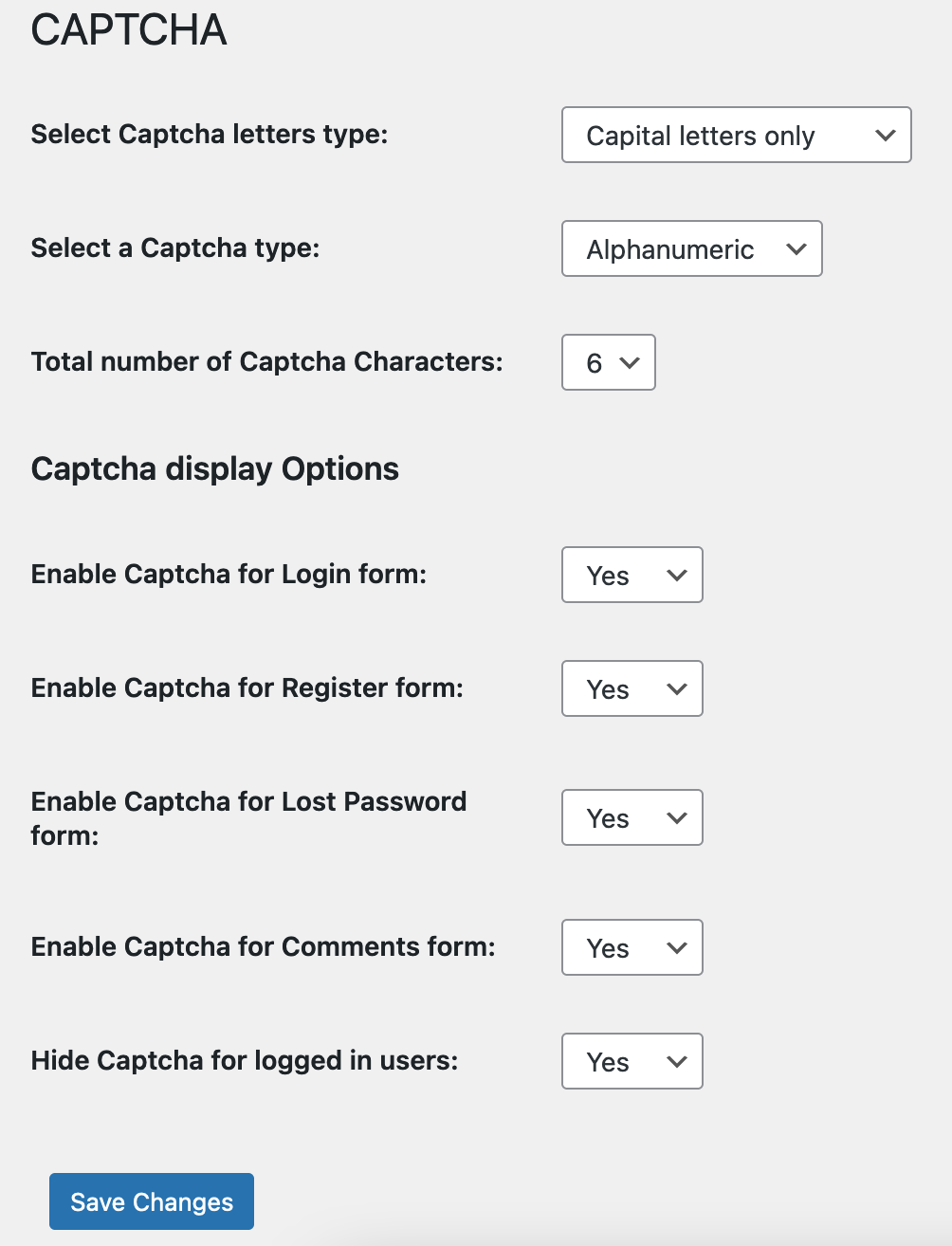
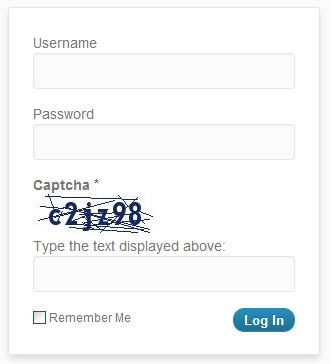
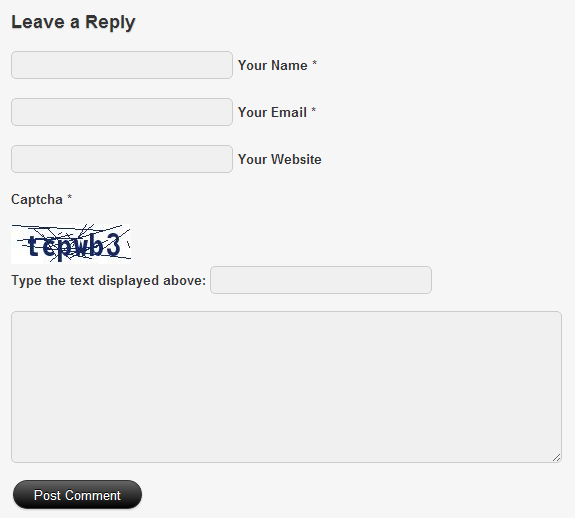
Captcha adds GDPR compatible captcha code anti-spam protection (like Google ReCaptcha) to WordPress forms – comments form, registration form, lost password form, and login form. In order to post comments or register, users have to type in the code shown on the image. This prevents spam from automated bots & adds security. No external services (like Google ReCaptcha) are used. No API keys are needed, and no user-identifiable data is used so it’s GDPR compatible.
Features
The opening of the plugin's own description. The full text, installation notes and changelog are on its WordPress.org page.
Just use standard Plugin overview page in WordPress admin section and deactivate it or rename plugin folder /wp-content/plugins/captcha-code-authentication over FTP access.
No, it won’t. It’s only loaded on the pages it protects.
You can report security bugs through the Patchstack Vulnerability Disclosure Program. The Patchstack team help validate, triage and handle any security vulnerabilities. Report a security vulnerability.
Uninstalling is as simple as deactivating and deleting the plugin.

#212 by installs
Captcha protection against spam comments & brute force login attacks using Google reCAPTCHA.

#341 by installs
Protect WordPress website forms from spam entries with Google reCAPTCHA.

#437 by installs
Use CAPTCHA to stop spam and allow customers & users to interact with your website easily. Block fake accounts and orders. Avoid false positives.

#455 by installs
Protect Contact Form 7 forms from spam with Google reCAPTCHA v2, reCAPTCHA v3, hCaptcha or Cloudflare Turnstile.

#554 by installs
Use reCaptcha v2 by Google to combat spam at your login and registration forms, WooCommerce account forms, contact forms, and more!

#556 by installs
The strongest CAPTCHA. Switch from reCAPTCHA and Turnstile for free. Works with 60+ integrations: Contact Form 7, Elementor, WooCommerce, Divi, etc.
Read from the WordPress.org plugin API on , when WordPress 7.1.4 was the current release. WordPress.org rounds active installs into buckets. These are the directory's figures, not my verdict, and I haven't tested this plugin.