
#455 by installs
LukasApps CAPTCHA tools for Contact Form 7
Protect Contact Form 7 forms from spam with Google reCAPTCHA v2, reCAPTCHA v3, hCaptcha or Cloudflare Turnstile.
- Installs
- 100,000+
- Rating
- 4.1 (48)
- Updated
- 37 days ago

Use CAPTCHA to stop spam and allow customers & users to interact with your website easily. Block fake accounts and orders. Avoid false positives.
| Last updated | August 25, 2026Updated in the last 3 months |
|---|---|
| Tested up to | WordPress 7.1.4Covers WordPress 7.1.4, the current release |
| Needs WordPress | 5.5 or newer |
| Needs PHP | 7.4 or newer |
| First published | April 27, 2015 |
| Support, last two months | 0 of 1 threads resolved (0%) |
3.2 / 5 from 269 reviews
| 5 stars | 138 |
|---|---|
| 4 stars | 6 |
| 3 stars | 6 |
| 2 stars | 8 |
| 1 star | 111 |
IMPORTANT NOTICE
CAPTCHA 4WP has been acquired by WPKube. Read the announcement for more information.
We, at Melapress, would like to take this opportunity to thank everyone who has used and supported CAPTCHA 4WP.
A free and easy-to-use CAPTCHA plugin for WordPress
Protect your WordPress forms and login pages from spam and automated attacks with CAPTCHA 4WP. Choose from multiple ReCAPTCHA versions and strike the right balance between security and user experience.
Features | Get the Premium! | Getting Started
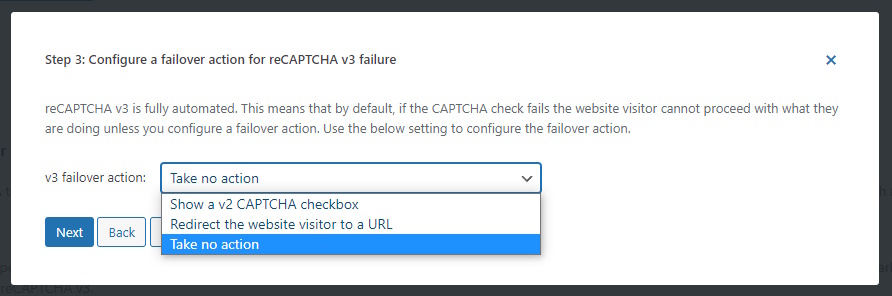
Use the CAPTCHA 4WP plugin to add CAPTCHA checks to WordPress forms and logins. Choose from V2 (I’m not a robot), V2 Invisible, and V3 noCAPTCHA to ensure the best user experience at all times without compromosing security. Avoid false positives falling through the crack with V3 failover to ensure humans can still pass the test even if the result comes back below the passmark.
CAPTCHA 4WP key plugin features and capabilities
The opening of the plugin's own description. The full text, installation notes and changelog are on its WordPress.org page.
Yes. this plugin is translator ready.
Yes. You can show an unlimited number of CAPTCHA’s on the same page.
Use the unique 1-click feature: simply click the “Add CAPTCHA” button in the Contact Form 7 form builder to add the CAPTCHA to the form. Support for Contact Form 7, WPForms, Gravity Forms and other popular third party plugins is only available in CAPTCHA 4WP Premium.
Simply select the WooCommerce page you want to add CAPTCHA to in the plugin’s CAPTCHA placement settings. You can also specify where exactly you want to add the CAPTCHA test on the checkout page. Support for WooCommerce and other third party plugins is only available in CAPTCHA 4WP Premium.


#455 by installs
Protect Contact Form 7 forms from spam with Google reCAPTCHA v2, reCAPTCHA v3, hCaptcha or Cloudflare Turnstile.

#556 by installs
The strongest CAPTCHA. Switch from reCAPTCHA and Turnstile for free. Works with 60+ integrations: Contact Form 7, Elementor, WooCommerce, Divi, etc.

#212 by installs
Captcha protection against spam comments & brute force login attacks using Google reCAPTCHA.

#341 by installs
Protect WordPress website forms from spam entries with Google reCAPTCHA.

#446 by installs
GDPR compatible captcha anti-spam protection for login form, comments form, registration form & lost password form. Eliminate spam with captcha.

#554 by installs
Use reCaptcha v2 by Google to combat spam at your login and registration forms, WooCommerce account forms, contact forms, and more!
Read from the WordPress.org plugin API on , when WordPress 7.1.4 was the current release. WordPress.org rounds active installs into buckets. These are the directory's figures, not my verdict, and I haven't tested this plugin.