
#14 by installs
UpdraftPlus: WP Backup & Migration Plugin
Backup, restore or migrate your WordPress website to another host or domain. Schedule backups or run manually. Migrate in minutes.
- Installs
- 4+ million
- Rating
- 4.8 (8.7K)
- Updated
- 5 days ago

Secure incremental backups with staging, migration, and one-click restore for WordPress. Offsite storage and easy recovery.
| Last updated | October 30, 2026Updated in the last 3 months |
|---|---|
| Tested up to | WordPress 7.1.4Covers WordPress 7.1.4, the current release |
| Needs WordPress | 4.0 or newer |
| Needs PHP | 7.0 or newer |
| First published | January 4, 2014 |
| Support, last two months | 1 of 1 threads resolved (100%) |
4.6 / 5 from 332 reviews
| 5 stars | 290 |
|---|---|
| 4 stars | 2 |
| 3 stars | 6 |
| 2 stars | 2 |
| 1 star | 32 |
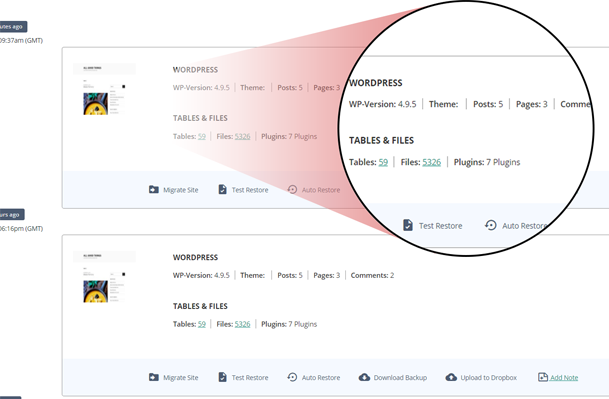
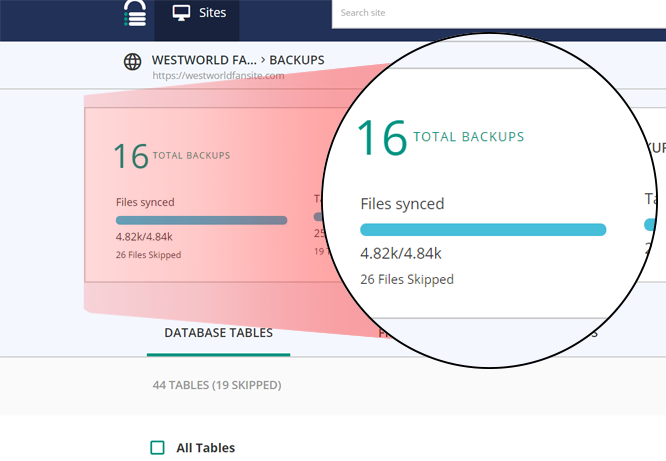
BlogVault provides automatic, secure, and incremental backups for your entire WordPress website — including the database, themes, plugins, and media files. It also includes built-in staging and migration features, so you can test changes safely or move your site to a new host or domain with ease.
All backups are stored offsite on BlogVault’s cloud infrastructure, helping keep your data safe even if your server is down. Backup and restore processing runs on BlogVault’s servers to minimize load on your site.
Whether you manage one site or many, BlogVault helps you handle backups, restores, migrations, and updates from a single, easy-to-use dashboard.
Check out more BlogVault customer testimonials from here
Companies you Trust, Trust BlogVault.
Why you need BlogVault?
We officially power migration for some of the largest web hosts from Pantheon, LiquidWeb, Cloudways, Savvii, and many more.
It is the perfect solution for developers and agencies as it comes with all the tools you need to maintain and manage multiple WordPress websites. From One-Click Staging to Flawless Migrations to Complete Website Management and a White Label Solution. It even provides out-of-the-box Client Reporting.
Learn more about BlogVault from here
BlogVault in Numbers
The opening of the plugin's own description. The full text, installation notes and changelog are on its WordPress.org page.
This plugin works in tandem with the BlogVault servers. BlogVault servers do all the heavy processing and will alert you if your site has any issues.
This requires an account with BlogVault to be created to use the plugin.
Yes. Take the help of this step-by-step guide.
We require your email address to keep you informed about important updates related to your website, such as vulnerability alerts, and uptime alerts.
Having an account is necessary to use our service, and your email address serves as a unique identifier for your account.
You can send an email to the support team on [email protected] and notify our team regarding this.
No. All you need is a WordPress site. We don’t use your website resources for backing up so you will not experience any downtime, or page delay while executing BlogVault functions.
BlogVault is a paid backup service. But we understand the user’s dilemma before starting a new service, which is why we provide a 7 day free trial period. You can avail free trial without any registration, just enter your email ID, password, and site URL. Moreover, we do not discriminate between our trial period users and premium customers.
To upgrade from a free trial version to a premium account, please take the help of this guide.
#14 by installs
Backup, restore or migrate your WordPress website to another host or domain. Schedule backups or run manually. Migrate in minutes.
The best WordPress backup and migration plugin. Quickly and easily backup ,migrate, copy, move, or clone your site from one location to another.

#69 by installs
All-in-one WordPress backup, migration and staging plugin — schedule automatic backups, restore in one click, and migrate or clone sites safely.

#519 by installs
Backup, migrate, and create staging sites with free cloud storage and support.

#819 by installs
Create a staging WordPress site from production (live site). Ideal for testing updates, version change or re-write. Sync back only the changes.

#10 by installs
Trusted by 60M+ sites: The gold standard for WordPress migration and backup. Migrate, backup, and restore your WordPress site with one click.
Read from the WordPress.org plugin API on , when WordPress 7.1.4 was the current release. WordPress.org rounds active installs into buckets. These are the directory's figures, not my verdict, and I haven't tested this plugin. The author takes donations at their donate page.
