Type to search.

#465 by installs

Advanced Ads – Ad Manager & AdSense

by monetizemoreVersion 2.0.29

Advanced Ads is a WordPress ad manager that puts AdSense, Amazon, affiliate and direct-sold ads anywhere on your site without editing theme files.

Active installs
90,000+
#465 of 1,000
Downloads, all time
11.6M
11,628,973
Downloads, 30 days
63.1K
10.4K in the last 7
Rating
4.9 / 5
1,463 reviews
Last updated
3 days ago
Oct 28, 2026
Version
2.0.29
352 releases

Upkeep and compatibility

Last updatedOctober 28, 2026Updated in the last 3 months
Tested up toWordPress 7.1.4Covers WordPress 7.1.4, the current release
Needs WordPress5.9 or newer
Needs PHP7.4 or newer
First publishedJune 23, 2014
Support, last two months14 of 17 threads resolved (82%)

Reviews

4.9 / 5 from 1,463 reviews

Reviews by star rating
5 stars1,390
4 stars24
3 stars10
2 stars6
1 star33

Downloads, last 30 days

Low 353 a dayHigh 20.6K a day

What the author says it does

Advanced Ads is a WordPress ad manager that puts AdSense, Amazon, affiliate and direct-sold ads anywhere on your site without editing theme files. More than 100,000 sites use it to create ads, decide where and to whom they appear, and see which ones perform.

Setup takes a few minutes. Create an ad, pick a placement such as after the third paragraph, set your conditions and publish. The free plugin covers ad creation, placements, targeting, AdSense and ads.txt. Add-ons cover tracking, sticky ads, popups, geo targeting and more, and you switch on only the ones you use.

Manual | Support | Demo | Premium features

Need to know whether a feature exists, or how to set up a client’s request? Open a thread in the forum.

Track ad impressions and clicks

The Tracking add-on counts impressions and clicks for each ad and ad group. You choose where the numbers are stored: in your own WordPress database, or in Google Analytics.

With local tracking, the Statistics screen in your dashboard filters reports by date range, ad or ad group, so you can compare banners, placements and affiliate links. Affiliate ads are tracked too, whatever network they point to.

Turn on only the features you need

Every extra feature is a separate add-on. You install and activate each one from Advanced Ads > Settings > Licenses:

The opening of the plugin's own description. The full text, installation notes and changelog are on its WordPress.org page.

Questions the author answers

How do I put ads on WordPress?

Create an ad in Advanced Ads, choose a placement and publish. No code is needed. To get started, see the first ad tutorial, the guide to AdSense Auto ads and the AdSense overview. If an ad does not show, check ads not showing up.

How do I track ad clicks and impressions in WordPress?

Install the Tracking add-on. It counts impressions and clicks per ad and per group, and stores them in your database or sends them to Google Analytics. With local tracking you read the numbers on the Statistics screen. With Google Analytics, you read them in your Analytics account.

What are add-ons and how do I activate them?

Add-ons are separate modules that extend the core plugin with features such as tracking, sticky ads, popups, AMP and Google Ad Manager. Open Advanced Ads > Settings > Licenses to install, activate or deactivate them. An All Access license covers every add-on.

Can I switch from Ad Inserter, Ads for WP or AMP for WP Ads?

Yes. Advanced Ads has importers for all three. They bring over your ads, groups, placements and settings. Run the importer, then check your placements on the front end.

What about my visitors’ privacy and GDPR compliance?

Advanced Ads has privacy settings that wait for consent before it shows ads that need it. This works for every ad you manage with the plugin, including AdSense Auto ads. You can turn the check off for individual ads, such as image ads, and serve non-personalized AdSense ads where that is allowed.

  • Cookie consent integration
  • IAB TCF 2.2 integration
Which ad networks does it support?

All of them. Advanced Ads works with Google AdSense, Google Ad Manager, Amazon, Awin, Chitika, ClickBank, CJ Affiliate, ShareASale, Impact, Rakuten, Booking.com, GetYourGuide, media.net and more. You can also add network tags to your site’s header or footer for header bidding. AdSense has its own ad type with its specific options.

Latest changelog entry

2.0.29 (October 14, 2026)

  • Fix: Urgent fix for version number

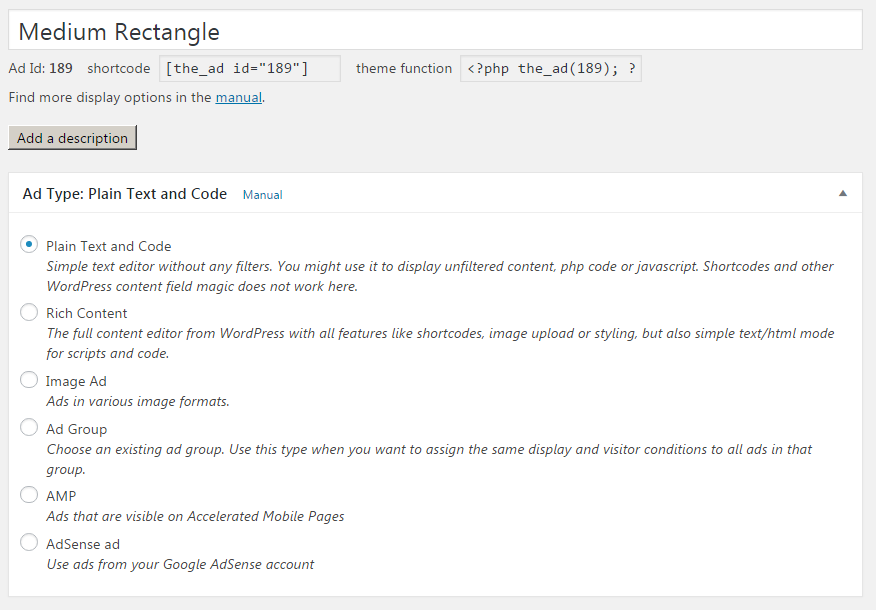
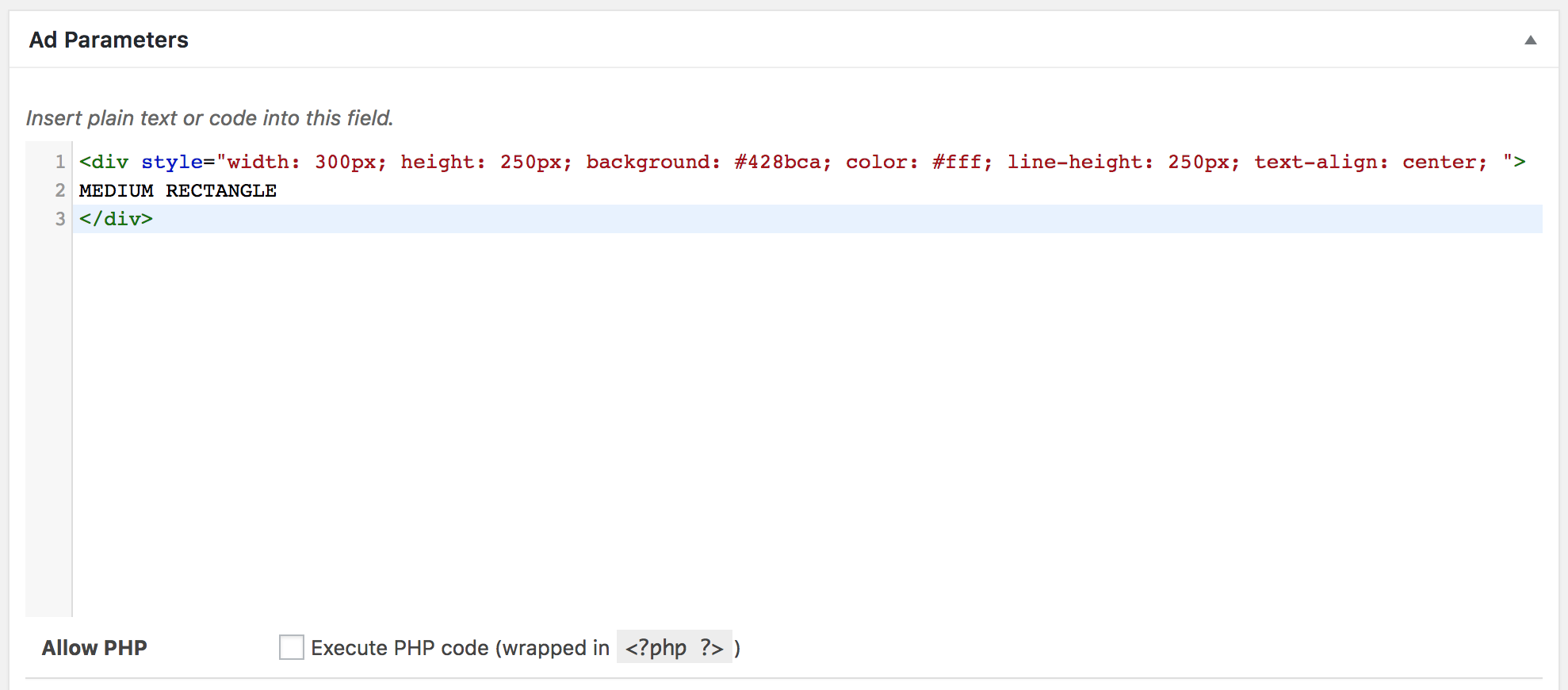
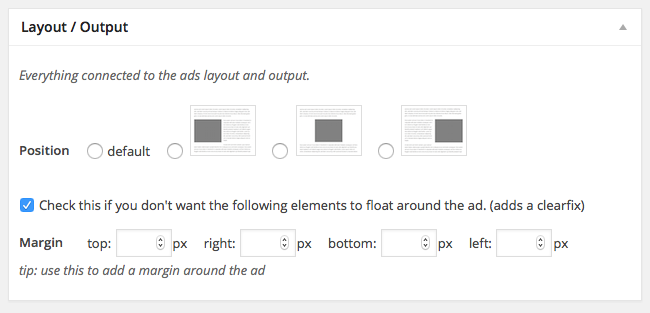
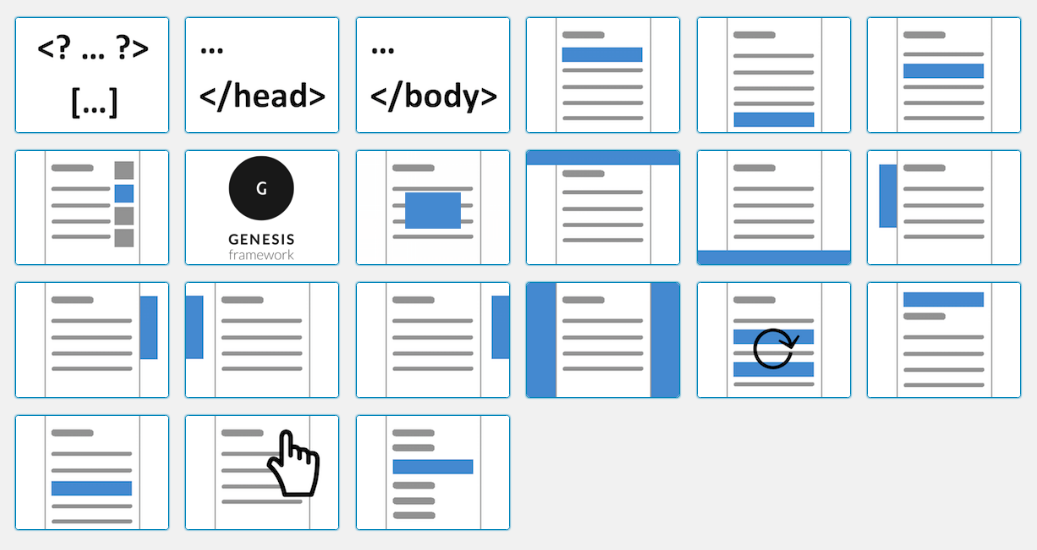
Screenshots

First 4 of 10, from WordPress.org.

Tagged

Plugins that share its tags

#198 by installs

Ad Inserter – Ad Manager & AdSense Ads

by Spacetime

Manage Google AdSense ads, banners, ad rotation, sticky widgets, AMP ads, ads.txt, tracking, header and footer code, PHP code, global custom fields

Installs
300,000+
Rating
4.9 (2.4K)
Updated
3 days ago

#355 by installs

Ads.txt Manager

by 10up

Create, manage, and validate your ads.txt and app-ads.txt from within WordPress, like any other content asset.

Installs
100,000+
Rating
4.7 (15)
Updated
47 days ago

#74 by installs

Google for WooCommerce

by WooCommerce

Native integration with Google that allows merchants to easily display their products across Google’s network.

Installs
800,000+
Rating
2.7 (268)
Updated
11 days ago

#211 by installs

Head, Footer and Post Injections

by Stefano Lissa

Head and Footer plugin lets you to add HTML code to the head and footer sections of your site pages, inside posts... and more!

Installs
200,000+
Rating
4.9 (735)
Updated
7 months ago

#484 by installs

Reddit for WooCommerce

by WooCommerce

Integrate your WooCommerce store with Reddit Ads to track conversions and export products for advertising.

Installs
90,000+
Rating
5.0 (1)
Updated
17 days ago

Where this page's numbers come from

Read from the WordPress.org plugin API on , when WordPress 7.1.4 was the current release. WordPress.org rounds active installs into buckets. These are the directory's figures, not my verdict, and I haven't tested this plugin.