
#216 by installs
GenerateBlocks
A small collection of lightweight WordPress blocks that can accomplish nearly anything.
- Installs
- 200,000+
- Rating
- 4.9 (122)
- Updated
- 18 days ago

Integrate your WordPress site perfectly with Telegram with full control.
| Last updated | February 14, 2026Updated in the last year |
|---|---|
| Tested up to | WordPress 6.9.11Older than WordPress 7.1.4, the current release |
| Needs WordPress | 6.6 or newer |
| Needs PHP | 8.0 or newer |
| First published | February 17, 2017 |
| Support, last two months | 0 of 1 threads resolved (0%) |
5.0 / 5 from 426 reviews
| 5 stars | 425 |
|---|---|
| 4 stars | 0 |
| 3 stars | 0 |
| 2 stars | 1 |
| 1 star | 0 |
Integrate your WordPress site perfectly with Telegram with full control.
Modules
1. Post to Telegram
WP Telegram Pro supports multiple channels based upon category/tag/author/post type etc. and also supports unlimited Reaction buttons.
2. Private Notifications
The opening of the plugin's own description. The full text, installation notes and changelog are on its WordPress.org page.
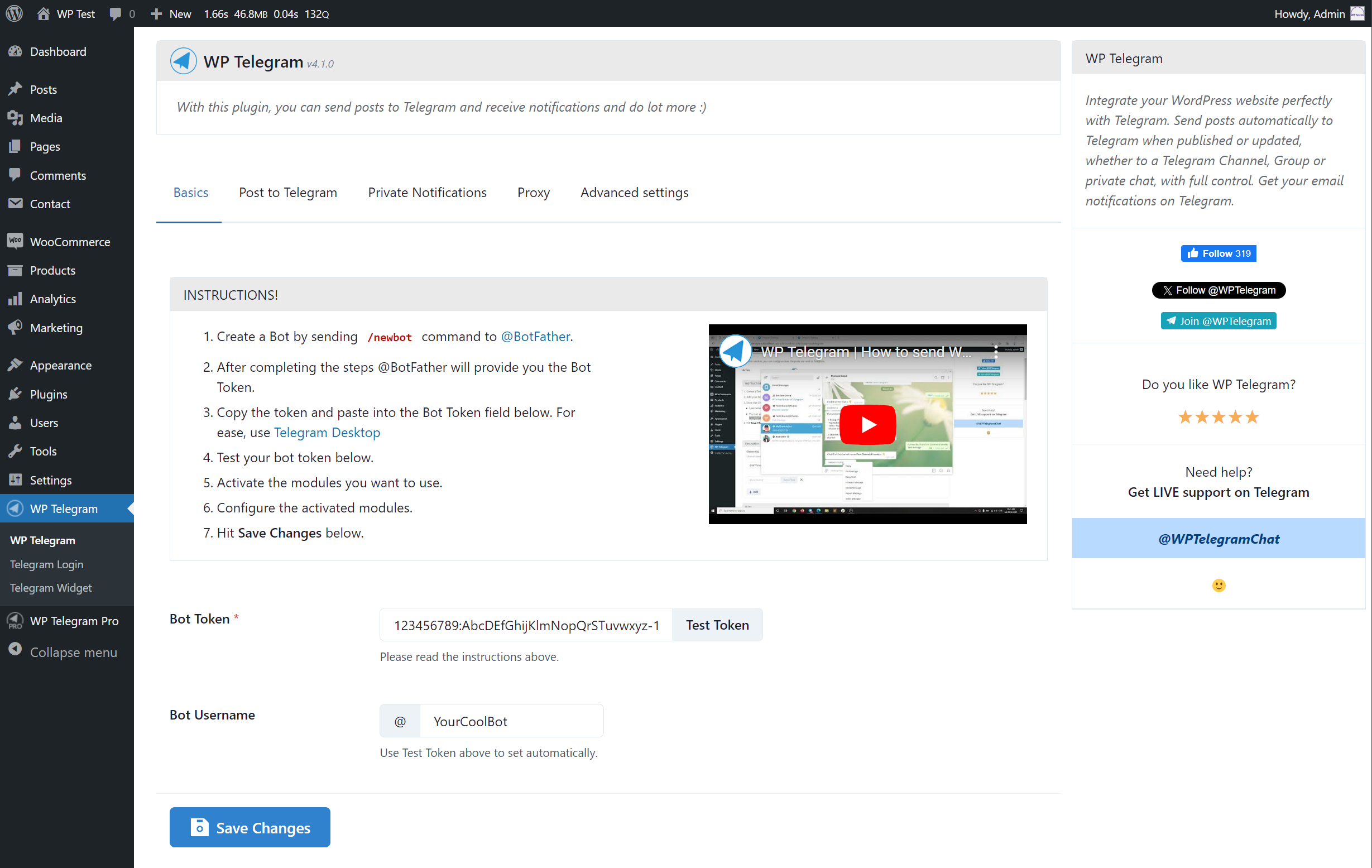
To create a bot, you need to send /newbot command to @BotFather. After completing the steps @BotFather will provide you the Bot Token, which you can use in plugin settings.
Yes, you need to get the chat ID of the channel or group. For that, you need to message @MyChatInfoBot and follow its instructions to obtain the ID for a channel or group.
It means either you have entered a wrong chat ID in the settings or you forgot to add your own bot to the group or channel. Some users also enter the bot username instead of the channel username.
If you see that error in Bot API log file, it means that there is some problem with your images/files that you are trying to send to Telegram. You can try to disable Send files by URL option in Advanced Settings to see if it fixes the issue. More details here.
If your host is in Russia or Iran or it’s a free hosting, your host most likely blocks Telegram. You can activate and set up the Proxy module of the plugin to bypass the ban.
There can be many reasons for that. To better understand the reason, you can enable both the logs in Advanced Settings and then try to send the post again, then share the logs with our support on Telegram – @WPTelegramSupport.
See full changelog


#216 by installs
A small collection of lightweight WordPress blocks that can accomplish nearly anything.

#219 by installs
Creates functionality to duplicate any and all post types, including taxonomies & custom fields. Perfect for developers and content creators.

#334 by installs
A highly customizable, easy-to-use popular posts plugin!

#364 by installs
Allow anonymous users to preview a draft of a post before it is published.

#406 by installs
The best WordPress plugin for displaying related posts. Simple and flexible, with a powerful proven algorithm and inbuilt caching.

#476 by installs
Get together safely, in your own way, in WordPress.
Read from the WordPress.org plugin API on , when WordPress 7.1.4 was the current release. WordPress.org rounds active installs into buckets. These are the directory's figures, not my verdict, and I haven't tested this plugin. The author takes donations at their donate page.