
#736 by installs
Contextual Related Posts
Keep visitors on your site longer with intelligent, fast-loading, contextually related posts. Block, shortcode, custom post type and widget ready.
- Installs
- 50,000+
- Rating
- 4.8 (201)
- Updated
- 15 days ago

The best WordPress plugin for displaying related posts. Simple and flexible, with a powerful proven algorithm and inbuilt caching.
| Last updated | November 11, 2024Not updated for over a year |
|---|---|
| Tested up to | WordPress 6.7.11Older than WordPress 7.1.4, the current release |
| Needs WordPress | 3.7 or newer |
| Needs PHP | 5.3 or newer |
| First published | January 2, 2008 |
| Support, last two months | 0 of 1 threads resolved (0%) |
4.8 / 5 from 1,165 reviews
| 5 stars | 1,051 |
|---|---|
| 4 stars | 57 |
| 3 stars | 15 |
| 2 stars | 7 |
| 1 star | 35 |
Related Posts Plugin for WordPress
Yet Another Related Posts Plugin (YARPP) is a professionally maintained, highly customizable, performant and feature rich plugin that displays pages, posts, and custom post types related to the current entry. YARPP introduces your visitors to other relevant content on your site — boosting visitor engagement, time on site and SEO. Related Posts can increase your pageviews up to 10%. Simply install, activate and watch your sessions and pageviews increase.
Key Features
The opening of the plugin's own description. The full text, installation notes and changelog are on its WordPress.org page.
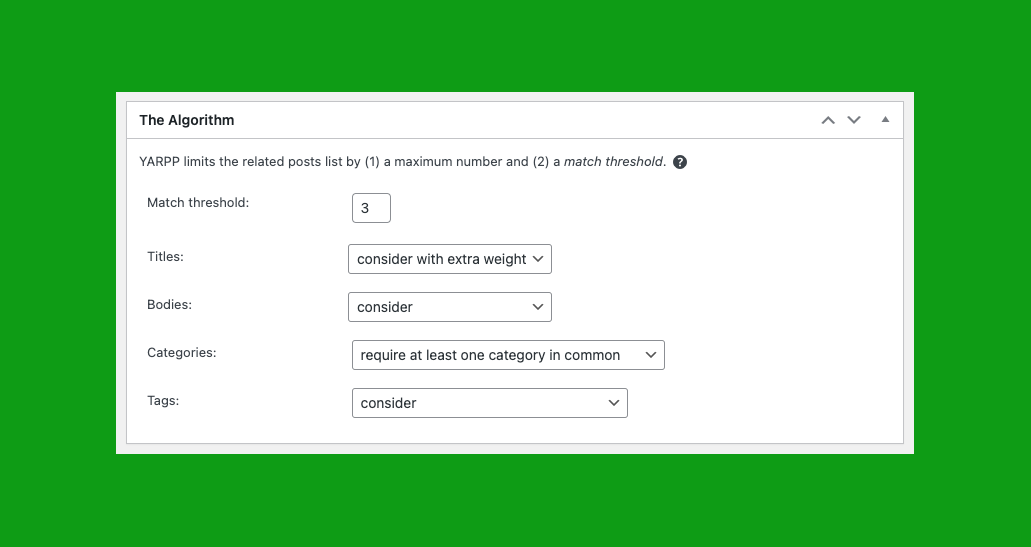
Most likely you have “no related posts” right now because the default “match threshold” is too high. Here’s what we recommend to find an appropriate match threshold: lower your match threshold in the YARPP “Algorithm” options to something very low, like 1.
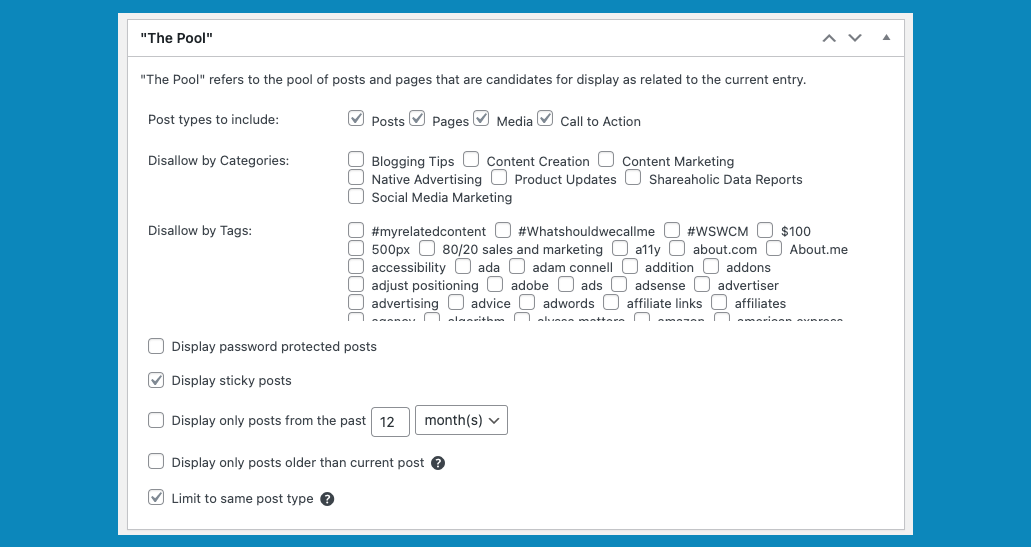
In WordPress, go to “Settings” and “Related Posts (YARPP)” and make sure “The Pool” is checked in the “Screen Options” section at the top of the page. In “The Pool” section, check the box next to “Show only posts from the past X months.”
In WordPress, go to “Settings” and “YARPP” and make sure “Algorithm” is checked in the “Screen Options” section at the top of the page. In the “Algorithm” section, configure the dropdown boxes next to “Titles,” “Bodies,” “Categories,” and “Tags.”
Sorry, but specifying related posts, displaying related posts from external WordPress sites, and pulling content from the Comments section are all outside the scope of YARPP at this time.
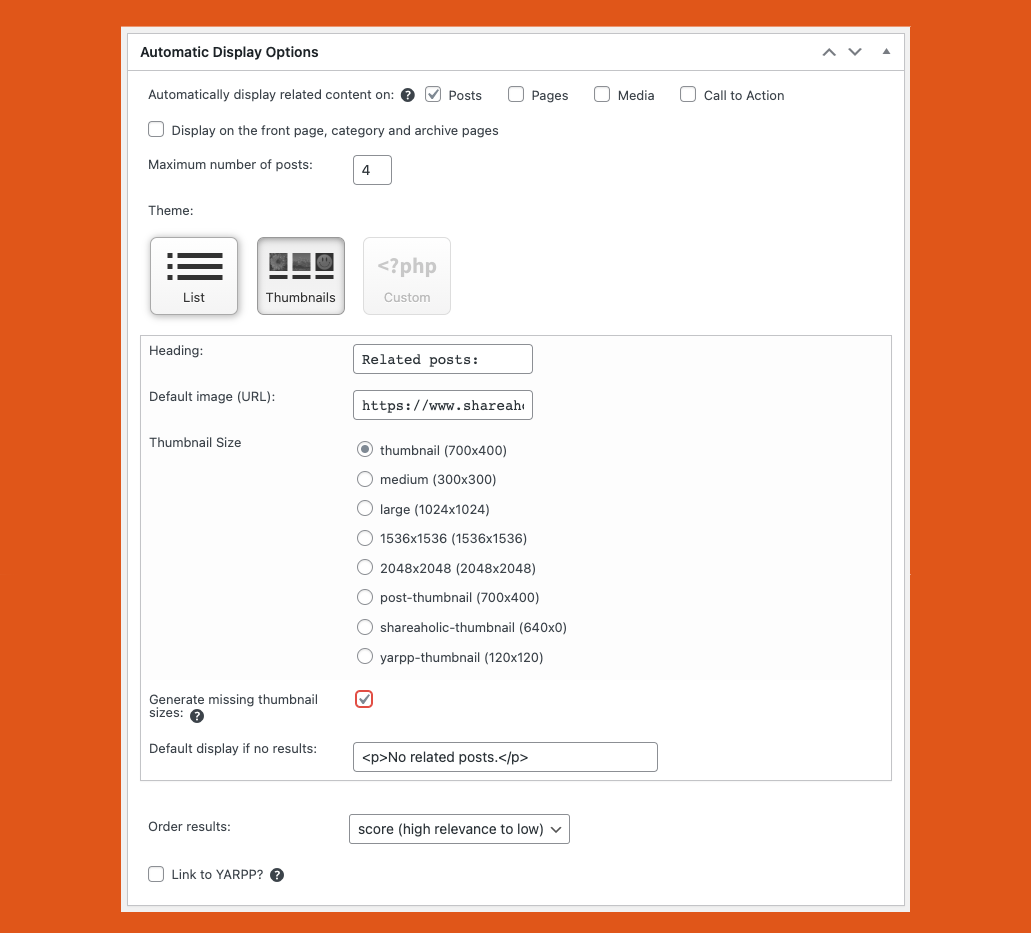
Some WordPress themes treat the home page as an archive or a “page.” Go to “Settings” then “Related Posts (YARPP)” and view the “Automatic Display Options” section. Make sure “Pages” and “Also display in archives” are not checked.
Option 1:
On the edit post page, uncheck “Display Related Posts” in the YARPP box. Be sure to update or publish to save your changes.
Option 2:
Add <!--noyarpp--> to the HTML code of any post to prevent related posts from displaying.
Option 3:
Use the noyarpp filter. For example:

#736 by installs
Keep visitors on your site longer with intelligent, fast-loading, contextually related posts. Block, shortcode, custom post type and widget ready.
Real-time SEO guidance, schema, and AI built in. Help search engines and AI systems understand your content. All AI tools included, no hidden fees.

#5 by installs
All-in-one unbeatable acceleration & PageSpeed improvement: caching, image/CSS/JS optimization...

#13 by installs
Grow your organic traffic and AI visibility with powerful SEO tools, XML sitemaps, Schema automation, and built-in AI SEO, all in one place.

AIOSEO is the WordPress SEO plugin. Boost SEO rankings with AI SEO tools, schema, meta descriptions, XML sitemaps & rank tracking.

#56 by installs
Generate multiple types of sitemaps to improve SEO and get your website indexed quickly.
Read from the WordPress.org plugin API on , when WordPress 7.1.4 was the current release. WordPress.org rounds active installs into buckets. These are the directory's figures, not my verdict, and I haven't tested this plugin. The author takes donations at their donate page.
