Questions the author answers
Do I need to configure settings before using the plugin?
No! Post Duplicator works immediately with sensible defaults. Duplicated posts are created as drafts with the current user as the author. You can start duplicating posts right away.
However, you can customize default settings by going to Settings > Post Duplicator to configure:
* Default post status (draft, published, pending, or same as original)
* Default post type (same or convert to another type)
Where can I find the duplicate option?
The duplicate option appears in four places:
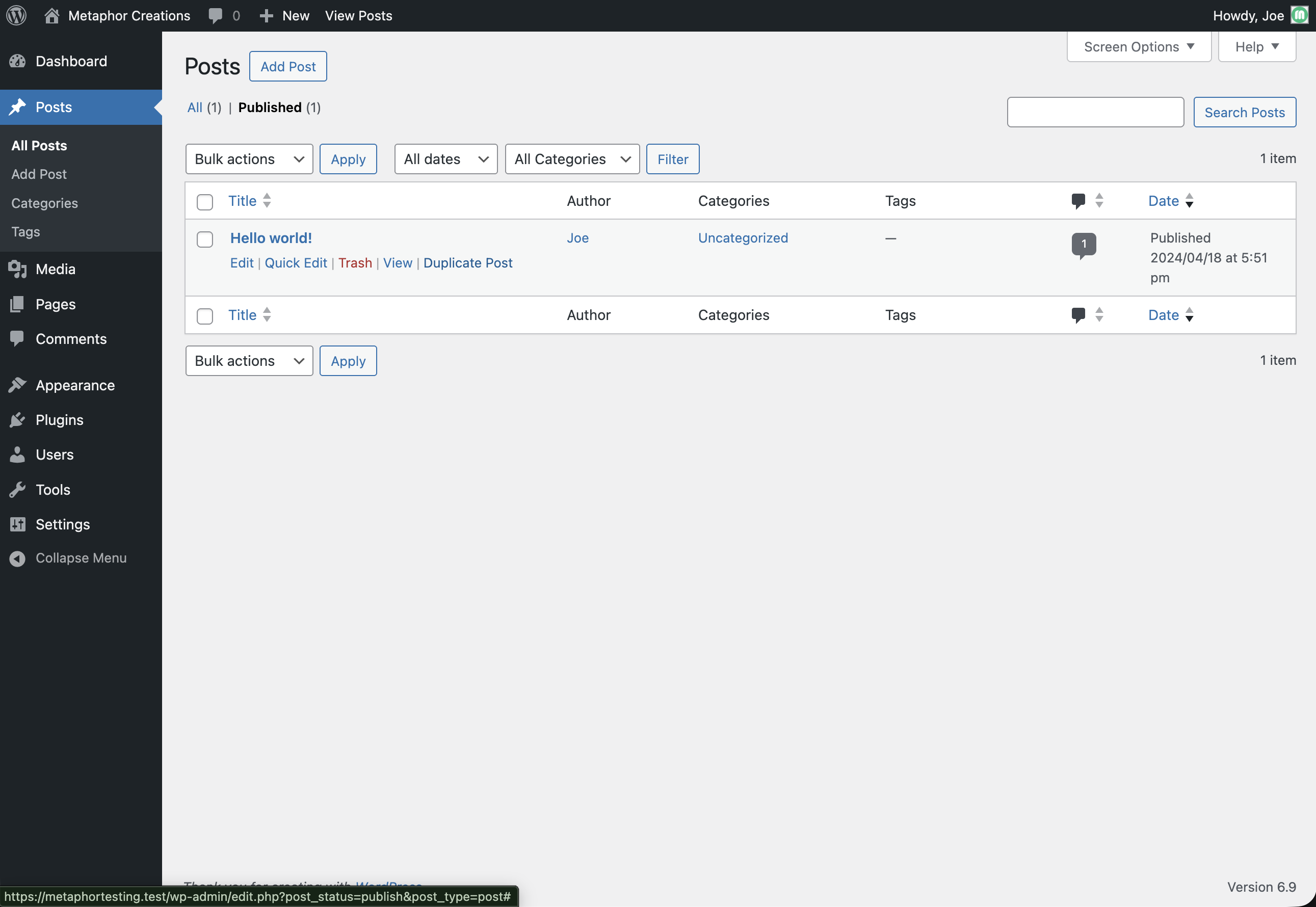
- Posts List (Single): Hover over any post in the All Posts (or any post type list) screen and click “Duplicate [Post Type]” in the row actions
- Posts List (Bulk): Select multiple posts using checkboxes, then choose “Duplicate” from the Bulk Actions dropdown
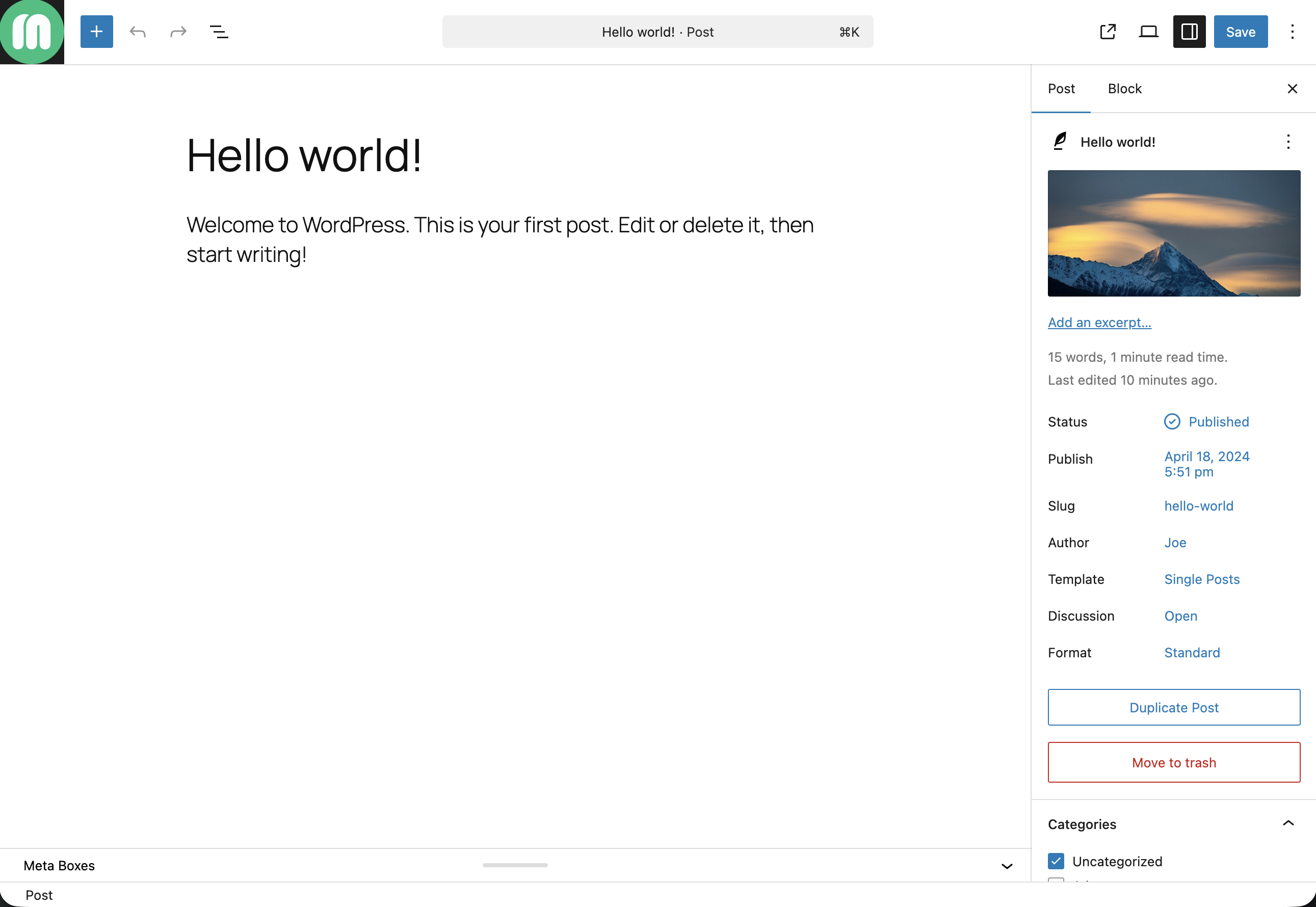
- Gutenberg Editor: Click the “Duplicate Post” button in the top toolbar when editing a post
What information gets duplicated?
Post Duplicator creates a complete copy including:
* All post content and formatting (including Gutenberg blocks)
* Title and slug (with customizable suffixes or full editing)
* All custom fields and metadata (ACF, meta boxes, etc.)
* Categories, tags, and all custom taxonomies
* Featured images (with ability to change before duplication)
* Post format and excerpt
* Comment and ping status settings
Can I customize settings for individual duplications?
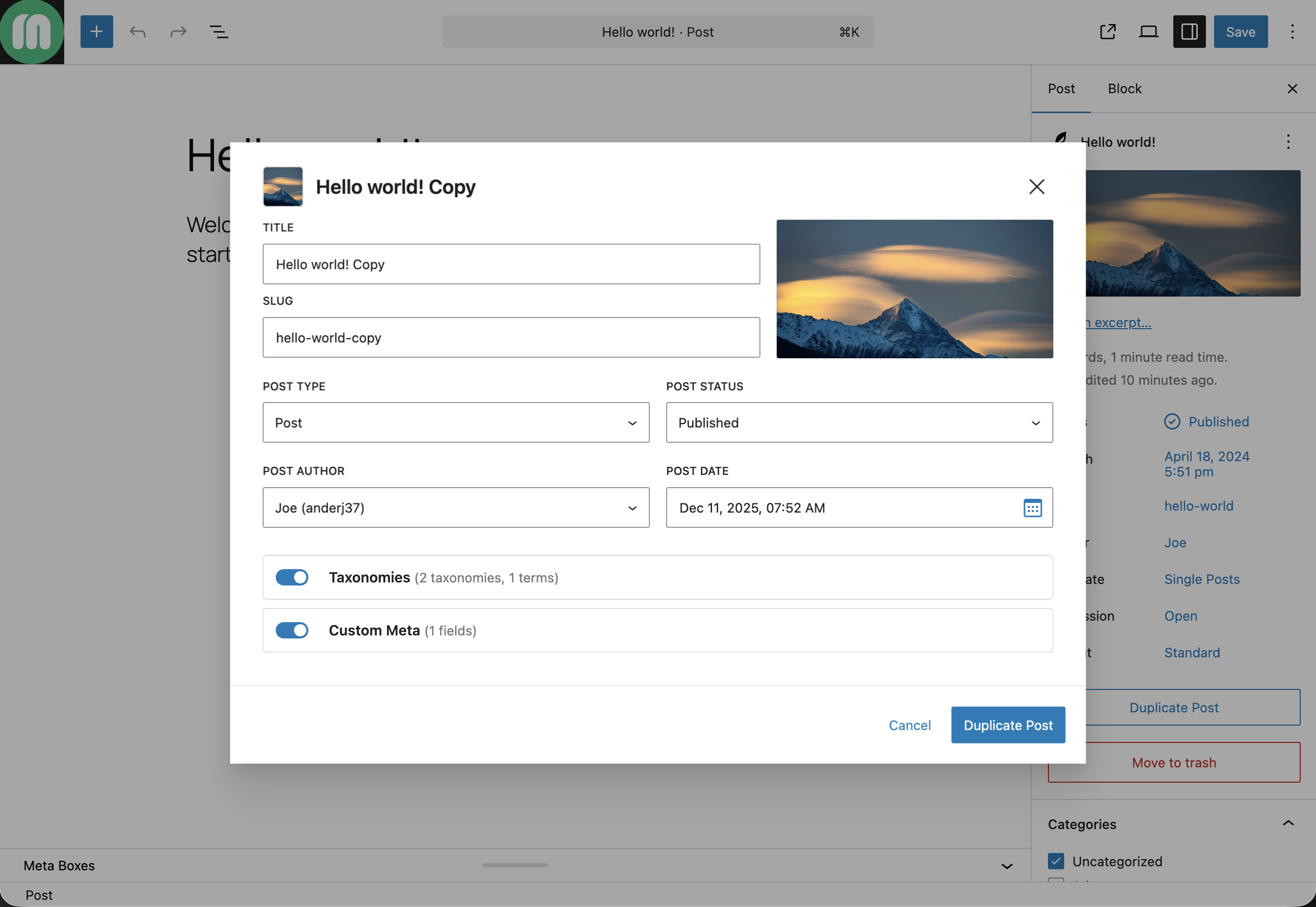
Yes! When the duplication modal opens, you can customize:
* Full title and slug – Edit the complete title and slug, not just suffixes
* Post status – Draft, published, pending, or same as original
* Post type – Convert to a different post type during duplication
* Post author – Assign to any user or leave without author
Can I duplicate posts to a different post type?
Yes! You can convert posts to different post types during duplication:
- Open the duplication modal
- Click “Customize Settings”
- Select a different post type from the “Post Type” dropdown
- The duplicate will be created as the selected type
You can also set a default post type conversion in Settings > Post Duplicator.
How do I control who can duplicate posts?
Go to Settings > Post Duplicator > Permissions to configure role-based permissions:
- Duplicate Posts: Allows users to duplicate their own posts
- Duplicate Others’ Posts: Allows users to duplicate posts created by other users
You can enable or disable these capabilities for each user role (Administrator, Editor, Author, etc.).