
#50 by installs
Custom Post Type UI
Admin UI for creating custom content types like post types and taxonomies
- Installs
- 1+ million
- Rating
- 4.6 (276)
- Updated
- 4 months ago

A simple way to change a post's type in WordPress
| Last updated | October 15, 2026Updated in the last 3 months |
|---|---|
| Tested up to | WordPress 7.1.4Covers WordPress 7.1.4, the current release |
| Needs WordPress | 6.6 or newer |
| Needs PHP | 8.0 or newer |
| First published | May 29, 2010 |
| Support, last two months | 0 of 1 threads resolved (0%) |
4.8 / 5 from 255 reviews
| 5 stars | 237 |
|---|---|
| 4 stars | 1 |
| 3 stars | 3 |
| 2 stars | 2 |
| 1 star | 12 |
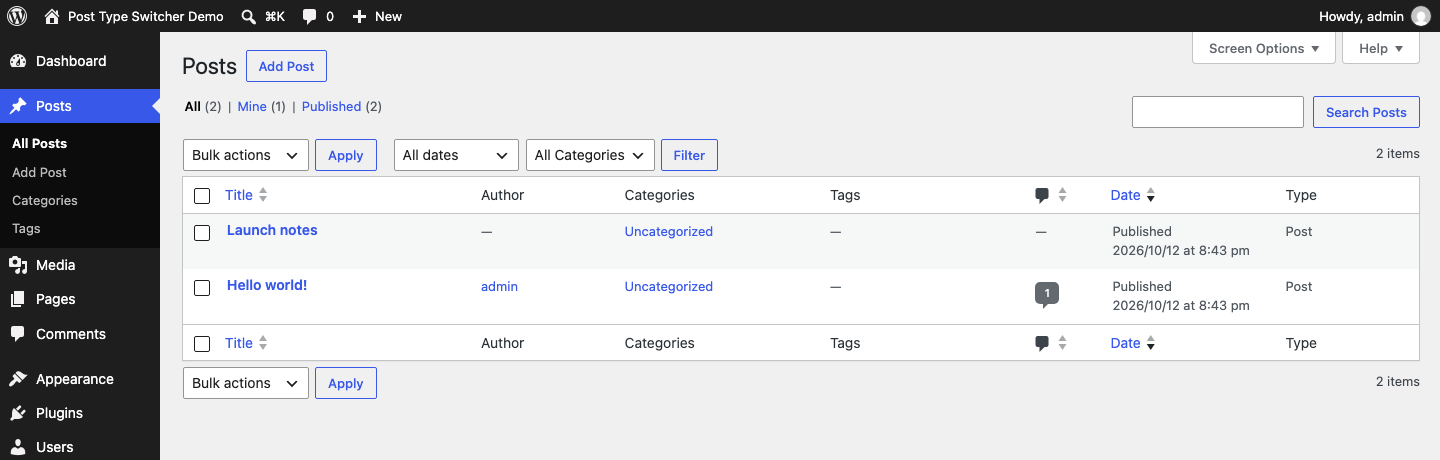
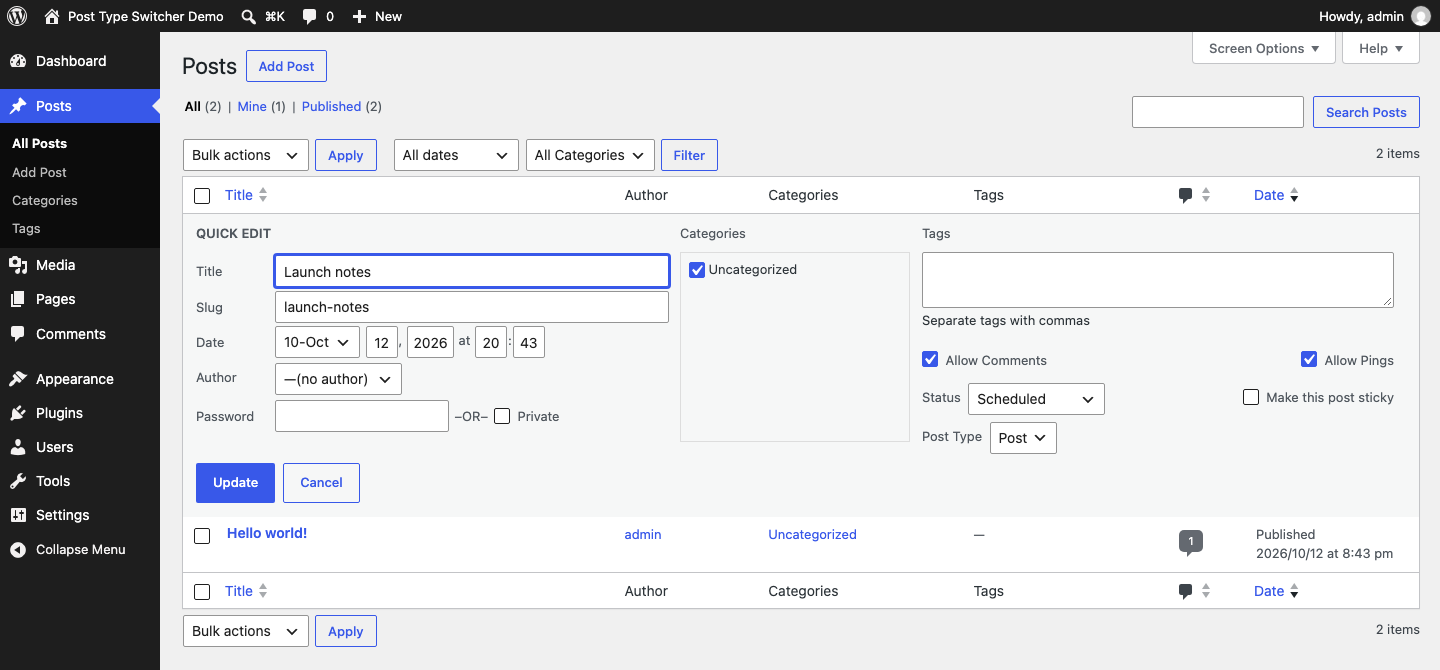
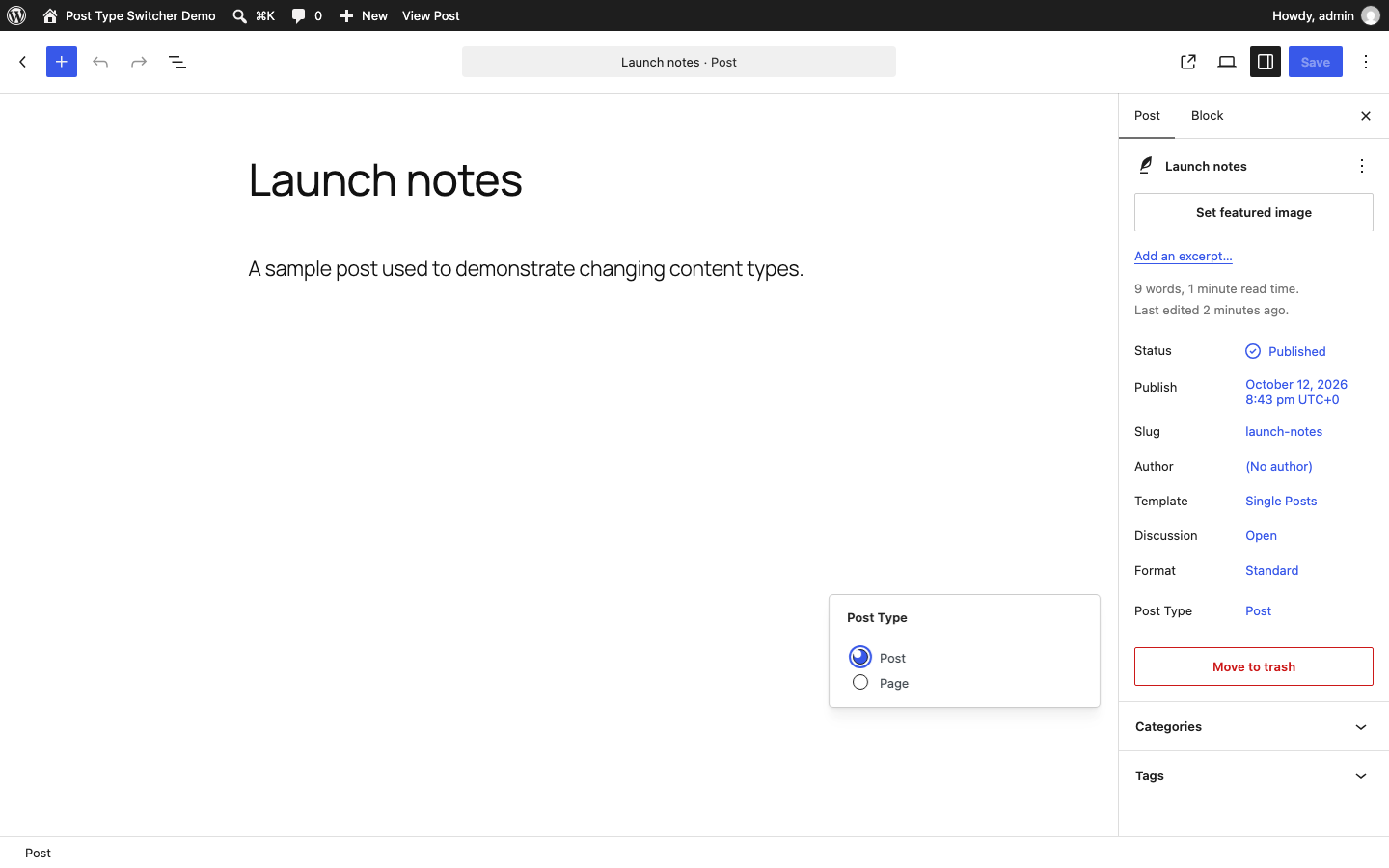
This plugin adds a simple post-type drop-down to the post editor interface, allowing you to reassign any post to a new post type. It allows you to switch a post’s type while editing your post.
Supported Types
The plugin can convert nearly every combination of posts, pages, and even custom post types:
As of 3.0.0, support for switching to or from Attachments was removed. This may come back in a subsequent version.
Invisible post types, such as revisions, menus, etc., are purposely excluded. But, if you need to access invisible post types, you can adjust the boundaries using the ‘pts_post_type_filter’ filter.
Bulk Editing
With bulk editing (thanks to Matthew Gerring) you can select all the posts in a certain type and convert them to a new type with one quick action.
Block Editor
With Block Editor support (thanks to Daniel Bachhuber) you can switch between post types that use either the Block Editor or Classic Editor without losing any of your embedded content.
The opening of the plugin's own description. The full text, installation notes and changelog are on its WordPress.org page.
You need to selectively change a post’s type from one to another.
It should not. This plugin only changes the ‘post_type’ property of a post.
It should not. Be careful when editing HTML content while switching between editor types!
No. This plugin does not include any code capable of deleting anything.
Plugin conflicts are not unheard of and can be difficult to troubleshoot.
If you’re worried, backup your database and deactivate all other plugins before using this tool.
If you’re still worried, ask for help in the WordPress.org support forums.
Use the WordPress.org support forum for installation and usage questions.
Use GitHub Discussions for broader development conversations. Report reproducible defects through GitHub Issues.
#50 by installs
Admin UI for creating custom content types like post types and taxonomies

#848 by installs
What this plugin does is to reveal most removed IDs on admin pages, as it was in versions prior to 2.5.

#128 by installs
Meta Box plugin is a powerful, professional developer toolkit to create custom meta boxes and custom fields for your custom post types in WordPress.

#219 by installs
Creates functionality to duplicate any and all post types, including taxonomies & custom fields. Perfect for developers and content creators.

#246 by installs
Header and Footer Scripts plugin allows you to add scripts to WordPress site's and just before closing tag.
#301 by installs
Order your pages and other custom post types that support "page-attributes" with drag and drop right from the standard page list.
Read from the WordPress.org plugin API on , when WordPress 7.1.4 was the current release. WordPress.org rounds active installs into buckets. These are the directory's figures, not my verdict, and I haven't tested this plugin. The author takes donations at their donate page.