
#569 by installs
Ninja Tables – Easy Data Table Builder
Best WordPress table builder plugin packed with versatile features to create fully responsive data tables of any kind.
- Installs
- 70,000+
- Rating
- 4.6 (472)
- Updated
- 22 days ago

Drag and Drop Table Builder Plugin. Build Responsive Tables Easily.
| Last updated | October 12, 2026Updated in the last 3 months |
|---|---|
| Tested up to | WordPress 7.1.4Covers WordPress 7.1.4, the current release |
| Needs WordPress | 4.9 or newer |
| Needs PHP | 7.4 or newer |
| First published | July 17, 2019 |
| Support, last two months | 1 of 3 threads resolved (33%) |
4.8 / 5 from 681 reviews
| 5 stars | 609 |
|---|---|
| 4 stars | 47 |
| 3 stars | 7 |
| 2 stars | 5 |
| 1 star | 13 |
Plugin Demo | Documentation | Support | Tutorials | Get Pro
WP Table Builder is a drag and drop table builder plugin for WordPress. It’s insanely easy to create responsive tables with WP Table Builder.
WP Table Builder is perfect for creating comparison tables, pricing tables, list tables and many more.
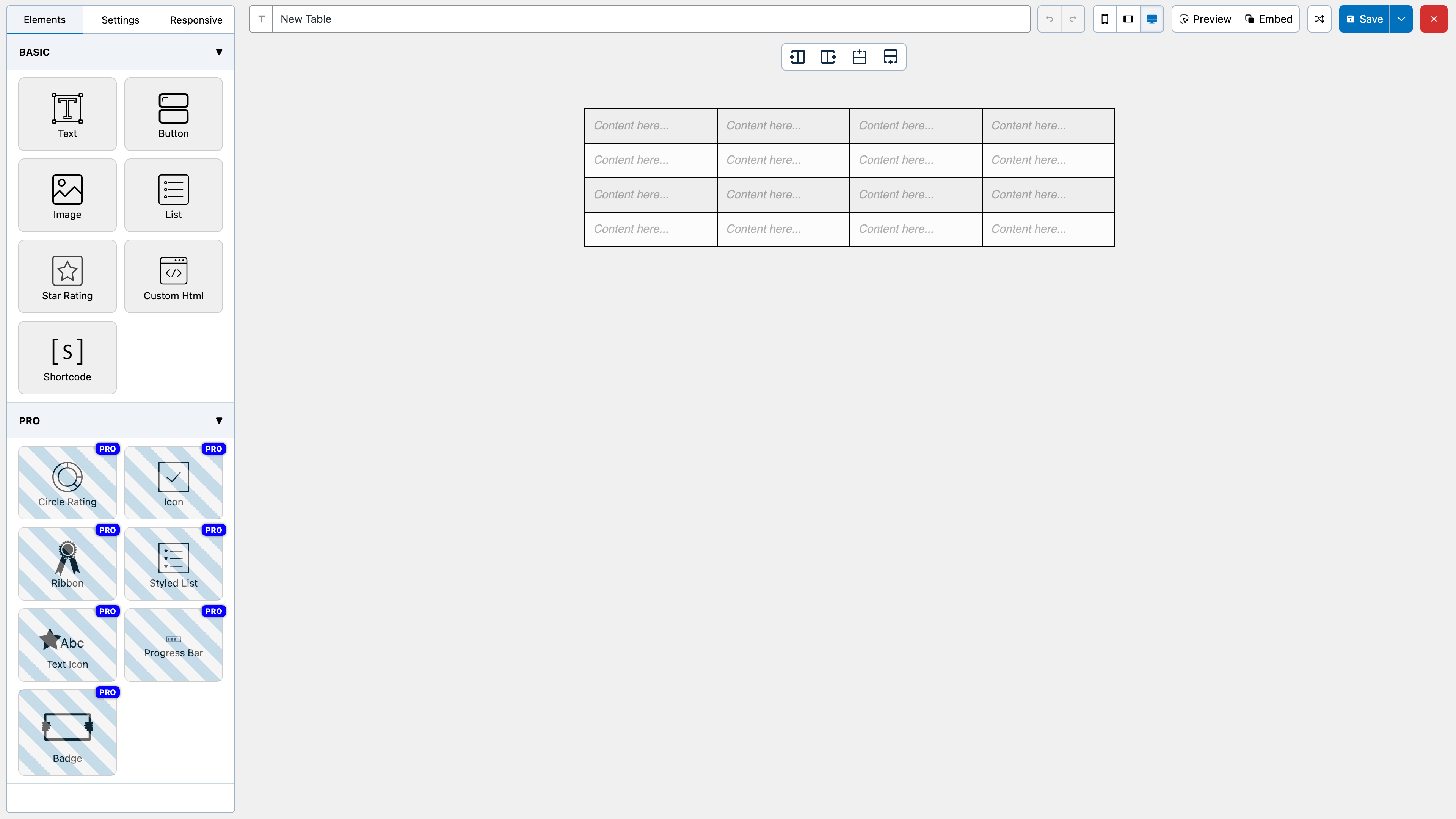
The builder comes with 7 elements right now. You can add the following elements in a table:
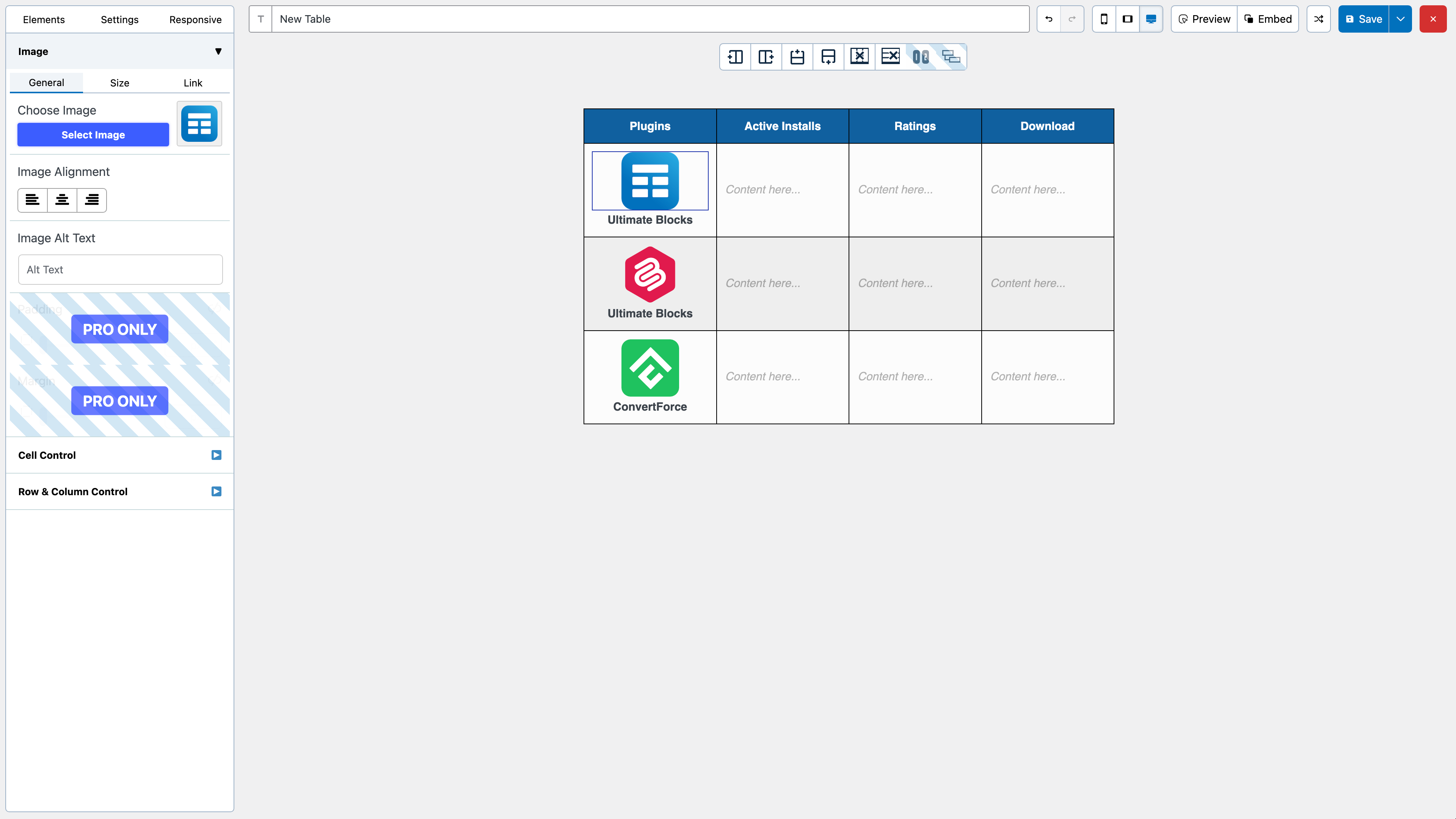
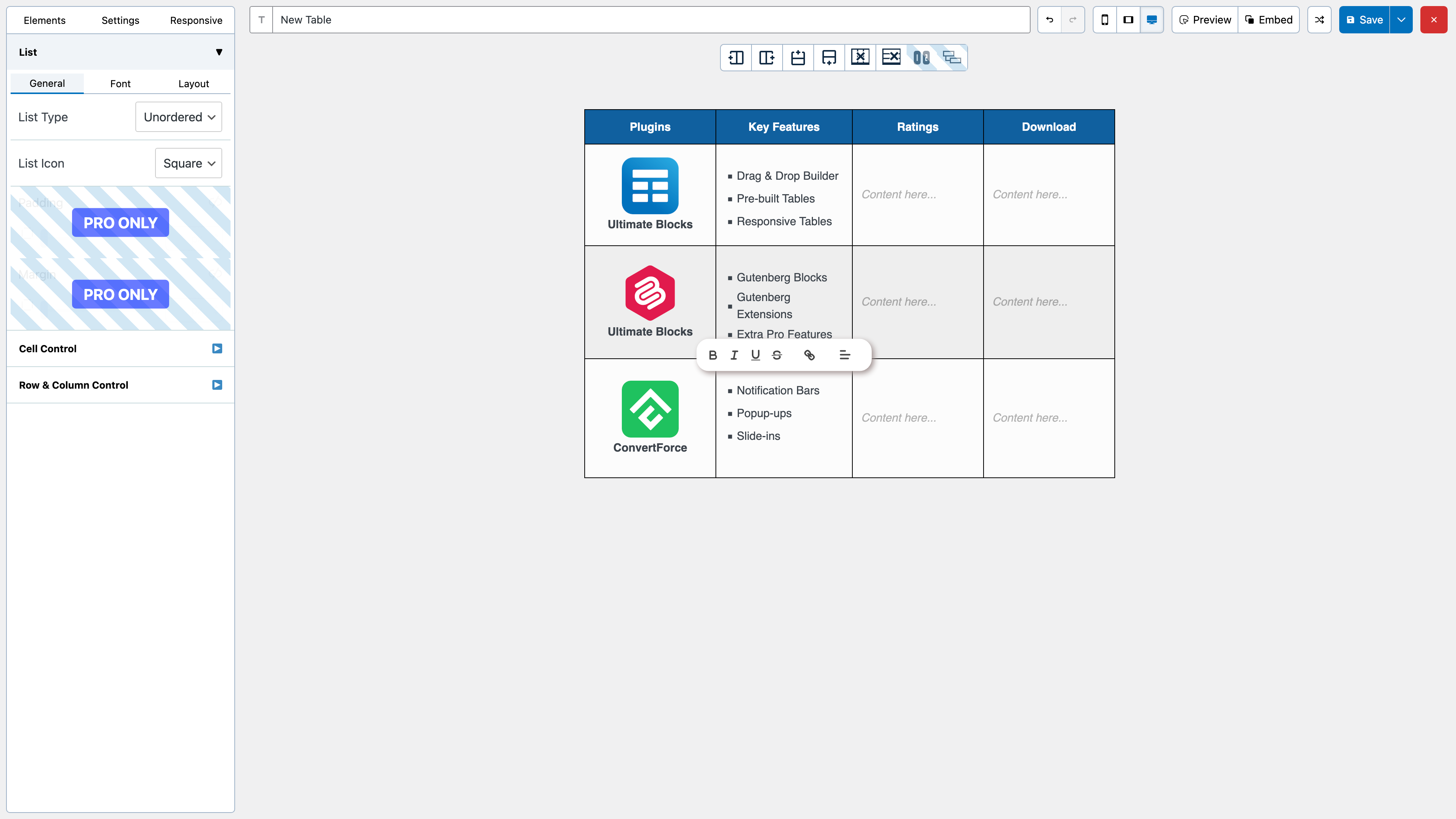
All the elements come with customization options of their own.
We have a cell management mode which comes with options like Add New Row, Add New Column, Merge Cells, Split Cells and many more.
How to Use
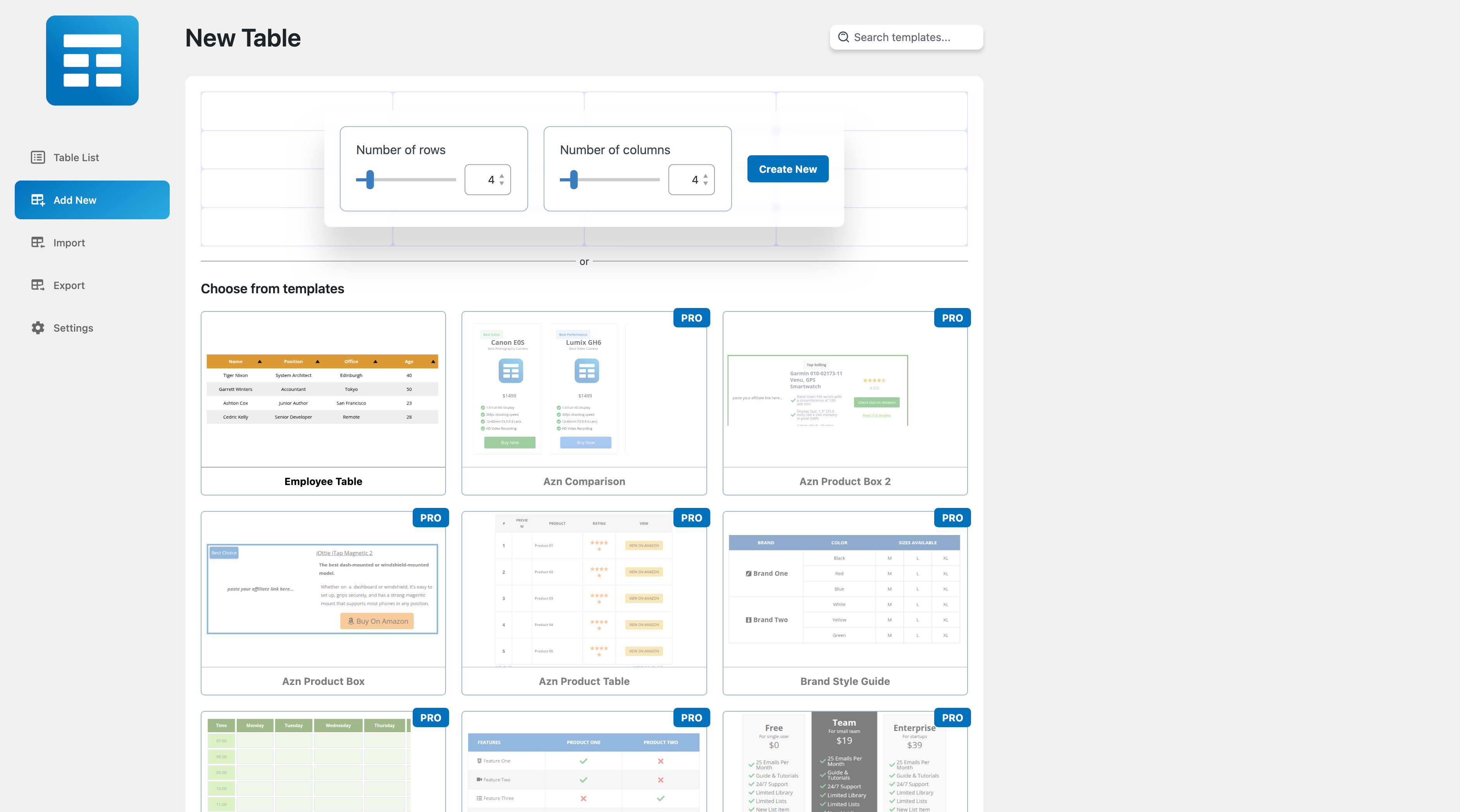
After you install the plugin, you will see a Table Builder menu. Go to Table Builder > Add New.
You will be able select column number and row number. Once you select that, click on Generate. The table will be generated.
You can then drag and drop elements from the left panel into the table cells. Once you are done adding and editing elements, click on Save to save the tables.
After the table is saved, you can embed it in post and pages by using a shortcode. Click on ‘Embed’ on the top to get the shortcode.
You can also get the shortcode from the ‘All Tables’ list under ‘Table Builder’ menu.
Import Tables
The opening of the plugin's own description. The full text, installation notes and changelog are on its WordPress.org page.
Please remember you MUST have PHP 5.6+ to be able to use this plugin.
That’s it. You’re done!
#569 by installs
Best WordPress table builder plugin packed with versatile features to create fully responsive data tables of any kind.
The best WordPress table plugin. Create responsive, and searchable tables and charts from Excel (.xlsx, .xls or .ods), CSV, XML, JSON, and PHP.
The Elementor Website Builder has it all: drag and drop page builder, Atomic Editor, pixel perfect design, global and reusable style systems, mobile r …

#96 by installs
Embed beautiful, accessible, and interactive tables into your WordPress website’s posts and pages, without having to write code!

#129 by installs
Freeform page builder & website builder for WordPress. Infinite canvas for complex, interactive websites. Built-in forms, animations & Customizer.

#137 by installs
Build responsive page layouts using the widgets you know and love using this simple drag and drop page builder.
Read from the WordPress.org plugin API on , when WordPress 7.1.4 was the current release. WordPress.org rounds active installs into buckets. These are the directory's figures, not my verdict, and I haven't tested this plugin. The author takes donations at their donate page.

