
#390 by installs
AddQuicktag
This plugin makes it easy to add Quicktags to the html - and visual-editor.
- Installs
- 100,000+
- Rating
- 4.7 (44)
- Updated
- 30 days ago

Take complete control over the WordPress content editor.
| Last updated | October 15, 2018Not updated for over a year |
|---|---|
| Tested up to | WordPress 4.9.35Older than WordPress 7.1.4, the current release |
| Needs WordPress | 3.9 or newer |
| Needs PHP | Not stated |
| First published | March 23, 2014 |
| Support, last two months | No threads opened |
4.0 / 5 from 159 reviews
| 5 stars | 107 |
|---|---|
| 4 stars | 10 |
| 3 stars | 5 |
| 2 stars | 11 |
| 1 star | 26 |
Welcome
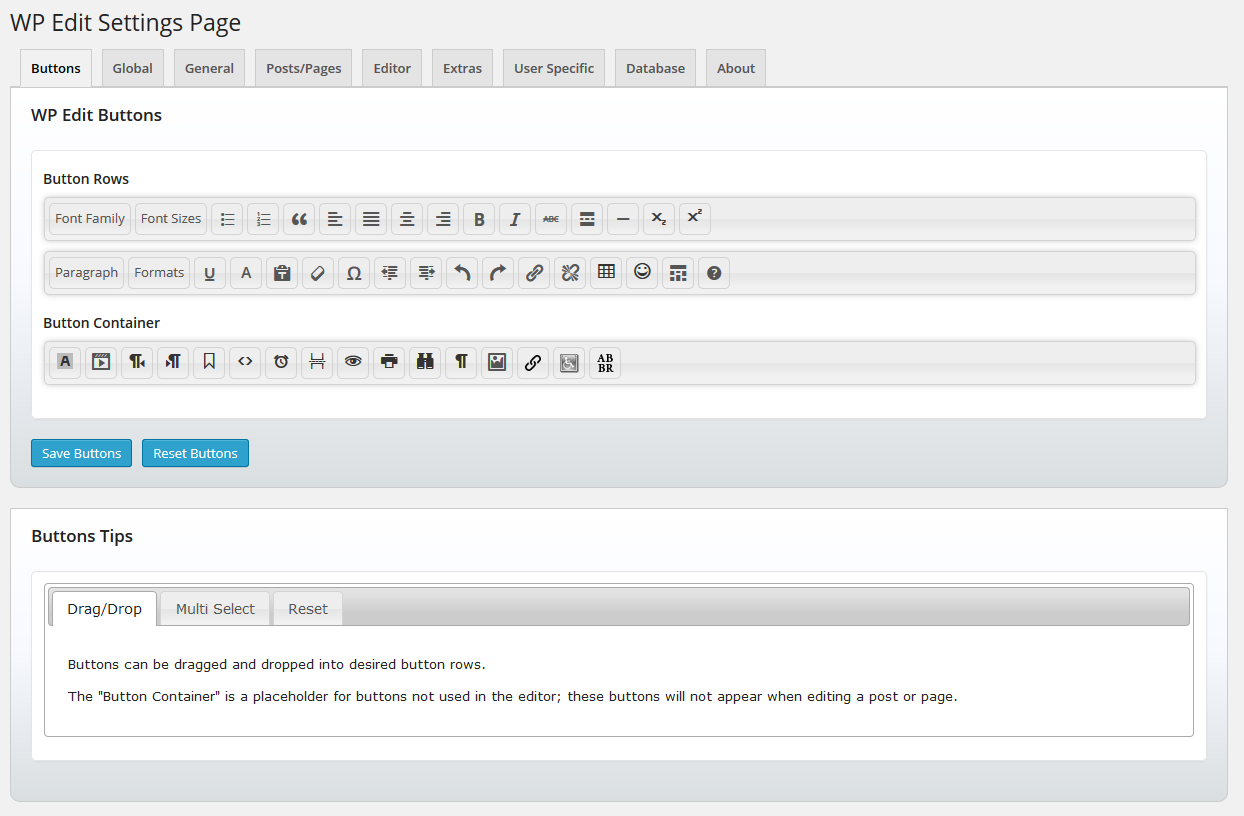
Welcome to WP Edit. Finally, take control of the default WordPress editor and unlock the power of additional editor tools. Arrange buttons into toolbars the way you want; to ease your workflow. WP Edit adds dozens of additional custom options to the WordPress editor.
NEW Custom Buttons API
WP Edit now uses a custom buttons API which allows other plugin/theme developers to add their editor buttons into the WP Edit button configuration; allowing a WP Edit user to place the plugin/theme buttons into any desired location.
Refer your favorite plugin/theme developers to the WP Edit Custom Buttons API documentation to get your favorite buttons added to WP Edit.
Description
WP Edit is built around three years of custom WordPress development. WP Edit adds extensive, additional editing functionality to the default WordPress editor. Begin creating content like the pros; without knowing a single bit of HTML or CSS.
Subscribe to our Feedblitz List, and receive news, update notices and more.
Most Powerful Features
WP Edit will provide new buttons, additional options, and extended formatting abilities to the exisiting content editor.
The opening of the plugin's own description. The full text, installation notes and changelog are on its WordPress.org page.


#390 by installs
This plugin makes it easy to add Quicktags to the html - and visual-editor.
The Elementor Website Builder has it all: drag and drop page builder, Atomic Editor, pixel perfect design, global and reusable style systems, mobile r …

#4 by installs
Enables the previous "classic" editor and the old-style Edit Post screen with TinyMCE, Meta Boxes, etc. Supports all plugins that extend this screen.

#25 by installs
Enables the previous "classic" widgets settings screens in Appearance - Widgets and the Customizer. Disables the block editor from managing widgets.

#30 by installs
Extends and enhances the block editor (Gutenberg) and the classic editor (TinyMCE).

#63 by installs
Gutenberg blocks for existing Spectra websites. Maintained, stable, and fully supported — no action needed on your part.
Read from the WordPress.org plugin API on , when WordPress 7.1.4 was the current release. WordPress.org rounds active installs into buckets. These are the directory's figures, not my verdict, and I haven't tested this plugin. The author takes donations at their donate page.
