
Variation Swatches for WooCommerce replaces dropdowns with color, image & size swatches, helping shoppers decide faster and buy with confidence.
- Installs
- 200,000+
- Rating
- 4.6 (51)
- Updated
- 2 months ago
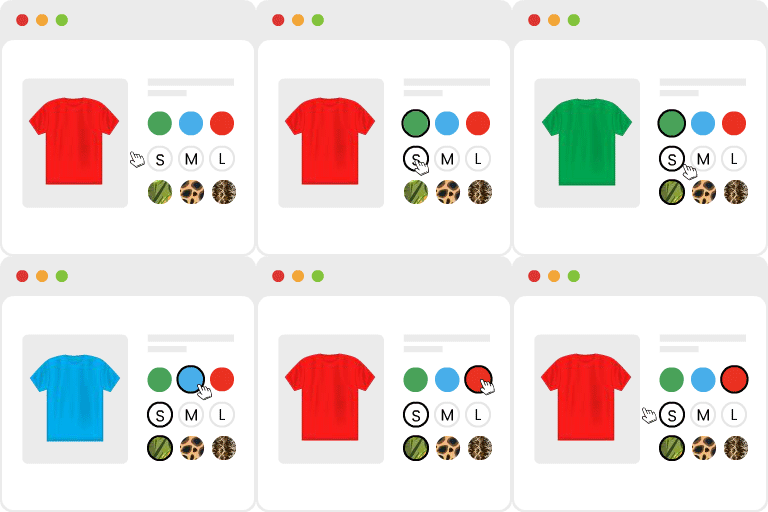
Turn dropdowns into color, image, and button swatches for WooCommerce Variable Products. No coding needed.
| Last updated | October 28, 2026Updated in the last 3 months |
|---|---|
| Tested up to | WordPress 7.1.4Covers WordPress 7.1.4, the current release |
| Needs WordPress | 6.8 or newer |
| Needs PHP | 7.4 or newer |
| Needs plugins | woocommerce |
| First published | December 20, 2017 |
| Support, last two months | 5 of 7 threads resolved (71%) |
4.8 / 5 from 926 reviews
| 5 stars | 877 |
|---|---|
| 4 stars | 11 |
| 3 stars | 7 |
| 2 stars | 6 |
| 1 star | 25 |
Smart and Easy Way to Display Product Variations in WooCommerce
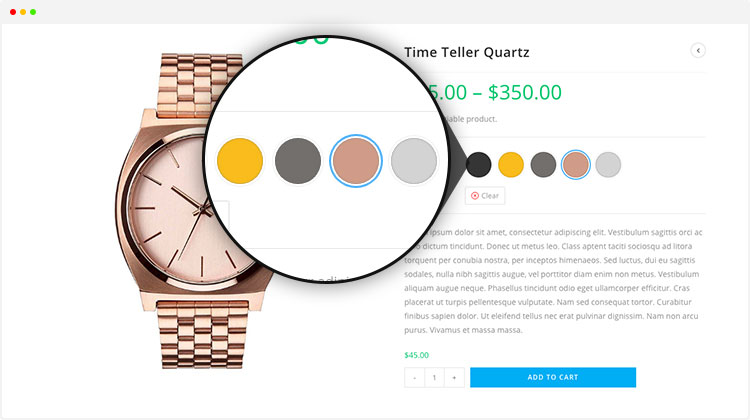
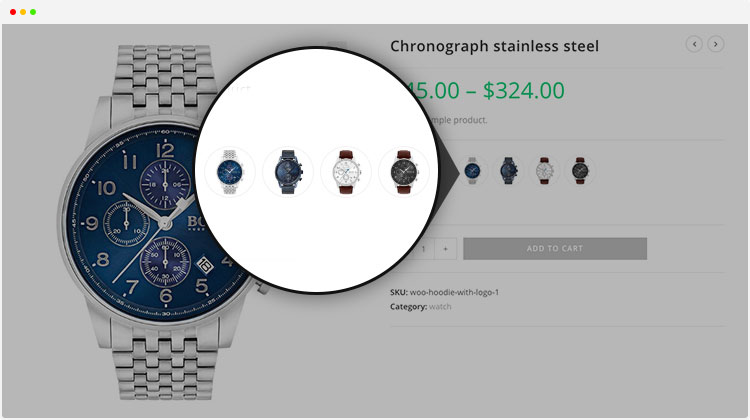
Variation Swatches for WooCommerce replaces WooCommerce’s default variation dropdowns with interactive color, image, and button/label swatches, giving customers a more visual and engaging way to choose product variations. Trusted by 300,000+ active stores and downloaded more than 9.4 million times, the plugin has earned a 4.8 out of 5 rating from 850+ reviews-making it the leading and most trusted plugin in the WooCommerce swatches category.
Make Product Variations Easier to See and Select
WooCommerce’s default variation dropdowns provide a basic, text-based way to display product variations, making it harder for customers to quickly understand and compare what’s available. Variation Swatches for WooCommerce transforms these traditional dropdowns into interactive color, image, and button swatches, giving customers a smarter and more engaging way to explore available variations.
Customers can instantly explore and select colors, sizes, styles, and other product options without opening multiple dropdowns one by one. This makes the selection process faster, more engaging, and easier to understand.
By turning variation selection into a visual experience, the plugin keeps product pages clean and easy to navigate while helping customers find and choose the right product variation with greater confidence.
The opening of the plugin's own description. The full text, installation notes and changelog are on its WordPress.org page.
The plugin needs at least one attribute set to Color, Image, or Button/Label before it can show swatches. Go to Products > Attributes, click an attribute, and change its type. Then add a color, image, or label to each term. Dropdowns for attributes still set to “Select” or “Text” will keep showing as dropdowns.
The free version covers the core swatch types (color, image, button/label), basic styling, and out-of-stock handling for up to 30 variations. Premium adds radio button swatches, shop and archive page swatches, per-product control, unlimited out-of-stock handling, and extra styling variations. The full list is above, split into “Free features” and “Premium features”.
That limit only applies to the free version. Past around 30 variations, WooCommerce switches to loading variations by Ajax, and simple free-tier code stops keeping up. Premium is built to handle unlimited variations, with or without Ajax loading.
WooCommerce added its own color swatches in version 10.9, but they only appear on block themes. This plugin works on classic themes too, plus it adds image and button swatches, out-of-stock handling, per-product control, and more – none of which WooCommerce’s built-in swatches offer.
Yes, in almost every case. This plugin works with over 300 WooCommerce themes, including StoreFront, OceanWP, Flatsome, Astra, Divi, Avada, Enfold, and Salient. Some themes may need a small CSS tweak.
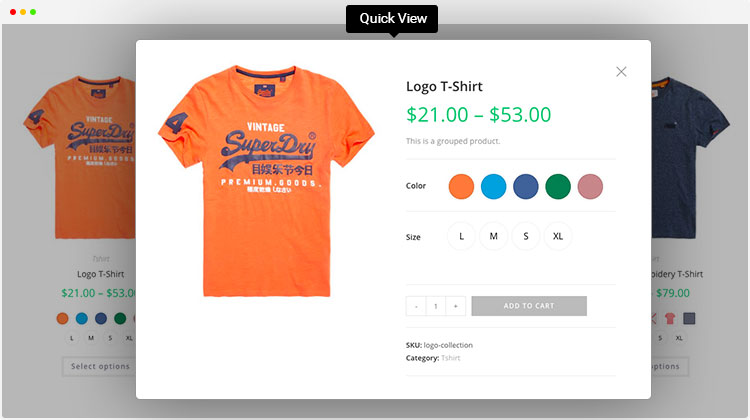
Yes. It works with Quick View popups from any theme or plugin.

Variation Swatches for WooCommerce replaces dropdowns with color, image & size swatches, helping shoppers decide faster and buy with confidence.
#775 by installs
Turn WooCommerce variation dropdowns into color, image, label and radio button swatches. The original Variation Swatches for WooCommerce.

WooCommerce builder for Elementor & Gutenberg, offering product templates, product sliders, shopping cart, quick view, Woo Wishlist, product filter.

#811 by installs
WCBoost – Variation Swatches is the ultimate plugin to display WooCommerce product variations in style.
Read from the WordPress.org plugin API on , when WordPress 7.1.4 was the current release. WordPress.org rounds active installs into buckets. These are the directory's figures, not my verdict, and I haven't tested this plugin.