
#578 by installs
YITH WooCommerce Ajax Product Filter
YITH WooCommerce Ajax Product Filter offers you the perfect way to filter all products of your WooCommerce shop.
- Installs
- 70,000+
- Rating
- 3.5 (98)
- Updated
- 30 days ago
Filter products by categories, attributes, prices, and more. Elementor Compatibility. Shoppers easily find products with WooCommerce Product Filter
| Last updated | October 30, 2026Updated in the last 3 months |
|---|---|
| Tested up to | WordPress 7.1.4Covers WordPress 7.1.4, the current release |
| Needs WordPress | 5.0 or newer |
| Needs PHP | Not stated |
| Needs plugins | woocommerce |
| First published | June 21, 2018 |
| Support, last two months | 2 of 7 threads resolved (29%) |
4.8 / 5 from 325 reviews
| 5 stars | 300 |
|---|---|
| 4 stars | 6 |
| 3 stars | 6 |
| 2 stars | 3 |
| 1 star | 10 |
The WooCommerce Product Filter plugin enhances your store by allowing customers to refine their searches by price, categories, tags, taxonomy, attributes and more.
It’s fully customizable and 100% compatible with Elementor, giving you full control over filtering options.
WooCommerce Product Filter Key Features
Comprehensive Filtering
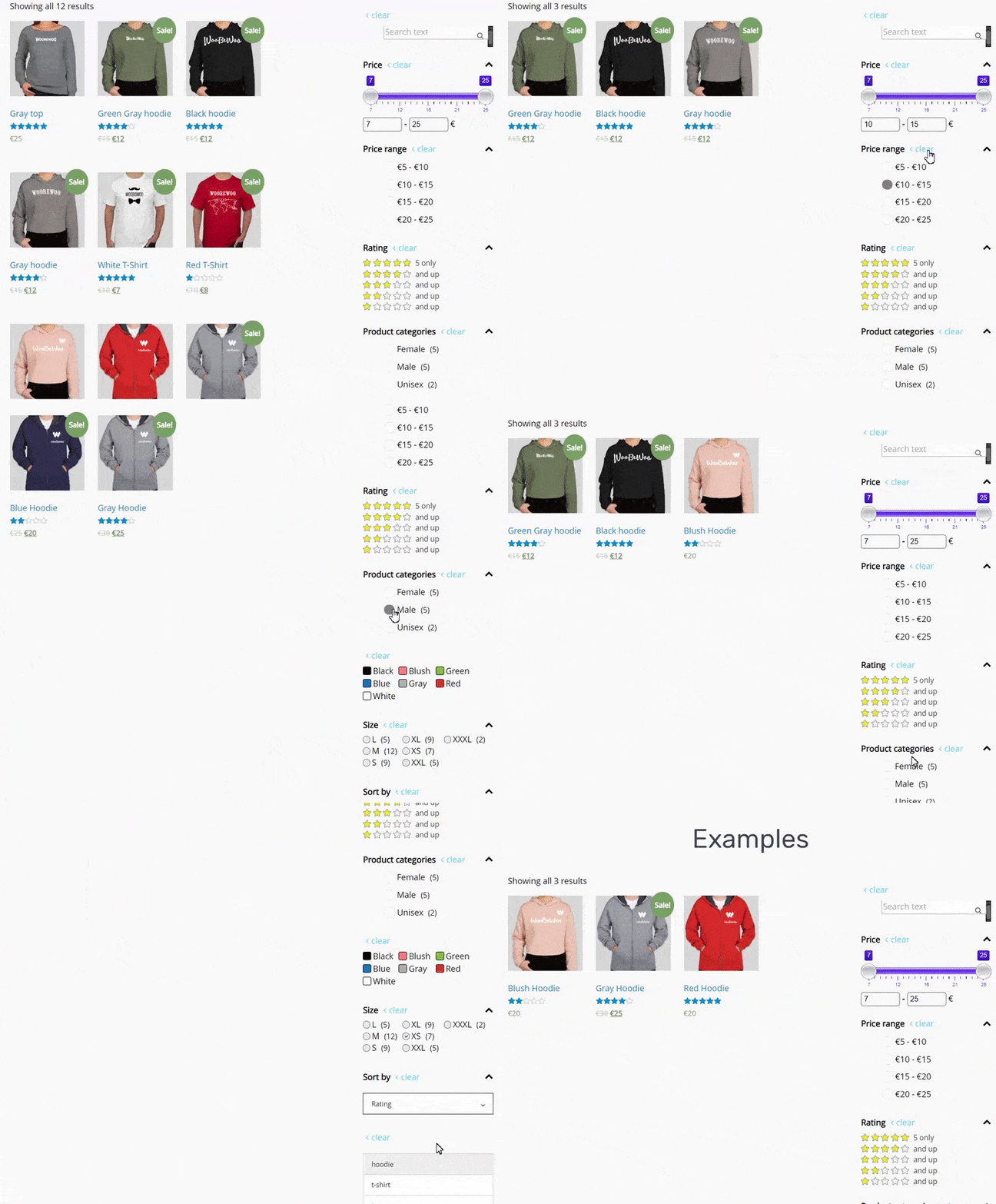
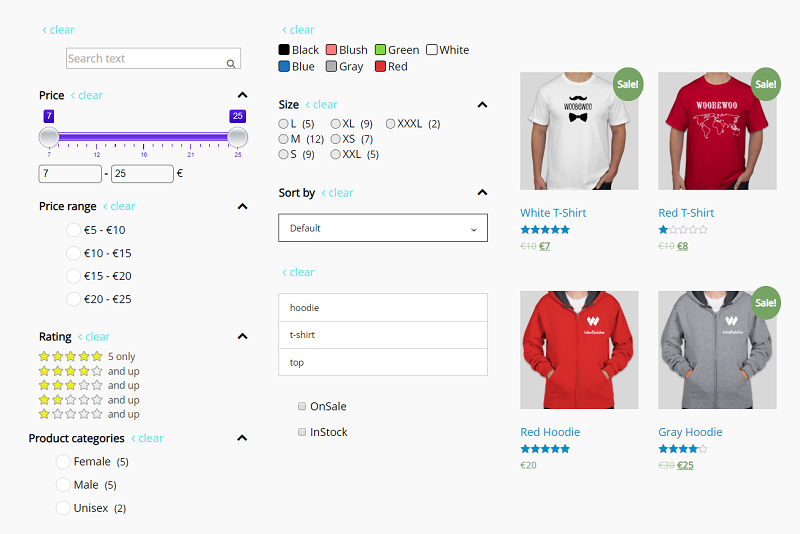
let customers filter products by: Price, Price range, Categories, Tags, Author, Featured, On Sale, In Stock, Rating, Search by text**, Attribute filters.
Flexible Display Options
present the filters in various formats to suit your storefront’s design and user preferences. Options include: radio button list (single select) dropdown (single select), checkbox list (multi-select)** and icons** for attribute filters (colour, size, rating).
AJAX live search
Enable instant results without page reloads for a faster shopping with AJAX live search. AJAX search provides instant filtering results without the need to reload the page. This feature can be configured to activate immediately after a user selects their desired filter options and clicks the filter button, making product searches faster and more intuitive.
Elementor Integration
WooCommerce Product Filter compatible with Elementor. Seamlessly create and customize filters using Elementor’s interface.
The opening of the plugin's own description. The full text, installation notes and changelog are on its WordPress.org page.
We have all the necessary options in one plugin. You can start to try them now, following this clarification. It’s really easy to make the required settings and add Filter Plugin to your online store.
To manage with an installation and plugin settings, check the tutorial Main Settings
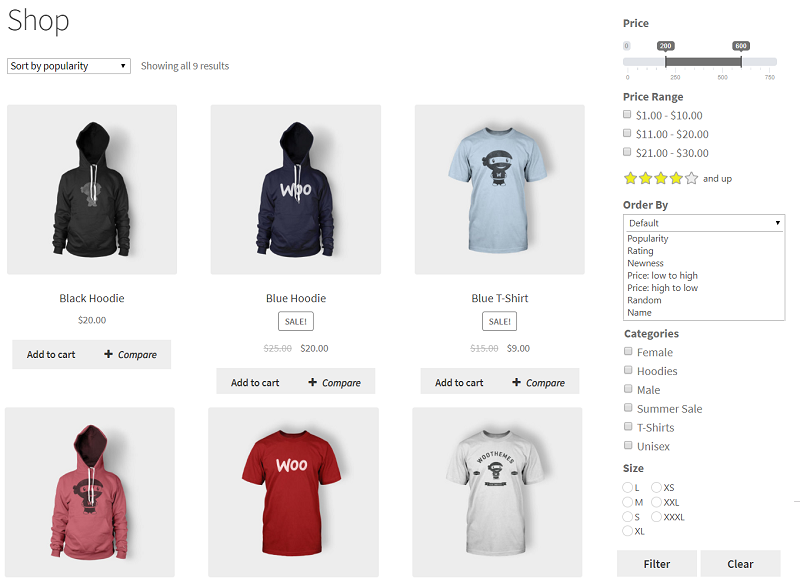
Now there is an ability to sort results by popularity, rating, newness, a price low to high and vice versa, randomly, by name, or by default order.
Depending on the type and specificity of the filter, you can configure:
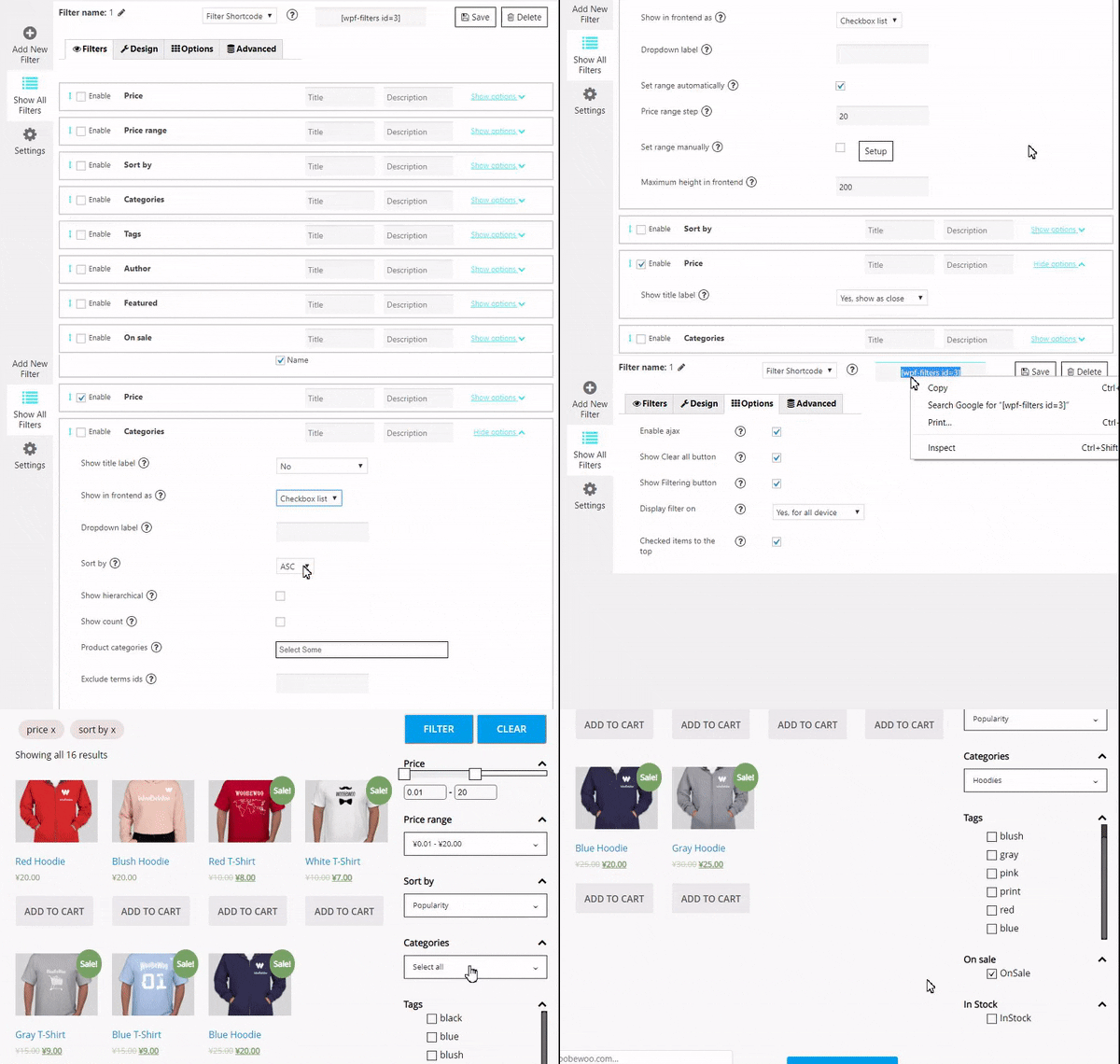
After creating the filter you can add a filer it in 2 ways: with shortcode and PHP code ( you can find them under the settings tab) or add WBW Product Filter widget.
• Input shortcode
Copy Shortcode and paste it to your website content. Product Filter plugin will display the filter you created on the appropriate post/page using settings you tuned in this filter.
• Filter PHP code
WooCommerce Product Filter is fully compatible and responsive! A plugin is working and displaying perfectly on tablets or phones, making it easy and convenient for customers to enjoy their shopping time and make purchases on all devices.
On the standard site, customers have to scroll a lot of pages and links to find a product. It is an exhausted and time-consuming process, and there is where the product filtering comes. This feature allows users to find their route to a product, tuning different characteristics.
You can read about How to make the filtering works in the best way
#578 by installs
YITH WooCommerce Ajax Product Filter offers you the perfect way to filter all products of your WooCommerce shop.

#706 by installs
The most flexible filters for WooCommerce products & WordPress content. Includes everything needed, supports Elementor & builders, AJAX, quick setup.
HUSKY - WooCommerce Products Filter (former WOOF) – filter by categories, attributes, price and meta fields, with a built-in MCP server
Read from the WordPress.org plugin API on , when WordPress 7.1.4 was the current release. WordPress.org rounds active installs into buckets. These are the directory's figures, not my verdict, and I haven't tested this plugin. The author takes donations at their donate page.
