
#163 by installs
Blocksy Companion
The official companion plugin for Blocksy theme, packed with starter sites, extra features, and integrations.
- Installs
- 300,000+
- Rating
- 4.7 (93)
- Updated
- 2 days ago

Show and hide widgets on specific posts, pages and sections of your site.
| Last updated | October 9, 2026Updated in the last 3 months |
|---|---|
| Tested up to | WordPress 7.1.4Covers WordPress 7.1.4, the current release |
| Needs WordPress | 3.0 or newer |
| Needs PHP | 7.4 or newer |
| First published | July 16, 2009 |
| Support, last two months | 2 of 4 threads resolved (50%) |
4.5 / 5 from 98 reviews
| 5 stars | 81 |
|---|---|
| 4 stars | 6 |
| 3 stars | 2 |
| 2 stars | 1 |
| 1 star | 8 |
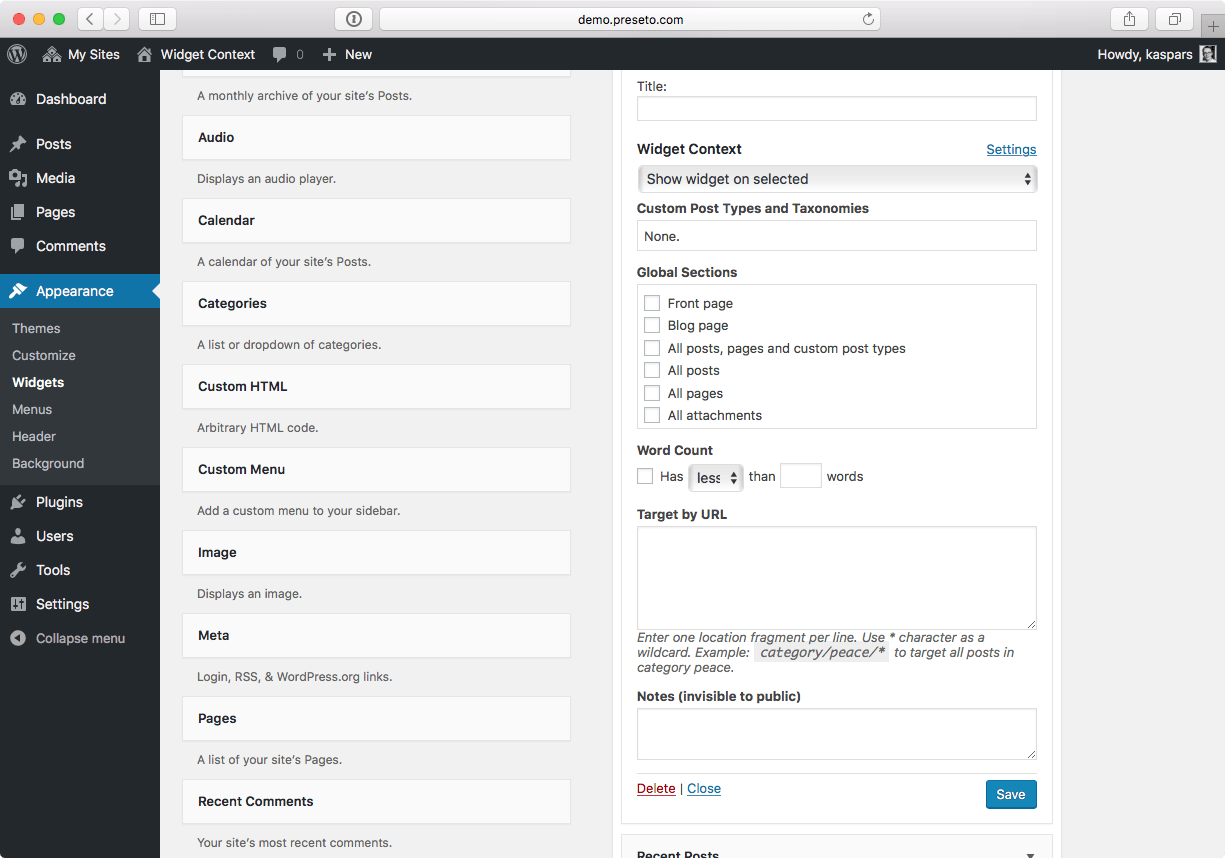
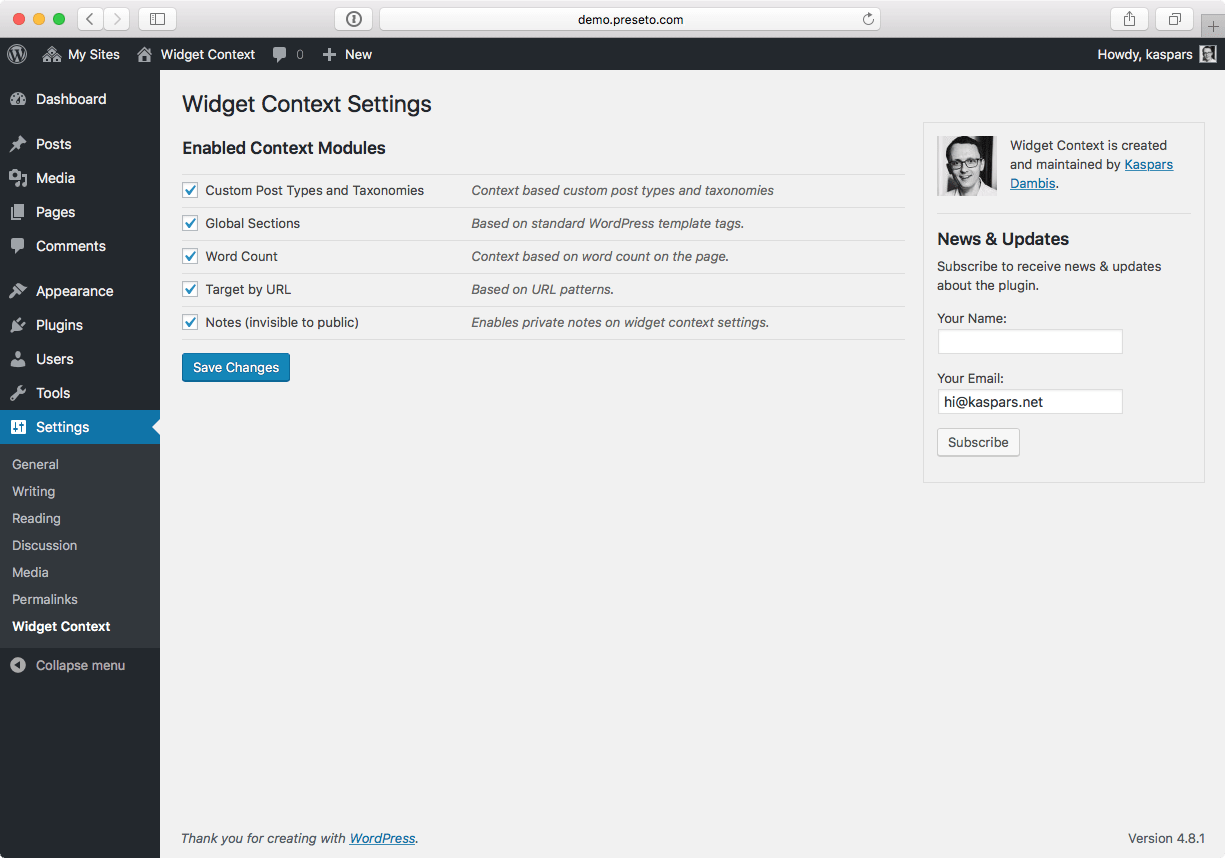
Use Widget Context to show and hide widgets on certain sections of your site — front page, posts, pages, archives, search, etc. Use targeting by URLs (with wildcard support) for maximum flexibility.
Premium Support
Subscribe to our Premium Support service and get the PRO 🚀 version of the plugin for free when it’s launched! Your support enables consistent maintenance and new feature development, and is greatly appreciated.
Contribute
Documentation
Widget visibility can be configured under individual widget settings under “Appearance → Widgets” in your WordPress administration area or through the widget editing interface in the Customizer.
Target by URL
The “Target by URL” is a powerful feature for targeting sections of your website based on the request URLs. It was inspired by a similar feature in the Drupal CMS.
Use relative URLs such as page/sub-page instead of absolute URLs https://example.com/page/sub-page because relative URLs are more flexible and make the logic portable between different domains and server environments.
Wildcards
Use the wildcard symbol * for matching dynamic parts of the URL. For example:
The opening of the plugin's own description. The full text, installation notes and changelog are on its WordPress.org page.
#163 by installs
The official companion plugin for Blocksy theme, packed with starter sites, extra features, and integrations.

#62 by installs
Import your demo content, widgets and theme settings with one click. Theme authors! Enable simple theme demo import for your users.

#130 by installs
The ultimate companion for OceanWP. Adds local Google Fonts, mega menus, site templates, and per-page settings for total design authority.

#146 by installs
Essential elements for modern websites. Add buttons, sliders, heroes, maps, images, carousels, features, icons, more. Create dynamic pages easily.

Extend Elementor with 68+ widgets, 114 prebuilt demos, Mega Menu Builder, Theme Builder, and advanced interactive effects.

#234 by installs
The visual editor widget for WordPress.
Read from the WordPress.org plugin API on , when WordPress 7.1.4 was the current release. WordPress.org rounds active installs into buckets. These are the directory's figures, not my verdict, and I haven't tested this plugin. The author takes donations at their donate page.