
#174 by installs
WP Activity Log
The #1 user-rated activity log plugin for event logging, activity monitoring and change tracking.
- Installs
- 300,000+
- Rating
- 4.7 (490)
- Updated
- 11 days ago
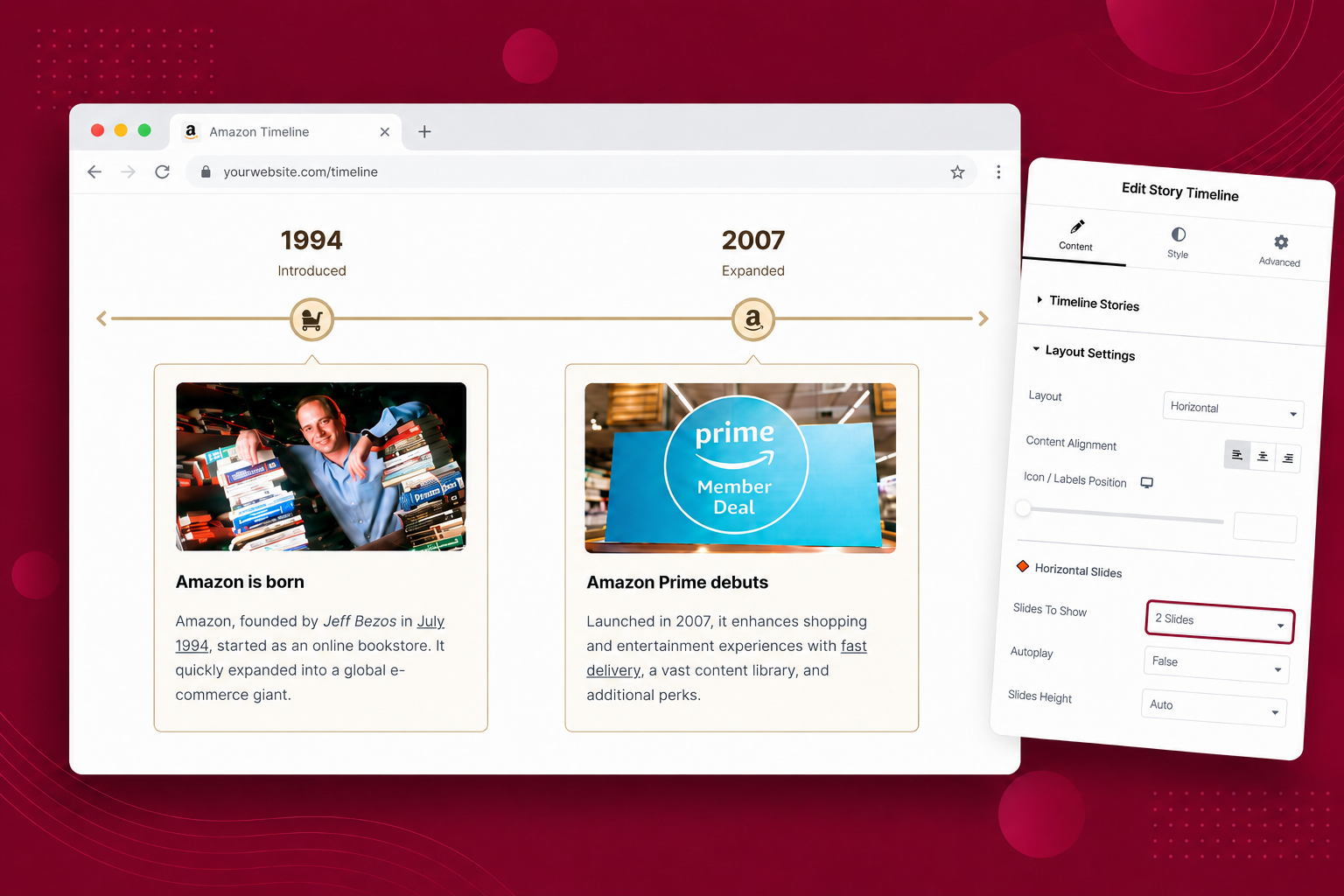
Highlight your company’s history, milestones, and key events directly inside Elementor using stunning vertical and horizontal timelines.
| Last updated | October 26, 2026Updated in the last 3 months |
|---|---|
| Tested up to | WordPress 7.1.4Covers WordPress 7.1.4, the current release |
| Needs WordPress | 5.0 or newer |
| Needs PHP | 7.2 or newer |
| First published | February 14, 2020 |
| Support, last two months | 1 of 1 threads resolved (100%) |
4.8 / 5 from 248 reviews
| 5 stars | 226 |
|---|---|
| 4 stars | 13 |
| 3 stars | 4 |
| 2 stars | 2 |
| 1 star | 3 |
Elementor Timeline – Vertical & Horizontal Timeline
Timeline Widget for Elementor is a powerful timeline slider plugin that allows you to create stunning vertical and horizontal timelines to showcase your achievements, personal journey, or company history directly inside Elementor.
Whether you’re showcasing a company history, project roadmap, personal journey, or blog timeline. With multiple designs and customization options for colors, fonts, and icons, you can easily design your Elementor timelines according to your brand.
Key Features
The opening of the plugin's own description. The full text, installation notes and changelog are on its WordPress.org page.
Installing the Timeline Widget for the Elementor plugin is simple:
* Go to your WordPress admin dashboard.
* Navigate to Plugins > Add New.
* Search for “Timeline Widget for Elementor.”
* Click on “Install Now” and then activate the plugin.
No, the Timeline Widget for Elementor plugin is an addon for the Elementor Website Builder. Ensure that you have installed and activated Elementor to use this plugin.
The Timeline Widget for Elementor plugin is compatible with most WordPress themes. However, for the best experience, we recommend using it with a theme that is also compatible with Elementor.
Yes, you can customize the appearance of your timelines using the advanced style settings provided by the plugin. You can adjust colors, fonts, animations, and more to match your website’s design.
Yes, we offer technical support for the Timeline Widget for the Elementor plugin. If you encounter any issues or have questions about the plugin, you can reach out to our support team for assistance.
Yes, you can use the Timeline Widget for Elementor plugin on multiple websites. Once you’ve purchased and installed the plugin, you can activate it on any WordPress site where you have Elementor installed.
Version 1.7.3 | 26 October 2026
– New: Added Keyboard Navigation (Tab key support) with WCAG 2.2 accessibility compliance and visible focus indicators.
– New: Added “Icons / Dots” visibility option in Layout Settings to hide all timeline icons and dots.
– New: Added a “Box Shadow” Show/Hide toggle in Content Box style settings with connector arrow shadow sync.
– New: Added Elementor Dynamic Tags support for the Story Title field.
Version 1.7.2 | 25 September 2026
– Fixed: Remove translation function from plugin name strings.
Version 1.7.1 | 08 September 2026

#174 by installs
The #1 user-rated activity log plugin for event logging, activity monitoring and change tracking.

#175 by installs
Track changes and user activities on your WordPress site. See who created a page, uploaded an attachment, and more, for a complete audit trail.
Read from the WordPress.org plugin API on , when WordPress 7.1.4 was the current release. WordPress.org rounds active installs into buckets. These are the directory's figures, not my verdict, and I haven't tested this plugin. The author takes donations at their donate page.