
#290 by installs
Search Regex
Search Regex adds a powerful set of search and replace functions to WordPress posts, pages, custom post types, and other data.
- Installs
- 100,000+
- Rating
- 4.7 (101)
- Updated
- 25 days ago

Hide any post or page from the search results.
| Last updated | October 5, 2026Updated in the last 3 months |
|---|---|
| Tested up to | WordPress 7.1.4Covers WordPress 7.1.4, the current release |
| Needs WordPress | 4.7 or newer |
| Needs PHP | 5.6 or newer |
| First published | December 6, 2012 |
| Support, last two months | 3 of 3 threads resolved (100%) |
4.8 / 5 from 218 reviews
| 5 stars | 203 |
|---|---|
| 4 stars | 5 |
| 3 stars | 1 |
| 2 stars | 1 |
| 1 star | 8 |
With this plugin you can exclude any page, post or whatever from the WordPress search results by checking off the corresponding checkbox on post/page edit page.
Supports quick and bulk edit.
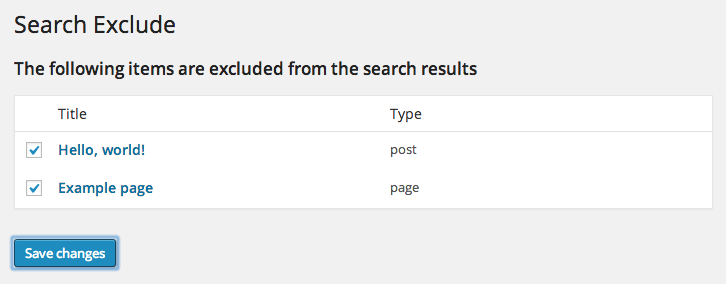
On the plugin settings page you can also see the list of all the items that are hidden from search.
Presentation
QuadLayers | Community
The opening of the plugin's own description. The full text, installation notes and changelog are on its WordPress.org page.
No, it does not affect crawling and indexing by search engines.
The ONLY thing it does is hiding selected post/pages from your site search page. Not altering SEO indexing.
If you want posts/pages to be hidden from search engines you may add the following snippet to your functions.php:
Yes.
There is an action searchexclude_hide_from_search.
You can pass any post/page/custom_post ids as an array in the first parameter.
The second parameter specifies state of visibility in search. Pass true if you want to hide posts/pages,
or false – if you want show them in the search results.
Example:
Let’s say you want “Exclude from Search Results” checkbox to be checked off by default

#290 by installs
Search Regex adds a powerful set of search and replace functions to WordPress posts, pages, custom post types, and other data.

#352 by installs
Relevanssi replaces the default search with a partial-match search that sorts results by relevance. It also indexes comments and shortcode content.

#362 by installs
Search & Replace data in your database with WordPress admin, replace domains/URLs of your WordPress installation.

#366 by installs
Find and edit code or texts in your themes and plugins

#472 by installs
Advanced WordPress custom search plugin. Provides Search Form Customizer, WooCommerce Search, AJAX Search & Live Search support!

#564 by installs
The Best Ajax Live Search and Filter for WordPress. Live suggestions, Custom Post types, Custom fields, Categories, WooCommerce & Elementor support
Read from the WordPress.org plugin API on , when WordPress 7.1.4 was the current release. WordPress.org rounds active installs into buckets. These are the directory's figures, not my verdict, and I haven't tested this plugin. The author takes donations at their donate page.