
#189 by installs
Password Protected
Password protect your WordPress site with one password. Control access, whitelist trusted IPs, and monitor password activity.
- Installs
- 300,000+
- Rating
- 4.4 (142)
- Updated
- 1 day ago

Password protect WordPress pages and posts by user roles or with multiple passwords; protect your entire website with a single password.
| Last updated | October 29, 2026Updated in the last 3 months |
|---|---|
| Tested up to | WordPress 7.1.4Covers WordPress 7.1.4, the current release |
| Needs WordPress | 5.2 or newer |
| Needs PHP | 5.6 or newer |
| First published | July 10, 2018 |
| Support, last two months | 1 of 2 threads resolved (50%) |
4.7 / 5 from 271 reviews
| 5 stars | 240 |
|---|---|
| 4 stars | 6 |
| 3 stars | 4 |
| 2 stars | 5 |
| 1 star | 16 |
Password Protect WordPress (PPWP) plugin offers a powerful and all-in-one solution to secure your website with passwords.
Whether you want to password protect WordPress categories, WooCommerce products, a few posts, or your entire website, PPWP plugin will help you do so with ease.
This plugin does not protect images or uploaded files so if you attach the media files to the protected pages or posts, they are still accessible to anyone with the link. Use Prevent Direct Access (PDA) Gold to block their direct file URL access.
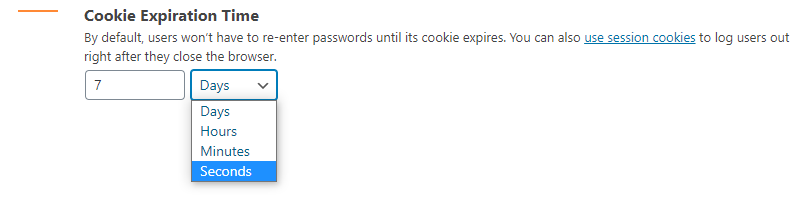
Please note that the passwords will be stored in the post meta and this plugin will set a cookie to allow access to the protected pages or posts.
An Inside Look at Password Protect WordPress – PPWP Pro
Password Protected Features
The Lite version of Password Protect WordPress (PPWP) plugin offers the following features:
Protect WordPress Pages & Posts with Unlimited Passwords
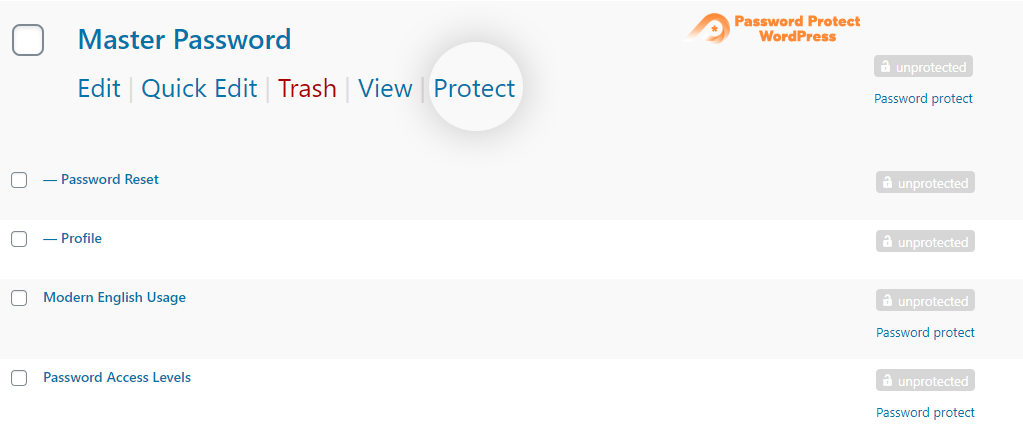
The plugin extends WordPress built-in password protection feature and allows you to set multiple passwords per Page and Post. What’s more, you can protect the content with just a single click. Once protected, a random password will be automatically generated for you.
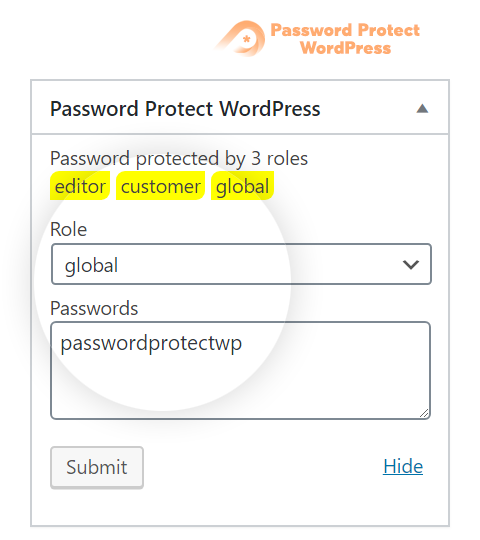
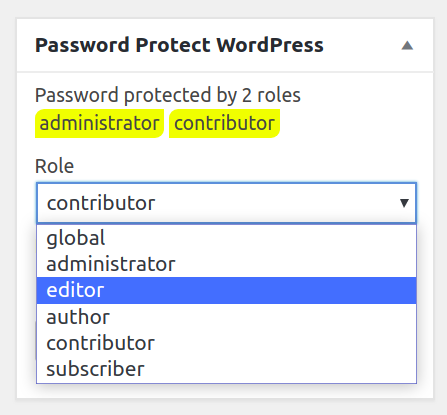
Password Protect WordPress Pages & Posts by User Roles
The opening of the plugin's own description. The full text, installation notes and changelog are on its WordPress.org page.
Below are 4 common reasons why the issue happens:
Yes, the Pro version helps password protect any WordPress custom post types, including WooCommerce product pages.
The Free version doesn’t block search engines from finding and indexing your content. However, your content won’t appear on Google and other search engine results once password protected by the Pro version.
Yes, you can secure parts of your post and page content with a password using our [ppwp] shortcode.
Yes, you will be able to generate passwords under our plugin’s settings page and then add them to [ppwp] shortcode in order to protect your content sections with Pro version. All these passwords will be tracked and controlled in one place.
Yes, you can add a “show password” button allowing users to see what they’re typing. This button can be added either via WordPress Customizer or manual template modification.
#189 by installs
Password protect your WordPress site with one password. Control access, whitelist trusted IPs, and monitor password activity.
Harden your site security with Login Security, Two-Factor Authentication (2FA), Vulnerability Scanner, Firewall, and more. Formerly iThemes Security.

#511 by installs
Powerful Download Manager Plugin for WordPress

#911 by installs
Protect your uploads directory. Prevent browsing, password-protect files, add watermarks, and discourage right-click copying.
Read from the WordPress.org plugin API on , when WordPress 7.1.4 was the current release. WordPress.org rounds active installs into buckets. These are the directory's figures, not my verdict, and I haven't tested this plugin.
