
User role editing for WordPress. Manage user roles, control capabilities and permissions, and restrict admin access for any role.
- Installs
- 90,000+
- Rating
- 4.7 (143)
- Updated
- 17 days ago

The best WordPress membership and user role editor plugin. Edit roles, restrict content, and now manage it all with an AI assistant.
| Last updated | October 30, 2026Updated in the last 3 months |
|---|---|
| Tested up to | WordPress 7.1.4Covers WordPress 7.1.4, the current release |
| Needs WordPress | 6.0 or newer |
| Needs PHP | 8.0 or newer |
| First published | September 17, 2009 |
| Support, last two months | 16 of 18 threads resolved (89%) |
4.9 / 5 from 1,281 reviews
| 5 stars | 1,199 |
|---|---|
| 4 stars | 38 |
| 3 stars | 14 |
| 2 stars | 5 |
| 1 star | 25 |
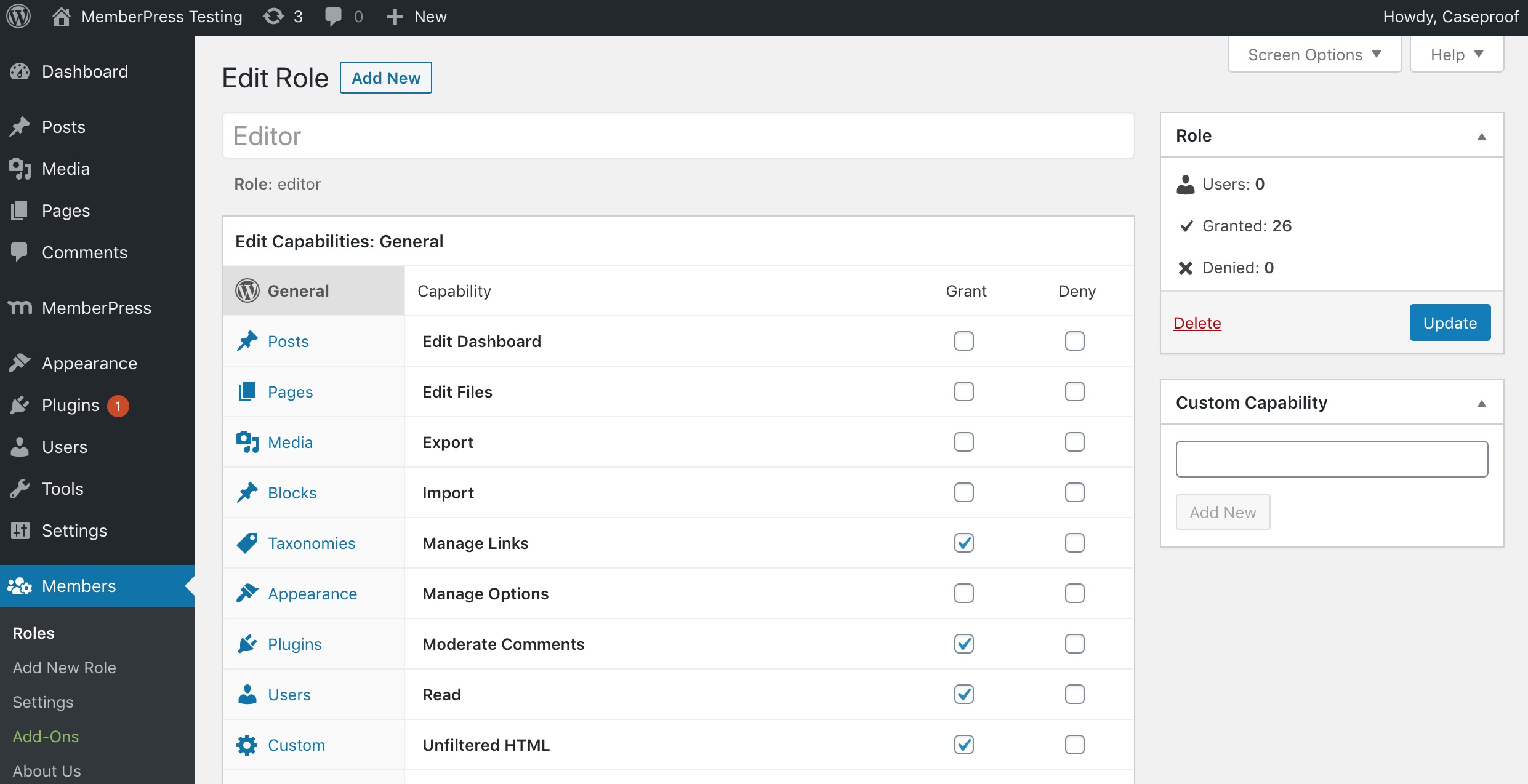
Members is a roles and capabilities based WordPress membership plugin. It gives your users the ultimate member experience by giving you powerful tools to add roles and capabilities and assign them to your users.
Members allows you to set permissions to restrict content on your site by providing a simple user interface (UI) for WordPress’ powerful roles and capabilities system, which has traditionally only been available to developers who know how to code this by hand.
New: manage roles and access with AI 🤖
You can now ask an AI assistant to handle your roles, capabilities and content restrictions for you. Members works with Claude Desktop, Claude Code, Cursor, VS Code, OpenAI Codex and other apps that can run local MCP (Model Context Protocol) servers. Connect it once, then just ask:
It all happens on your own WordPress site, using your own account’s permissions.
Already connected Claude or another assistant to your WordPress site? Then you’re done. Members shows up there on its own.
It’s free, and you stay in charge:
The opening of the plugin's own description. The full text, installation notes and changelog are on its WordPress.org page.
Members and MemberPress solve different problems and are designed to work together.
Members is a free roles and capabilities plugin. It gives you a UI on top of WordPress’ native roles and capabilities system so you can create and edit roles, assign multiple roles to users, and restrict content by role or capability.
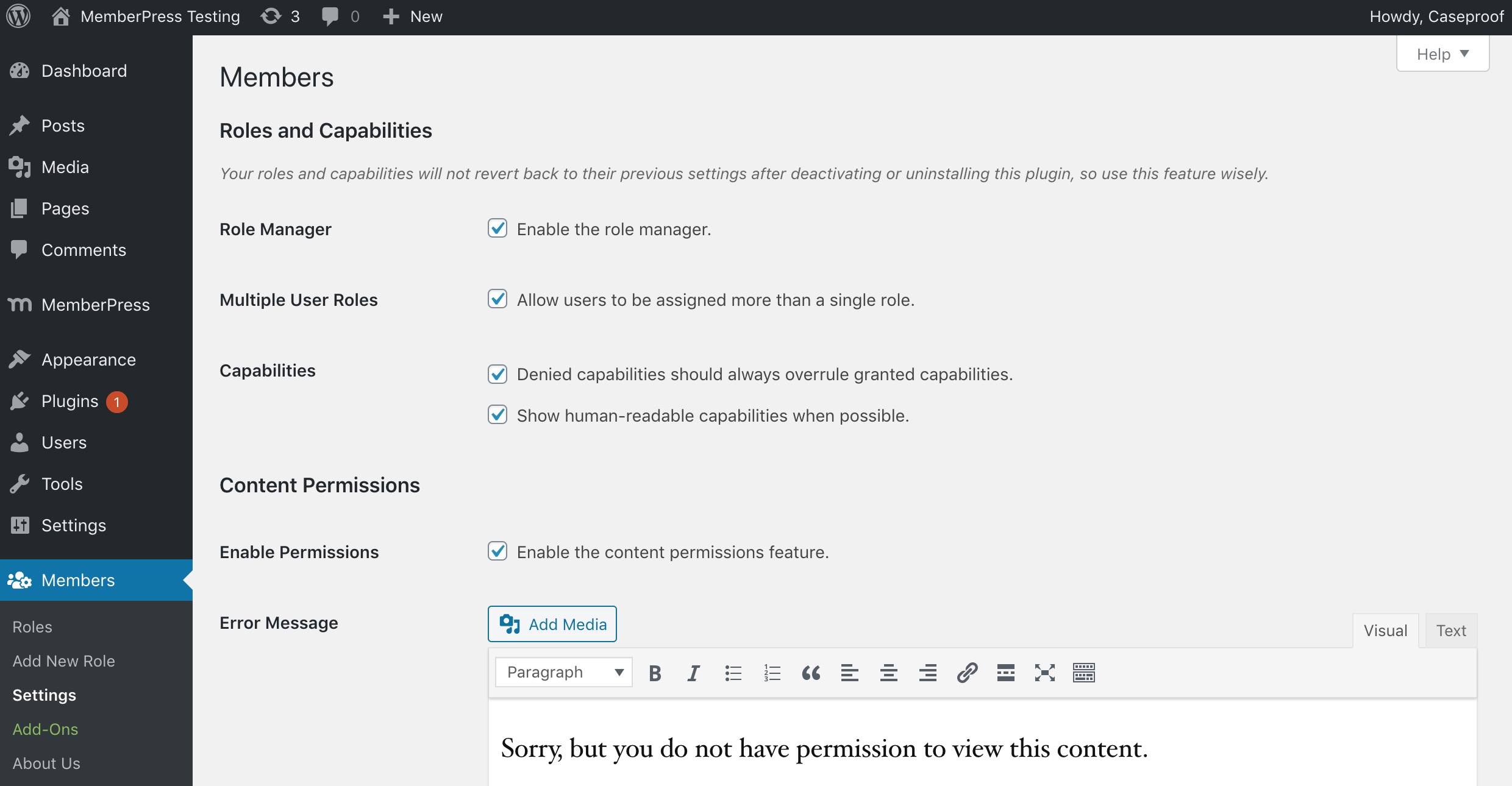
Yes, keep it for roles and capabilities, but let MemberPress handle all content protection. When both plugins protect the same page, visitors have to pass both checks, which leads to paying members who still can’t see content. Turn off Enable Permissions under Members > Settings, recreate your protection as MemberPress Rules, and turn off Private Site so your sales pages stay public.
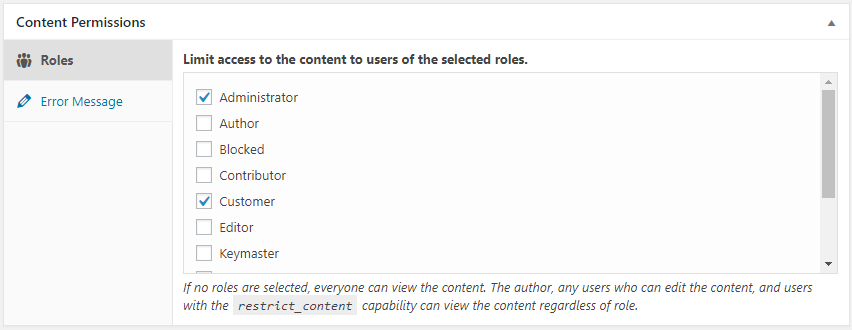
Edit the page and tick every role in the Content Permissions box (or the Content Permissions (Members) panel in the block editor). Visitors need at least one of the ticked roles. To make the whole site private instead, turn on Private Site under Members > Settings. See Content Permissions.
Content Permissions protects the post content, excerpt, and comments. It doesn’t hide titles, menus, search results, custom fields, or uploaded files. See what Content Permissions doesn’t protect. To protect files, use MemberPress Downloads.
Content Permissions works with the block editor, the classic editor, and Bricks Builder. Breakdance needs one setting turned on, and some builders don’t pass content through WordPress in a way Members can protect. On WooCommerce products, only the description is hidden. See page builders and themes.
Members hides protected posts from the WordPress REST API by default, and Private Site has an option that blocks the REST API for logged-out visitors. Either can hide content that a calendar or app loads through the REST API. See the REST API settings.

User role editing for WordPress. Manage user roles, control capabilities and permissions, and restrict admin access for any role.
The Elementor Website Builder has it all: drag and drop page builder, Atomic Editor, pixel perfect design, global and reusable style systems, mobile r …

#17 by installs
Connect ChatGPT, Claude, or another AI agent to your site. Plus backup, malware scan, firewall, stats, CDN, and SEO tools in one plugin.

AIOSEO is the WordPress SEO plugin. Boost SEO rankings with AI SEO tools, schema, meta descriptions, XML sitemaps & rank tracking.

#49 by installs
Manage your WordPress site with AI - create content, install plugins, and perform site management tasks effortlessly.
90+ Elementor widgets & addons, 600+ templates, Mega Menu, WooCommerce, Display Conditions. The only Elementor addon AI agents can fully build with.
Read from the WordPress.org plugin API on , when WordPress 7.1.4 was the current release. WordPress.org rounds active installs into buckets. These are the directory's figures, not my verdict, and I haven't tested this plugin. The author takes donations at their donate page.

