
#98 by installs
Post Types Order
Sort posts and custom post type objects using a drag-and-drop, sortable JavaScript AJAX interface, or through the default WordPress dashboard
- Installs
- 600,000+
- Rating
- 4.5 (296)
- Updated
- 10 days ago

Intuitively reorder Posts, Pages, Custom Post Types, Taxonomies, and Sites with a simple drag-and-drop interface.
| Last updated | September 16, 2025Not updated for over a year |
|---|---|
| Tested up to | WordPress 6.8.12Older than WordPress 7.1.4, the current release |
| Needs WordPress | 3.5.0 or newer |
| Needs PHP | Not stated |
| First published | October 21, 2012 |
| Support, last two months | No threads opened |
4.4 / 5 from 139 reviews
| 5 stars | 113 |
|---|---|
| 4 stars | 4 |
| 3 stars | 3 |
| 2 stars | 2 |
| 1 star | 17 |
Intuitively reorder Posts, Pages, Custom Post Types, Taxonomies, and Sites with a simple drag-and-drop interface.
Intuitive Custom Post Order lets you reorder items with simple drag and drop in the WordPress admin.
You can sort Posts, Pages, Custom Post Types, Taxonomies, and (on Multisite) Sites.
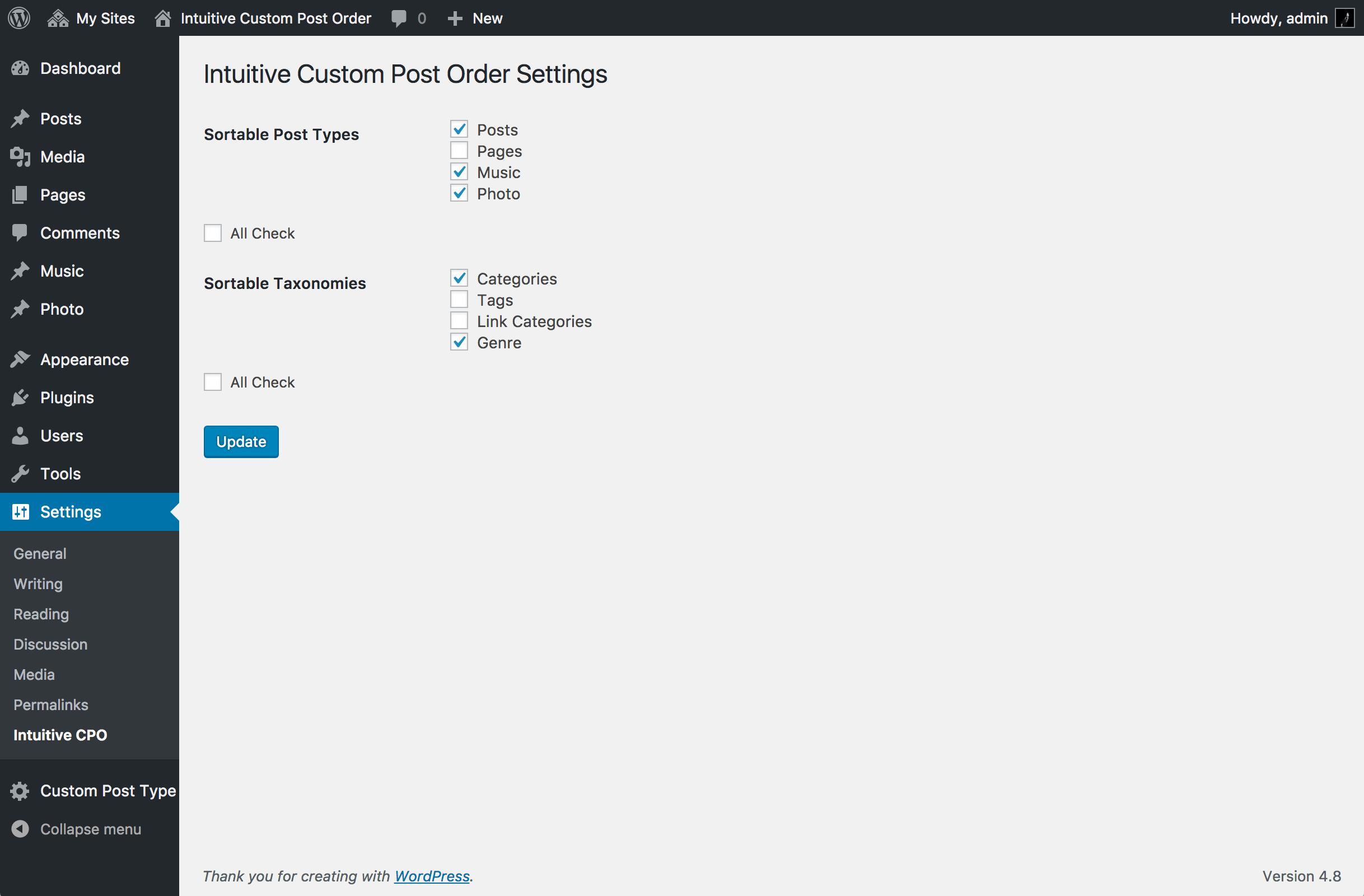
Go to Settings → Intuitive CPO and select which content types you want to make sortable.
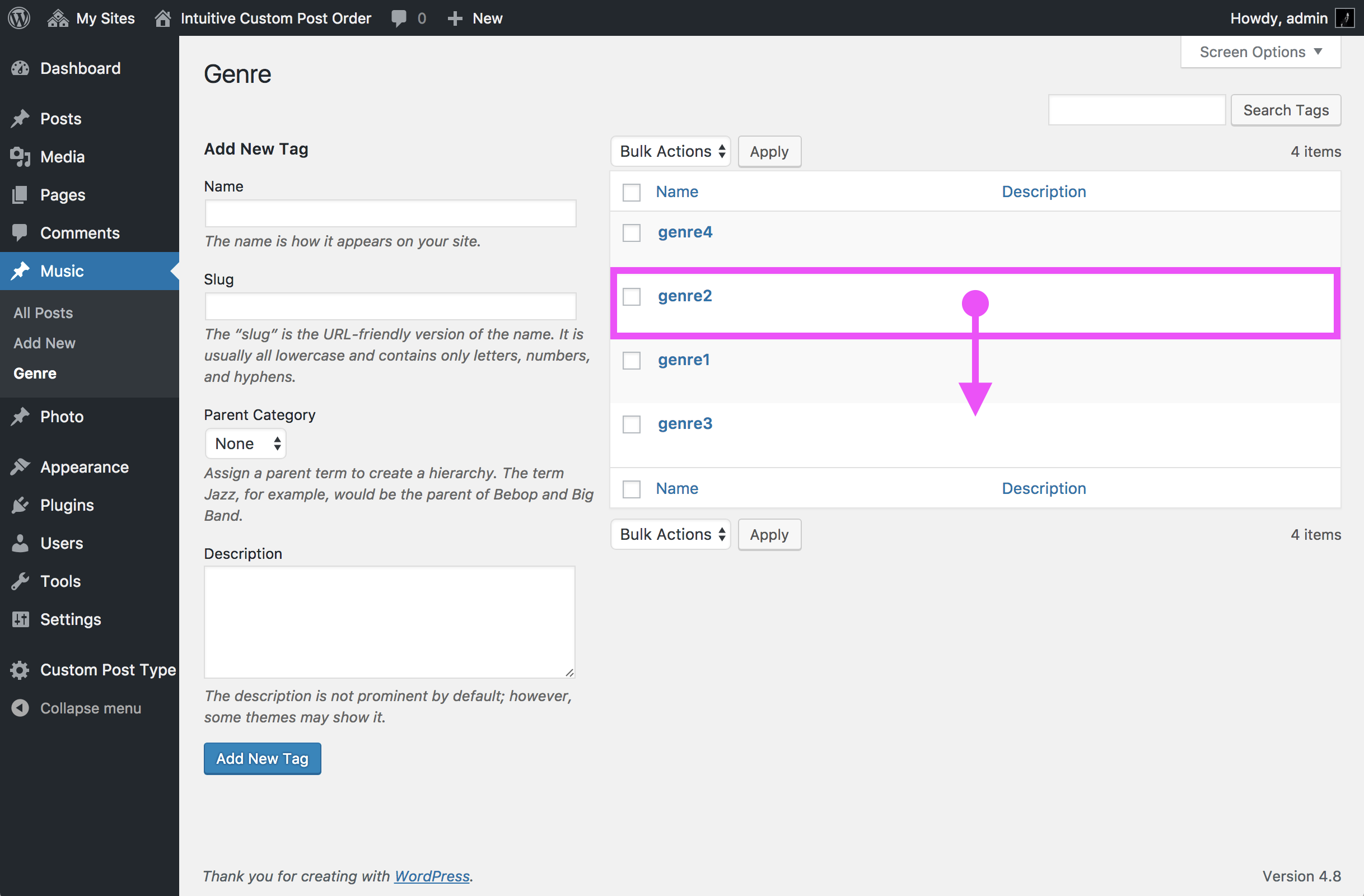
Once enabled, just drag and drop items in the list tables—no extra setup is required.
If you create custom queries in your theme or plugins, set orderby=menu_order and order=ASC to respect the drag-and-drop order.
To keep the default WordPress order (by date), explicitly set orderby=date and order=DESC.
Source code and development are available on GitHub.
The opening of the plugin's own description. The full text, installation notes and changelog are on its WordPress.org page.
No. After activation, items are sortable in the admin UI, and front-end queries for enabled post types are ordered by menu_order ASC automatically—unless you explicitly pass your own orderby.
Specify orderby=menu_order and order=ASC in your query args.
WP_Query:
<?php new WP_Query( array( 'post_type' => 'your_cpt', 'orderby' => 'menu_order', 'order' => 'ASC', ) ); ?>
get_posts():
<?php get_posts( array( 'post_type' => 'your_cpt', 'orderby' => 'menu_order', 'order' => 'ASC', ) ); ?>
Explicitly set:
<?php new WP_Query( array( 'orderby' => 'date', 'order' => 'DESC', ) ); ?>
For get_posts(), the plugin supports a small switch:
<?php get_posts( array( 'orderby' => 'default_date', 'order' => 'DESC', ) ); ?>
query_posts() is discouraged by WordPress core because it alters the main query in a fragile way.
Use pre_get_posts (recommended) or WP_Query instead.
Example with pre_get_posts to force date order on the main blog page:
<?php add_action( 'pre_get_posts', function( $q ) { if ( is_admin() || ! $q->is_main_query() ) { return; } if ( is_home() ) { $q->set( 'orderby', 'date' ); $q->set( 'order', 'DESC' ); } } ); ?>
Yes. For enabled taxonomies, terms can be reordered and are returned in that order on the front end.
When you build custom term queries, make sure you don’t override the order unless you intend to.
Yes. When enabled in Network settings, Sites are ordered by menu_order ASC. Drag & drop in Network Admin updates the order.


#98 by installs
Sort posts and custom post type objects using a drag-and-drop, sortable JavaScript AJAX interface, or through the default WordPress dashboard

#187 by installs
Easily reorder posts, pages, custom post types, and taxonomies with intuitive drag-and-drop sorting in the WordPress admin.
Read from the WordPress.org plugin API on , when WordPress 7.1.4 was the current release. WordPress.org rounds active installs into buckets. These are the directory's figures, not my verdict, and I haven't tested this plugin. The author takes donations at their donate page.