
#962 by installs
Easy Watermark
Allows to add watermark to images automatically on upload or manually.
- Installs
- 30,000+
- Rating
- 3.7 (159)
- Updated
- 14 months ago

Improve the quality of re-sized images by replacing standard GD library with ImageMagick.
| Last updated | August 19, 2026Updated in the last 3 months |
|---|---|
| Tested up to | WordPress 7.1.4Covers WordPress 7.1.4, the current release |
| Needs WordPress | 6.4 or newer |
| Needs PHP | 7.4 or newer |
| First published | September 21, 2010 |
| Support, last two months | 0 of 1 threads resolved (0%) |
4.4 / 5 from 16 reviews
| 5 stars | 12 |
|---|---|
| 4 stars | 1 |
| 3 stars | 2 |
| 2 stars | 0 |
| 1 star | 1 |
Dramatically improve the quality of re-sized images by making WordPress use ImageMagick instead of standard GD image library.
Features
Languages: English, French, German, Swedish, Turkish
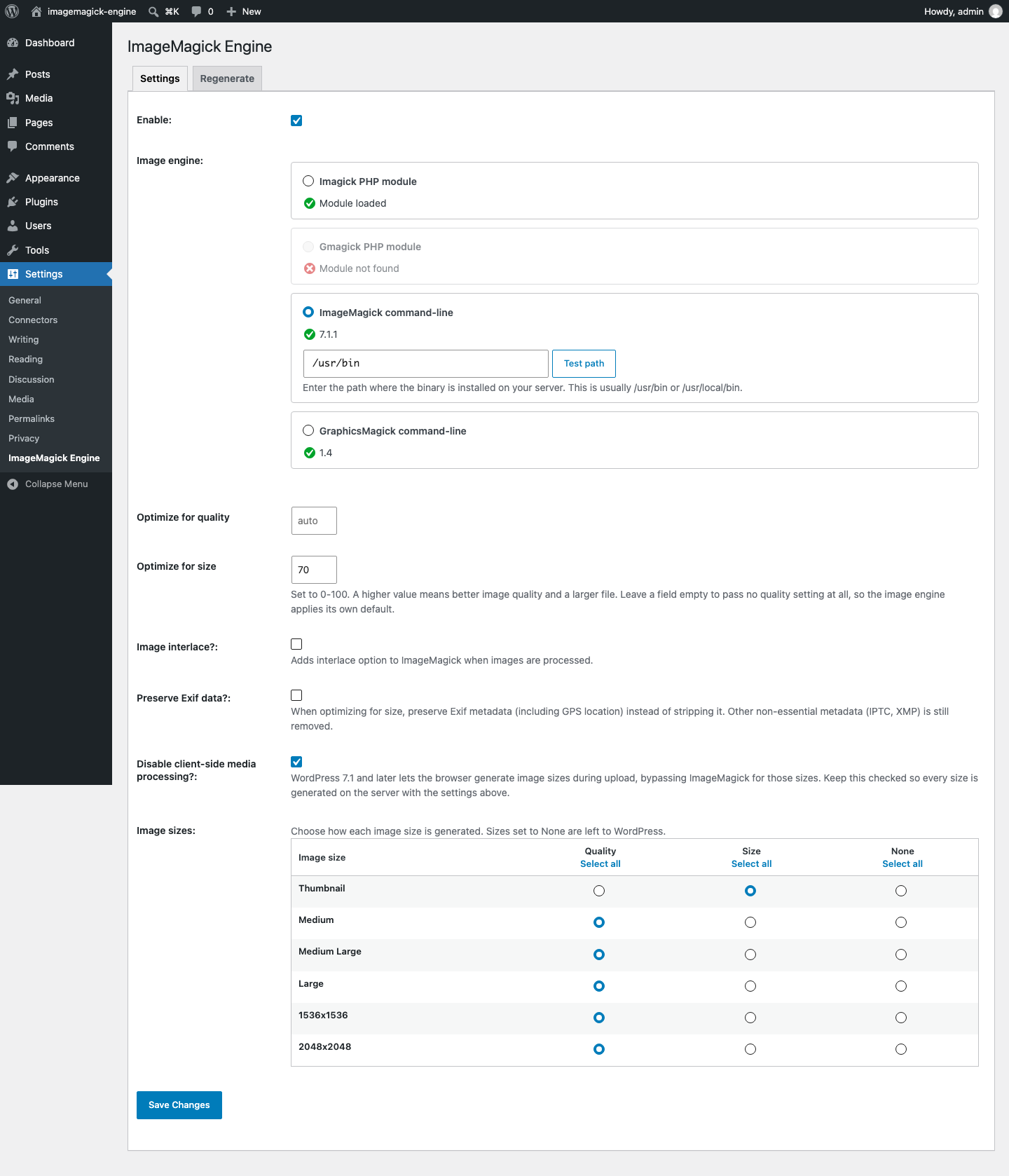
Requires either ImageMagick binary or Imagick PHP module.
Contribute
Code repo available on https://github.com/orangelabweb/imagemagick-engine/
The opening of the plugin's own description. The full text, installation notes and changelog are on its WordPress.org page.
ImageMagick can result in huge improvements in the quality of re-sized images.
Take a look at the supplied screenshot, or try it yourself.
Note that the new images tend to be slightly larger than those of the standard GD library, especially if you specify a very high image quality (95+).
If you have the PHP module installed the plugin will find it. You can check yourself using the phpinfo() function. We also automatically check a common location for the ImageMagick executable.
If you have shell access to a Linux/UNIX server you can use “which convert” to look for the ImageMagick executable.
You’ll need full access to your server and a bit of technical know-how. If you do not have access you’ll have to ask the server administrator.
Don’t do it yourself unless you know what you are doing.
Most Linux distributions have a package for “ImageMagick”. Some have a package for “php5-imagick”. It is possible to install the PHP module using PEAR.
#962 by installs
Allows to add watermark to images automatically on upload or manually.

#225 by installs
Automatically resizes huge image uploads. Are contributors uploading huge photos? Tired of manually resizing your images? Imsanity to the rescue!

#257 by installs
Formerly Easy Fancybox. The most popular WordPress lightbox plugin. Simple, fast, and responsive. Opens images, videos, PDFs, and custom popups.

#328 by installs
The most popular lightbox plugin and responsive gallery builder for WordPress.

#332 by installs
The highly customizable lightbox for WordPress
reSmush.it is the FREE image compressor and optimizer plugin - use it to optimize your images and improve the SEO and performance of your website.
Read from the WordPress.org plugin API on , when WordPress 7.1.4 was the current release. WordPress.org rounds active installs into buckets. These are the directory's figures, not my verdict, and I haven't tested this plugin.
