
#257 by installs
Firelight Lightbox
Formerly Easy Fancybox. The most popular WordPress lightbox plugin. Simple, fast, and responsive. Opens images, videos, PDFs, and custom popups.
- Installs
- 200,000+
- Rating
- 4.8 (361)
- Updated
- 26 days ago

A responsive image lightbox for WordPress galleries, WordPress attachments & FooGallery
| Last updated | October 12, 2026Updated in the last 3 months |
|---|---|
| Tested up to | WordPress 7.1.4Covers WordPress 7.1.4, the current release |
| Needs WordPress | 5.8 or newer |
| Needs PHP | 5.4 or newer |
| First published | April 8, 2014 |
| Support, last two months | 1 of 2 threads resolved (50%) |
3.9 / 5 from 95 reviews
| 5 stars | 63 |
|---|---|
| 4 stars | 5 |
| 3 stars | 4 |
| 2 stars | 5 |
| 1 star | 18 |
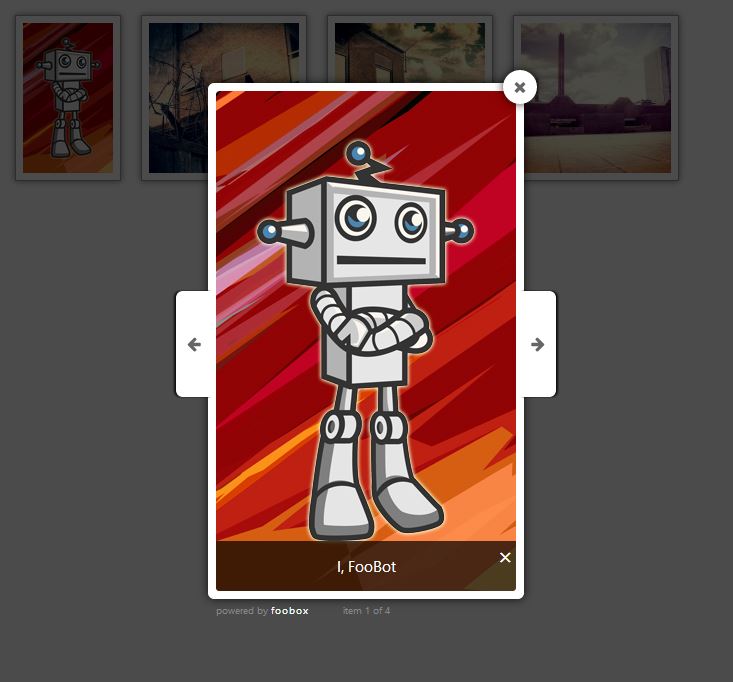
FooBox adds a lightbox to your WordPress site, so images are loaded in a modal or popup instead of redirecting your visitors away from your site.
Some people often refer to a lightbox as an “Image Zoom” effect. It’s really just a modal overlay or popup that showcases your images.
FooBox was the first lightbox to take responsive layout seriously. Not only does it scale images to look better on phones, but it rearranges it’s button controls to look great in both portrait or landscape orientation.
Add a modal popup to your website images with no setup. FooBox will automatically add modals to WordPress galleries, WordPress images with captions, and attachment images.
NEW: Auto Link Existing Images
Have older posts with images that do not open in FooBox? That is probably because those images were inserted without linking to the full-size media file.
Enable Auto Link Existing Images and FooBox will automatically wrap unlinked WordPress attachment images on the frontend, so visitors can open them in the lightbox without you editing old content.
Works with most image gallery plugins, but works best with our FooGallery Gallery WordPress Plugin.
FULL GUTENBERG SUPPORT
FooBox adds native block-editor controls to core Button, Image, Gallery, and Group blocks:
The opening of the plugin's own description. The full text, installation notes and changelog are on its WordPress.org page.
A WordPress gallery lightbox displays images in a modal overlay above the page when clicked, allowing visitors to view larger images and navigate through a gallery without leaving the page.
Yes. WordPress 6.4+ includes a basic Expand on Click feature for galleries. It provides a simple overlay but lacks advanced features like navigation controls, styling options, and social sharing.
FooBox is a WordPress lightbox plugin that adds customizable, responsive overlays for images, with zero configuration.
Yes. FooBox supports responsive layouts, swipe gestures, and touch-optimized controls for mobile and tablet devices.
Yes. FooBox PRO includes themes, color controls, icons, animations, caption display options, slideshow mode, fullscreen viewing, and deep-linking.
No. FooBox is performance-optimized and loads assets only when needed. When combined with optimized images, it does not negatively impact page speed.

#257 by installs
Formerly Easy Fancybox. The most popular WordPress lightbox plugin. Simple, fast, and responsive. Opens images, videos, PDFs, and custom popups.

#328 by installs
The most popular lightbox plugin and responsive gallery builder for WordPress.

#332 by installs
The highly customizable lightbox for WordPress
The fastest drag & drop photo gallery plugin. Create stunning image galleries, albums, video galleries & lightbox displays in minutes — no coding!

#783 by installs
Build flexible popups and modal windows with multiple popup types, triggers, and display controls.

#895 by installs
Create photo and video galleries with albums, sliders and a lightbox. Includes free Media Library folders to organize your files.
Read from the WordPress.org plugin API on , when WordPress 7.1.4 was the current release. WordPress.org rounds active installs into buckets. These are the directory's figures, not my verdict, and I haven't tested this plugin. The author takes donations at their donate page.
