
#968 by installs
Clean Image Filenames
This plugin automatically converts language accent characters to non-accent characters in filenames when uploading to the media library.
- Installs
- 30,000+
- Rating
- 4.6 (21)
- Updated
- 10 months ago

Easily allow WordPress to accept and upload any file type extension or MIME type, including custom file types.
| Last updated | September 22, 2026Updated in the last 3 months |
|---|---|
| Tested up to | WordPress 7.0.8Older than WordPress 7.1.4, the current release |
| Needs WordPress | 5.5 or newer |
| Needs PHP | 7.0 or newer |
| First published | February 12, 2020 |
| Support, last two months | 1 of 1 threads resolved (100%) |
4.0 / 5 from 20 reviews
| 5 stars | 14 |
|---|---|
| 4 stars | 0 |
| 3 stars | 0 |
| 2 stars | 3 |
| 1 star | 3 |
WordPress File Upload Types Plugin
Do you want to let your WordPress website accept uploads from your users for more file types and to freely upload files? We created the File Upload Types plugin to make it simple for anyone to easily add support for any file types with any extension or MIME type.
How WordPress File Uploads Work
By default, WordPress only allows certain file types to be uploaded to your website’s media library.
If someone tries to upload a file type outside of these whitelisted WordPress file extensions, this can be the cause of the common WordPress error Sorry, this file type is not permitted for security reasons message.
It can be frustrating if you’ve created a file upload form in WordPress but the file type you want to accept is a file extension that’s not allowed.
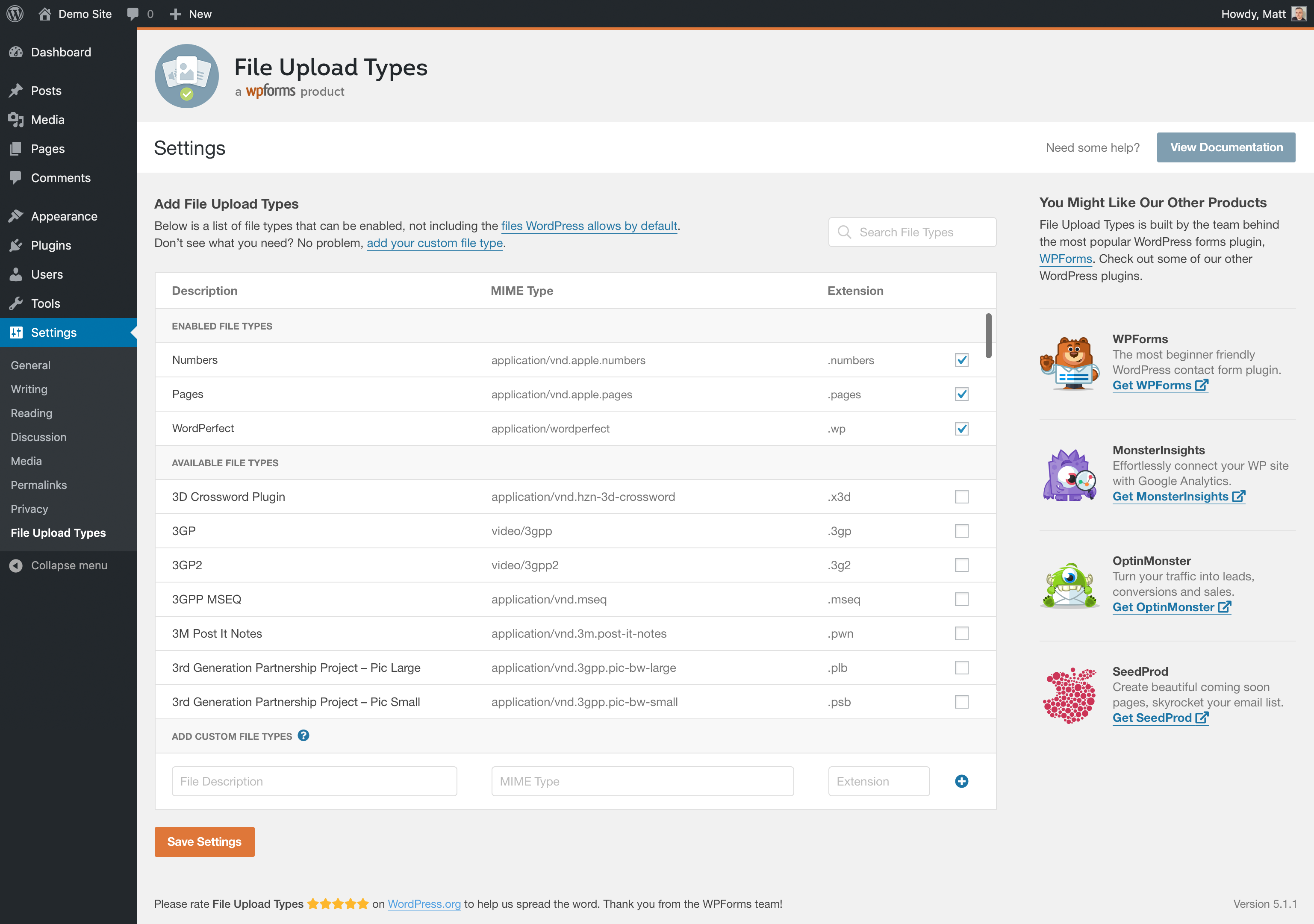
This plugin lets your website upload more file types beyond the limited file extension types that WordPress allows by default.
How does the File Upload Types plugin work?
The File Upload Types plugin works by letting you adjust the internal file whitelist, letting you manually control which types of file extensions your WordPress website can upload.
This way, you can accept any file type through your website and/or any contact form plugin like WPForms.
What file types can I upload to WordPress with this plugin?
The opening of the plugin's own description. The full text, installation notes and changelog are on its WordPress.org page.
By default, WordPress only allows cetain types of files to be uploaded to a website for security reasons.
Some common file types and file extensions that WordPress supports uploading by default include:
Images
.jpg
.jpeg
.png
.gif
.ico
Documents
.pdf (Portable Document Format; Adobe Acrobat)
.doc, .docx (Microsoft Word Document)
.ppt, .pptx, .pps, .ppsx (Microsoft PowerPoint Presentation)
If you’ve stumbled upon a bug, the best place to report it is in the File Upload Types GitHub repository. GitHub is where the plugin is actively developed, and posting there will get your issue quickly seen by our developers. Once posted, we’ll review your bug report and triage the bug. When creating an issue, the more details you can add to your report, the faster the bug can be solved.
Support is available for File Upload Types via the WordPress.org support forums.
Email support is available to WPForms PRO users.
#968 by installs
This plugin automatically converts language accent characters to non-accent characters in filenames when uploading to the media library.

#54 by installs
Enable SVG uploads and sanitize them to stop XML/SVG vulnerabilities in your WordPress website.

#640 by installs
Easily upgrade your themes and plugins using zip files without removing the theme or plugin first.

#677 by installs
This simple plugin create Drag & Drop or choose Multiple File upload in your Confact Form 7 Forms.

#740 by installs
The plugin additionally allows the mime types and file extensions to WordPress.

#823 by installs
Plugin to let you extend the list of allowed file types supported by the Wordpress Media Library
Read from the WordPress.org plugin API on , when WordPress 7.1.4 was the current release. WordPress.org rounds active installs into buckets. These are the directory's figures, not my verdict, and I haven't tested this plugin.