
The Elementor Website Builder has it all: drag and drop page builder, Atomic Editor, pixel perfect design, global and reusable style systems, mobile r …
- Installs
- 10+ million
- Rating
- 4.5 (7.3K)
- Updated
- 18 days ago

This simple plugin create Drag & Drop or choose Multiple File upload in your Confact Form 7 Forms.
| Last updated | October 30, 2026Updated in the last 3 months |
|---|---|
| Tested up to | WordPress 7.0.8Older than WordPress 7.1.4, the current release |
| Needs WordPress | 3.0.1 or newer |
| Needs PHP | 5.2.4 or newer |
| First published | December 4, 2018 |
| Support, last two months | 2 of 2 threads resolved (100%) |
4.8 / 5 from 94 reviews
| 5 stars | 88 |
|---|---|
| 4 stars | 2 |
| 3 stars | 0 |
| 2 stars | 0 |
| 1 star | 4 |
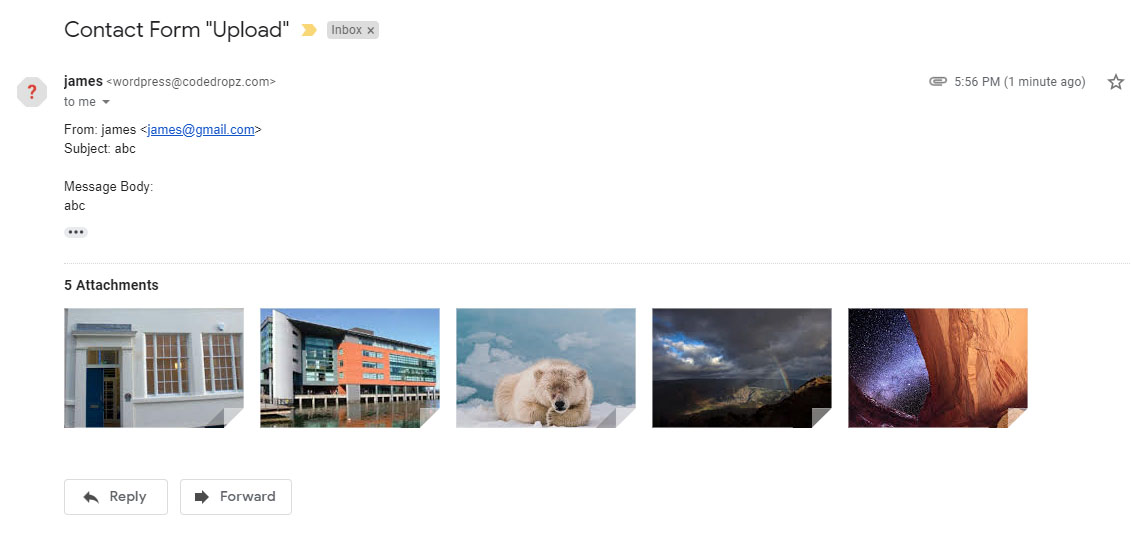
Drag and Drop Multiple File Upload is a simple, straightforward WordPress plugin extension for Contact Form 7, which allows the user to upload multiple files using the drag-and-drop feature or the common browse-file of your webform.
Drag and Drop Multiple File Upload for Contact Form 7 is an independent plugin, not affiliated with or endorsed by the developers of Contact Form 7.
Here’s a little DEMO.
Features
PLUGIN GUIDE – FREE VERSION
Note: On Free version, all uploaded files moves to a temporary folder (“/wp-content/uploads/wp_dndcf7_uploads”) then attaches the file to the mail and sends it. After that “Drag & Drop File Upload” removes the file from the temporary folder 1 hour after the submission. ( same process with the default “file” upload of Contact Form 7 – See here )
The opening of the plugin's own description. The full text, installation notes and changelog are on its WordPress.org page.
For any bug reports go to Support page.
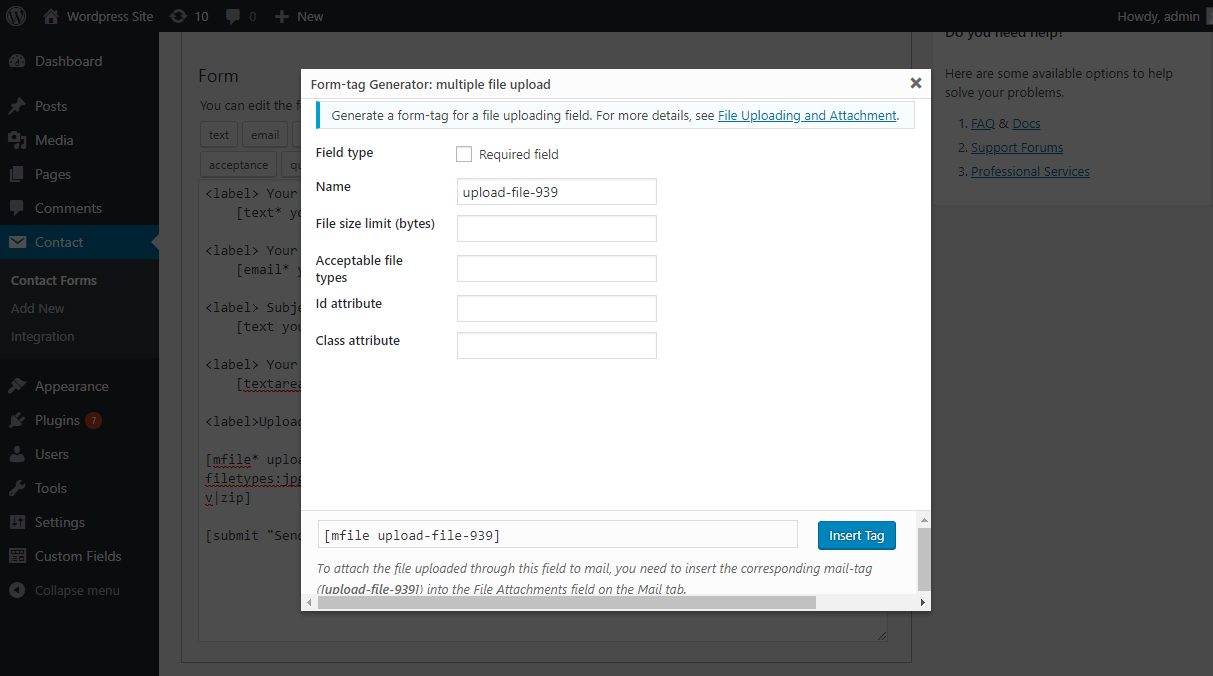
To limit file size in multiple file upload field generator under Contact Form 7, there’s a field File size limit (bytes).
You can also manually add limit parameter in existing [mfile] tag.
Example: [mfile upload-file-433 limit:20971520] – This limit the user to upload upto 20MB only.
You can limit the number of files in your file upload by adding this parameter max-file:3 to your shortcode :
Example: [mfile upload-file-344 max-file:3] – this option will limit the user to upload only 3 files.
You can add or change file types in cf7 Form-tag Generator Options by adding jpeg|png|jpg|gif in Acceptable file types field.
Example : [mfile upload-file-433 filetypes:jpeg|png|jpg|gif]
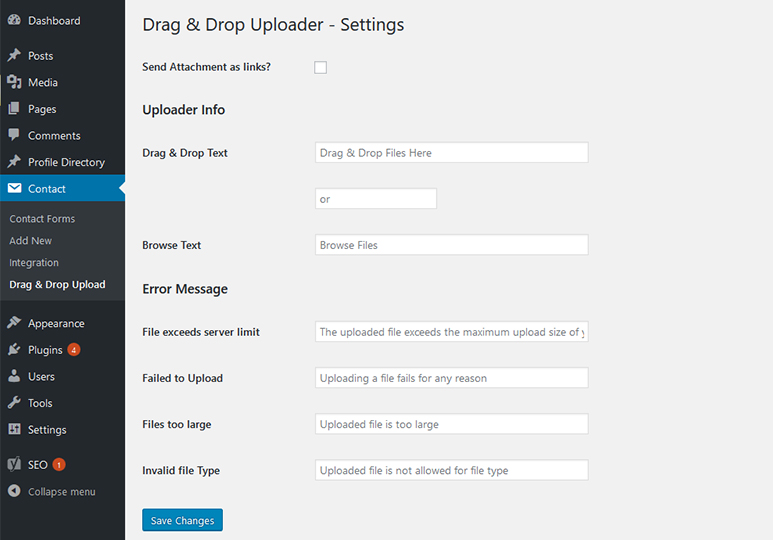
You can change text Drag & Drop Files Here or Browse Files text in WordPress Admin menu under Contact > Drag & Drop Upload.
Some email servers have limitations on file attachment sizes (e.g., Google allows a maximum of 20-25 MB). Attaching large files to emails can be problematic. Consider using this option to display links in the email instead of attaching the files.
Go to WP Admin Contact -> Drag & Drop Upload settings then check “Send Attachment as links?” option.

The Elementor Website Builder has it all: drag and drop page builder, Atomic Editor, pixel perfect design, global and reusable style systems, mobile r …

#107 by installs
Save and manage Contact Form 7 messages. Never lose important data. It is a lightweight contact form 7 database plugin.

#129 by installs
Freeform page builder & website builder for WordPress. Infinite canvas for complex, interactive websites. Built-in forms, animations & Customizer.

#137 by installs
Build responsive page layouts using the widgets you know and love using this simple drag and drop page builder.

#145 by installs
The most advanced frontend drag & drop page builder. Pagelayer is a light weight but extremely powerful Website Builder.

#213 by installs
Redirect to any page or URL, execute scripts after submission, save data to the database, and unlock additional submission actions for Contact Form 7.
Read from the WordPress.org plugin API on , when WordPress 7.1.4 was the current release. WordPress.org rounds active installs into buckets. These are the directory's figures, not my verdict, and I haven't tested this plugin. The author takes donations at their donate page.