
#54 by installs
Safe SVG
Enable SVG uploads and sanitize them to stop XML/SVG vulnerabilities in your WordPress website.
- Installs
- 1+ million
- Rating
- 4.9 (79)
- Updated
- 5 days ago

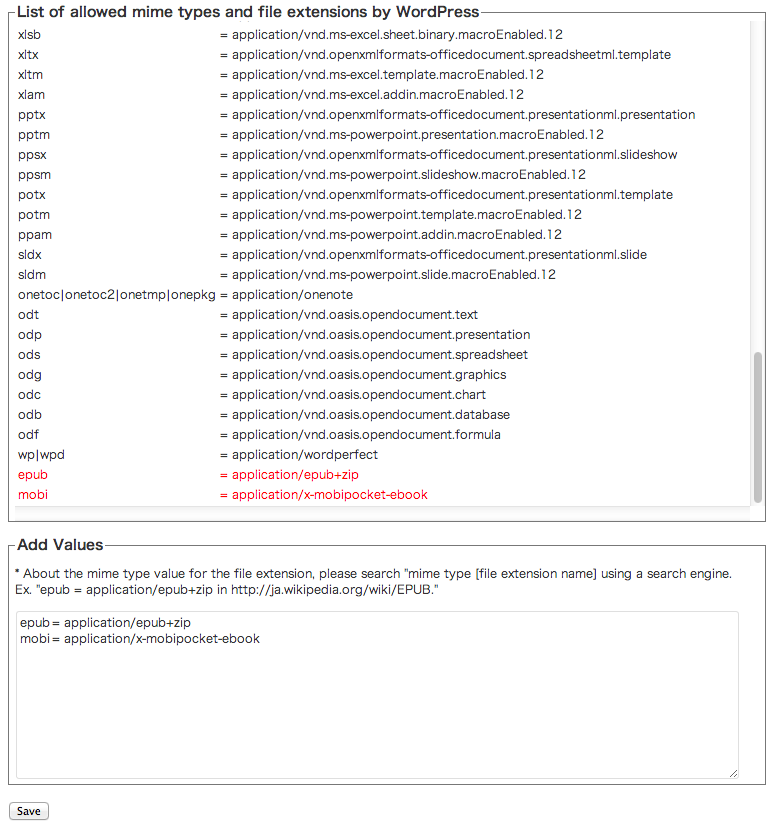
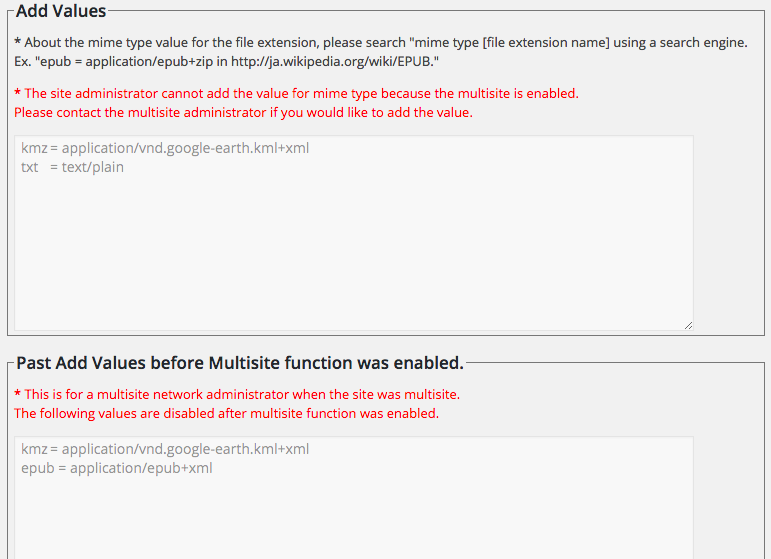
The plugin additionally allows the mime types and file extensions to WordPress.
| Last updated | May 17, 2026Updated in the last year |
|---|---|
| Tested up to | WordPress 7.0.8Older than WordPress 7.1.4, the current release |
| Needs WordPress | 6.2 or newer |
| Needs PHP | 7.4 or newer |
| First published | August 16, 2013 |
| Support, last two months | No threads opened |
4.2 / 5 from 25 reviews
| 5 stars | 18 |
|---|---|
| 4 stars | 1 |
| 3 stars | 2 |
| 2 stars | 2 |
| 1 star | 2 |
The plugin additionally allows the mime types and file extensions to WordPress. In other words, your WordPress site can upload various file extensions.
The opening of the plugin's own description. The full text, installation notes and changelog are on its WordPress.org page.
If it fails to upload a file for the security reasons of WordPress despite having set it up with this plugin, then the MIME type of the uploaded file recognised by WordPress may be different from the MIME type you have set. In that case, you need to find out how WordPress recognised the MIME type of the file.
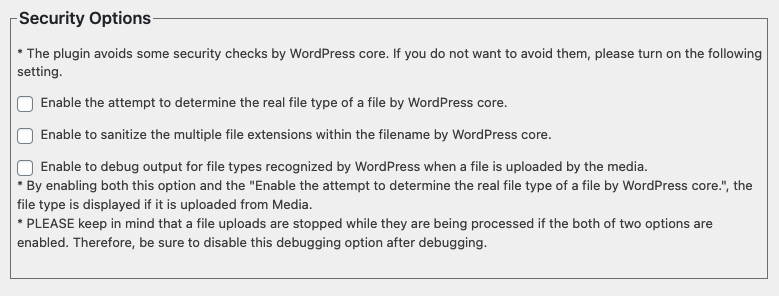
WordPress recognizes the file mime type by finfo_file function (wp-includes/functions.php). However, sometimes, the standard MIME type of a file and the MIME type of a WordPress-recognized file are different. By enabling both this option (in setting menu) and the “Enable the attempt to determine the real file type of a file by WordPress core.”, the file type is displayed if it is from Media.
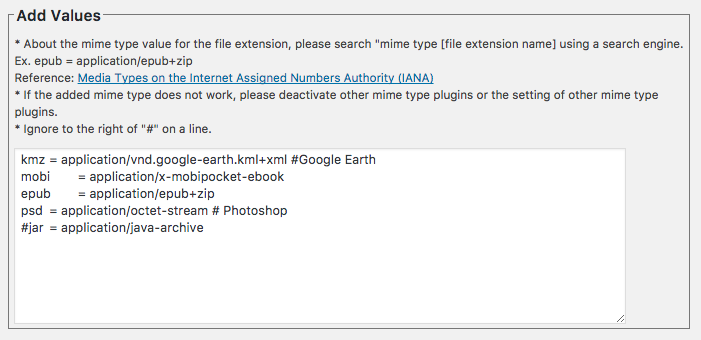
If the added mime type does not work, please deactivate other mime type plugins or the setting of other mime type plugins.
For example, if you install Media Library Assistant plugin, please turn off “Enable Upload MIME Type Support” in the Upload tag in this plugin setting.
Yes. The function was supported by Version 2.4.0.
WordPress sanitizes the filename in case of 2 or more extensions.
ex. XXX.YYY.ZZZ –> XXX_.YYY.ZZZ.
The plugin fixes the sanitized extension when a file is uploaded in the media in case of allowed extensions.
ex. XXX.YYY.ZZZ — sanitized –> XXX_.YYY.ZZZ — fixed the plugin –> XXX.YYY.ZZZ
Yes. You can comment out above version 2.3.0.
Yes. WordPress core has implemented the security check for a file content since version 4.7.1.
The plugin’s default setting disables this security check .
#54 by installs
Enable SVG uploads and sanitize them to stop XML/SVG vulnerabilities in your WordPress website.

#885 by installs
Easily allow WordPress to accept and upload any file type extension or MIME type, including custom file types.
Read from the WordPress.org plugin API on , when WordPress 7.1.4 was the current release. WordPress.org rounds active installs into buckets. These are the directory's figures, not my verdict, and I haven't tested this plugin.