
#964 by installs
Disable WP REST API
Disables the WP REST API for visitors not logged into WordPress.
- Installs
- 30,000+
- Rating
- 4.8 (36)
- Updated
- 3 months ago

Disable the use of the REST API on your website to site users. Now with User Role support!
| Last updated | September 14, 2023Not updated for over a year |
|---|---|
| Tested up to | WordPress 6.3.14Older than WordPress 7.1.4, the current release |
| Needs WordPress | 4.9 or newer |
| Needs PHP | 5.6 or newer |
| First published | October 3, 2014 |
| Support, last two months | 0 of 1 threads resolved (0%) |
4.8 / 5 from 38 reviews
| 5 stars | 36 |
|---|---|
| 4 stars | 0 |
| 3 stars | 1 |
| 2 stars | 0 |
| 1 star | 1 |
The most comprehensive plugin for controlling access to the WordPress REST API!
Works as a “set it and forget it” install. Just upload and activate, and the entire REST API will be inaccessible to your general site visitors.
But if you do need to grant access to some endpoints, you can do that too. Go to the Settings page and you can quickly whitelist individual endpoints (or entire branches of endpoints) in the REST API.
You can even do this on a per-user-role basis, so your unauthenticated users have one set of rules while WooCommerce customers have another while Subscribers and Editors and Admins all have their own. NOTE: Out of the box, all defined user roles will still be granted full access to the REST API until you choose to manage those settings.
For most versions of WordPress, this plugin will return an authentication error if a user is not allowed to access an endpoint. For legacy support, WordPress 4.4, 4.5, and 4.6 use the provided rest_enabled filter to disable the entire REST API.
The opening of the plugin's own description. The full text, installation notes and changelog are on its WordPress.org page.
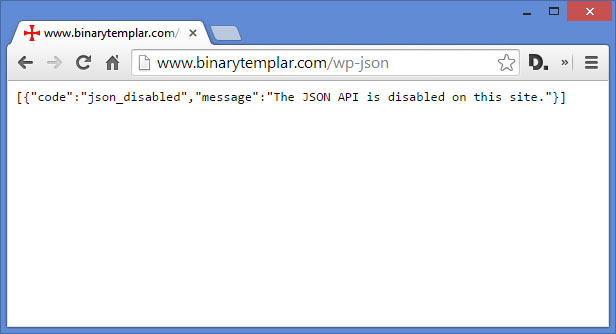
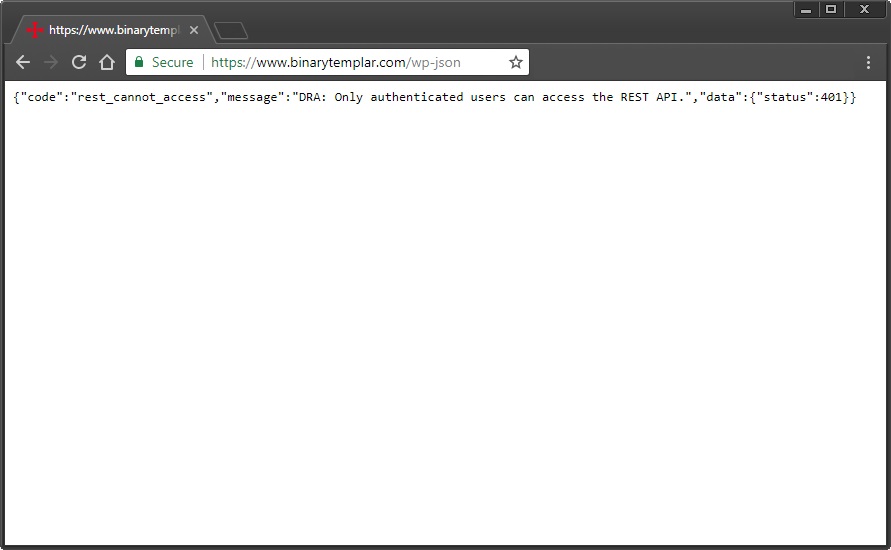
While logged into WordPress as any user, the REST API will function as intended. Because of this, you must use a new browser – or Chrome’s incognito mode – to test your website with a clean session. Go to yourdomain.com/wp-json/ (or yourdomain.com/?rest_route=/ if you have pretty permalinks disabled) while NOT LOGGED IN to test the results. You will see an authentication error returned if the plugin is active.
This plugin is ONLY meant to disable endpoints accessible via the core REST API that is part of WordPress itself. If a plugin or theme has implemented their own REST API (not to be confused with implementing their own endpoints within the WordPress API) this plugin will have no effect.

#964 by installs
Disables the WP REST API for visitors not logged into WordPress.

#577 by installs
Make Connector. Make lets you design, build, and automate by connecting with WordPress in just a few clicks.

#46 by installs
Loginizer is a WordPress security plugin which helps you fight against bruteforce attacks.

#70 by installs
Redux is a simple, truly extensible, and fully responsive options framework for WordPress themes and plugins. It ships with an integrated demo.

#154 by installs
The WooCommerce Legacy REST API, which is now part of WooCommerce itself but will be removed in WooCommerce 9.0.

#157 by installs
Lets you edit the WordPress admin menu. You can re-order, hide or rename menus, add custom menus and more.
Read from the WordPress.org plugin API on , when WordPress 7.1.4 was the current release. WordPress.org rounds active installs into buckets. These are the directory's figures, not my verdict, and I haven't tested this plugin.