Type to search.

#990 by installs

Spam Protection | Maspik

by yonifreVersion 3.1.4

Blocks spam the moment you activate it. No CAPTCHA, no setup, no API key. Multi-Layer. Just install and forget.

Active installs
30,000+
#990 of 1,000
Downloads, all time
1.1M
1,054,788
Downloads, 30 days
23.4K
11.5K in the last 7
Rating
4.7 / 5
87 reviews
Last updated
3 days ago
Oct 28, 2026
Version
3.1.4
75 releases

Upkeep and compatibility

Last updatedOctober 28, 2026Updated in the last 3 months
Tested up toWordPress 7.1.4Covers WordPress 7.1.4, the current release
Needs WordPress6.2 or newer
Needs PHP7.4 or newer
First publishedFebruary 8, 2021
Support, last two months4 of 5 threads resolved (80%)

Reviews

4.7 / 5 from 87 reviews

Reviews by star rating
5 stars80
4 stars0
3 stars1
2 stars0
1 star6

Downloads, last 30 days

Low 243 a dayHigh 8.3K a day

What the author says it does

Maspik is a complete spam protection platform for WordPress.

Instead of relying on a single detection method, Maspik combines multiple independent protection layers that work together to stop spam before it reaches your inbox.

Protect contact forms, registration forms, comments, WooCommerce, and custom forms using lightweight local validation together with optional cloud intelligence.

Install. Activate. You’re protected.

No CAPTCHA. No puzzles. No interruption for real visitors.

Why Maspik?

Most anti-spam plugins rely on one detection technique. Some only use CAPTCHAs. Some only check external APIs. Some only filter keywords.

Maspik combines many protection layers into one unified spam detection engine.

Every submission can be analysed using local validation, behavioural analysis, reputation services, and optional cloud intelligence.

The result is stronger protection with fewer false positives and a better experience for legitimate visitors.

Protection Layers

Maspik lets you combine multiple independent protection methods:

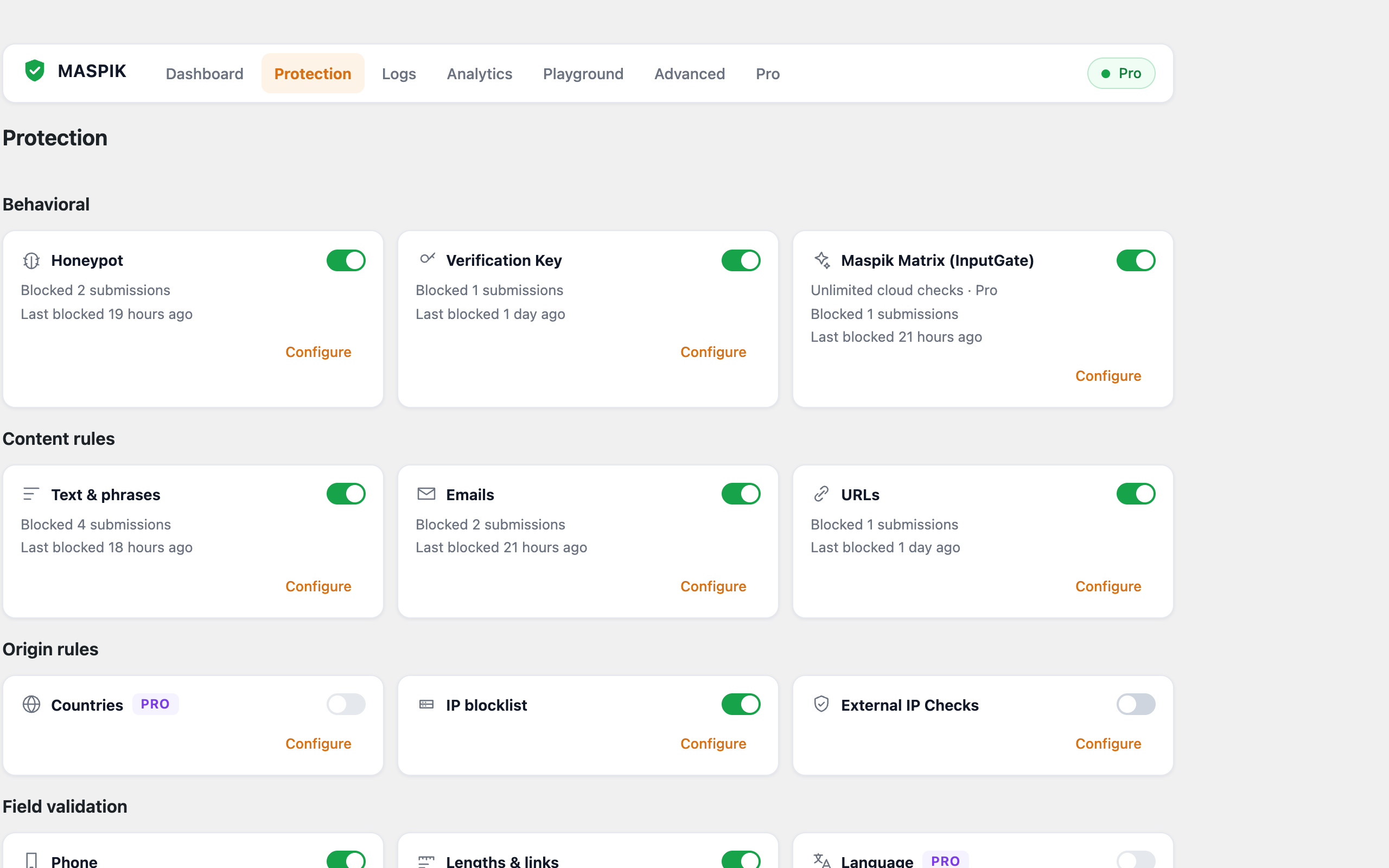
  • Forbidden keywords
  • Email patterns
  • URL validation
  • Phone format validation
  • Character limits
  • Link limits
  • Emoji filtering
  • Honeypot protection
  • Verification Key
  • Direct POST protection
  • IP blocklists
  • IP reputation
  • Proxy and VPN detection
  • Country and continent restrictions (Pro)
  • Language rules (Pro)

The opening of the plugin's own description. The full text, installation notes and changelog are on its WordPress.org page.

Questions the author answers

Do I need to configure anything?

No. Maspik works immediately after activation with sensible defaults. Everything is configurable if you want to fine-tune it.

Will it work with my form plugin?

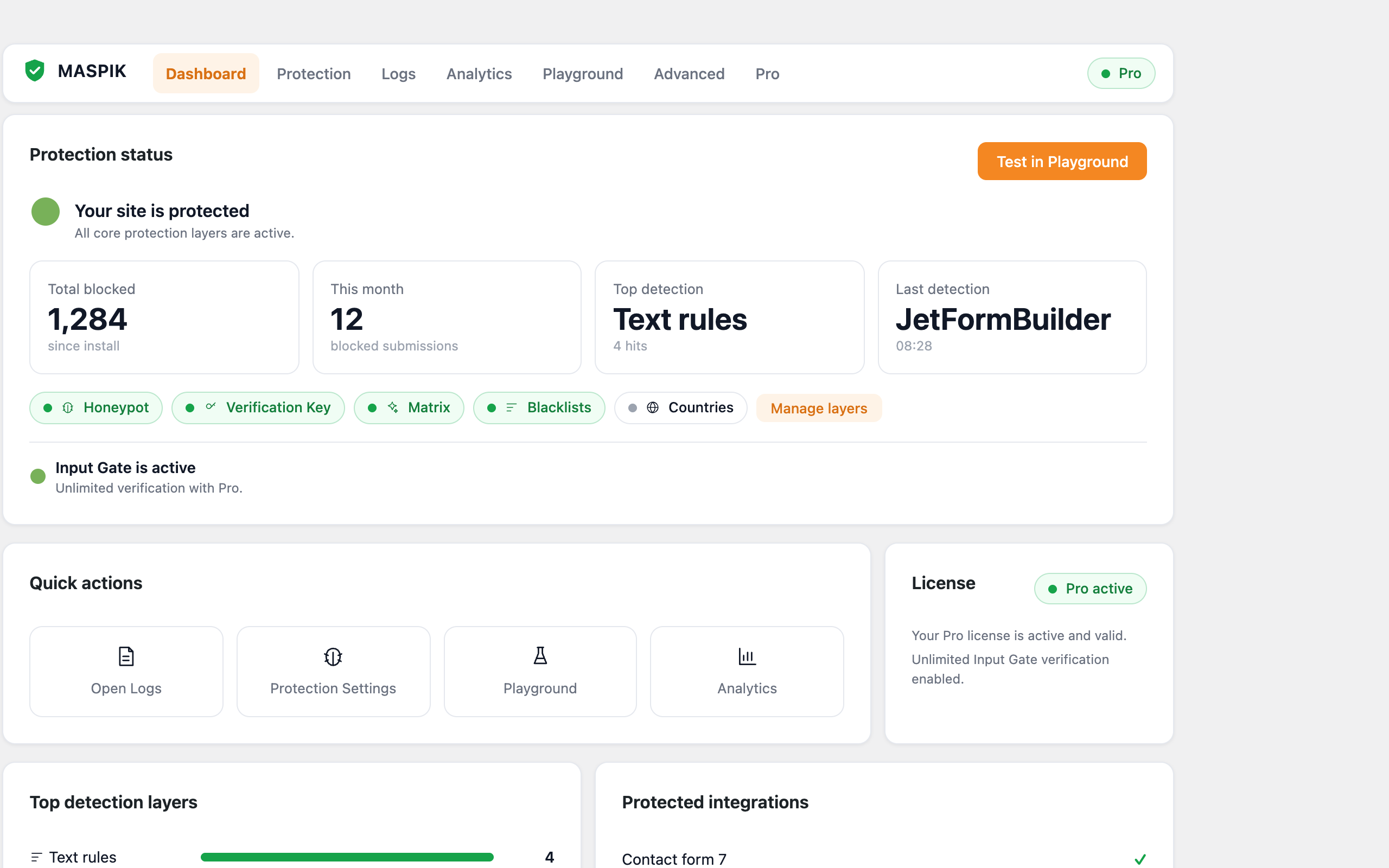
Maspik supports the most popular form builders out of the box (see the list above) as well as WordPress comments and registration. Active integrations are detected automatically and listed on the Dashboard.

Do I need an API key?

No. Core protection runs locally with no keys. Optional services such as AbuseIPDB or ProxyCheck use your own key if you choose to enable them.

Was a real visitor blocked by mistake?

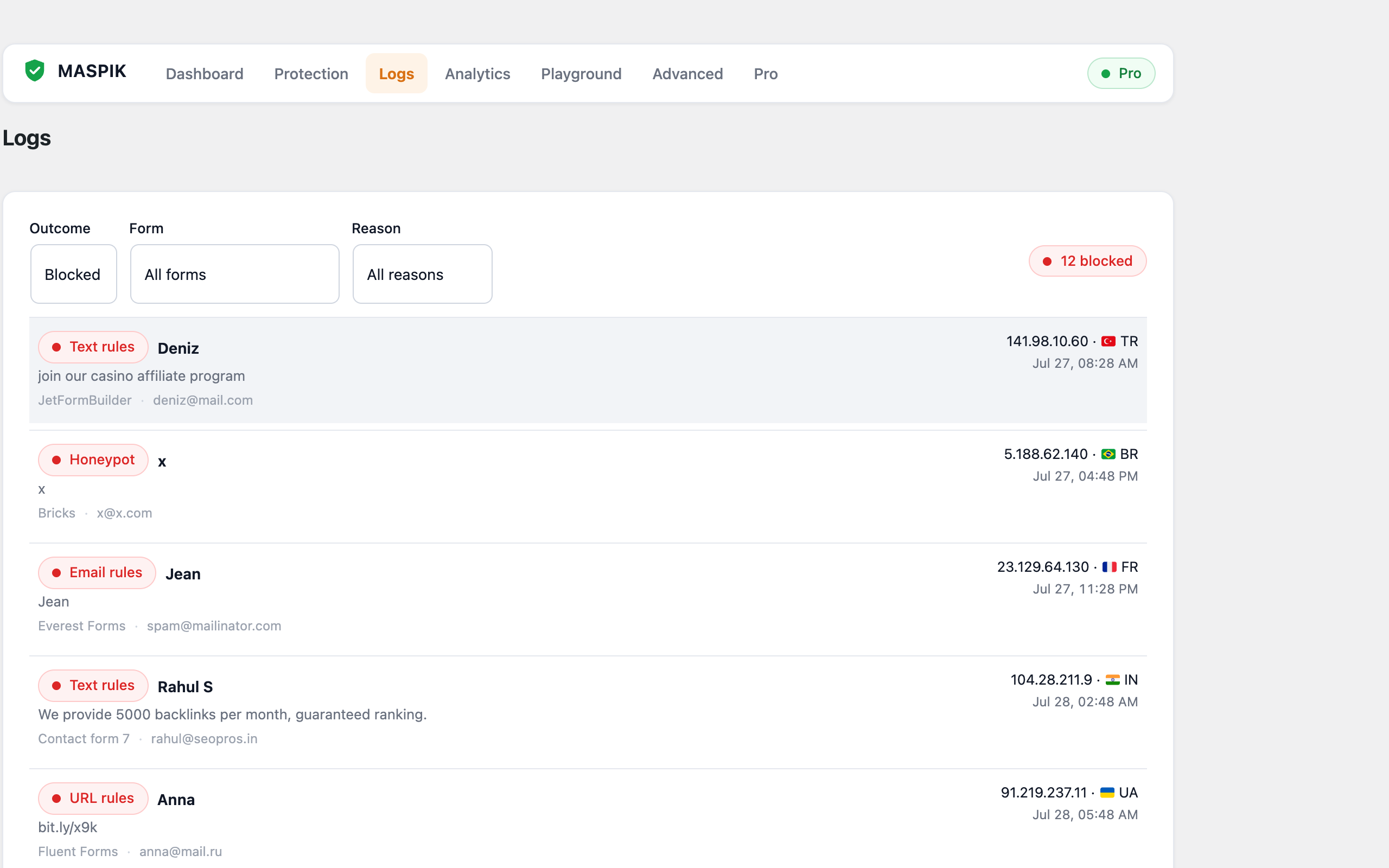
Open the Logs screen, find the submission, and choose Mark as Not Spam. The sender is added to your allow list and won’t be blocked again. You can also remove the specific rule that caused the block directly from the log entry.

Does it slow down my site?

No. Most checks run locally in PHP, only enabled layers execute, and there is no front-end JavaScript beyond the small guard script used by the honeypot and verification key.

Does it work with page caching?

Yes. Protection runs on submission, not on page render, so cached pages are unaffected.

Latest changelog entry

3.1.4

  • Improve the admin screens on mobile.
  • Added the ability to enable InputGate Full Protection from the MASPIK Dashboard.
  • Fixed several issues with admin screens, settings, and dashboard labels.
  • Fixed the Dashboard label missing from layers whose values are set in the Dashboard.
  • Fixed the WooCommerce payment gateway list in the Orders setting.
  • Logs now show when InputGate skipped a submission because the monthly limit was reached.

Screenshots

First 4 of 5, from WordPress.org.

Tagged

Plugins that share its tags

#8 by installs

Akismet Anti-spam: Spam Protection

by Automattic

The best anti-spam protection to block spam comments and spam in a contact form. The most trusted antispam solution for WordPress and WooCommerce.

Installs
5+ million
Rating
4.7 (1.2K)
Updated
2 months ago

#239 by installs

Anti-Spam, Spam FireWall by CleanTalk

by CleanTalk Inc

Advanced antispam for comments, registrations & contact forms. No CAPTCHA, plus email validation and honeypot. We catch spam others miss!

Installs
200,000+
Rating
4.8 (3.2K)
Updated
2 days ago

#453 by installs

Gravity Forms Zero Spam

by GravityKit

Block form spam in Gravity Forms with an invisible token check, email rejection rules, and optional AI review. No CAPTCHAs for your visitors.

Installs
100,000+
Rating
4.3 (24)
Updated
2 months ago

#84 by installs

Antispam Bee

by pluginkollektiv

Sophisticated antispam plugin for effective daily comment and trackback spam-fighting. Built with data protection and privacy in mind.

Installs
700,000+
Rating
4.8 (226)
Updated
2 months ago

#556 by installs

hCaptcha for WP

by hcaptcha

The strongest CAPTCHA. Switch from reCAPTCHA and Turnstile for free. Works with 60+ integrations: Contact Form 7, Elementor, WooCommerce, Divi, etc.

Installs
70,000+
Rating
4.6 (88)
Updated
1 day ago

Where this page's numbers come from

Read from the WordPress.org plugin API on , when WordPress 7.1.4 was the current release. WordPress.org rounds active installs into buckets. These are the directory's figures, not my verdict, and I haven't tested this plugin. The author takes donations at their donate page.