
Broken link checker that finds and fixes broken links, broken images, and dead video links to protect your site's SEO.
- Installs
- 200,000+
- Rating
- 3.8 (87)
- Updated
- 31 days ago

Broken Link Checker helps you catch broken links & images fast, before they hurt your SEO or UX. Scan and bulk-fix issues from one easy dashboard.
| Last updated | October 13, 2026Updated in the last 3 months |
|---|---|
| Tested up to | WordPress 7.1.4Covers WordPress 7.1.4, the current release |
| Needs WordPress | 6.2 or newer |
| Needs PHP | 7.4 or newer |
| First published | October 8, 2007 |
| Support, last two months | 8 of 8 threads resolved (100%) |
3.8 / 5 from 605 reviews
| 5 stars | 365 |
|---|---|
| 4 stars | 45 |
| 3 stars | 21 |
| 2 stars | 40 |
| 1 star | 134 |
Automatically monitor your WordPress site for broken links and missing images, so you can fix them proactively and protect your SEO.
Broken links aren’t just annoying for your visitors, they negatively impact your rankings and make your site look outdated and untrustworthy. But manually checking hundreds of links? Ain’t nobody got time for that!
Broken Link Checker detects issues 20x faster and more accurately than other plugins, thanks to cloud-based link checking. This powerful plugin scans your pages, posts, comments and custom fields, spotting broken or redirected URLs and giving you a quick way to fix them all from one centralized dashboard.
With over 17 million downloads and 50,000+ broken links found daily, Broken Link Checker leaves no URL behind. You can even receive email alerts when something breaks, so you’re never caught off guard.
TL;DR: Broken Link Checker’s Key Features at a Glance
– Automatic Link Monitoring: Scans your posts, pages, comments, and more.
– Comprehensive Reports: Get breakdowns of broken links, with search and filtering options.
– Quick Fixes: Edit, unlink, or ignore your broken links in seconds.
– Cloud & Local Options: Choose cloud-based scans or use your server.
– Custom Filters: Exclude post types, categories, and domains.
– Crawl Everything: Pages, posts, even images and redirects. No URL is missed.
The opening of the plugin's own description. The full text, installation notes and changelog are on its WordPress.org page.
Yes! The plugin is completely free and includes all the core scanning features. The plugin works either locally on your own server, or 20x faster, better and more accurately on WPMU DEV cloud servers. The Local version only works in your site admin, while the Cloud version works in both your site admin and in your Hub.
Absolutely. You can scan everything from custom fields to WooCommerce product links.
Yes, Broken Link Checker supports WordPress Multisite and gives you full flexibility.
Nope. The plugin doesn’t modify your content. It just finds the broken links and gives you options to manage them.
We take plugin security incredibly seriously; if you have a bug or vulnerability to report, you can do so through the Patchstack Vulnerability Disclosure Program. It’s fast, easy, and you will be notified when the issue is fixed. Report a vulnerability.
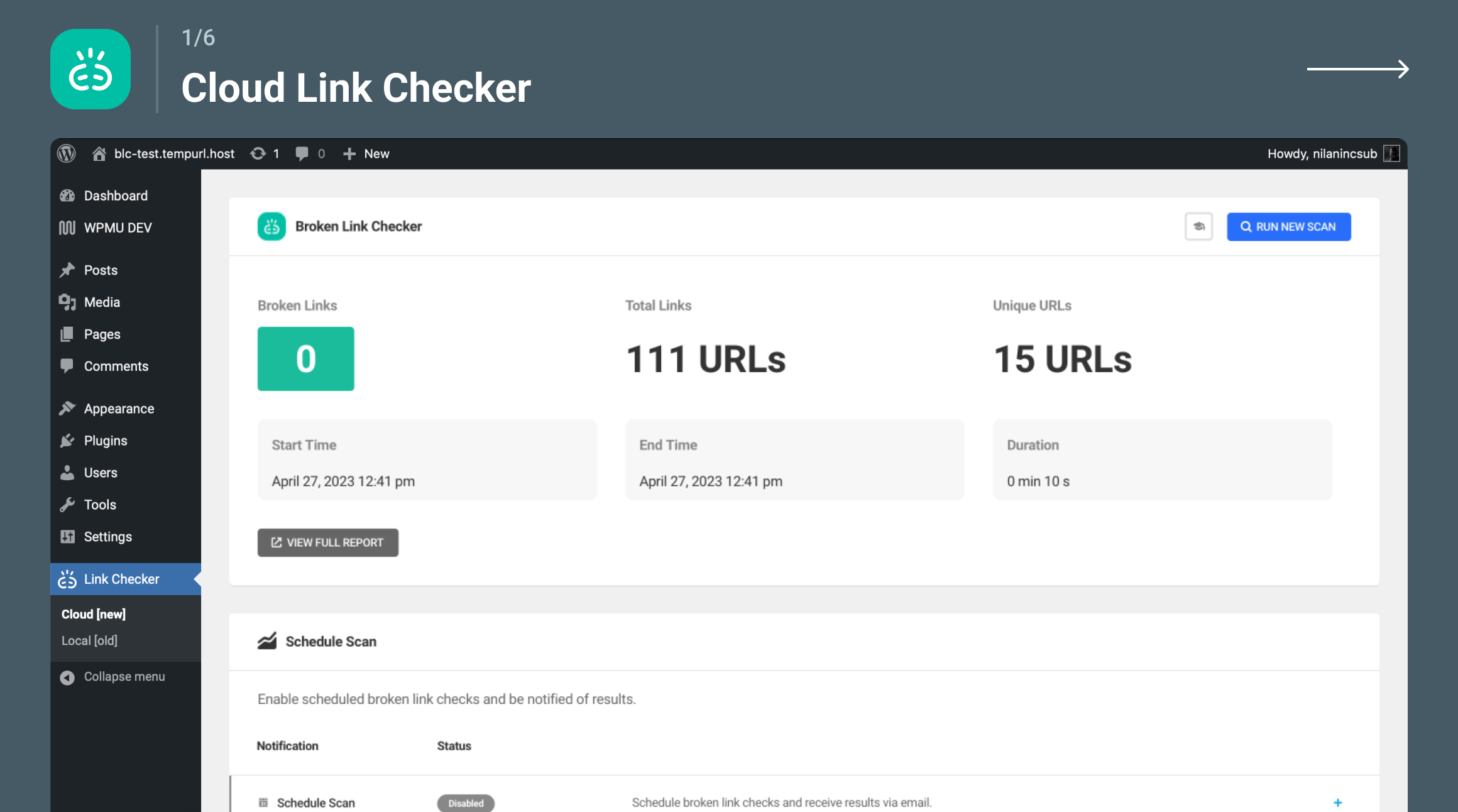
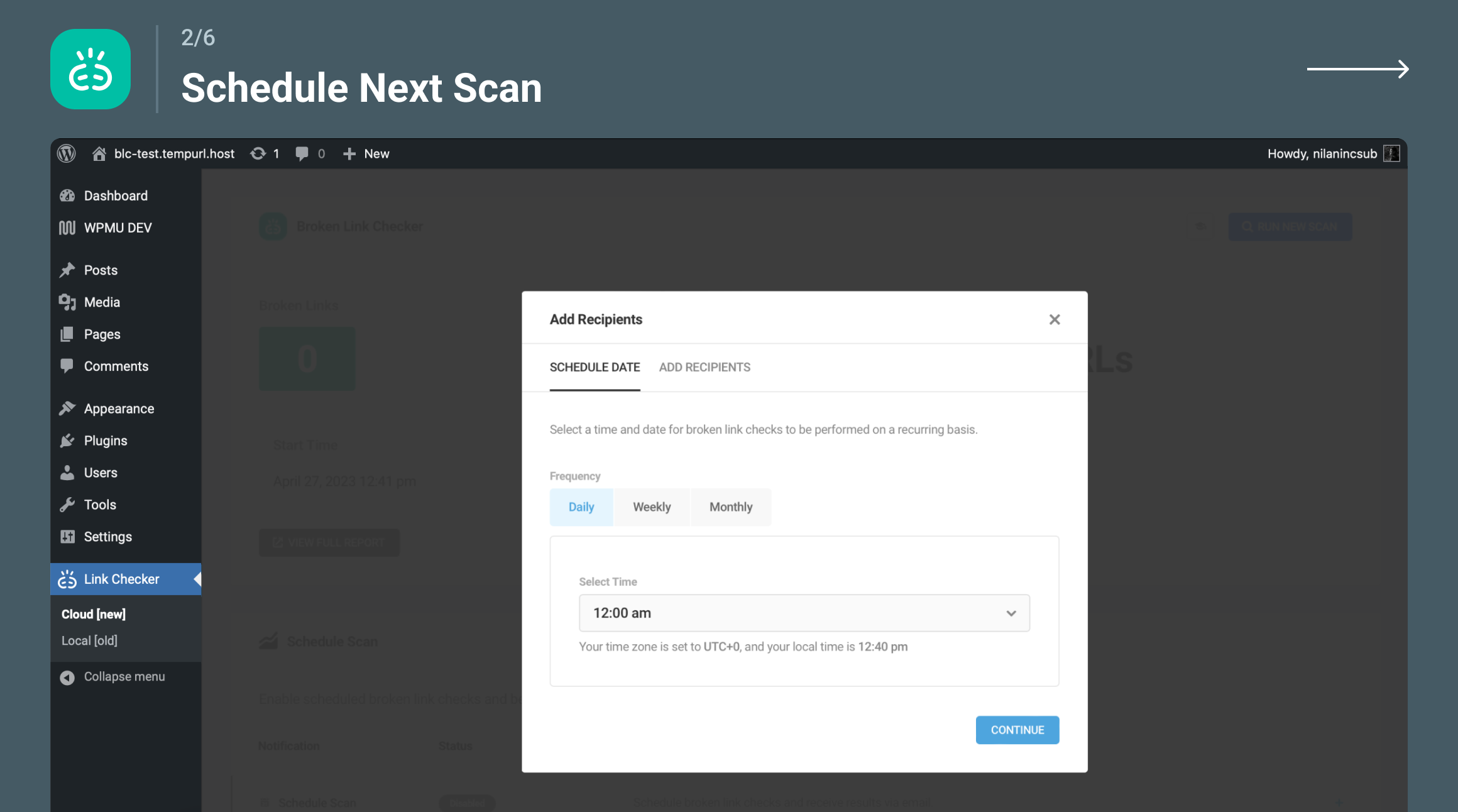
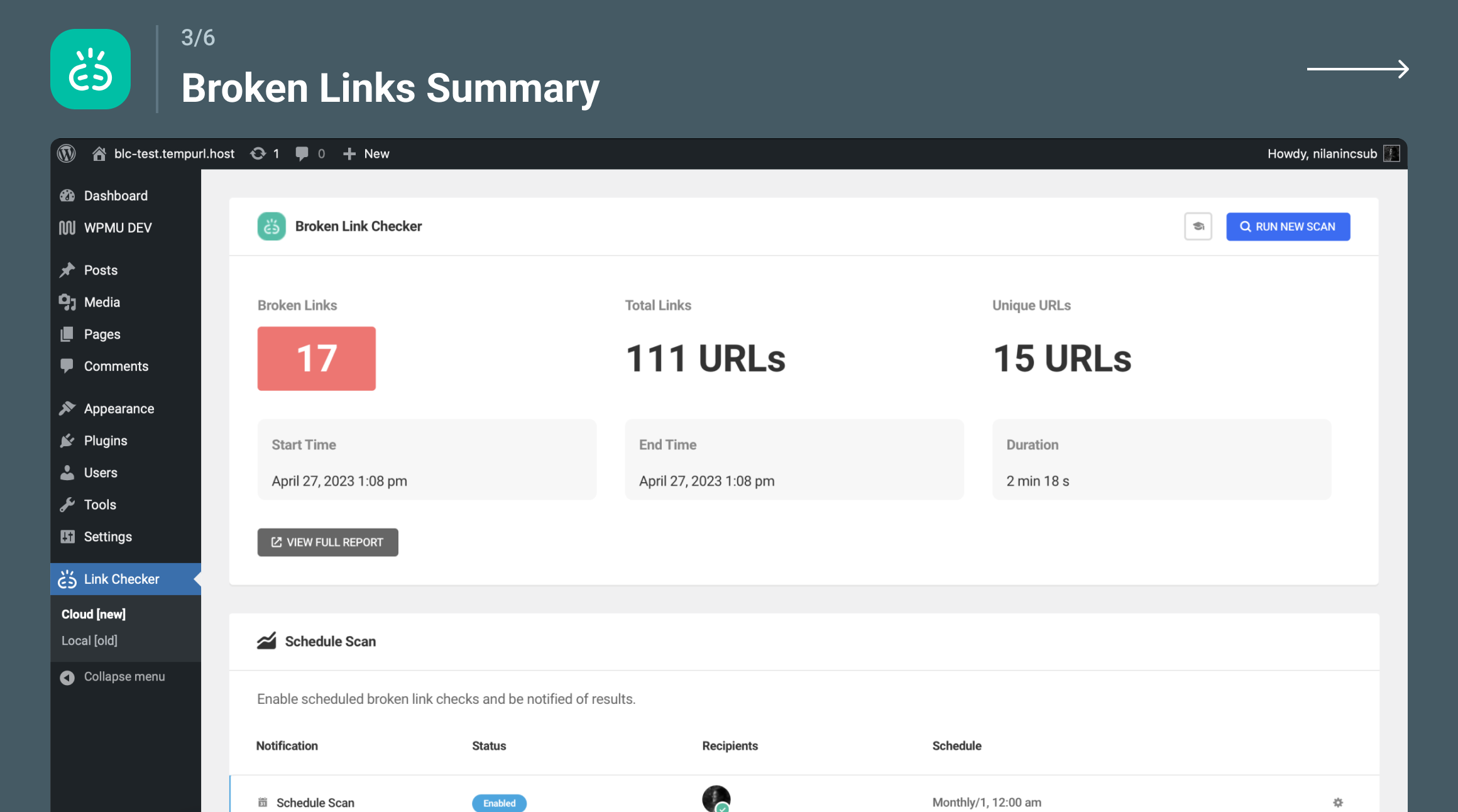
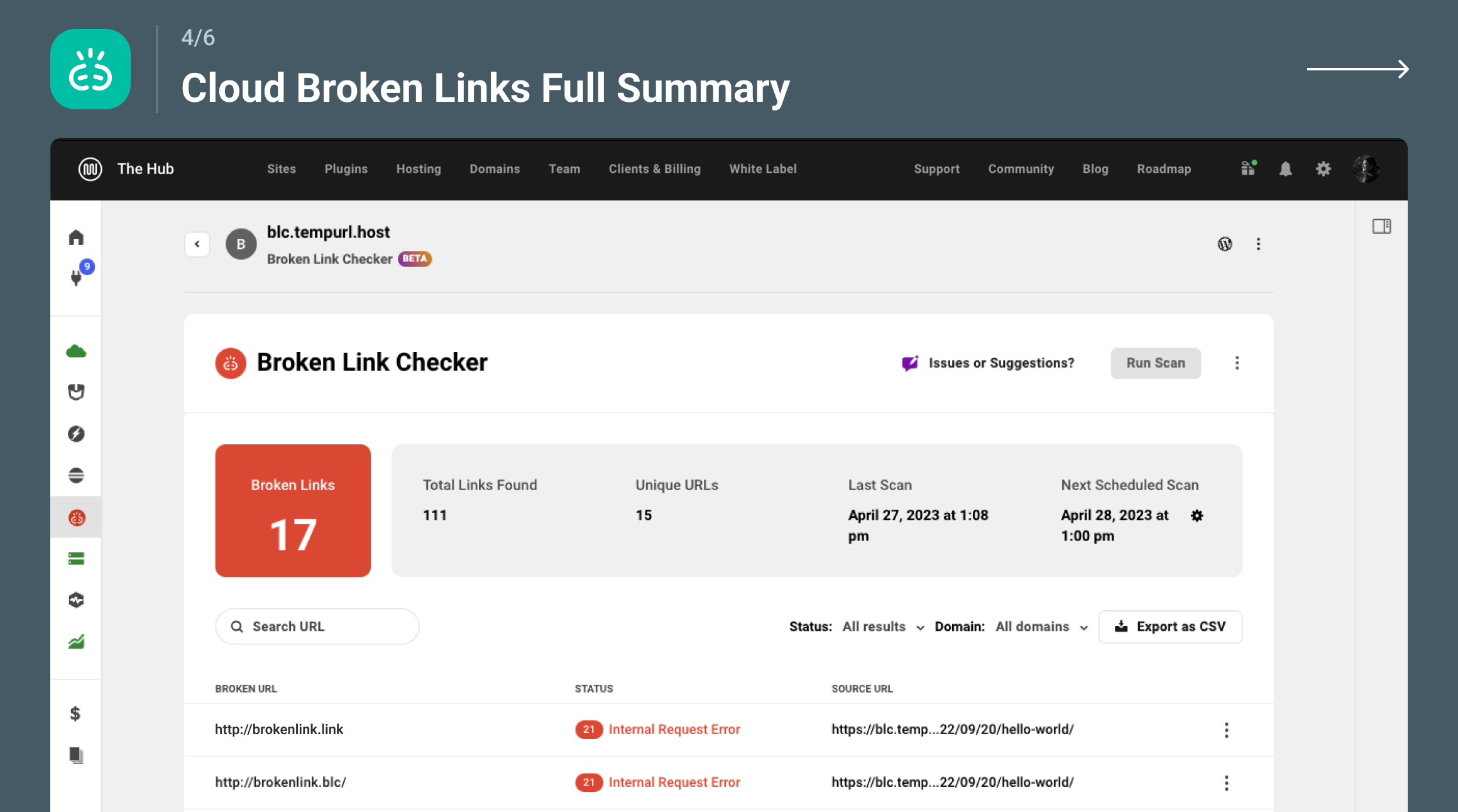
Broken link checker that finds and fixes broken links, broken images, and dead video links to protect your site's SEO.

#250 by installs
Using this plugin, you can fix all 404 error links by redirecting them to homepage using the SEO 301 redirection. Improve your SEO rank & pages speed

#307 by installs
Lets you make a WordPress page (or port or other content type) link to a URL of your choosing (on your site, or on another site), instead of its norma …
Redirect manager for 301, 302 and 307 redirection. Monitor and fix 404 errors, log every broken link and protect your SEO after a migration.

#469 by installs
Creates SEO-friendly table of contents for your posts/pages. Works automatically or manually (via shortcode, Gutenberg block or widget).

#712 by installs
Export post, page and custom post type data to CSV or JSON, and snapshot your site to detect added, removed or changed content.
Read from the WordPress.org plugin API on , when WordPress 7.1.4 was the current release. WordPress.org rounds active installs into buckets. These are the directory's figures, not my verdict, and I haven't tested this plugin.
