
#158 by installs
301 Redirects – Redirect Manager
Manage 301 & 302 redirects. Simple redirection & redirects validation. Includes redirect stats & 404 error log.
- Installs
- 300,000+
- Rating
- 4.7 (578)
- Updated
- 3 months ago

Redirect manager for 301, 302 and 307 redirection. Monitor and fix 404 errors, log every broken link and protect your SEO after a migration.
| Last updated | September 30, 2026Updated in the last 3 months |
|---|---|
| Tested up to | WordPress 7.1.4Covers WordPress 7.1.4, the current release |
| Needs WordPress | 6.6 or newer |
| Needs PHP | 7.4 or newer |
| First published | July 24, 2014 |
| Support, last two months | 3 of 3 threads resolved (100%) |
4.7 / 5 from 321 reviews
| 5 stars | 284 |
|---|---|
| 4 stars | 10 |
| 3 stars | 3 |
| 2 stars | 3 |
| 1 star | 21 |
404 to 301 is a redirect manager and 404 error monitor for WordPress. Create your own custom redirects with 301, 302 or 307 redirection, send every remaining 404 error to a page of your choosing, and keep a full log of the broken links visitors and search engines actually hit.
Broken links cost you traffic. A visitor who lands on a 404 page usually leaves, and Google eventually drops the URL from its index along with whatever link equity it had earned. This redirect manager fixes both halves of that problem. You get precise redirection rules for the URLs you know about, and 404 error logs that surface the ones you don’t.
Need more than redirects?
404 to 301 is free and every feature is included, with no license key and no upsell. If you also want full-site and .htaccess redirect rules, automatic 404 monitoring across large sites, Google Search Console crawl error data, and a complete SEO toolkit alongside your redirection, take a look at AIOSEO Pro.
🔀 Custom 301 Redirects and Redirection Rules
Take control of your URLs from one redirect manager. Create as many custom redirects as you need and pick the redirect type per rule, so a permanent move uses a 301 redirect and a temporary campaign URL uses a 302 or 307 redirect.
The opening of the plugin's own description. The full text, installation notes and changelog are on its WordPress.org page.
Yes. The Redirects page lets you create unlimited custom redirects with exact, prefix or regex matching and your choice of redirect type (301, 302, 307 and more). Each redirect can be toggled active/inactive and shows a hit counter.
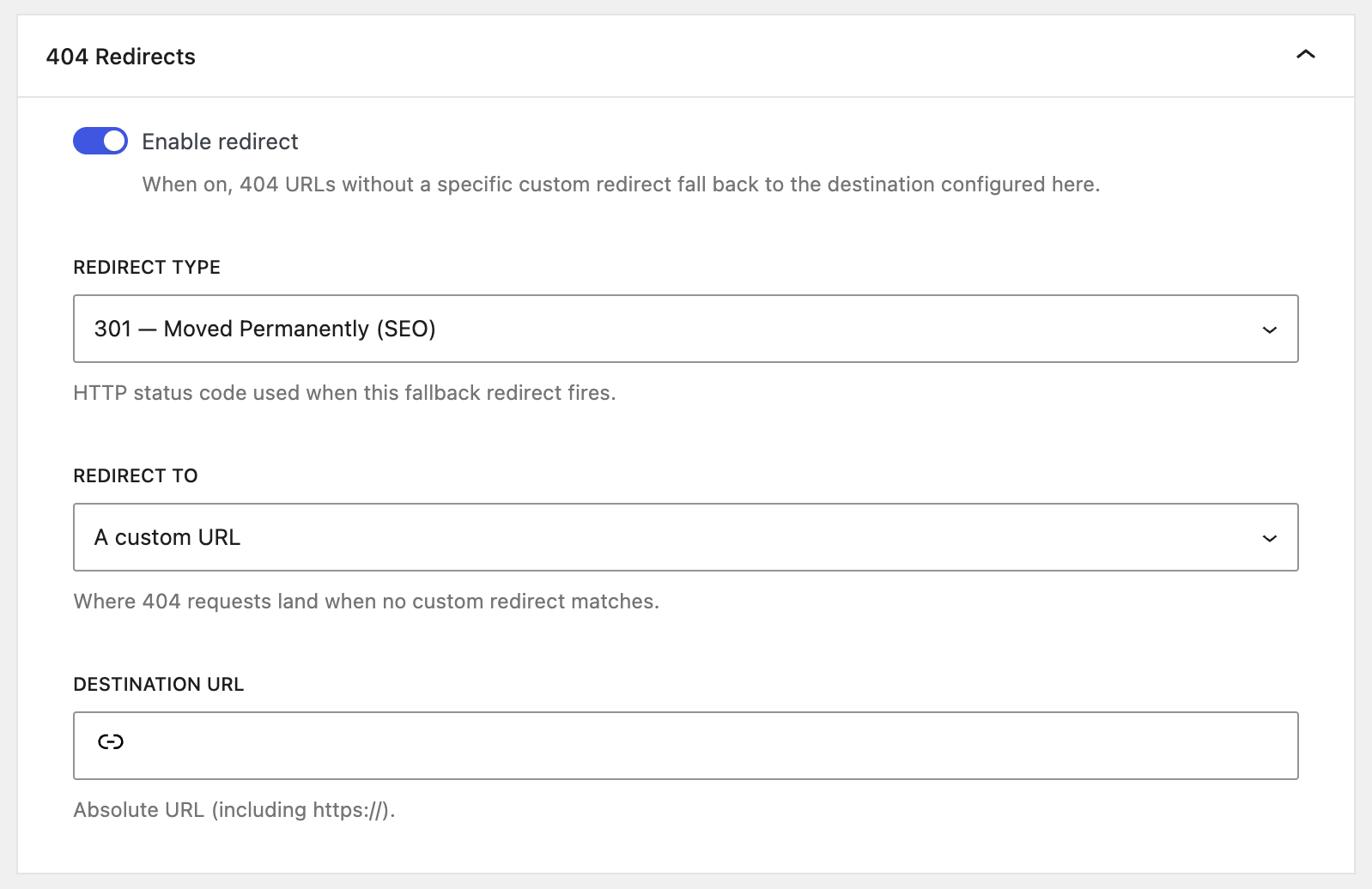
You can set a global fallback that automatically redirects every remaining 404 error to your homepage, a chosen page, or any URL, using the redirect type you prefer. If you’d rather leave them, every 404 is still logged so you can review and fix it.
No. The plugin only does work on a 404 request, so normal, healthy page loads aren’t touched at all. Custom redirects use a hashed, indexed lookup for near-instant matching.
Sort the log by hits, then use the referrer source filter. A 404 with traffic and a referrer from your own site is a broken link in your content. One with a referrer from another site is an inbound link worth redirecting. One with no referrer at all is usually a bot or a typed URL, and often safe to ignore.
Yes, and it’s all built in with nothing extra to install. Settings → Import/Export does a bulk redirect import from a CSV file or another redirect plugin, and exports your settings as JSON. The Logs page exports your 404 error log as a filter-aware CSV, and Email Reports can send that CSV to you on a schedule.
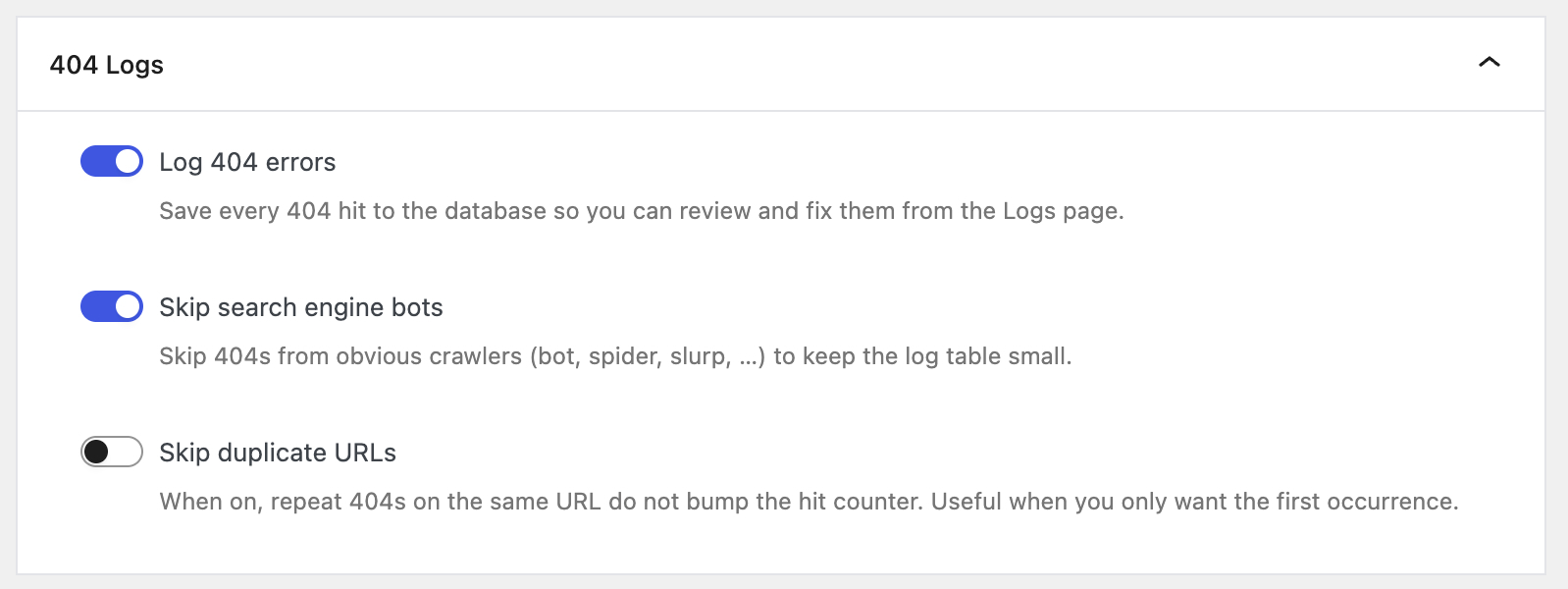
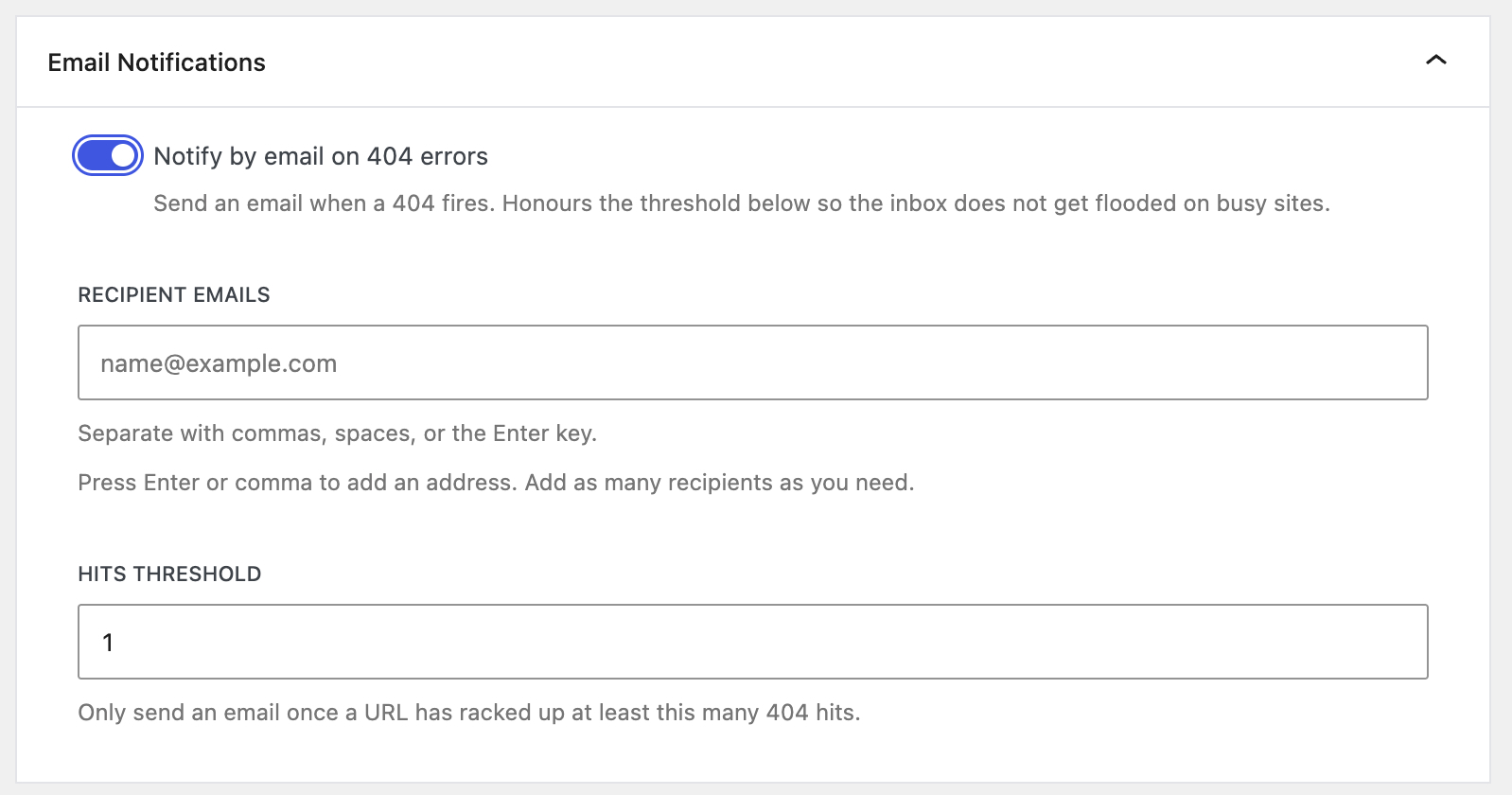
Everything lives under 404 to 301 → Settings, split into four tabs. Redirects holds the default 404 redirect and the URL-guessing controls, 404 Logs holds logging, exclusions and log cleanup, Notifications holds email alerts and scheduled reports, and Import/Export handles CSV and JSON.

#158 by installs
Manage 301 & 302 redirects. Simple redirection & redirects validation. Includes redirect stats & 404 error log.

#13 by installs
Grow your organic traffic and AI visibility with powerful SEO tools, XML sitemaps, Schema automation, and built-in AI SEO, all in one place.

#126 by installs
Broken Link Checker helps you catch broken links & images fast, before they hurt your SEO or UX. Scan and bulk-fix issues from one easy dashboard.
Broken link checker that finds and fixes broken links, broken images, and dead video links to protect your site's SEO.

#250 by installs
Using this plugin, you can fix all 404 error links by redirecting them to homepage using the SEO 301 redirection. Improve your SEO rank & pages speed

#338 by installs
Simple 301 Redirects provides an easy method of redirecting requests to another page on your site or elsewhere on the web.
Read from the WordPress.org plugin API on , when WordPress 7.1.4 was the current release. WordPress.org rounds active installs into buckets. These are the directory's figures, not my verdict, and I haven't tested this plugin.
